


🌐 Official Website: chess-analyzer-ut.vercel.app
Visit the official site for detailed documentation, latest updates, and to report bugs or request features.
Chess Analyzer Pro is a powerful, full-stack Python desktop application designed to bring professional-grade chess analysis to your local machine. Inspired by platforms like Chess.com, it combines the robust analysis capabilities of Stockfish with a sleek, responsive PyQt6 interface.
| Analysis View | Stats Tab | Settings Tab | History Tab |
|---|---|---|---|
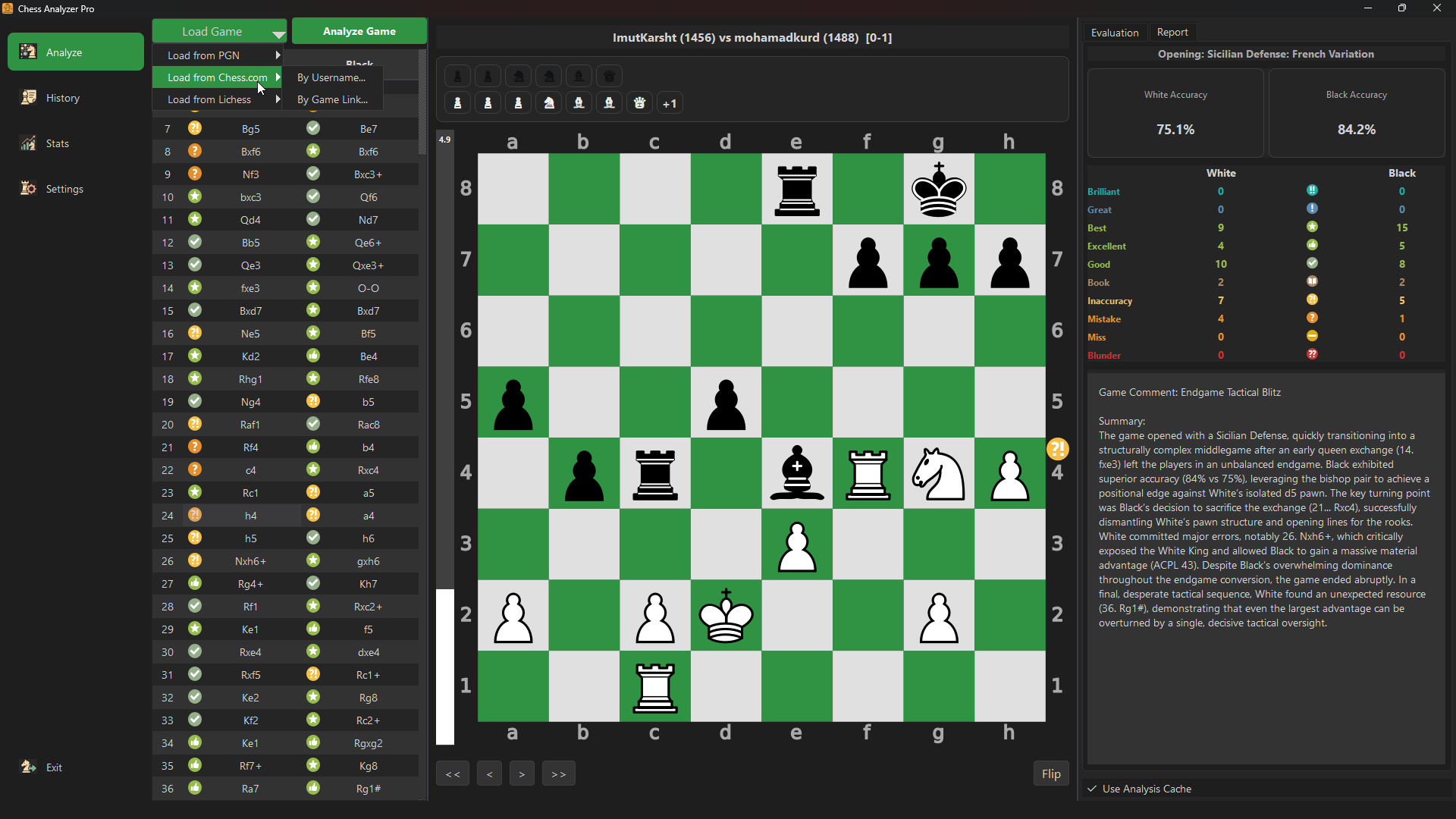 |
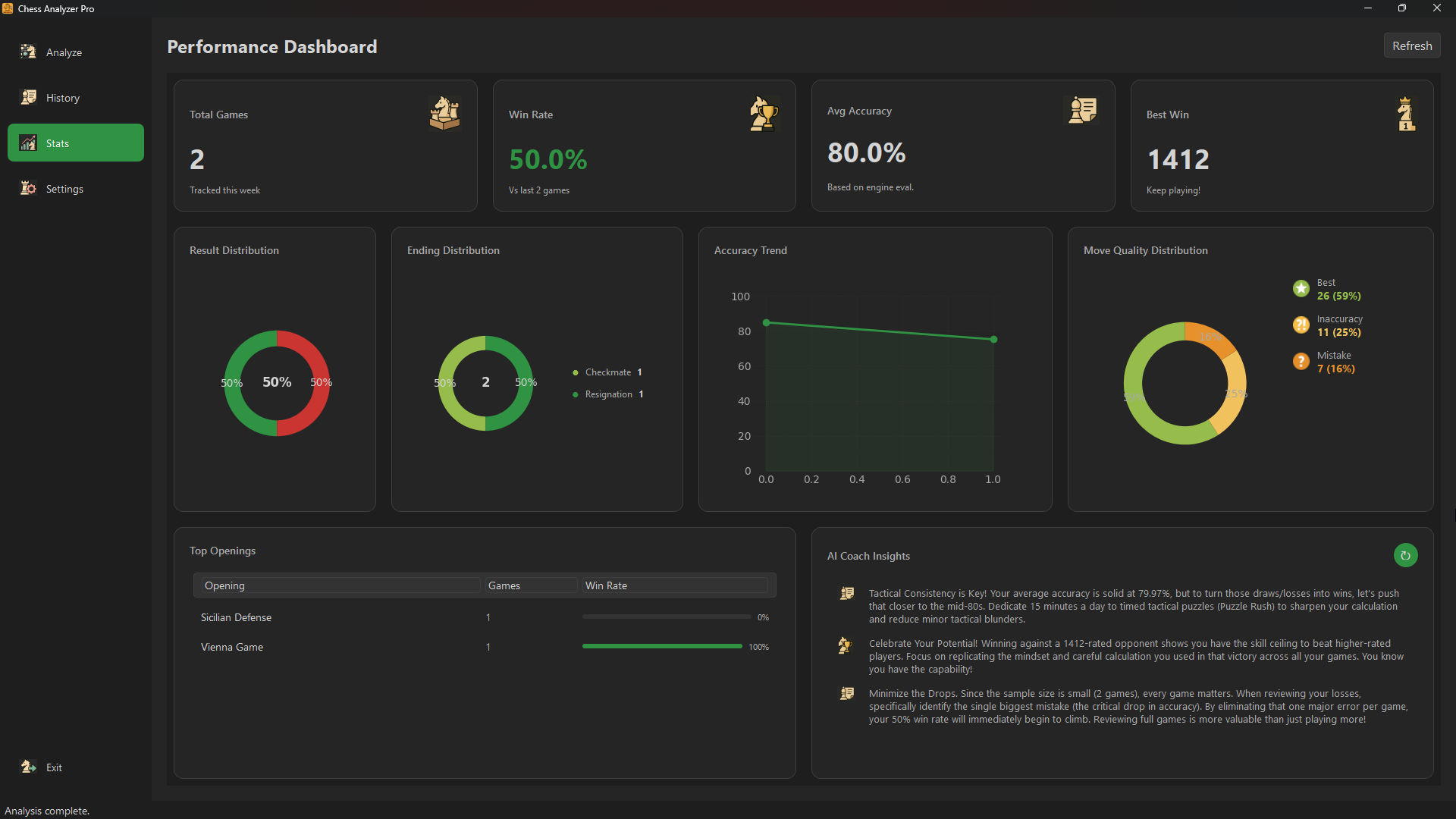 |
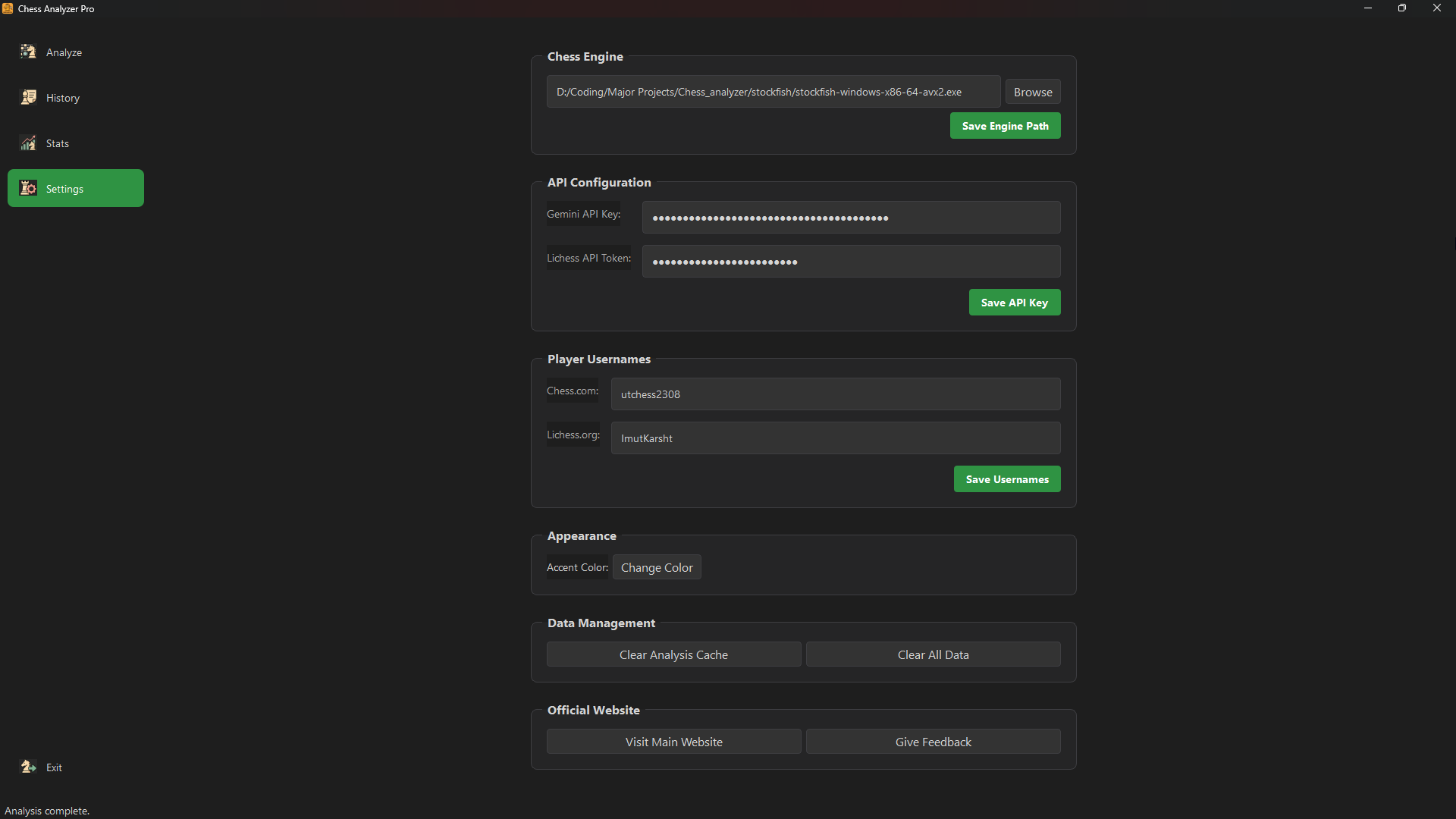 |
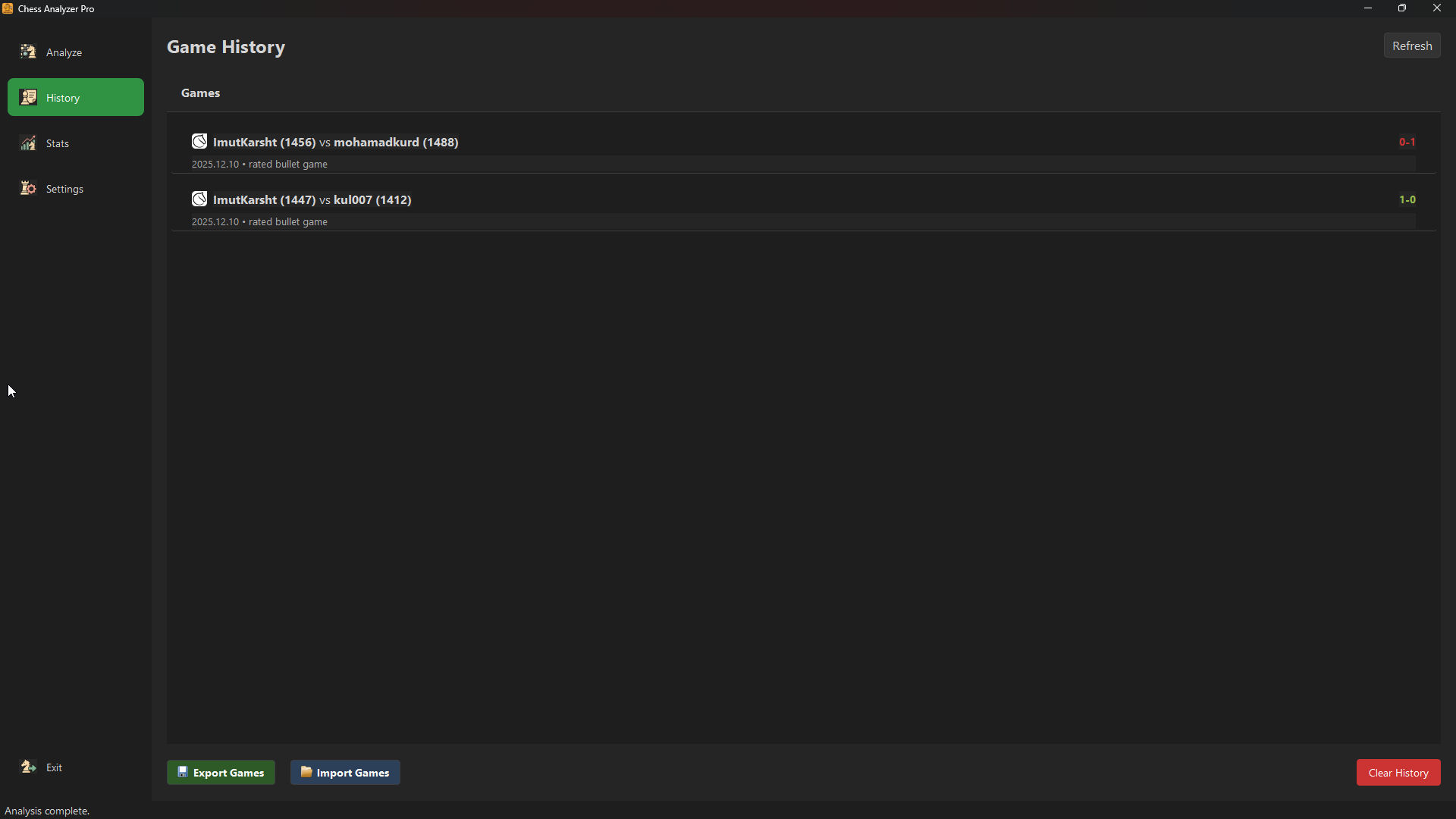 |
-
Stockfish Integration: Leverages the world's strongest chess engine for deep, move-by-move analysis.
-
Move Classification: Automatically classifies every move (Brilliant, Great, Best, Excellent, Good, Inaccuracy, Mistake, Blunder, Miss).
-
Win Probability: Calculates and displays win probability swings for every move.
-
Opening Explorer: Identifies openings and variations using a built-in book and online APIs.
-
Ending Analysis: Charts game outcomes by type (Checkmate, Time, Resignation).
- Interactive Board: Fully functional chessboard with drag-and-drop support and visual move indicators.
- Evaluation Graph: Dynamic graph visualizing the game's evaluation flow.
- Game List: Easy navigation between multiple games in a PGN.
- Move List: Detailed move history with classification icons and evaluation scores.
- PGN Support: Robust parsing for single and multi-game PGN files.
- Direct Text Input: Paste PGN text directly from your clipboard for quick analysis.
- Web Imports:
- Chess.com: Import from user profiles or specific game URLs.
- Lichess: Import from usernames or specific game URLs.
- Data Backup: Export your entire game history to CSV for backup or analysis in other tools, and import it back seamlessly.
- Splash Screen: Beautiful startup screen for a polished launch experience.
- Sound Effects: Immersive audio feedback for moves, captures, checks, castles, and game completion.
- Board Themes: Multiple board color themes to customize your chessboard appearance.
- Piece Themes: Choose from different piece sets to personalize your playing experience.
- Dark Mode: Modern dark theme for reduced eye strain during long analysis sessions.
- Core: Python 3.10+
- GUI: PyQt6 (Modern, responsive desktop interface)
- Engine: Stockfish (Via UCI protocol for world-class analysis)
- Database: SQLite references locally (
analysis_cache.db) to cache analysis results, ensuring instant loading for previously analyzed games. - Config: Local
config.jsonfor persistent user settings. - Integrations:
- Groq AI: AI-powered natural language game summaries with customizable models.
- Lichess & Chess.com: Direct game import APIs.
We prioritize your privacy. Chess Analyzer Pro is a "Local-First" application.
- Local Database: All analysis data and game history are stored in a local SQLite database (
analysis_cache.db). - No Cloud Uploads: Your games and moves are never uploaded to our servers. Analysis happens entirely on your machine using the bundled Stockfish engine.
- Secure Config: API keys (Groq, Lichess) are stored locally in
config.jsonand are never shared.
- Python 3.8 or higher
- Stockfish Engine
-
Clone the Repository
git clone https://github.com/yourusername/chess-analyzer-pro.git cd chess-analyzer-pro -
Create a Virtual Environment (Recommended) Using uv (faster and more reliable):
# Install uv if you haven't already
pip install uv

# Create virtual environment
uv venv .venv

# Activate
# Windows
.venv\Scripts\activate
# macOS/Linux
source .venv/bin/activate
-
Install Dependencies
uv pip install -r requirements.txt
-
Setup Stockfish
- Download the Stockfish engine for your OS.
- Extract the executable to a known location (e.g., inside a
stockfish/folder in the project root).
-
Run the Application
uv main.py
-
Configure Engine
- Go to
Settings > Configure Engine.... - Select your Stockfish executable path.
- Go to
-
Load a Game
-
File > Open PGN...: Load a local
.pgnfile. -
File > Load from Chess.com User...: Fetch recent games for a specific user.
-
File > Load from Lichess User...: Fetch recent games for a Lichess user.
-
File > Load from Chess.com URL...: Analyze a specific game URL.
-
-
Analyze
- Click
Analysis > Analyze Gameto start the engine. - Watch the progress bar as the engine evaluates each move.
- Once complete, explore the move list and graph!
- Click
Run the test suite to ensure everything is working correctly:
python -m pytest tests/Contributions are welcome! Please follow these steps:
- Fork the repository.
- Create a new branch (
git checkout -b feature/YourFeature). - Commit your changes (
git commit -m 'Add some feature'). - Push to the branch (
git push origin feature/YourFeature). - Open a Pull Request.
- PDF Export: Generate professional PDF reports.
- Coach Mode: AI-powered natural language explanations.
- Opening Repertoire Builder: Tools to build and practice openings.
- Endgame Tablebases: Integration with Syzygy tablebases.
- Multi-Engine Support: Compare analysis from different engines.
This project is licensed under the MIT License - see the LICENSE file for details.
Note: The chess piece graphics in
assets/pieces/are a separate work licensed under CC BY-SA 3.0 (see the Third-Party Assets section below).
The chess piece graphics shipped in assets/pieces/ come from
the Cburnett SVG chess set by Colin M.L. Burnett.
- Source: Wikimedia Commons — SVG chess pieces
- License: CC BY-SA 3.0
- Per-file notice: see assets/pieces/THIRD-PARTY-README.md
The SVGs are kept in a separate directory so they can be replaced or removed without touching the MIT-licensed source code.
- Stockfish for the powerful chess engine.
- Python-Chess for the chess library.
- PyQt6 for the GUI framework.
- Chess piece graphics by Colin M.L. Burnett (Cburnett), distributed via Wikimedia Commons and used in the Lichess project (CC BY-SA 3.0).