


🌐 Official Website: chess-analyzer-ut.vercel.app
Visit the official site for detailed documentation, latest updates, and to report bugs or request features.
Chess Analyzer Pro is a powerful, full-stack Python desktop application designed to bring professional-grade chess analysis to your local machine. Inspired by platforms like Chess.com, it combines the robust analysis capabilities of Stockfish with a sleek, responsive PyQt6 interface.
| Analysis View | Load Game | History Tab | Stats Tab | Settings Tab |
|---|---|---|---|---|
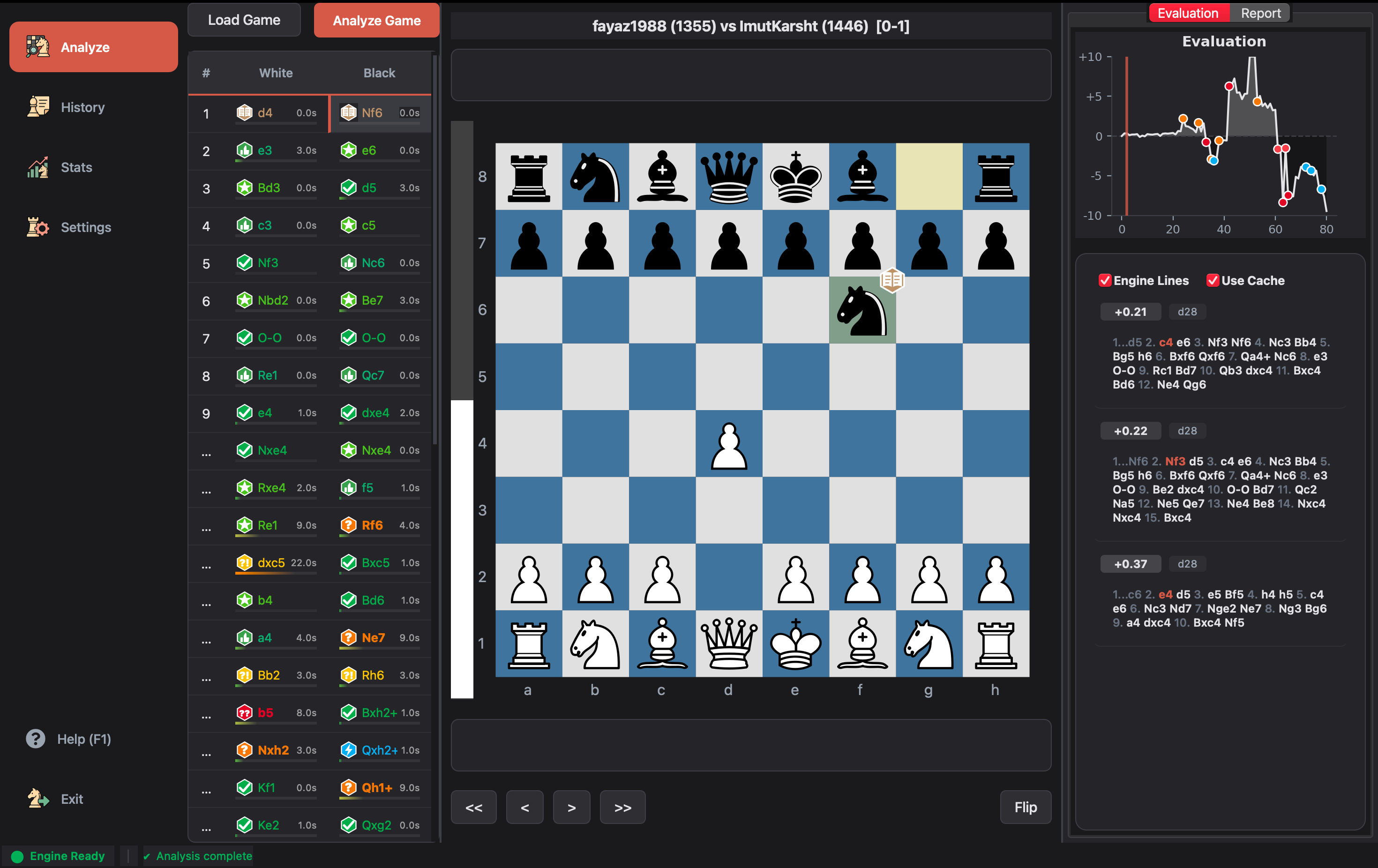 |
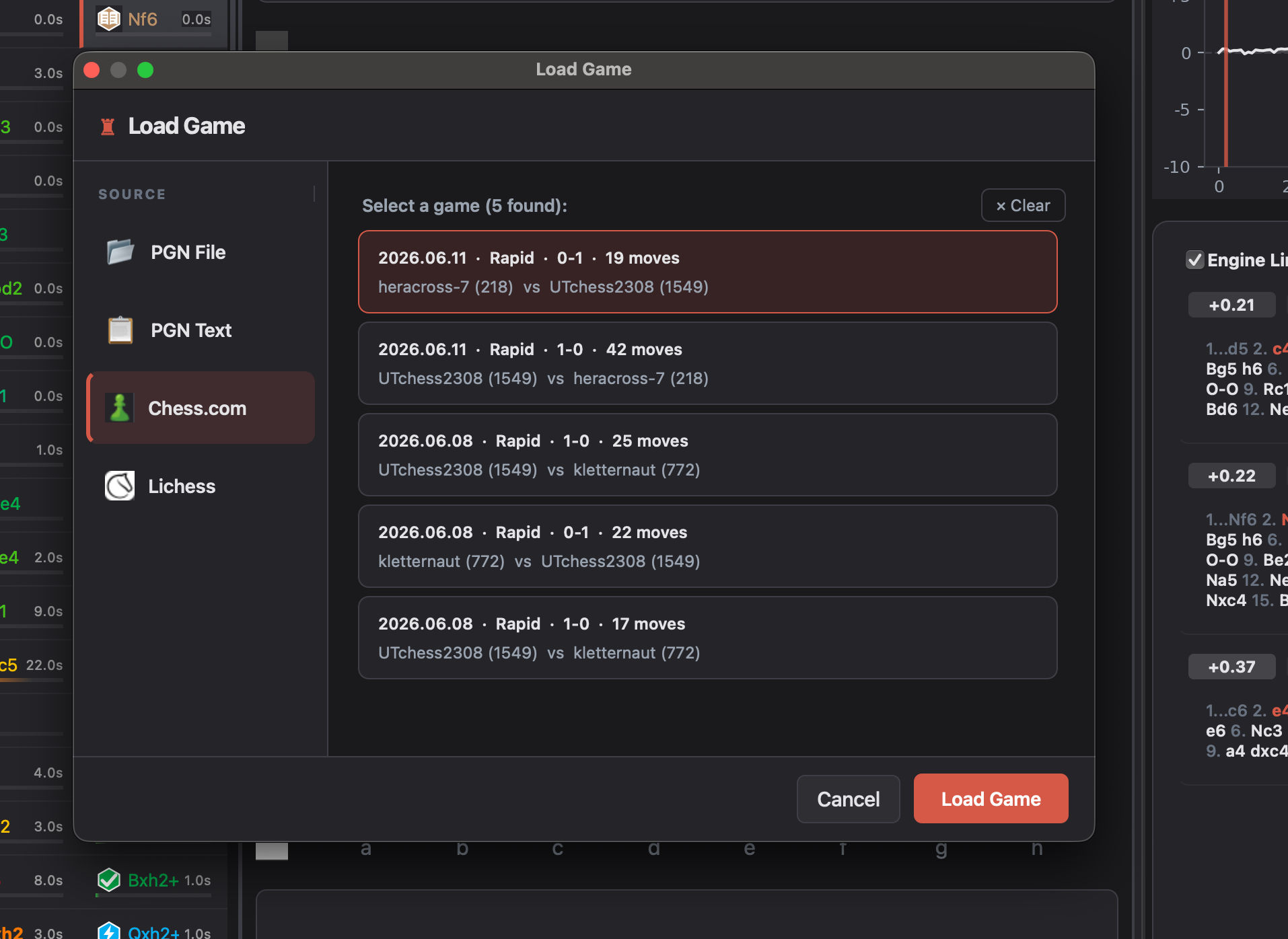 |
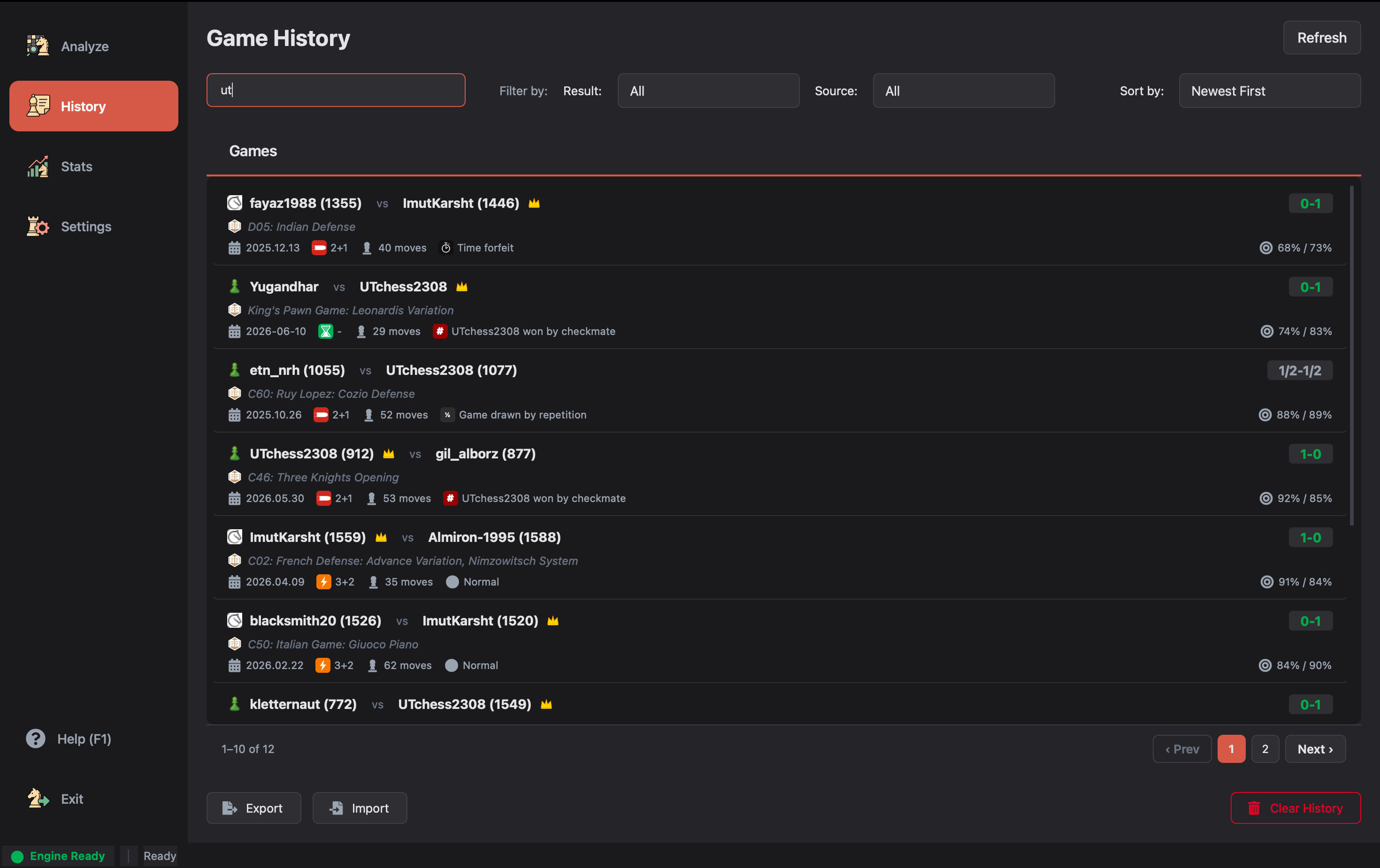 |
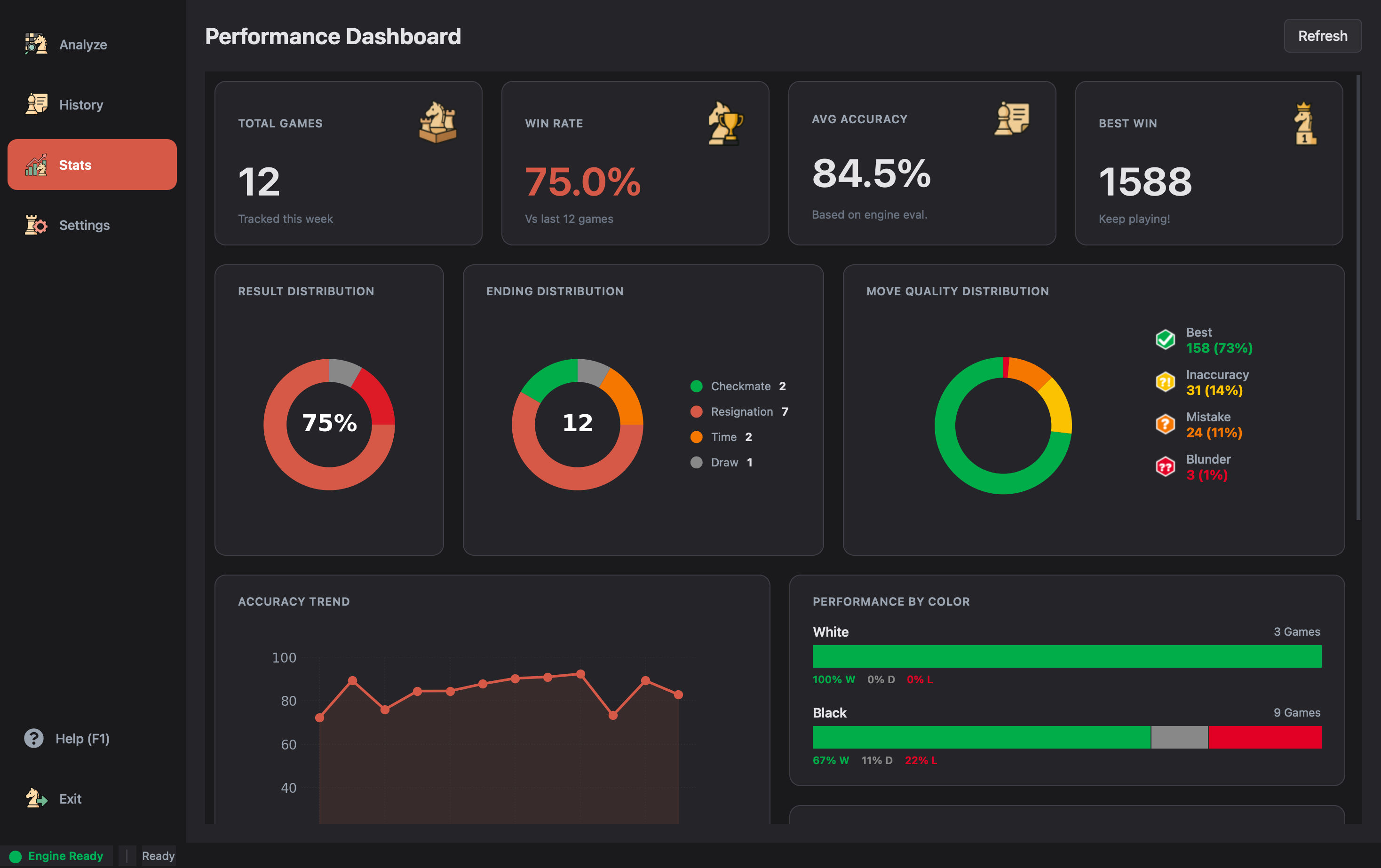 |
 |
-
Stockfish Integration: Leverages the world's strongest chess engine for deep, move-by-move analysis.
-
Move Classification: Automatically classifies every move (Brilliant, Great, Best, Excellent, Good, Inaccuracy, Mistake, Blunder, Miss).
-
AI Coach Summaries: Generates natural language post-game explanations using any OpenAI-compatible endpoint. Out-of-the-box support for Groq (Cloud), LM Studio (Local), MiniMax (Cloud), and Custom endpoints.
-
Win Probability: Calculates and displays win probability swings for every move.
-
Opening Explorer: Identifies openings and variations using a built-in book and online APIs.
-
Ending Analysis: Charts game outcomes by type (Checkmate, Time, Resignation).
- Interactive Board: Fully functional chessboard with drag-and-drop support and visual move indicators.
- Evaluation Graph: Dynamic graph visualizing the game's evaluation flow.
- Game List: Easy navigation between multiple games in a PGN.
- Move List: Detailed move history with classification icons and evaluation scores.
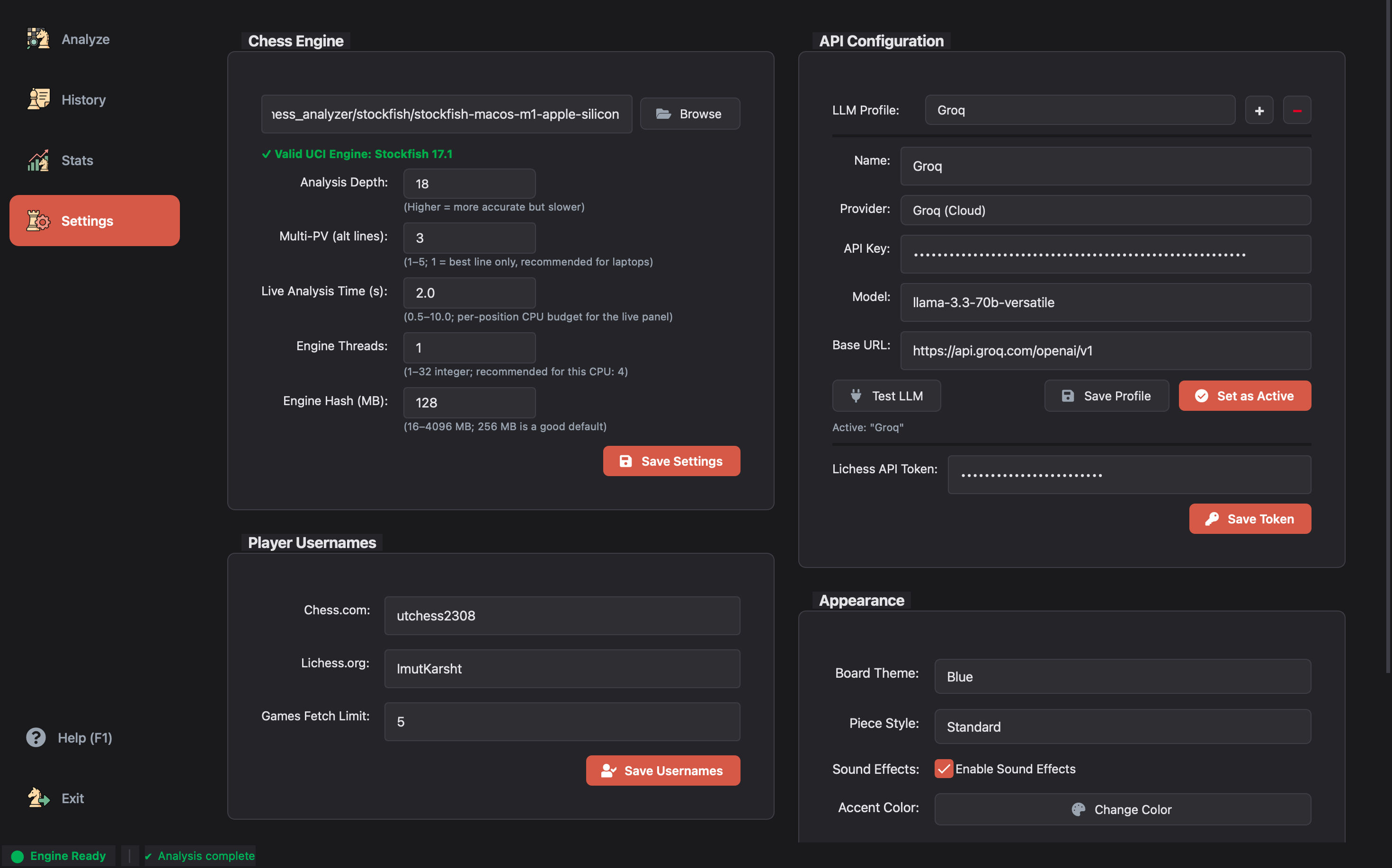
- Highly Configurable Settings: Dedicated settings page where application data and preferences (e.g., engine paths, API keys, usernames) are easily managed and automatically saved to a local user JSON file.
- PGN Support: Robust parsing for single and multi-game PGN files.
- Direct Text Input: Paste PGN text directly from your clipboard for quick analysis.
- Web Imports:
- Chess.com: Import from user profiles or specific game URLs.
- Lichess: Import from usernames or specific game URLs.
- Data Backup: Export your entire game history to CSV for backup or analysis in other tools, and import it back seamlessly.
- Splash Screen: Beautiful startup screen for a polished launch experience.
- Sound Effects: Immersive audio feedback for moves, captures, checks, castles, and game completion.
- Board Themes: Multiple board color themes to customize your chessboard appearance.
- Piece Themes: Choose from different piece sets to personalize your playing experience.
- Dark Mode: Modern dark theme for reduced eye strain during long analysis sessions.
- Core: Python 3.10+
- GUI: PyQt6 (Modern, responsive desktop interface)
- Engine: Stockfish (Via UCI protocol for world-class analysis)
- Database: SQLite references locally (
analysis_cache.db) to cache analysis results, ensuring instant loading for previously analyzed games. - Config: Local
config.jsonfor persistent user settings. - Integrations:
- LLM Providers: AI-powered natural language game summaries. Natively supports Groq, LM Studio, MiniMax, and Custom OpenAI-compatible servers.
- Lichess & Chess.com: Direct game import APIs.
We prioritize your privacy. Chess Analyzer Pro is a "Local-First" application.
- Local Database: All analysis data and game history are stored in a local SQLite database (
analysis_cache.db). - No Cloud Uploads: Your games and moves are never uploaded to our servers. Analysis happens entirely on your machine using the bundled Stockfish engine.
- Secure Config: API keys (Groq, Lichess) are stored locally in
config.jsonand are never shared.
- Python 3.8 or higher
- Stockfish Engine
-
Clone the Repository
git clone https://github.com/yourusername/chess-analyzer-pro.git cd chess-analyzer-pro -
Create a Virtual Environment (Recommended) Using uv (faster and more reliable):
# Install uv if you haven't already
pip install uv

# Create virtual environment
uv venv .venv

# Activate
# Windows
.venv\Scripts\activate
# macOS/Linux
source .venv/bin/activate
-
Install Dependencies
uv pip install -r requirements.txt
-
Setup Stockfish
- Download the Stockfish engine for your OS.
- Extract the executable to a known location (e.g., inside a
stockfish/folder in the project root).
-
Run the Application
uv main.py
-
Configure Engine
- Go to
Settings > Configure Engine.... - Select your Stockfish executable path.
- Go to
-
Load a Game
-
File > Open PGN...: Load a local
.pgnfile. -
File > Load from Chess.com User...: Fetch recent games for a specific user.
-
File > Load from Lichess User...: Fetch recent games for a Lichess user.
-
File > Load from Chess.com URL...: Analyze a specific game URL.
-
-
Analyze
- Click
Analysis > Analyze Gameto start the engine. - Watch the progress bar as the engine evaluates each move.
- Once complete, explore the move list and graph!
- Click
Run the test suite to ensure everything is working correctly:
python -m pytest tests/Contributions are welcome! Please see our CONTRIBUTING.md for details on how to get started, set up your development environment, and submit pull requests.
This project is licensed under the MIT License - see the LICENSE file for details.
Note: The chess piece graphics in
assets/pieces/are a separate work licensed under CC BY-SA 3.0 (see the Third-Party Assets section below).
The chess piece graphics shipped in assets/pieces/ come from
the Cburnett SVG chess set by Colin M.L. Burnett.
- Source: Wikimedia Commons — SVG chess pieces
- License: CC BY-SA 3.0
- Per-file notice: see assets/pieces/THIRD-PARTY-README.md
The SVGs are kept in a separate directory so they can be replaced or removed without touching the MIT-licensed source code.
- Stockfish for the powerful chess engine.
- Python-Chess for the chess library.
- PyQt6 for the GUI framework.
- Chess piece graphics by Colin M.L. Burnett (Cburnett), distributed via Wikimedia Commons and used in the Lichess project (CC BY-SA 3.0).