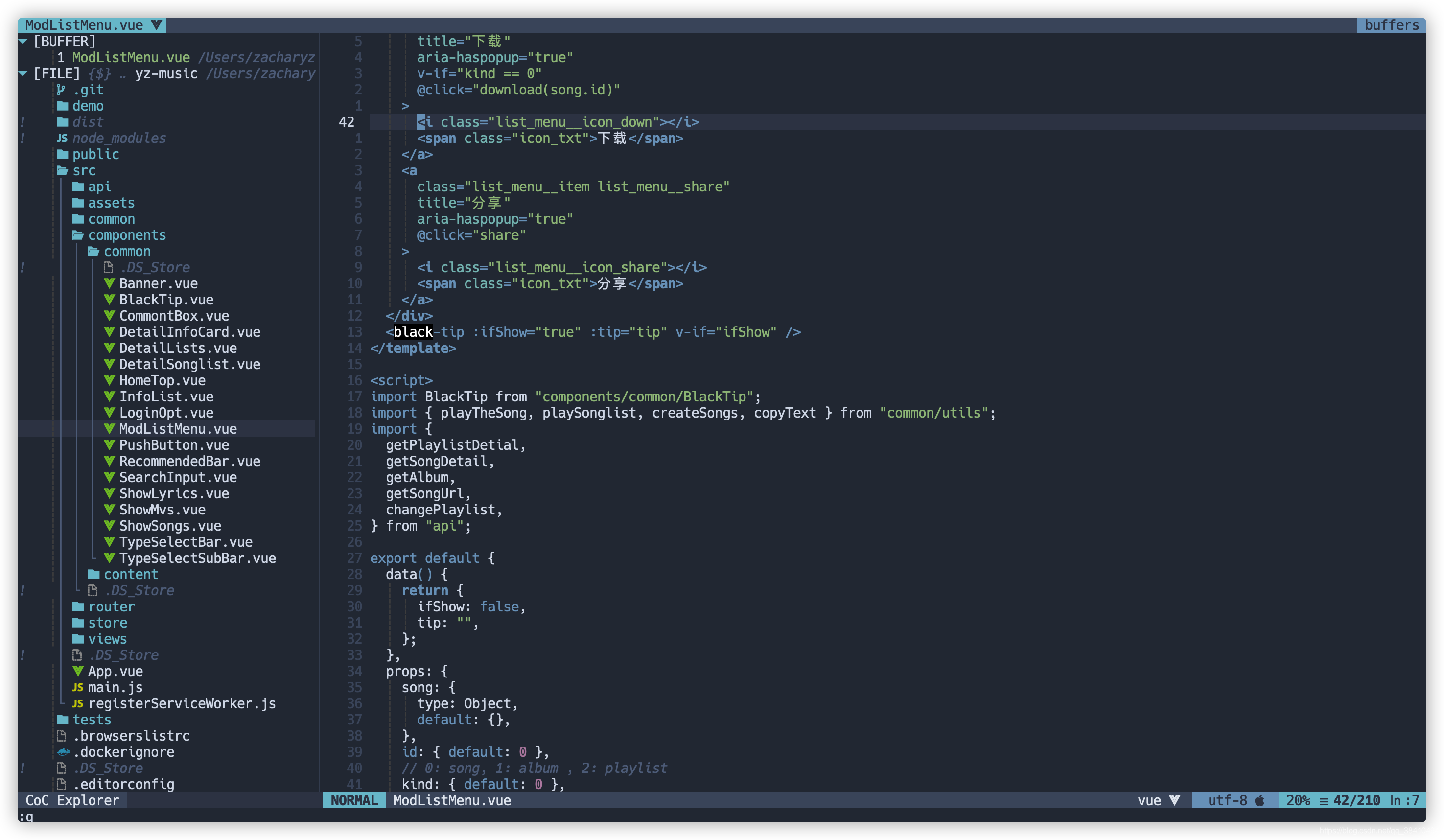
Personal Neovim configuration, migrated to lazy.nvim + Lua .
Tested on macOS / Linux. Windows support is partial (g.isWin checks).
Install system dependencies:
brew install ripgrep gopls ctags node python3 Or use the bundled installer (macOS / Linux):
lua tools/install-dependent.lua Install Python & Node packages:
pip3 install pynvim
npm install -g neovim
Install a Nerd Font for icons (optional but recommended):
brew install --cask font-hack-nerd-font After installation, run :checkhealth in Neovim.
.
├── init.vim                  # Entry point
├── lua/
│   ├── env.lua               # Environment, paths, machine-specific config
│   ├── utils.lua             # Utility functions (map, opt, autocmd, etc.)
│   ├── funcs.lua             # Custom functions (browser open, transparent bg, etc.)
│   ├── plugin.lua            # lazy.nvim plugin specs
│   ├── settings/
│   │   ├── init.lua          # Load options + mappings
│   │   ├── options.lua       # Vim options
│   │   └── mappings.lua      # Key mappings
│   └── plugincfg/            # Per-plugin configurations
│       ├── alpha-theme.lua
│       ├── toggleterm.lua
│       ├── lsp.lua           # Built-in LSP configs
│       ├── cmp.lua           # nvim-cmp completion
│       ├── telescope.lua
│       └── ...
├── augroups.vim              # Autocmd groups (vimscript)
├── customplugins/            # Local vimscript plugins
│   ├── compile_run.vim
│   ├── md_quickmap.vim
│   └── replace.vim
└── tools/
    └── install-dependent.lua
<LEADER> is set to <Space>.
Key
Action
SSave (:w)
QQuit (:q)
<C-q>Force quit (:q!)
YYank to end of line (y$)
<C-a>Select all (ggVG)
<leader>trTrim trailing whitespace
Key
Action
K / JUp / down 5 lines
H / LLeft / right 5 chars
<C-k>Scroll view up 5 lines (cursor stays)
Key
Action
sk / sjHorizontal split
sh / slVertical split
tk / tj / th / tlMove between windows
<Up> / <Down> / <Left> / <Right>Resize window
ck / chRearrange splits
Key
Action
tnNew tab
t- / t=Previous / next tab
b- / b=Previous / next buffer
b#Last buffer
b1 ~ b9Switch to buffer 1~9
<m-1> ~ <m-9>Switch to tab 1~9
Key
Action
,fLive grep (search in project)
,hRecent files
,bOpen buffers
,lSearch in current file
,cCommand history
,kKeymaps
In telescope pickers, <C-d> deletes a buffer (in :Telescope buffers).
Comments
Key
Action
<leader>ccToggle comment (current line)
<leader>c + motionComment motion (e.g. <leader>cip for paragraph)
Visual <leader>c
Comment selected lines
Key
Action
gdGo to definition
grFind references
giGo to implementation
gyGo to type definition
KShow hover documentation
<leader>rnRename symbol
<leader>aCode action
<leader>qfQuick fix
<Tab> / <S-Tab>Next / prev completion item
<CR>Confirm completion
<C-Space>Trigger completion
Trouble (Diagnostics / Symbols)
Key
Action
<leader>xxToggle diagnostics panel
<leader>xsToggle symbols panel
Key
Action
[h / ]hPrev / next hunk
<leader>hpPreview hunk
<leader>hbBlame line
<leader>hsStage hunk
<leader>hrReset hunk
<leader>hdDiff this file
AI (agent-bridge + Supermaven)
Key
Action
<leader>aiOpen agent-bridge float (visual / normal)
<C-s>Send prompt from float
<Tab> (in float)Cycle sender mode (auto → tmux → claude → clipboard)
<C-l>Accept Supermaven suggestion
<C-j>Accept Supermaven next word
<C-\>Clear Supermaven suggestion
Key
Action
<leader>cfFormat document / selection
:FormatToggleToggle format-on-save
Key
Action
<space>yYank history (Telescope)
<c-p> / <c-n>Cycle yank history after paste
Key
Action
<leader>frFlutter run
<leader>fRFlutter restart
<leader>fqFlutter quit
<leader>foToggle Flutter outline
<leader>fdFlutter DevTools
<leader>feFlutter emulators
Key
Action
ttToggle file tree (nvim-tree)
<c-t>Toggle bottom terminal (toggleterm)
<C-l>Toggle right-side terminal
<A-1> ~ <A-3>Toggle terminal 1~3
<Esc><Esc> (in terminal)Exit terminal mode
<f4>Toggle transparent background
<leader>zToggle full screen (zoom window)
<leader>goOpen current file in browser
<leader>scToggle spell check
<leader>pmToggle paste mode
<leader>fcFind git conflict markers
<leader><cr>Clear search highlight
<leader>gyToggle Goyo (focus mode)
<leader>tmToggle table mode
gaAlign text (visual/normal)
<c-d>Select next occurrence (multi-cursor)
ga + <symbol>Easy align around symbol
All language servers are managed via built-in LSP.
Install language servers:
# Go# Lua# Python# Vimscript, Bash# HTML, CSS, JSON (single package)# TypeScript# YAML# Swift (macOS, comes with Xcode CLI)# or: brew install sourcekit-lspInstall formatters (used by conform.nvim):
brew install stylua shfmt
npm install -g prettier
pip3 install black
go install mvdan.cc/gofumpt@latest
go install golang.org/x/tools/cmd/goimports@latest
macOS Input Method (optional) For automatic input method switching (English in Normal mode, restore in Insert mode):
brew tap daipeihust/tap && brew install im-select If im-select is missing, Neovim will show a warning on startup. Run :IMSelectInstall to install it automatically.
Input method auto-switch : im-select is used to switch to ABC layout when leaving Insert mode. Only active on macOS.AI integration : agent-bridge supports three sender modes:
tmux — sends prompt to a tmux pane running claudeclaude — runs claude -p --continue and captures stdout into a result floatclipboard — copies prompt to system clipboard
Supermaven : Free AI inline completion. Run :SupermavenUseFree on first use.
ln -s xxx/nvim ~ /.vim
ln -s xxx/nvim/init.vim ./vimrc