(3)(1)(1)(1)-(4).png)
Project Status: Personal tool in maintenance mode.
Issues welcome but responses not guaranteed. Fork freely if you want. I will be happy to see any activity
If I encounter a problem that will interfere with me personally, I will fix it, but of course there is no schedule.
8Site name in code - old name of Youvi. 8Site because it was created at 8 Aug, and i dont have other ideas at that moment.
Youvi is an offline video library with video hosting interface, featuring danmaku, comments, tags (including aliases and implications), subtitles and more. Fully local and portable (localhost needed for subtitles and multiple audio tracks), works without internet.
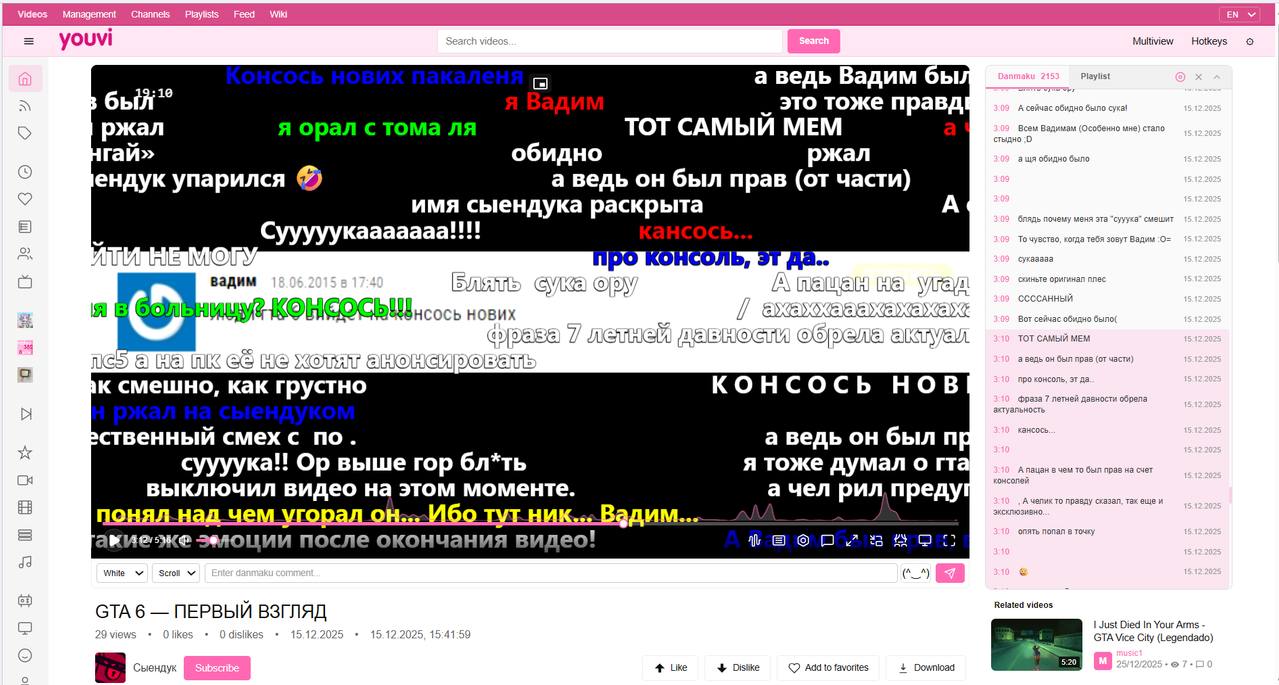
- Danmaku - Niconico-style comments on videos (including YouTube imports)
- Tagging - 14 tag types with aliases, implications, boolean search
- YouTube archival - Import videos with comments/timestamps as danmaku (and also YT live chat as a danmaku)
- Channels & playlists - Nothing special, just the basic functionality of a typical video hosting service. But it's your personal local “video hosting.”
- Subtitle support - ASS/SRT/SSA with font extraction from MKV (via FFmpeg WASM)
- Fully portable - Works from USB drive, no installation required
- Chromium-based browser (Chrome, Edge, Brave, Vivaldi, etc on Chromium) (Firefox sadly doesnt work (μ_μ) )
- Python 3 (for sub/audio tracks server)
- Download and extract files
- Move your video folders into one parent folder
- Open
index.htmlin browser from extarcted archive with site code. - Select language (top right)
- Click "Select Folder" and choose your video folder
Videos process automatically. Navigate through pages to generate all previews.
This is a web application working through File System Access API
Through it you can organize videos on your hard drive and watch them like on a video hosting site. Tag and search videos through a tag system with 14 types, aliases, implications, boolean search, set parent-child video relations, organize videos by channels and playlists.
There are scripts (in folder named "scripts") for importing comments from YouTube as regular comments and danmaku (import either live chat from streams/premieres or selection of comments with timestamps). You can watch YouTube videos like on Niconico with danmaku! This is one of the reasons why this thing was made. And you can also obviously write comments and danmaku by yourself.
Only external components are FFmpeg wasm (downloaded) and Lucid Icons (SVG code in files). Everything works out of the box.
Site works without internet. Available in three languages: English, Russian, and Ukrainian.
Site is portable - works from USB flash drive, external HDD, any location. You can carry it with you and plug in the flash drive to watch from any PC. Everything except ffmpeg wasm(subtitles and multilingual tracks) works through launching via file:///
Since I absolutely loooooove the internet I tried to polish the interface as much as possible. That's why the site feels like a real large video hosting service to me. There are lots of different micro-moments, and the overall appearance is great (in my opinion).
Viewing and storing anime (as well as movies, TV shows, and other PGC) Although the site's tags are used for everything, they are primarily designed for anime. Also there are ASS/SRT/SSA subtitles and audio tracks that were added to site because anime.
YouTube archival: You can preserve complete channel backups including video files (via yt-dlp), all comments with timestamps, description - creating a fully offline mirror of YouTube content with a browseable interface. For example - some tech tutorial with comments about some techincal moments that wasnt mention in videos. (someone if want can write scripts to scrap NicoNico and BiliBili danmaku and convert it into Youvi JSON files via some downloader like yt-dlp or special things or from API, whatever, like YT ones, so no only YT archival)
And in general, just categorize any video Anything can be categorized; the tag system is universal and suitable for everything.
- Download file
- Open index.html
- Select language in top right
- Click "Select Folder" button
Move all your video folders into 1 folder and select it if you want to watch the entire collection. Folder nesting doesn't matter, the site will recognize everything.
The site will start processing videos, wait until previews appear. When it finishes on page 1, go to page 2 and so on until you process everything (my collection grew slowly so this works for me). Videos only need to be processed once, after which it remembers all previews.

Management - page for video selection
Why 2 pages? Because the project grew and cutting out core functions from the old main page turned out to be difficult, so I just lefted it. (it used to be a 2000s-style video hosting which is visible in the design. Legacy level just like real sites) But now it have PC First "overloaded" (that what i like) but modern UI)
Channels - list of channels
Playlists - list of playlists
Feed - list of channel text feeds
Wiki - Wiki (omg wow)
Site has 14 tag types:
Format: Name (type). Types: (ka)=channel, (gt)=general, (ch)=character, (au/ar)=author/artist, (ge)=genre, (tp)=type, (yr)=year, (st)=studio, (ct)=category, (ra)=rating, (at)=anime, (ser)=series, (mt)=movie, (nat)=animation
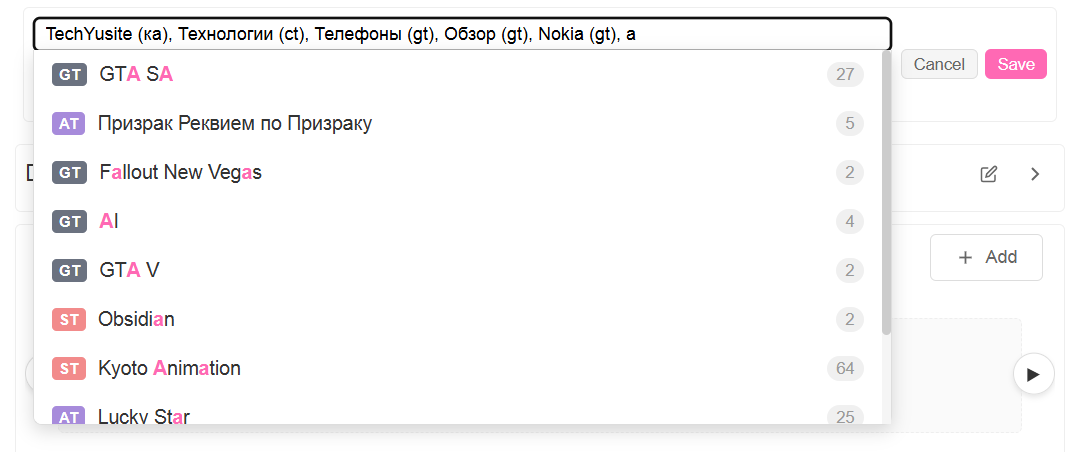
Ka is a tag for channels. Yes, channels are just a tag. To add a channel you need to write somename (ka) under the video and go to the channel after which it will be created and you can subscribe to it and write in its text section, create playlists from its videos.
Gt (general tag) is a universal tag.
Ra is a rating tag, you decide how to set it - either like on booru safe/questionable etc or ratings like regulators such as R-18, PG-13 or 12+ or whatever you want. Nothing is strictly defined, choose by yourself.
Nat (not anime title) is intended as a tag for all animation except anime, including Chinese and Korean.
The only mandatory requirement hardcoded is that video must have a ka tag. But for recommendations on the video playback page and better search, it's better to tag all videos in detail.
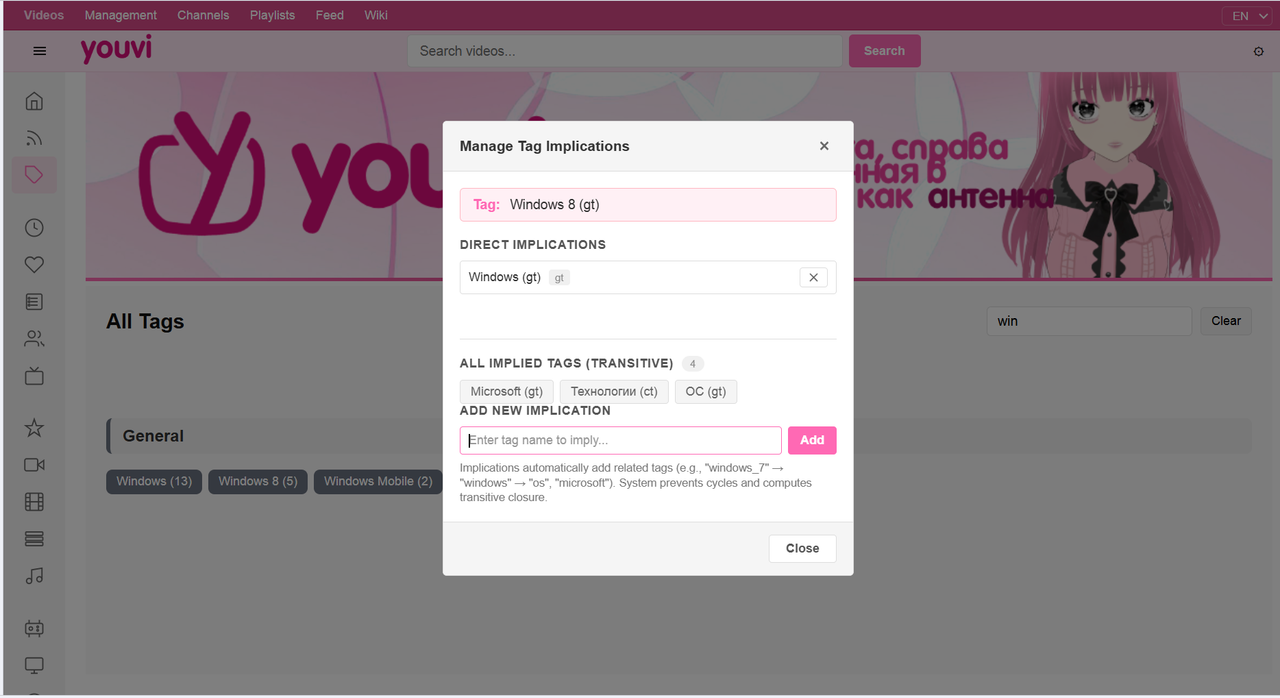
Tags page: When hovering over a tag, two buttons appear - aliases and implications. Aliases should be written without tag type, the type will be picked up automatically, implications with type. Bottom of the modal displays all tags that will be set. Implications are automatically set or removed (depending on what you chose) from all videos where the tag you configured was present. Page is divided into the same 14 types.
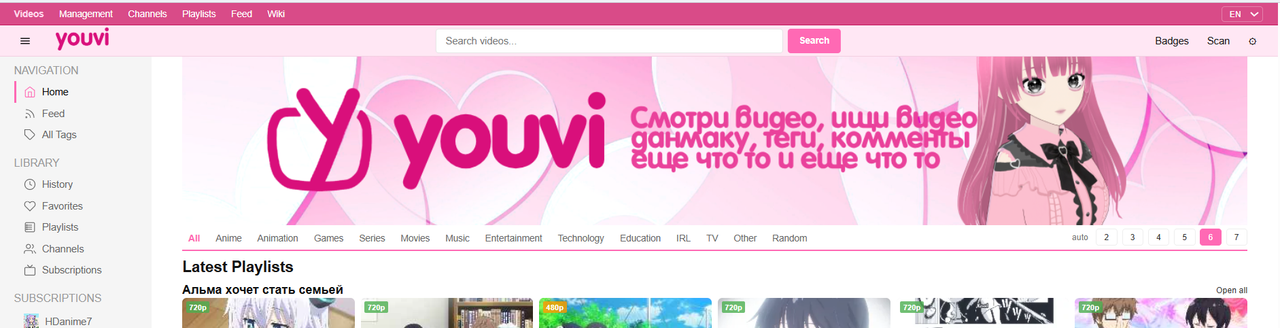
This is the main page. Huge banner with logo and site mascot - Yuvi. Under the banner are categories. Categories are a tag of type ct, I selected certain categories for classification, videos from which will appear here. Buttons 2-7 - number of cards per row.
Sidebar has site categories, tags, everything is clear. First 2 rows - latest playlists with 6 or more videos. Only on page 1 and only in latest mode. Then videos follow.
Supports ASS, SRT, extracts from MKV files and supports external loading. Works through ffmpeg wasm. Extracts everything including fonts and puts in .subs folder. For operation, a regular Python server is enough:
cd your_folder
python -m http.server
Multiple audio tracks are extracted from MKV files, to extract click the wave button in the player and click the needed one, wait and audio will play. Places in tracks folder next to video.
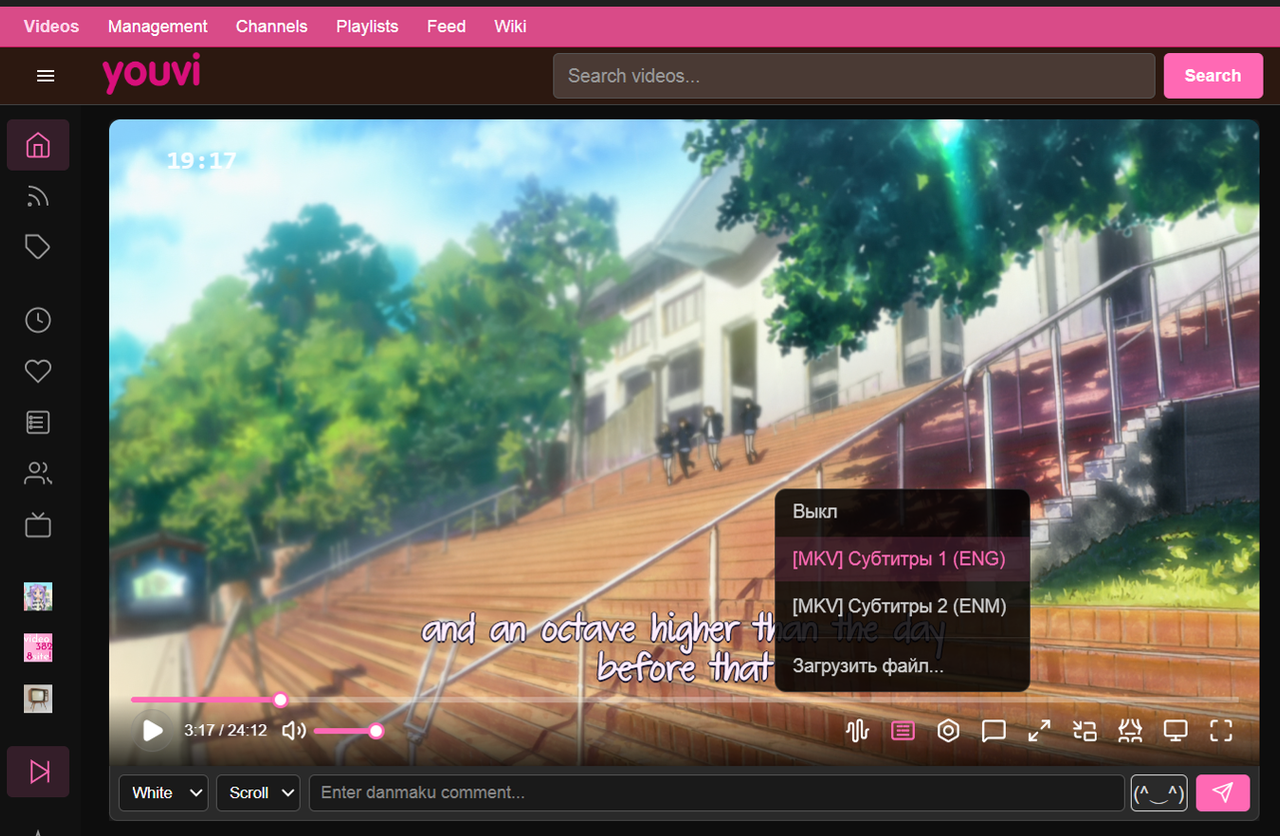
Danmaku and its input is everywhere in all video modes (even in PIP via Document-PIP API). For scripts you need yt-dlp. Find the script, open PowerShell and write:
py yt_comments_to_danmaku.py https://www.youtube.com/watch?v=smthRename the downloaded file to video name dot extension dot danmaku, i.e. if video is name.mp4, danmaku file will be name.mp4.danmaku.json. Put in .metadata folder (create if it doesn't exist) next to video. Comments are the same but write comments instead of danmaku. I optimized them and they works without lags on 3200 danmakus on 3 min video!
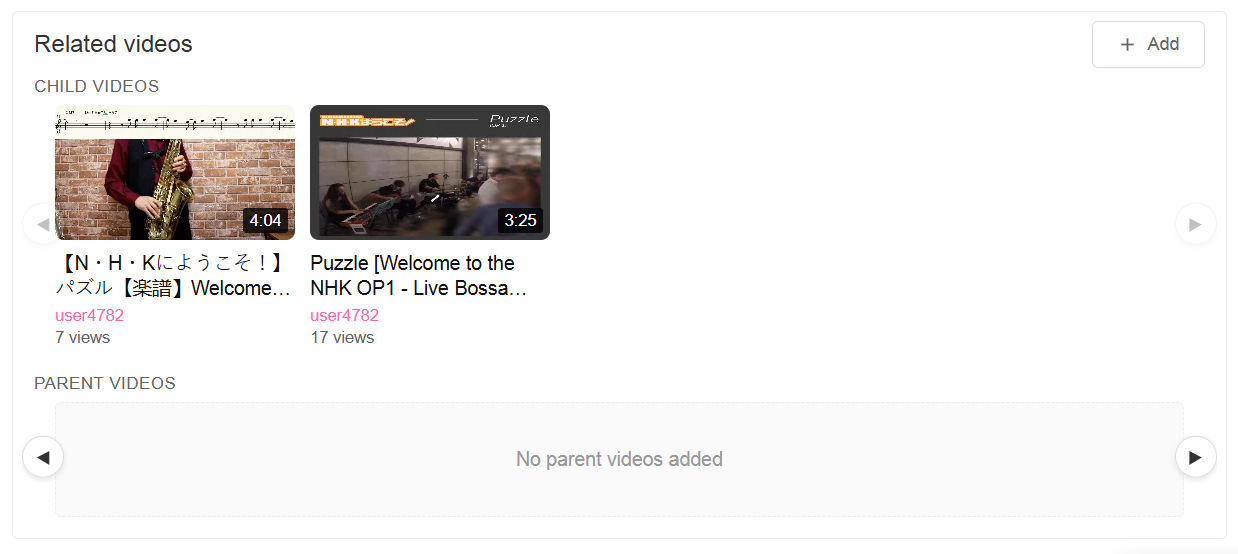
You can set video parent and child. Like on Niconico.
Single JSON for tags in Youvi folder, single JSON for URL codes. Everything else separately. Each video has in metadata folder: meta.json (info about video, preview, tags of this video, parent-child relation), description in txt file, danmaku, comments. Each video has its own files. You can load any folder like this and the site will pick up the data.
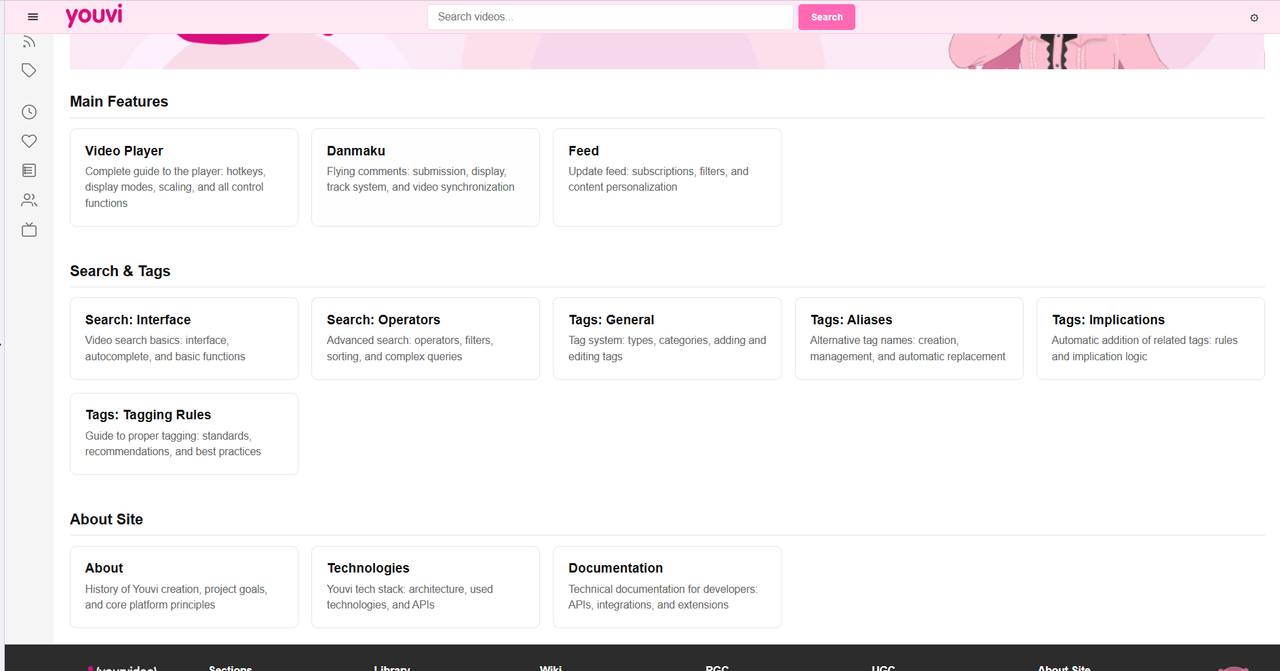
The site has a wiki with more detailed technical and user information about the site.
Optimized it a lot so it doesn't lag, on my not-so-powerful computers with 500 videos it works fast.
I'm not a professional coder, so the code may be rough. AI-assisted development, 100k+ lines. Full-featured portable "video hosting" with many features. This is my personal project created by me for myself, the most important thing is that it works and satisfies me. I worked on this project for half a year. This was my first project where I applied programming beyond academic tasks, and since there was no ready-made local first working witohout server mix of YouTube, NicoNico, booru sites and a player with subtitle support on the internet, I made this.
MIT License - see LICENSE file for details