





Ultra-minimalist dual-axis accelerometer controls with spring physics.
Perfect for games, creative coding, and UI experiments.
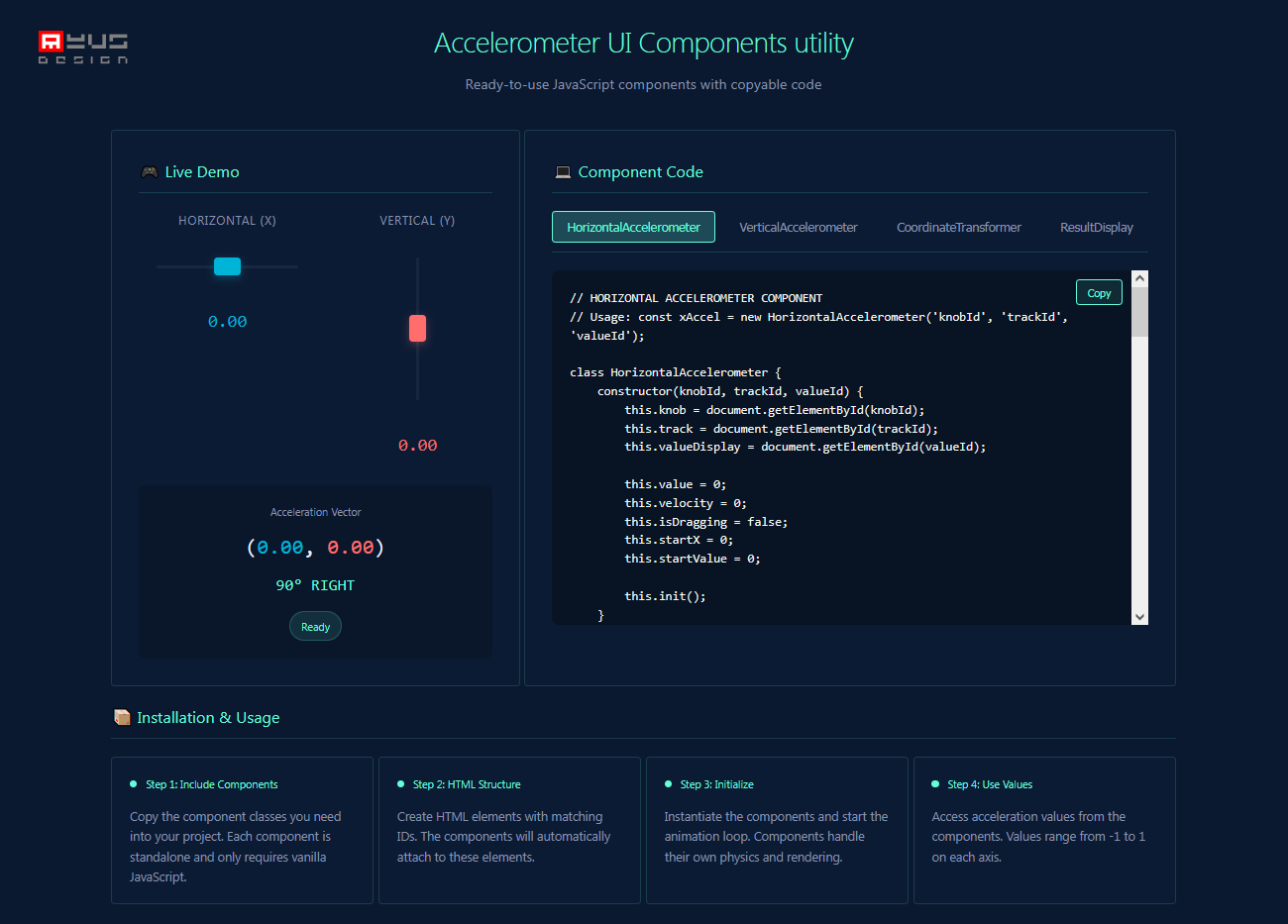
<!-- HTML -->
<div class="h-accel">
    <div class="h-track" id="trackX"></div>
    <div class="h-knob" id="knobX"></div>
</div>
<div id="valueX">0.00</div>

<script>
// JavaScript
const xAccel = new HorizontalAccelerometer('knobX', 'trackX', 'valueX');

function animate() {
    const x = xAccel.updatePhysics(); // -1 to 1
    // Use x in your app
    requestAnimationFrame(animate);
}
animate();
</script>| Component | Purpose | Values |
|---|---|---|
HorizontalAccelerometer |
Left/right control | -1 (left) to 1 (right) |
VerticalAccelerometer |
Up/down control | -1 (down) to 1 (up) |
CoordinateTransformer |
Math utilities | Angle conversion |
ResultDisplay |
Vector visualization | (X, Y) with compass angle |
- Spring physics - Automatically returns to zero
- Natural dragging - Intuitive mouse/touch control
- Color feedback - Visual acceleration indication
- Compass coordinates - 0° = UP, 90° = RIGHT
- No dependencies - Pure vanilla JavaScript
const xAccel = new HorizontalAccelerometer('xCtrl', 'xTrack', 'xVal');
const yAccel = new VerticalAccelerometer('yCtrl', 'yTrack', 'yVal');

function gameLoop() {
    const dx = xAccel.updatePhysics();
    const dy = yAccel.updatePhysics();
    player.x += dx * speed;
    player.y += dy * speed;
    requestAnimationFrame(gameLoop);
}accel.setValue(0.5); // Move to position
accel.setValue(0); // Reset to center0° = UP (Positive Y)
90° = RIGHT (Positive X)
180° = DOWN (Negative Y)
270° = LEFT (Negative X)
Inspired by SVG as shader techniques
MIT © 2026 - free to use in personal and commercial projects