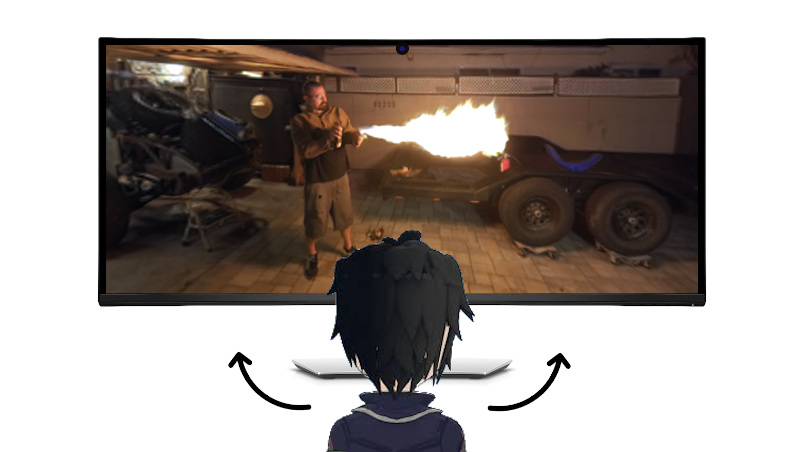
Parallax effect in javascript using face tracking, can be a good improvement for 3d scenes. If the user prohibits using the camera, nothing loads. This library uses TFJS with WASM backend on CPU, so your GPU will be free.
Run npm install parallax-effect and import it as ES module
  import * as Parallax from '../dist/parallax-effect.mjs';
  Parallax.init( view => {
    console.log( view );
  } );
or add it in script tag
  <script src="../dist/parallax-effect.js"></script>
  <script>
    Parallax.init( view => {
      console.log( view );
    } );
</script>View is a 3d vector with components similar to spherical coordinates: x/y in range [-1, 1] it's a value proportional to angle (because α ≈ sin(α)) and z is a value proportional to distance from camera to head. Also you can check for successfull init or change default settings: smoothing, default distance between eyes to change z, threshold in blazeface model or change tfjs source links from jsdelivr to unpkg / own server.
Parallax.init(
  view => {
    console.log( view.x, view.y, view.z );
  }, {
    smoothEye: 0.8,
    smoothDist: 0.25,
    defautDist: 0.12,
    threshold = 0.85
  }
).then( rafId => {
  console.log( 'cancelAnimationFrame(' + rafId + ')' );
}).catch( errorMessage => {
  console.log( errorMessage );
} );- deepview example
- ema smoothing
- iOS fix for camera
- lazy load for tfjs
- pixi.js example
- mouse fallback
- gyroscope fallback
Feel free to make issues or/and contribute.