Microservice based on the Google Cloud Endpoints Frameworks (REST) designed for Google App Engine Java 1.8 standard environment.
In order to generate microservice template from the archetype use the following command. You will be prompted to specify the information about the new project you want to create; the standard maven GAV (Group, Artifact, Version) and next ones needed for Google Cloud: ProjectId and MyServiceName.
If you don't know yet what is your ProjectId and MyServiceName no problem, choose arbitrary names and change it in the generated template once you will be done with Google Cloud Project setup, latest right before the deployment.
    mvn archetype:generate \
     -DarchetypeGroupId=biz.turnonline.ecosystem \
     -DarchetypeArtifactId=turnonline-ecosystem-microservice-archetype \
-DarchetypeVersion=1.3Google Cloud Project ID (source Google Cloud)
- The project ID is a single word (no spaces) that uniquely identifies your application.
- The project ID is one of the component’s of your site’s URL and it cannot be changed after the project is created.
- Thus, it is good to decide ahead of time what ID you want and to be prepared with alternatives in case your first choice is already taken.
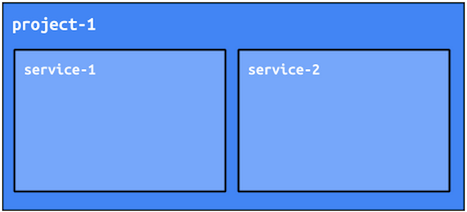
- In an App Engine project (defined by ProjectId), you can deploy multiple microservices as separate services and each of the service must have its own name unique within project.
- The service name is one of the part of the service URL.
- The service name might be changed if needed later.