


A Greasemonkey/Tampermonkey script that adds functionality to Kroger's online receipts. This allows you to accurately split the bill between two people, item by item. Different percentages can be assigned to each item. For example if one person eats most of the pancakes, you can have them pay for 75% and the other person pay for 25%.
Just install your favorite browser add-on / extension that allows you to execute javascript on a web page (example: Tampermonkey or Greasemonkey). Make a new script, and paste this code in. When you view your purchase history, sliders will appear on every purchased item, and the total for each side will appear at the bottom of the receipt.
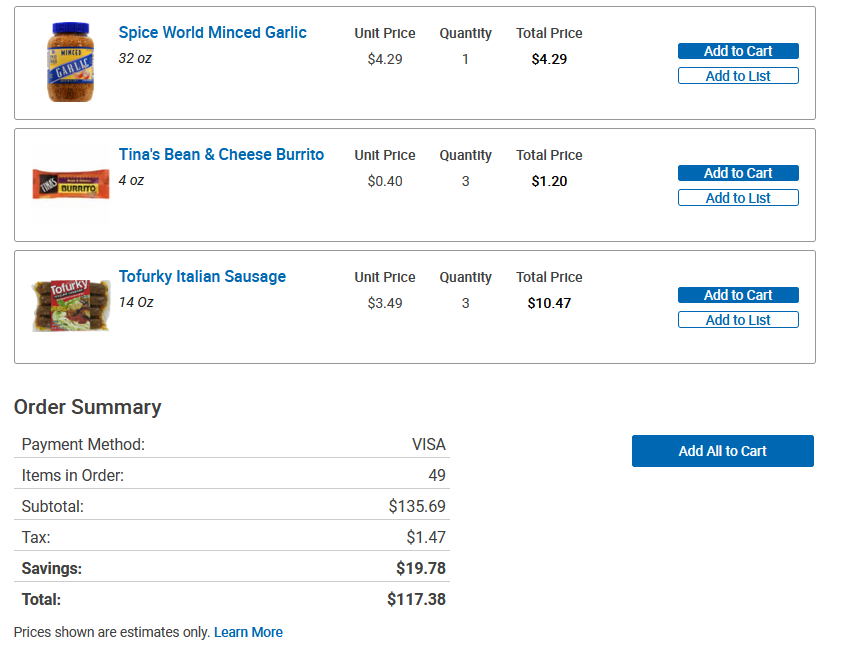
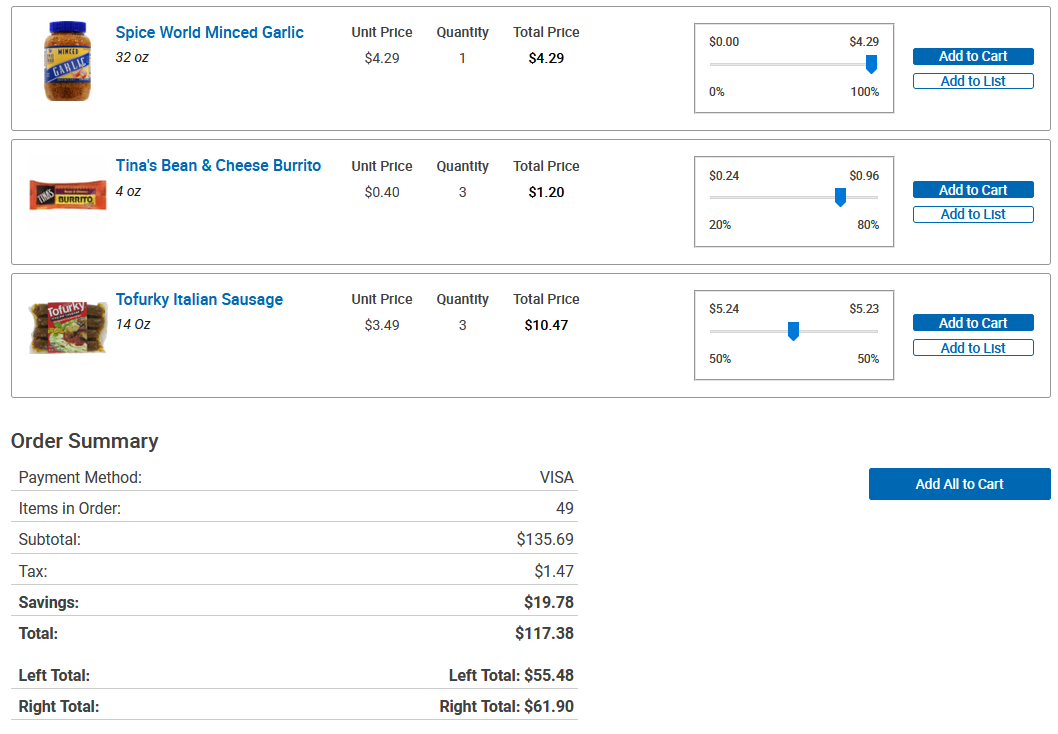
(note that there are many items on this receipt other than the ones seen in the images, the totals are correct)
You can see in the after image how sliders are added to each receipt element. Each of these will show both the percent and dollar amount for each side. The slider can be moved in 5% increments. It may not be obvious, but by clicking on the dollar amount or percent on either side, the slider will be moved 100% to that side. This makes use quicker for items which one person is totally responsible for. At the bottom of the receipt, two more lines have been added: "Left Total" and "Right Total". These numbers are updated live every time the distribution for an item is changed.
It is unknown which items incurred tax or not, so the tax is just split proprotionally between the two sides. If one person is responsible for 75% of the item costs, they will also be responsible for 75% of the tax. Tax is generally a trivial amount of a grocery bill, since many things at a grocery store are tax-free. Hopefully this minor imperfection does not cause any roommate brawls or breakups.
All of this was made using vanilla JavaScript, no jQuery. I used to use jQuery for all of my browser scripts, but JavaScript has gotten a lot better over the years, and it is now possible to do many things with it. The following site has been helpful to me for reference: