
The Operating System for Founders
Made for the Zerobase Startup School
ZeroOS is a modern web platform designed to connect and empower startup founders through a collaborative community. Built with Next.js and powered by Supabase, it provides a comprehensive ecosystem for founders to share updates, discover startups, and build meaningful connections.
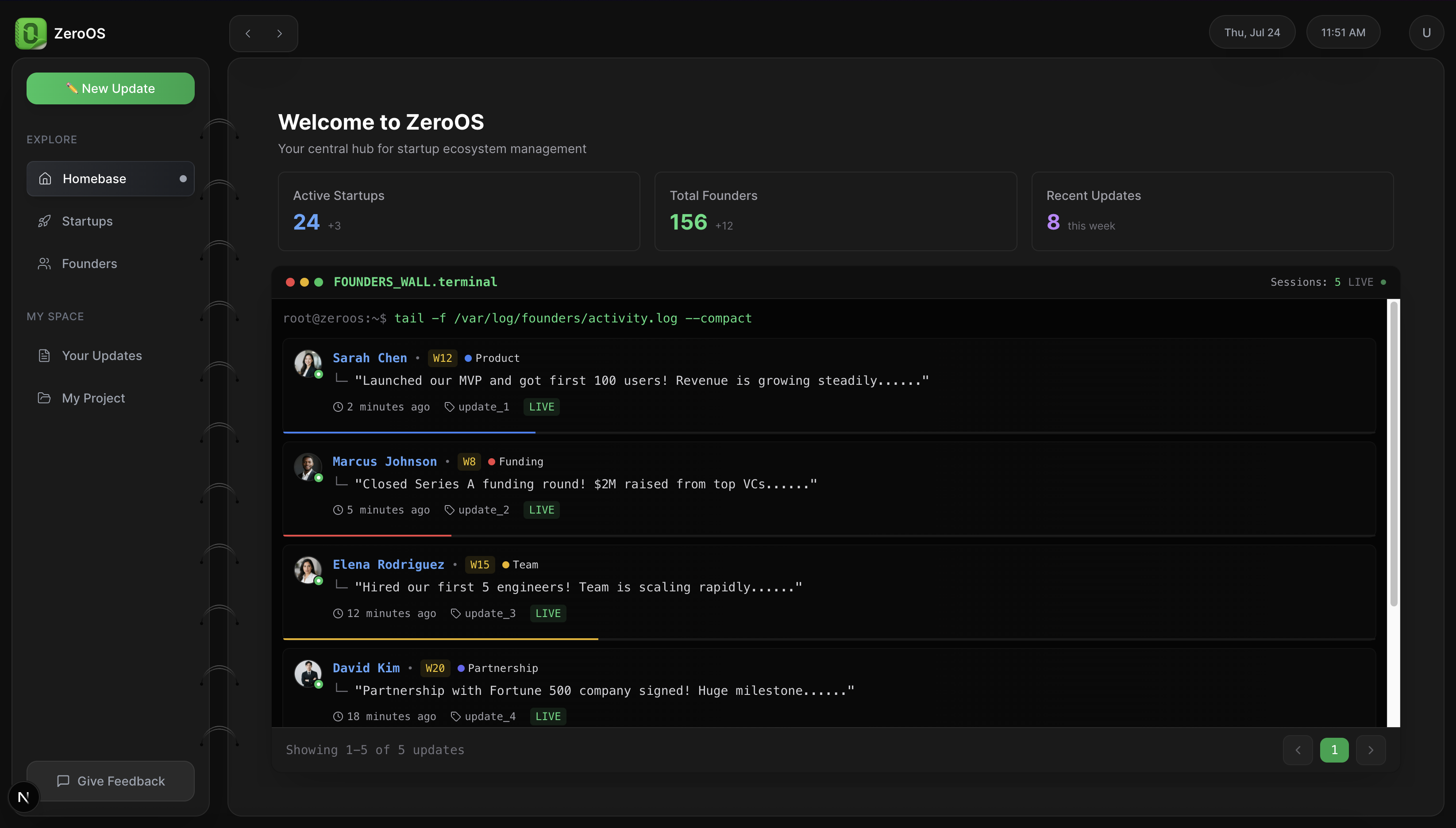
- Real-time founder activity feed
- Startup statistics and metrics
- Community updates timeline
- Terminal-style interface with live monitoring
- Browse and explore innovative startups
- Detailed startup profiles with founder information
- Filter by category, stage, and location
- Investment and traction insights
- Comprehensive founder profiles with professional details
- Expertise tags and unfair advantages
- Social links (LinkedIn, GitHub, personal sites)
- Weekly update tracking
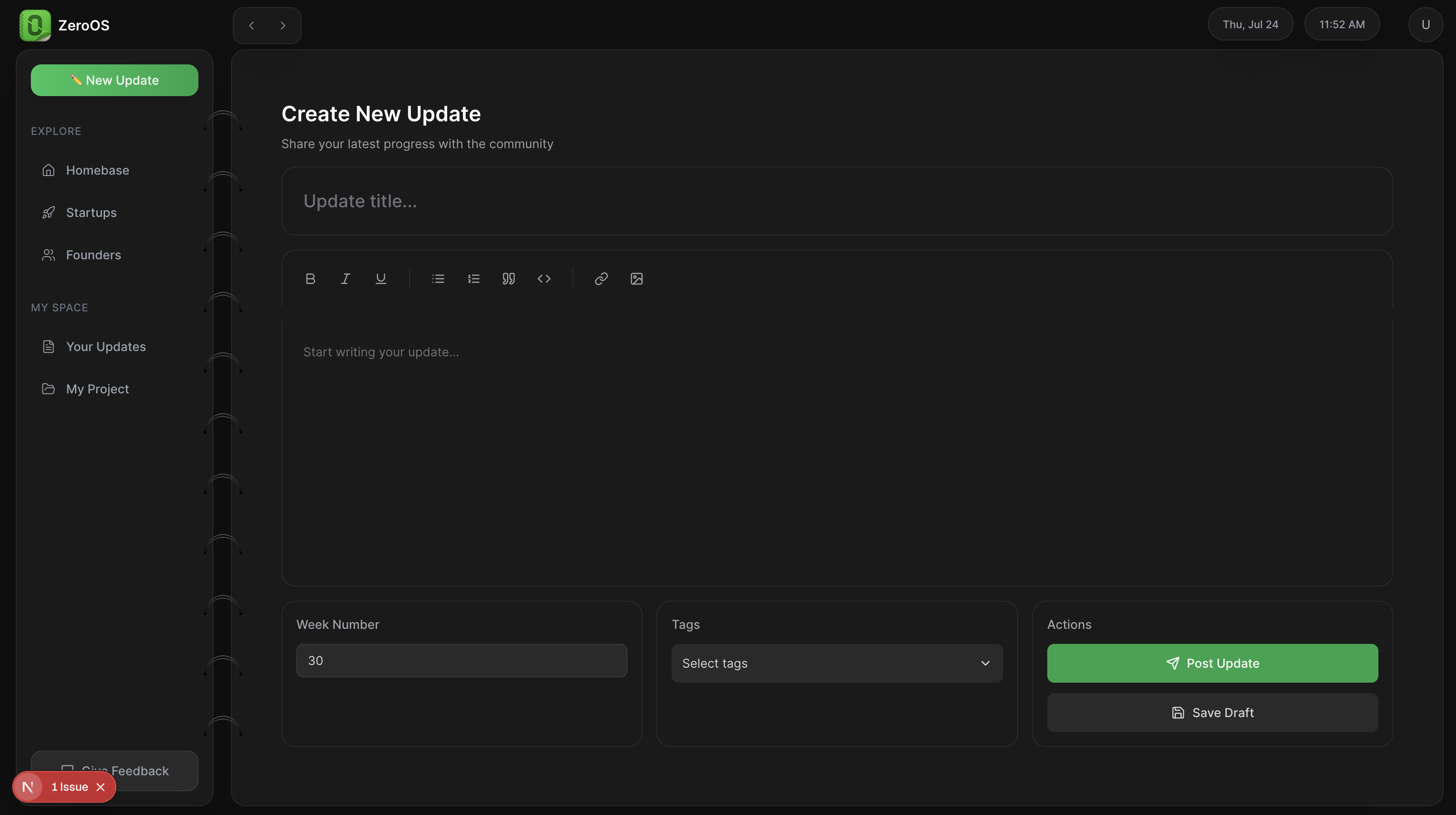
- Rich text editor for creating updates
- Weekly progress tracking
- Image and link attachments
- Tag-based categorization
- Community engagement features
- Secure authentication with Supabase
- Guided onboarding for founders and ventures
- Profile completion tracking
- Session management
- Frontend: Next.js 15.4.3, React 18, TypeScript
- Styling: Tailwind CSS 3.4.17
- Backend: Supabase (Authentication, Database, Storage)
- State Management: Zustand 5.0.3
- Icons: Lucide React
- Notifications: Sonner
- Development: ESLint, PostCSS, Autoprefixer
- Node.js 18+
- npm or yarn
- Supabase account and project
-
Clone the repository
git clone https://github.com/yourusername/zeroos.git cd zeroos -
Install dependencies
npm install
-
Environment Setup Create a
.env.localfile in the root directory:NEXT_PUBLIC_SUPABASE_URL=your_supabase_url NEXT_PUBLIC_SUPABASE_ANON_KEY=your_supabase_anon_key
-
Run the development server
npm run dev
-
Open your browser Navigate to http://localhost:3001
npm run dev- Start development server on port 3001npm run build- Build for productionnpm run start- Start production server on port 3001npm run lint- Run ESLintnpm run check- Run linting and type checkingnpm run clean- Remove .next directorynpm run reset- Clean and reinstall dependencies
zv1/
├── app/                    # Next.js App Router
│   ├── (dash)/            # Dashboard routes
│   │   ├── founders/      # Founder profiles and updates
│   │   ├── startups/      # Startup discovery
│   │   ├── updates/       # Community updates
│   │   ├── new-update/    # Update creation
│   │   └── project/       # User projects
│   ├── api/               # API routes
│   │   ├── auth/          # Authentication endpoints
│   │   ├── founders/      # Founder data endpoints
│   │   ├── startups/      # Startup data endpoints
│   │   └── updates/       # Update management
│   ├── login/             # Authentication pages
│   └── onboarding/        # User onboarding flow
├── components/            # Reusable UI components
├── hooks/                 # Custom React hooks
├── lib/                   # Utility functions and configs
└── public/               # Static assets
The main dashboard provides a terminal-style interface showing real-time founder activities, startup statistics, and community updates. It serves as the central hub for all platform interactions.
Users can explore a curated list of startups with detailed information including:
- Company overview and one-liner
- Founder profiles and backgrounds
- Traction metrics and funding status
- Recent updates and progress
Connect with fellow founders through detailed profiles showcasing:
- Professional background and expertise
- Current ventures and projects
- Weekly progress updates
- Social and professional links
A rich content creation system allowing founders to:
- Share weekly progress updates
- Attach images and links
- Categorize content with tags
- Engage with community feedback
- Create a new Supabase project
- Set up the required database tables:
founders- Founder profilesventures- Startup informationupdates- Weekly updates- User authentication (handled by Supabase Auth)
The application is configured for deployment on:
- Vercel (recommended) - See
vercel.json - Netlify - See
netlify.toml
We welcome contributions to ZeroOS! Please follow these steps:
- Fork the repository
- Create a feature branch (
git checkout -b feature/amazing-feature) - Commit your changes (
git commit -m 'Add amazing feature') - Push to the branch (
git push origin feature/amazing-feature) - Open a Pull Request
This project is licensed under the MIT License - see the LICENSE file for details.
For support and feedback:
- Email: hello@zerobase.com
- Use the "Give Feedback" button in the application
- Built with ❤️ for the founder community
- Powered by Supabase
- UI components inspired by modern design systems
- Terminal aesthetic for the developer-founder audience
ZeroOS - Empowering founders to build the future, together. 🚀