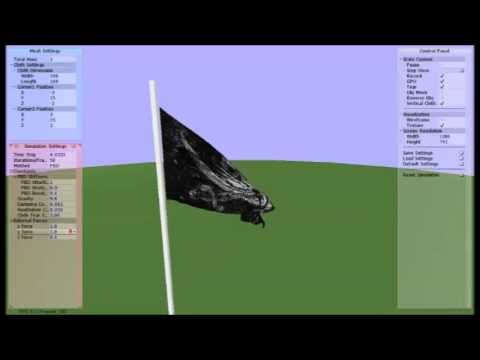
University of Pennsylvania, CIS 565: GPU Programming and Architecture, Final Project
- Ziye Zhou & Siqi Huang
Motivation for Project:
Cloth simulation is an importpart branch in the physical based simulation in Computer Graphics. People are using this technique to generate tons of cool effect in games, movies, etc. Lots of research work has been done to implement and refine the simulation algorithm ,but most of them are restricted on CPU (see the reference). This give us the motivation to extend some of the state of art algorithm to GPU version to further speed up the simulation. A good start is that we already have a CPU version of the cloth simulation(the rendered video is in attached file) implemented in CIS 563. From that project, we noticed that for small object with a relative low resolution, combined with small number of iterations, we can achieve real time simulation with acceptable artifacts. However, If the number of objects is large (say we have a large scene to simualte) and the mesh is of high resolution, or we want really accurate detail which requires large number of iterations to converge, the CPU bottlenect is reached and it is no longer possible to render in real time. Having requirement like these and given the special parallel characterastic of simulation algorithm, it is very suitable for the GPU to show its strength over the CPU.
What to do in the Project:
Since we already have a CPU version of the simulation, more work should be done in the acceleration and extra feature of the cloth simulation. In general we do it in the following n ways: Implement the basic GPU version of the cloth simulation(transfer CPU algorithm to GPU) Compare the performance analysis of the CPU and GPU version, find the bottleneck of each and try to refine the GPU version Implement extra feature and deploy new scene(only on scene in CPU version) and also compare performance
Progress:
- finish implementing force based integration method (explicit euler, RK2, RK4)
- finish implementing position based integration method
- finish implementing simple primitive collision detection and resolve method
Next Step:
- implicit method (require using cuSolver to solve linear system with sparse matrix)
- AABB tree collision detection and resolve using imported obj file
- more advanced integration method (projective dynamics)
- new simulation effect (tear apart, etc)
Presentation Slides Link: (https://docs.google.com/presentation/d/11hLZRSBLbAv0bsrRw1vXXsuu3ncNj1UpvBmuZB7ff5E/edit?usp=sharing)
Progress:
- finish the implementation of implicit method using cuSolver
- finish the AABB tree collision detection and resolve using imported obj file
- finish damp velocity computation on GPU
Next Step:
- implement the tearing-apart effect
- optimize the collision detection
- detailed performance analysis
- improving the shader
Presentation Slides Link: (https://docs.google.com/presentation/d/1w5eOXz4IK8DZFQqKDkIC5HjKT8hTvjFJlC4LQjbyFWg/edit?usp=sharing)
Progress:
- finish the implementation of cloth trearing feature
- finish the implementation of cloth self-collision
- finish the implementation of new shader
Next Step:
- Performance Analysis
- Demo Creation
- "*** Polish the code and adding new features (user interaction, etc.) ***"
Presentation Slides Link: (https://docs.google.com/presentation/d/17yJgBsn3dMI6hz9sOIewUYsKLIjcYYmOaqrHFI2k5ks/edit?usp=sharing)
Slides Link: (https://docs.google.com/presentation/d/1ywdBxPHv_mPhfjz4zERtnLXnV_xNAmKroLEGFNd2UQQ/edit?usp=sharing)
We are using two way of integration method for the simulation of cloth mesh. One is force based method, the other is position based method.
In the force based method, we treat each point on the cloth mesh as a mass point, which has the property of position and velocity. We attach spring for each pair of neighbour points and apply Hook's Law to calculate the internal force and update the position and velocity each frame.

We test Explicit Method (RK1, Rk2, RK4) and Implicit Method seperately and compare their stability and computation time. We found that for the explicit method, the higher order the RK method is, the more stable the simulation is (We are using the largest simulation tim step to measure this part). The implicit mehthod is way much more stable than any of the explicit method, but it requires much more computaion time. Also, we have compared the performance of CPU version and GPU version of the simulation (more detail on latter Performance Analysis section). However, we found it strange that the GPU version of implicit method implemented using the cuSolver is slower than the CPU verison implemented by the Eigen Solver. We suspect that this is caused by the I/O bottleneck in GPU (since we need to formulize the data to feed into the cuda solver) or the Eigen is super optimized in solving this kind of linear system.
This part we are implementing the algorithm given by Position Base Dynamics (http://matthias-mueller-fischer.ch/publications/posBasedDyn.pdf) The main workflow is as follows:


It is obvious that in both method, the integration in CPU takes most of the time and share. As PBD is much faster than RK4, it uses less time in both CPU and GPU


We can see clearly that as the mesh size goes up, for the GPU part both the integration and collision goes up. But the collision in obj collision case goes up aggressively. This indicates that the collision with obj uses most of the time when the mesh size is large. That is very easy to understand because the actual collision detection process is not in a parallel way, which makes it similar with CPU. For the cube intersection case, it is a very parallel process. So the time is relatively short here.


the left image is the collision with object in GPU, and the right one is in CPU. We can see the collision time used in GPU is even higher in CPU when colliding with object. And the trend of the time increase as the object size increase in GPU is similar in CPU, which indicate that the GPU side also suffer from the problem of collision detection. So the bottleneck in GPU is in collision detection with object.


the left image is the integration time in GPU while the right one is the time in CPU. In either case CPU uses more time in integration, which makes it the bottleneck for CPU.