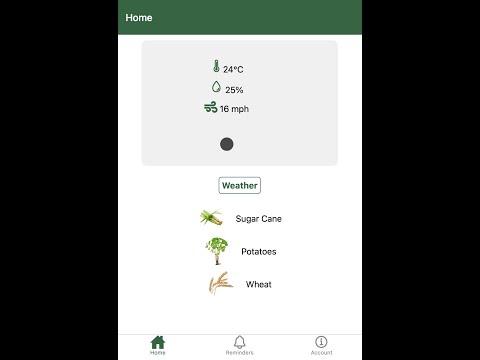
StarVest is an Expo (React Native) project designed to help users manage and track their investments and financial goals. It provides a modern, user-friendly interface for monitoring portfolios, setting reminders, and exploring investment opportunities.
- Portfolio Management: Track and manage your investments in one place.
- Reminders: Set reminders for important financial tasks and deadlines.
- User-Friendly UI: A clean, intuitive interface built with React Native and Expo.
- Node.js (v14 or later)
- npm or yarn
- Expo CLI (
npm install -g expo-cli)
-
Clone the repository:
git clone https://github.com/sabaflz/StarVest.git cd StarVest -
Install dependencies:
npm install
To start the development server, run:
npx expo startThis will launch the Expo development server, and you can run the app on:
- Web: Open http://localhost:19006 in your browser.
- Android: Use an Android emulator or scan the QR code with the Expo Go app.
- iOS: Use an iOS simulator or scan the QR code with the Expo Go app.
npm start: Start the Expo development server.npm run android: Start the app on an Android emulator.npm run ios: Start the app on an iOS simulator.npm run web: Start the app in a web browser.npm run reset-project: Reset the project to a blank state (moves starter code toapp-example).
app/: Contains the main application code and screens.assets/: Stores images, fonts, and other static assets.components/: Reusable UI components.constants/: Application constants and configuration.hooks/: Custom React hooks.scripts/: Utility scripts for project management.
Contributions are welcome! Please feel free to submit a Pull Request.
This project is licensed under the MIT License - see the LICENSE file for details.
To see StarVest in action, check out our video demo: