A manual UI testing environment for pixelworxio/laravel-ai-action (core) and pixelworxio/filament-ai-action (Filament plugin).
This testbench demonstrates the package split concretely through two intentionally contrasted examples:
- Example 1 — A Filament v5 resource (
PostResource) that usesAiActionfromfilament-ai-action. This shows the Filament plugin doing its job: streaming modals,persistResultTo,withUserInstruction, andAgentResultEntryin an infolist. - Example 2 — A standalone Livewire v4 component (
SubscriptionDetail) that usesRunAgentActiondirectly fromlaravel-ai-action. NoAiAction, no Filament UI, no modal. Just the core package working in a plain Laravel + Livewire context with structured output rendered inline.
git clone <this-repo> ai-action-testbench
cd ai-action-testbench
composer install
cp .env.example .env
php artisan key:generate
php artisan migrate --seed
php artisan serve
The SQLite database is committed and pre-seeded, so migrate --seed will populate it. Log in with test@example.com / password.
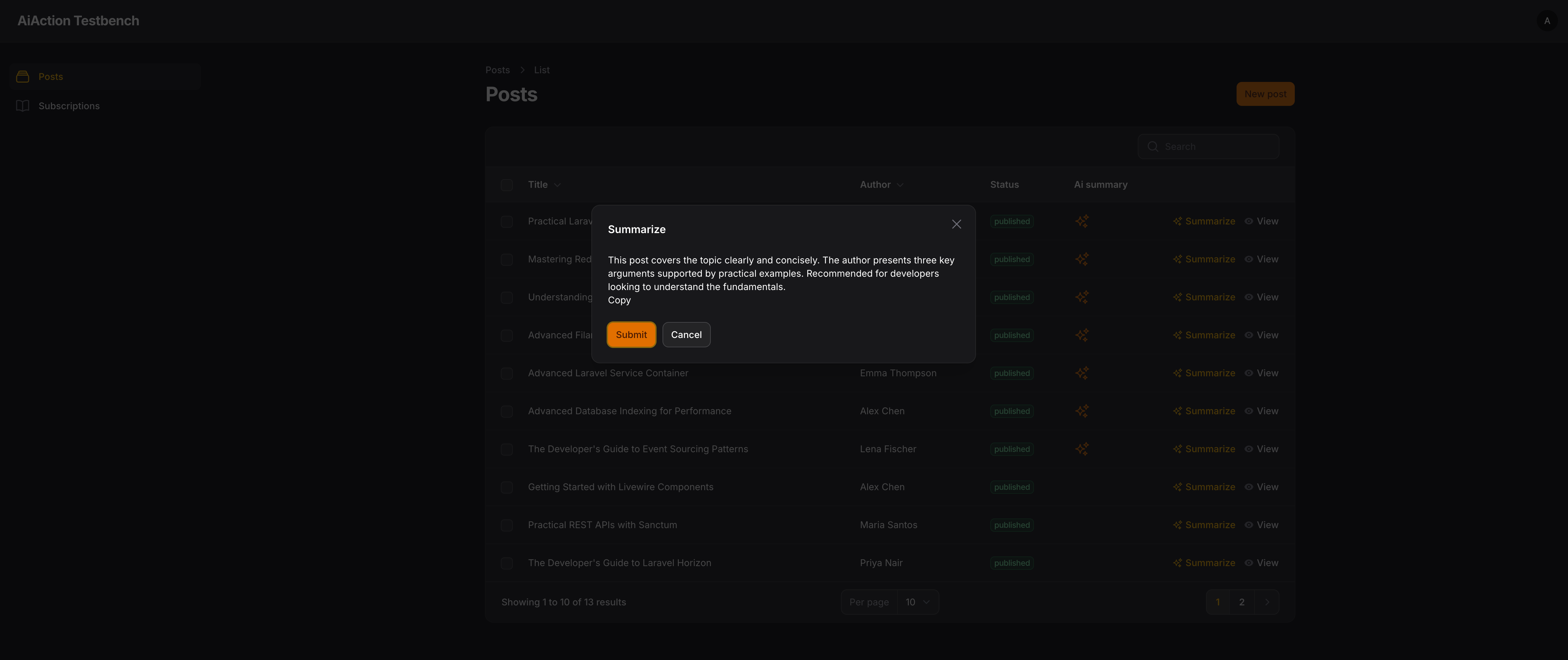
- Navigate to Posts in the sidebar
- Click the Summarize (sparkle) action on any table row
- A streaming modal appears with the AI summary
- Posts with an existing summary show a gold sparkle icon in the table
- Click View on a post to see the
AgentResultEntryinfolist displaying the persisted summary
This example uses pixelworxio/filament-ai-action. The AiAction is configured as a table row action on PostResource:
AiAction::make('summarize')
    ->agent(SummarizePostAgent::class)
    ->stream()
    ->withUserInstruction('Focus on anything specific? (optional)')
    ->persistResultTo('ai_summary')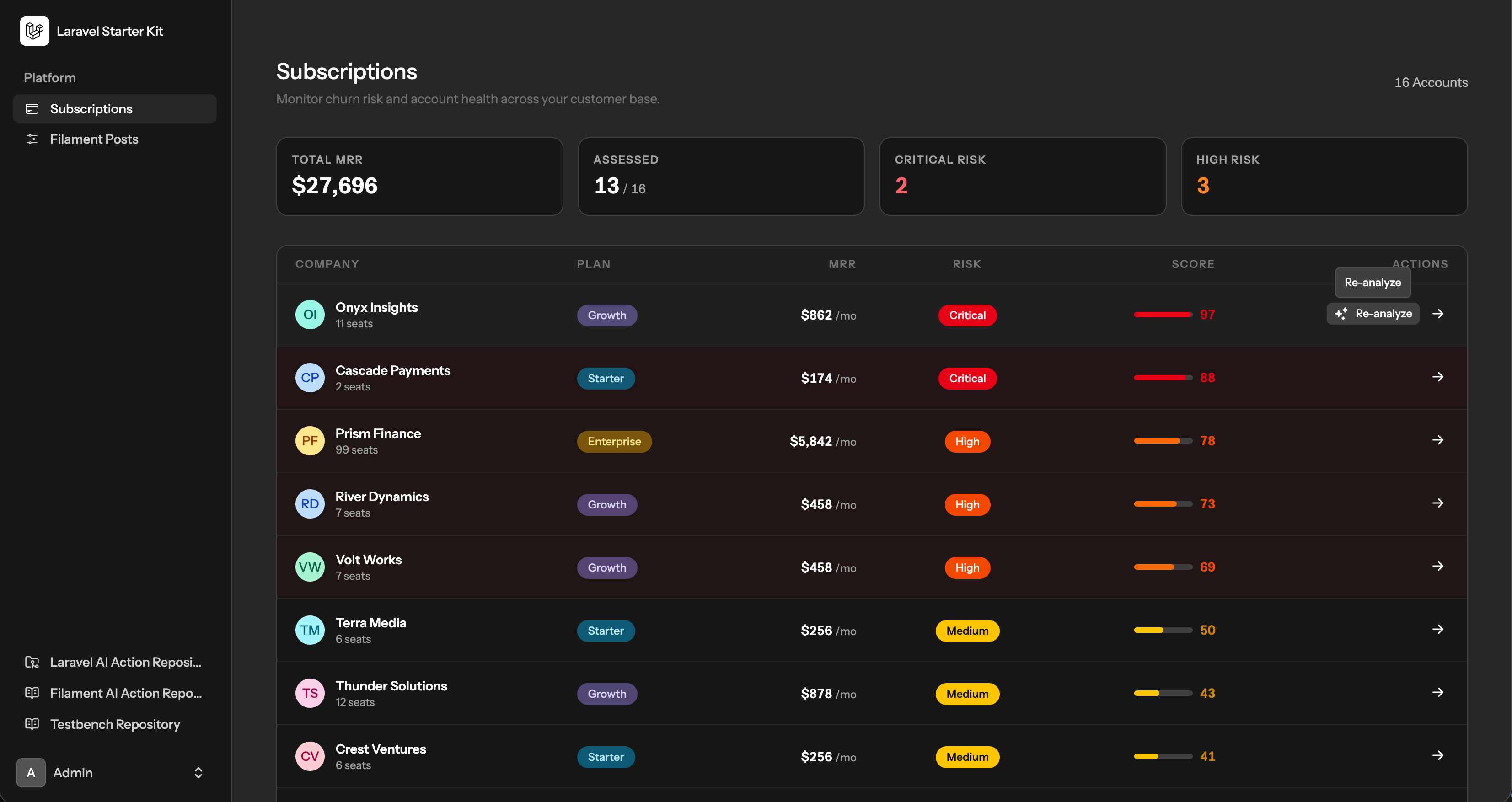
- Navigate to Subscriptions in the sidebar
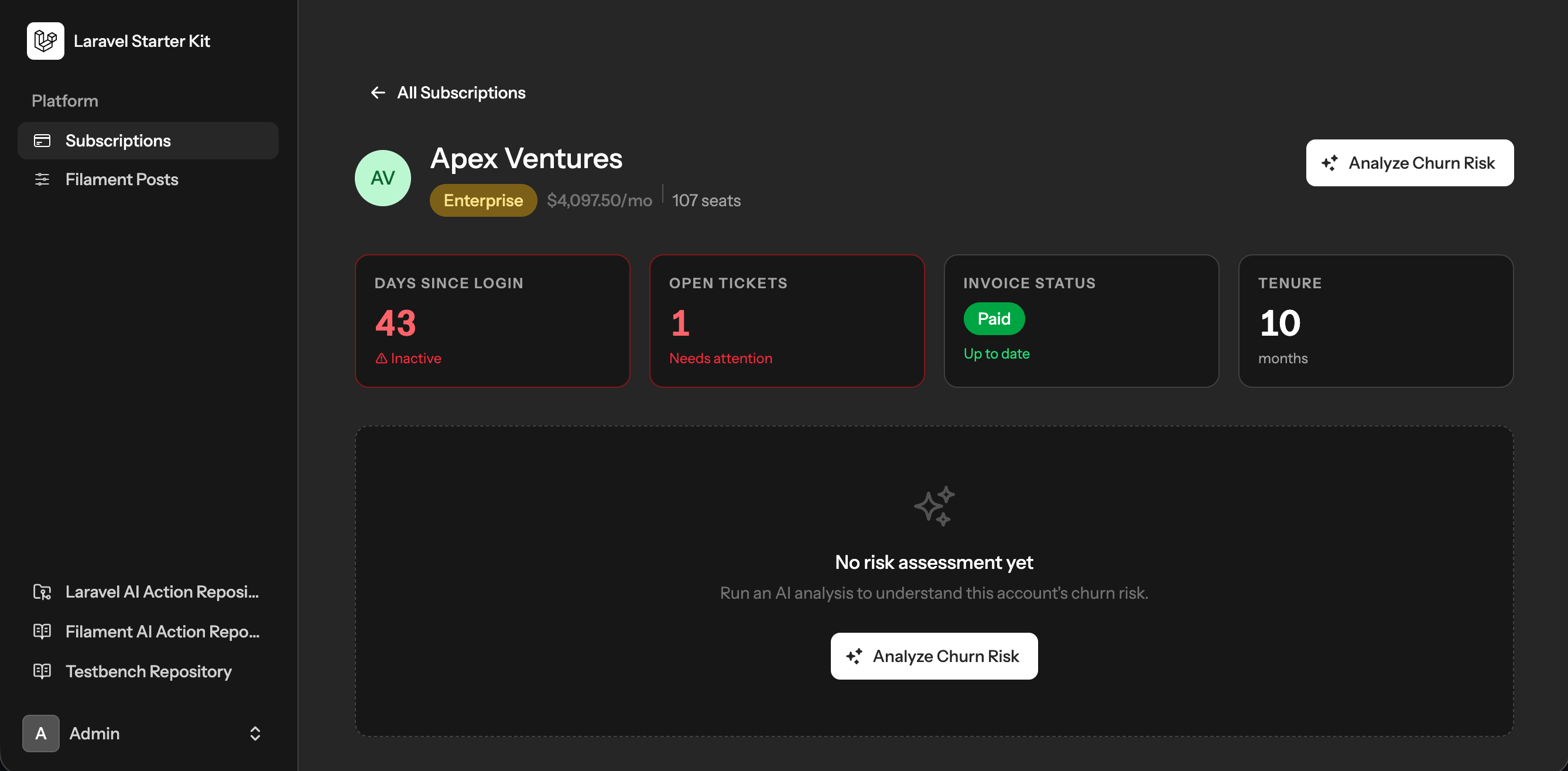
- Click any company name to open the detail page
- Click Analyze Churn Risk or Re-Analyze — the button shows a spinner while
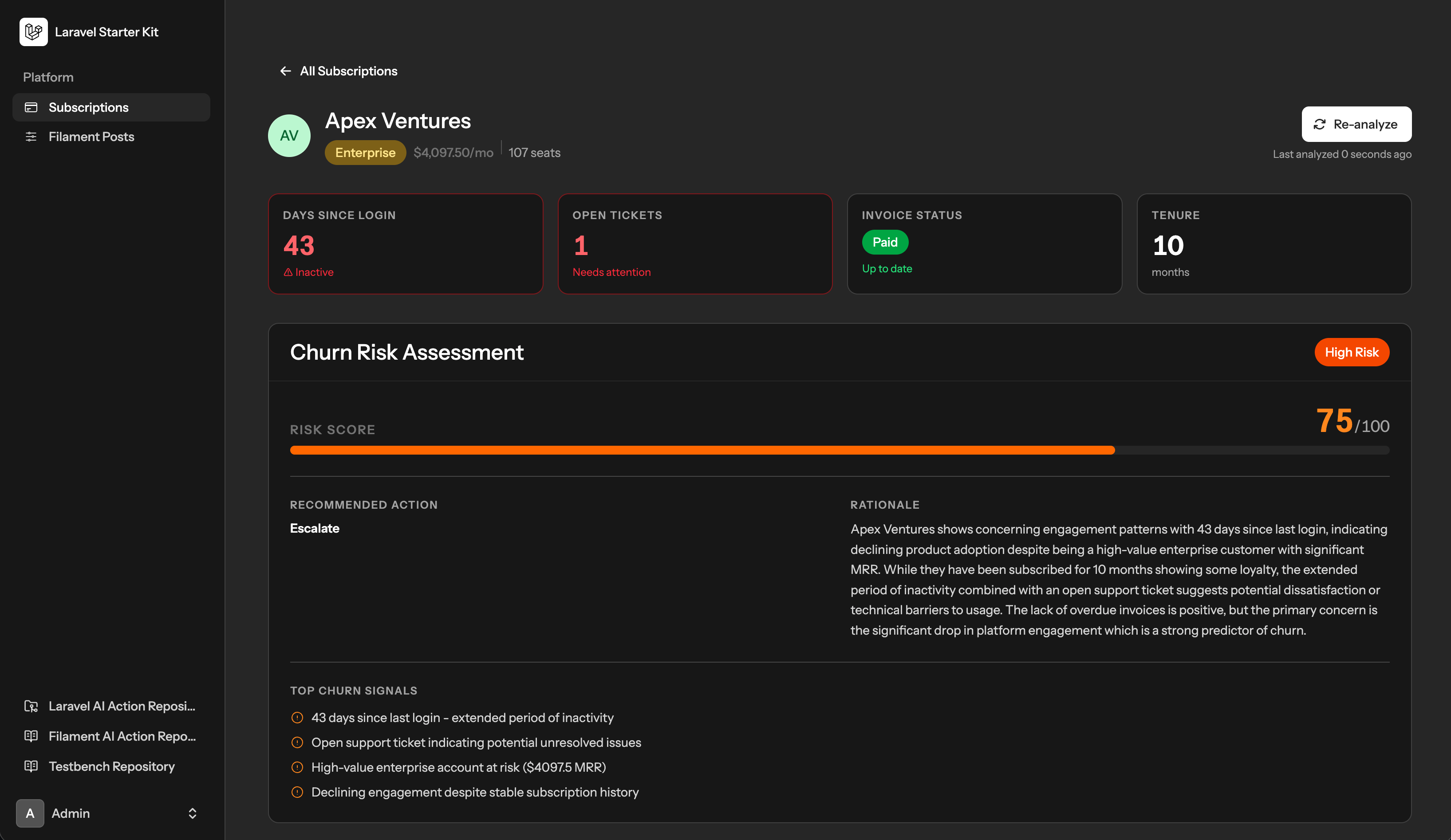
$analyzingis true - The structured risk assessment appears inline with score, level badge, recommended action, rationale, and churn signals
- Pre-assessed subscriptions already show results on both the index and detail pages
- Re-analyze the subscription. Notice the default fake response.
- Update the repo with your api keys.
- Comment out the app binding in AppServiceProvider
- Re-analyze a subscription. Notice a complete analysis is returned (after a moment).
This example uses pixelworxio/laravel-ai-action directly — no Filament involved. RunAgentAction is injected via Livewire v4 method injection:
public function analyzeRisk(RunAgentAction $runner): void
{
    $result = $runner->execute(new SubscriptionRiskAgent(), $context);
    $this->subscription->update(['ai_risk_assessment' => $result->structured]);
    $this->subscription->refresh();
}By default, FakeAgentAction is bound in AppServiceProvider so the app works without any API key. To use real Anthropic responses:
- Add your API key to
.env:ANTHROPIC_API_KEY=sk-ant-... - Comment out the
$this->app->bind(...)block inAppServiceProvider::register()
The app will then make real calls to claude-sonnet-4-20250514 for both examples.
- Edit
config/ai-action.phpto set your default provider and model - Add the respective api keys to
.env