Right-click any file in Windows Explorer, click "Send to → Mail recipient", and the email appears ready to send in Gmail.
No configuration. No subscription fees. Completely open source.
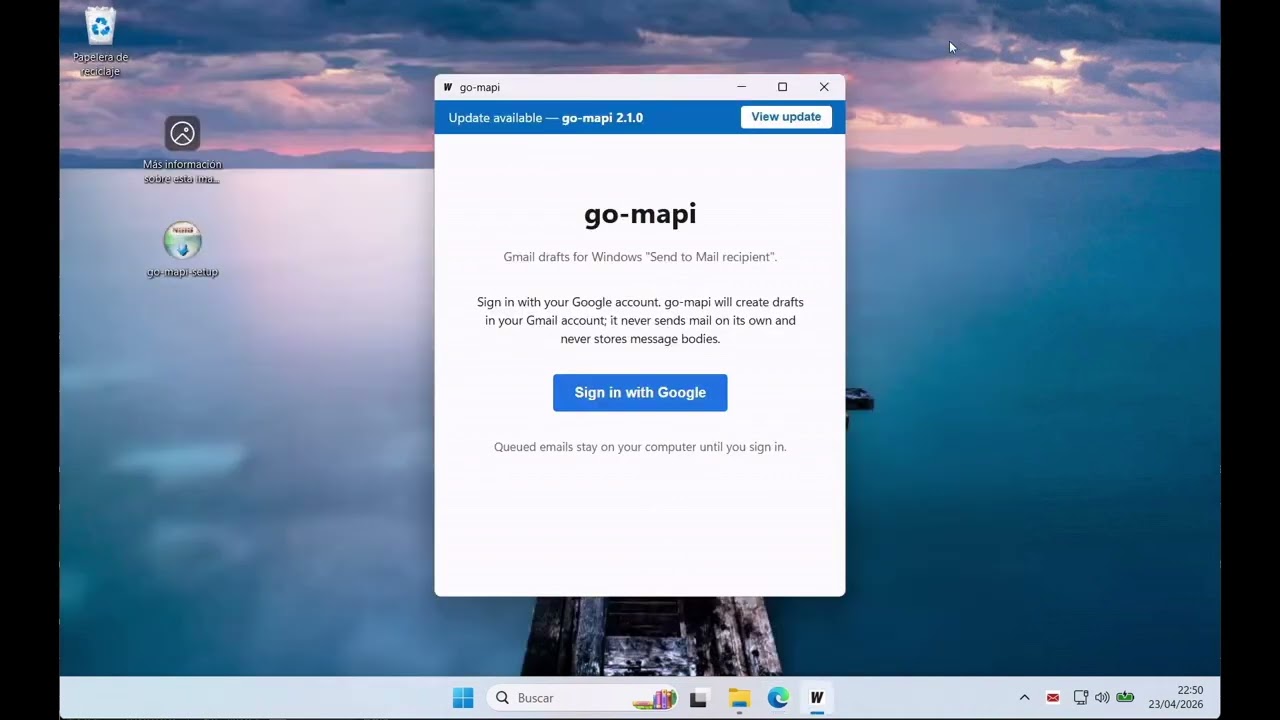
go-mapi connects the "Send to Mail recipient" feature in Windows to your Gmail account. Any Windows app that has that option — File Explorer, Word, Excel, legacy line-of-business software — will route the email to Gmail instead of Outlook, as a draft you can review before sending.
Nothing about how you work changes. You keep using your apps the way you always have. go-mapi sits quietly in the background and the draft just shows up in your Gmail inbox.
- Works with any Windows app that uses "Send to Mail recipient"
- Drafts land in Gmail — review and send normally, nothing is sent automatically
- Manual or automatic draft creation (your choice)
- Your emails go directly to Gmail's servers — nowhere else. No third-party servers, no telemetry, no analytics.
You'll need a Gmail or Google Workspace account. The first time you launch go-mapi it will open a Google sign-in page in your browser so it can create drafts on your behalf. That's the only sign-in step.
- Download
go-mapi-setup.exefrom the latest release - Run it. Windows will ask for permission (UAC dialog) — click Yes to continue. go-mapi needs this to register itself as the Windows mail handler; you don't need to call IT.
- Sign in with your Gmail or Google Workspace account when prompted
- Done
go-mapi runs in the Windows notification area (the icons next to your clock). Click its icon to open the window or change settings.
Upgrading from go-mapi v2.x? Uninstall v2.x first via Settings → Apps → Installed apps, then install the new version. Running both side-by-side is not supported.
Once installed, trigger "Send to Mail recipient" in any Windows app as you normally would. go-mapi intercepts the request and shows you the draft in its window before anything goes to Gmail.
Manual mode (default): go-mapi shows you each email and waits for you to click "Create draft". Nothing reaches Gmail until you say so.
Auto mode: go-mapi creates the draft immediately and tells you it's ready in your inbox. Switch between modes in the go-mapi window.
go-mapi tells you when a new version is available. You choose when to install it — updates are never installed without your say-so. When a new version is ready, click the banner to open the download page and run the new installer yourself.
LGPL-3.0-or-later — free and open source, anyone can inspect the code. See LICENSE.
For IT departments and admins deploying go-mapi at scale (RDS, Citrix, silent install, group policy), see ENTERPRISE.md.
For contributors and maintainers, see DEVELOPMENT.md.