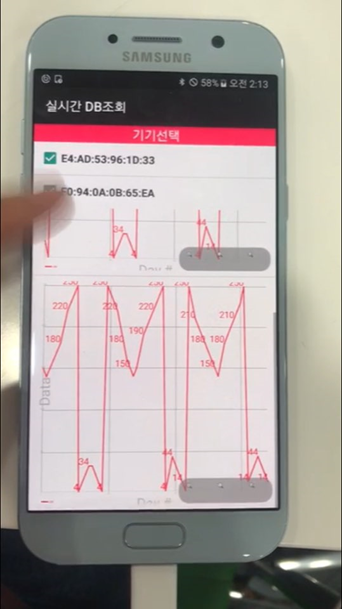
BLE multi-device connection system using Nordic nRF52. An Android app that connects to multiple wearable devices simultaneously and integrates sensor data for real-time visualization.
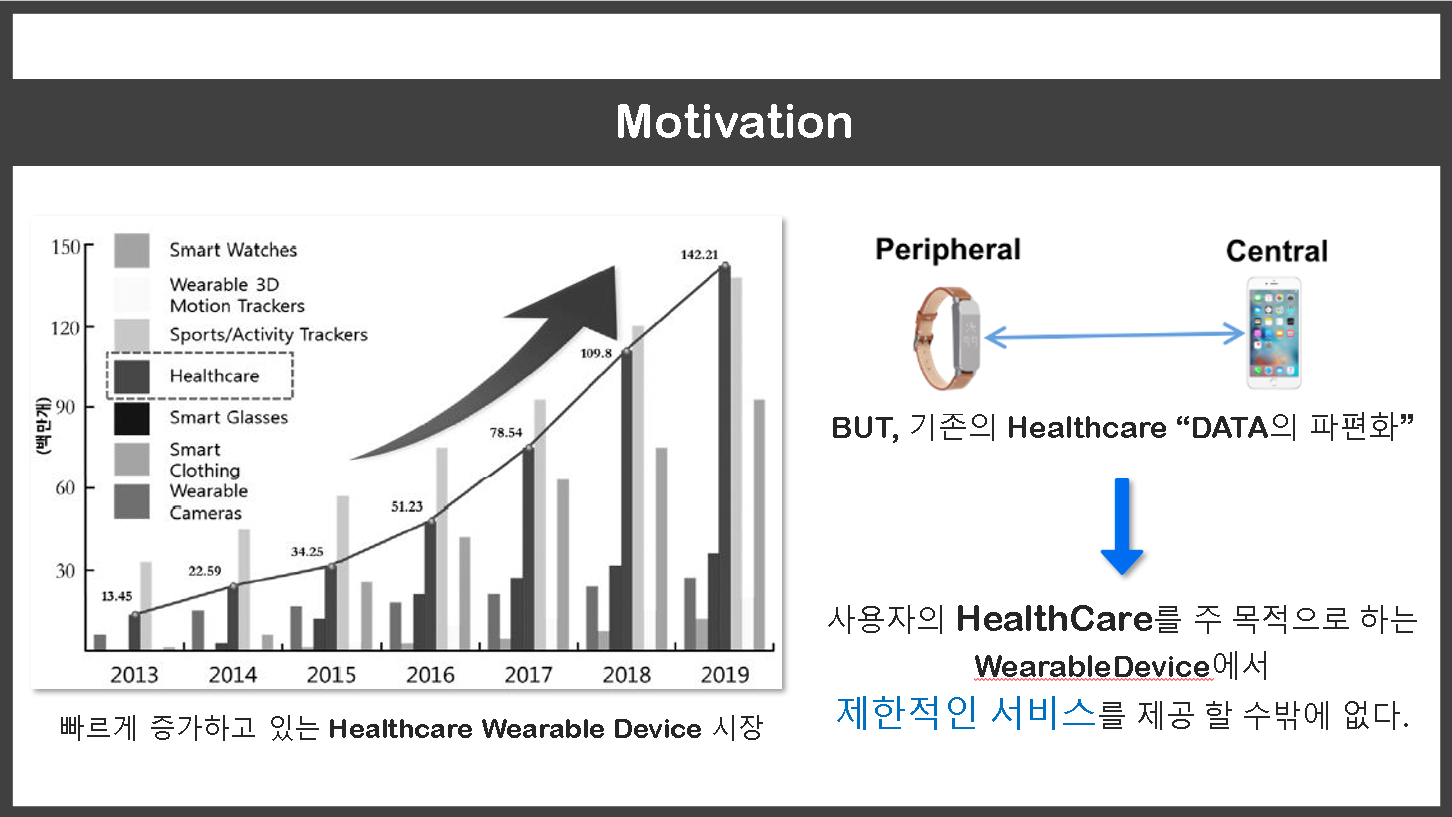
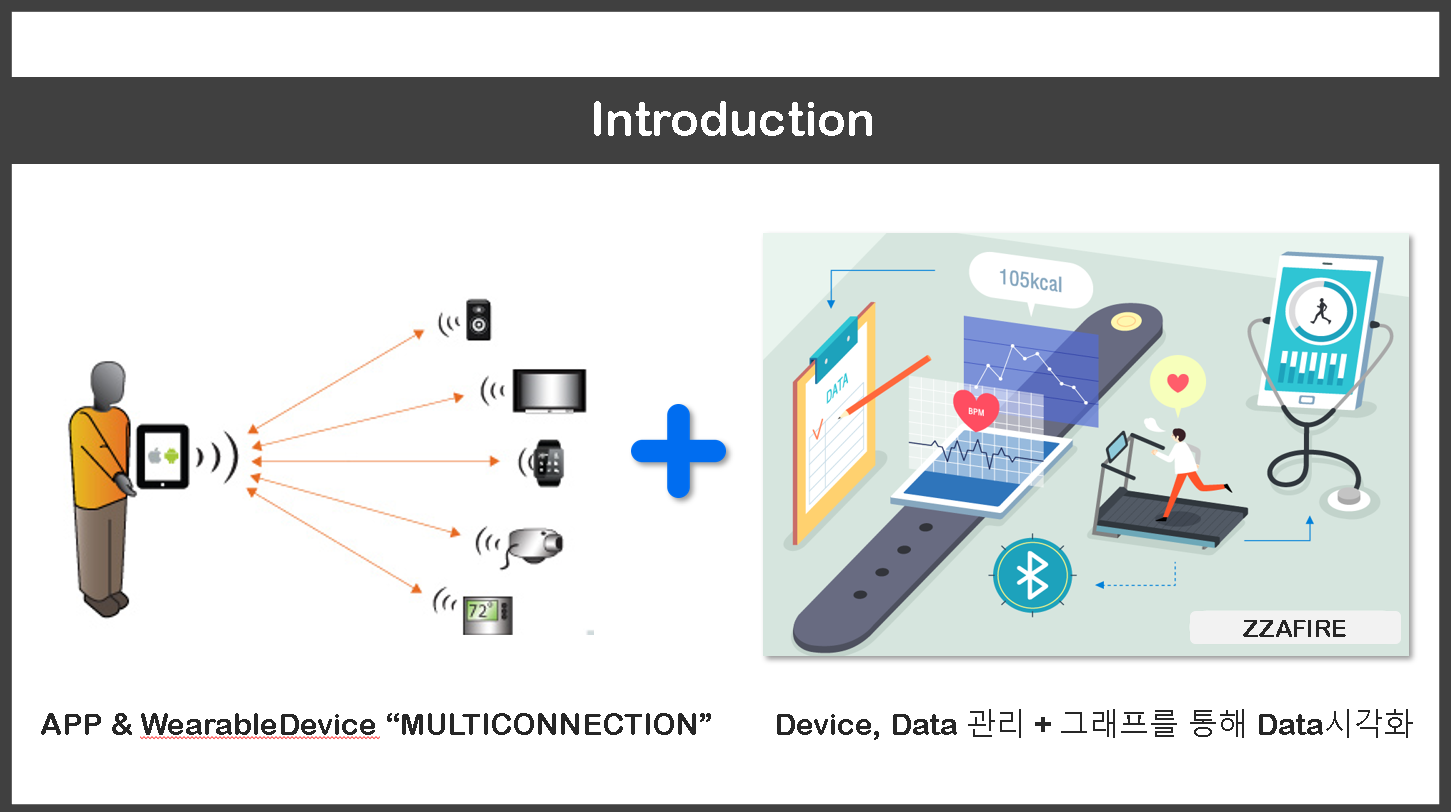
Meaningful services from wearable devices require data from multiple devices to be unified and analyzable in one place. The goal was to go beyond single-device BLE connections and build simultaneous multi-device connectivity with integrated data visualization.
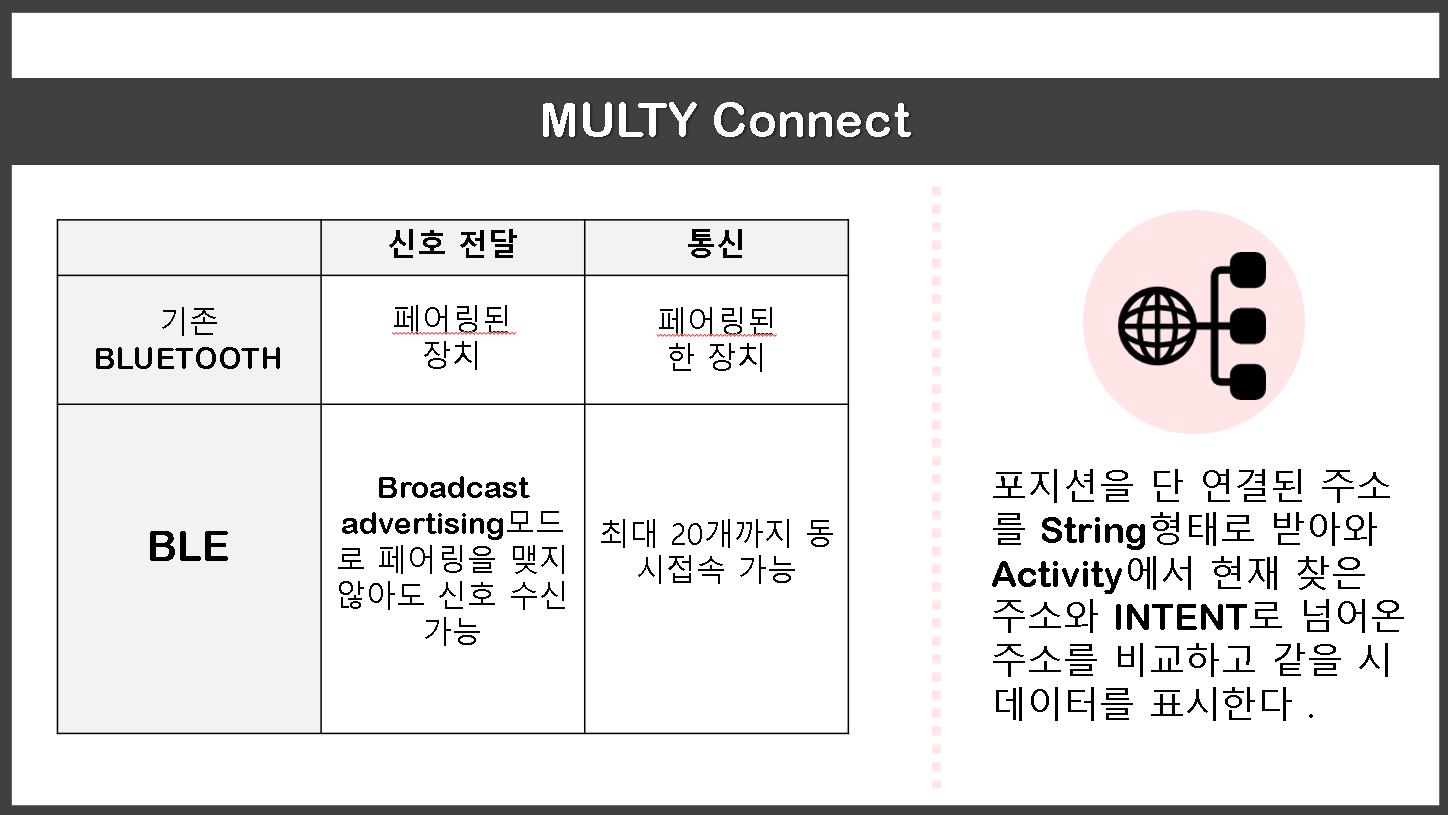
Implementing BLE multi-connection on Android
Android's BLE API is fundamentally designed for single-device connections.
Implemented multi-device connectivity by repeating the
BluetoothDevice.connectGatt() + BluetoothGattCallback.onConnectionStateChange()
sequence for each device independently.
Redesigned the callback structure with per-device variables
so each device can be accessed and managed independently.
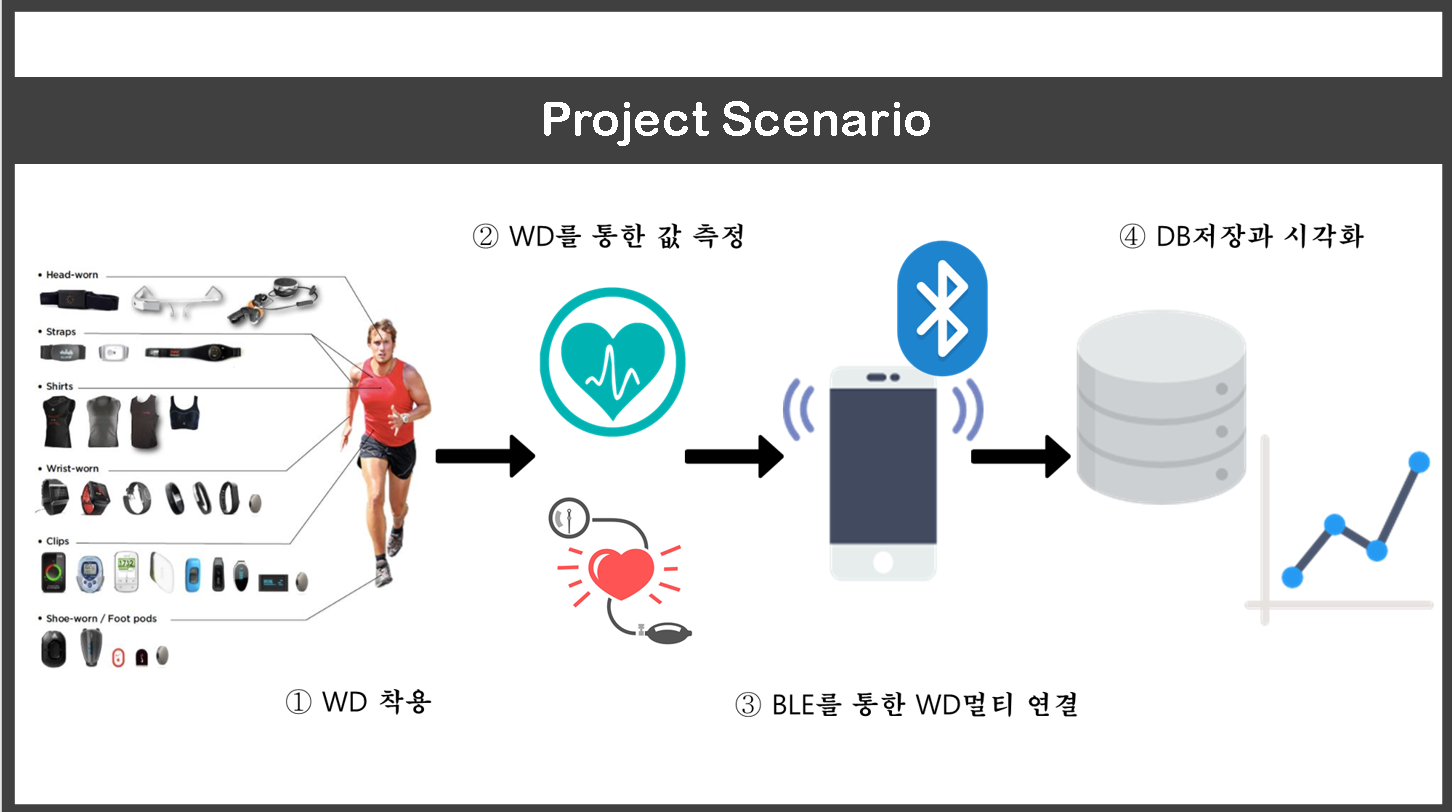
Nordic nRF52DK (hardware)
  + Heart rate sensor
    ↓
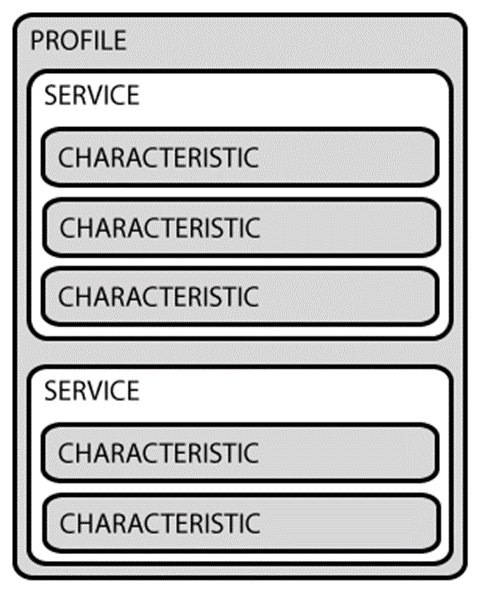
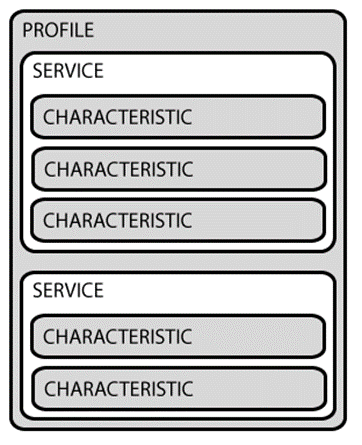
BLE GATT Profile (custom service/characteristic definitions)
    ↓
Android app (Java)
  — BLE scan and multi-device connection
  — Real-time data reception
  — SQLite storage + CSV export
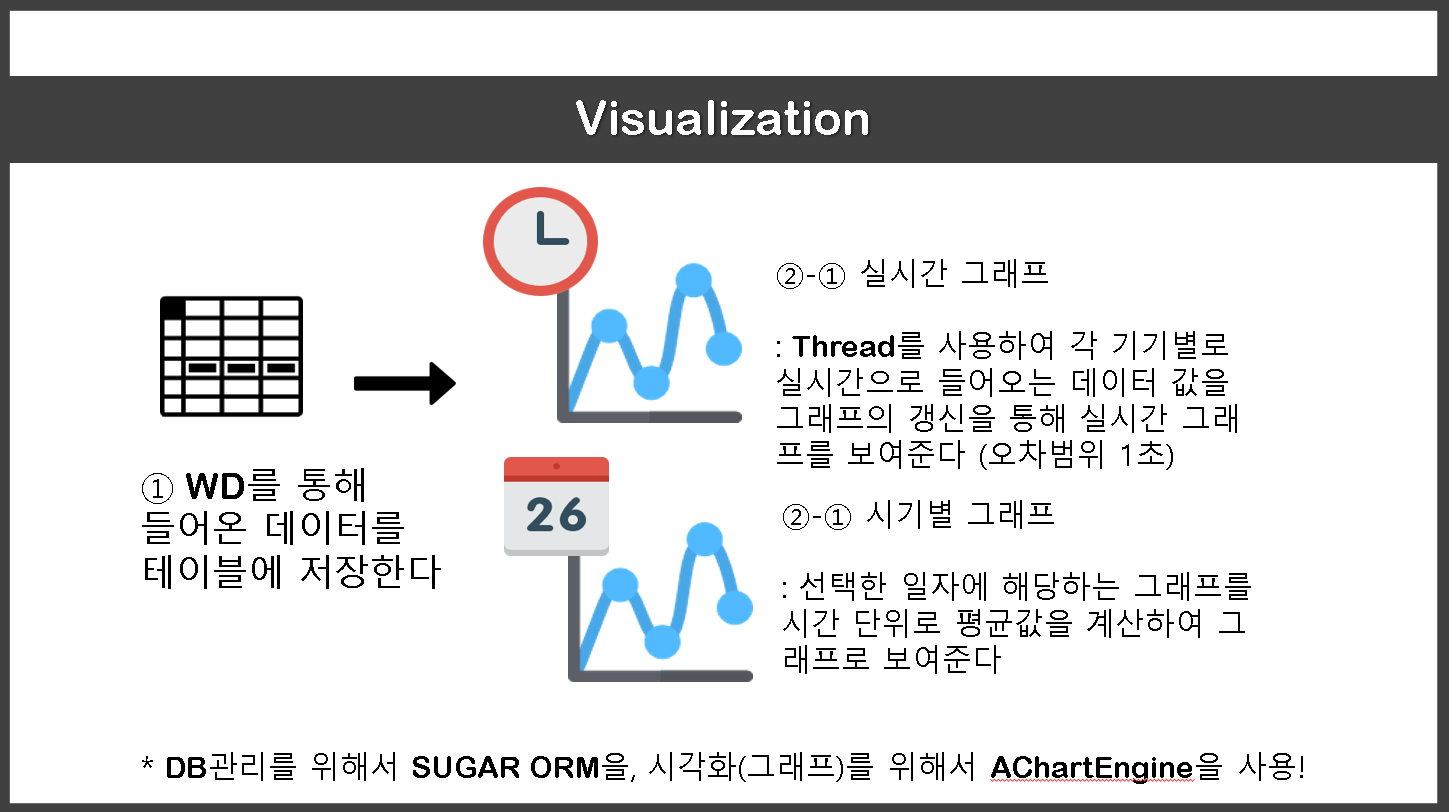
  — Real-time and time-range graph visualization
1. Device scan & connection
- BLE device scanning and listing
- Simultaneous multi-device connection
2. Data collection & storage
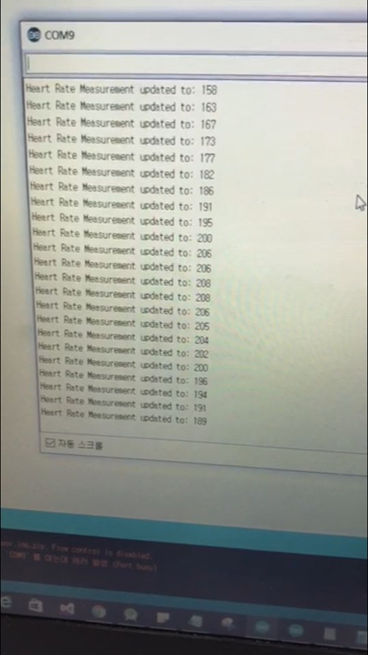
- Real-time heart rate sensor data reception
- SQLite database storage
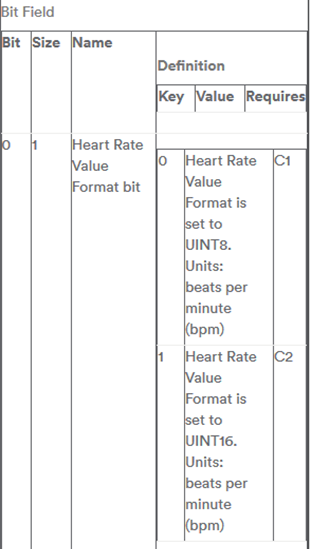
- CSV export (Bit field based data structure)
3. Data visualization
- Real-time line graph rendering
- Time-range data query and graph display
- Simultaneous visualization of multiple connected devices
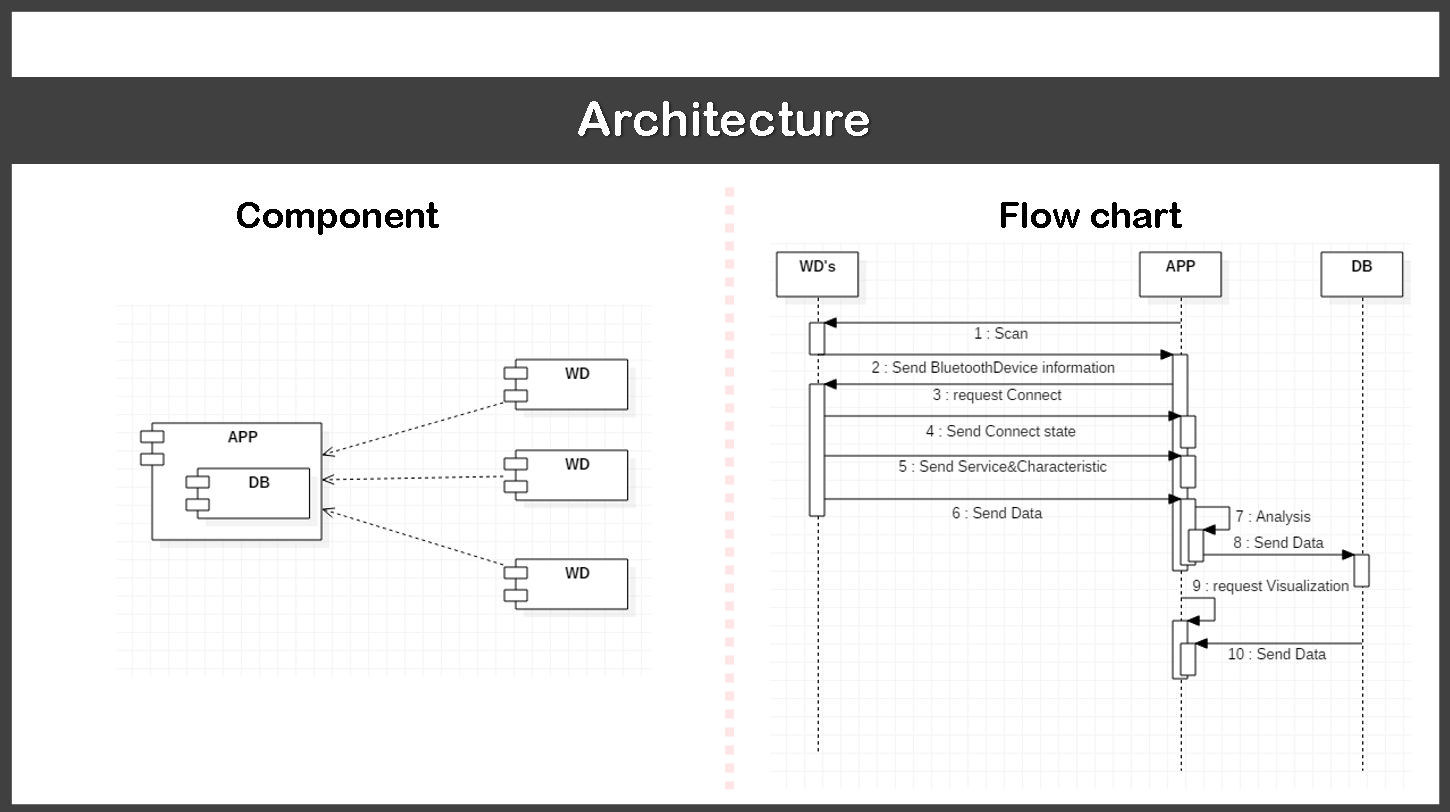
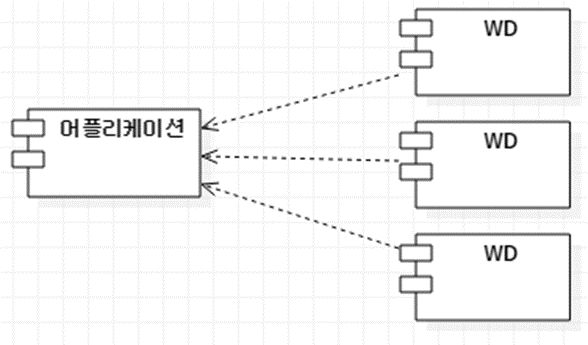
- System architecture diagram
- BLE GATT profile design
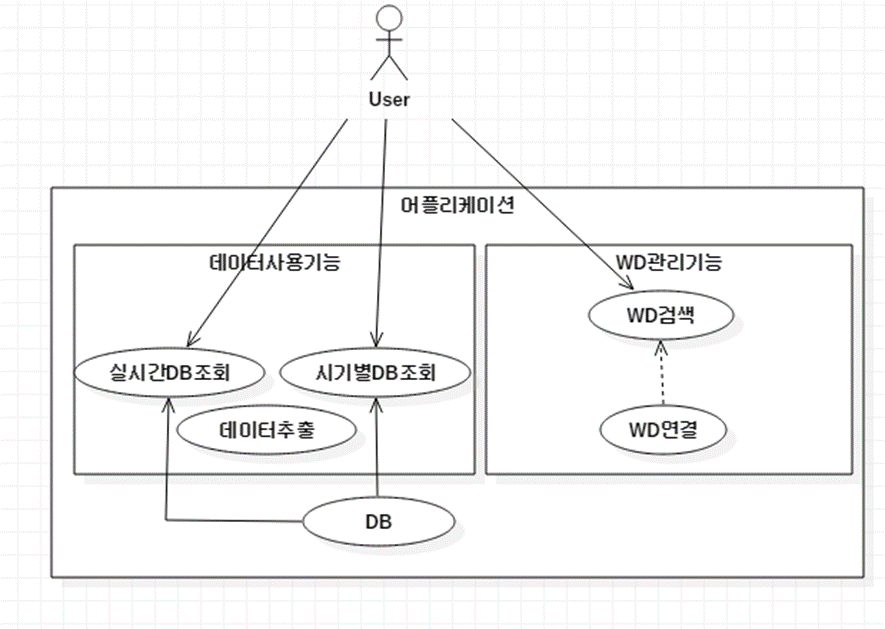
- Use case diagram
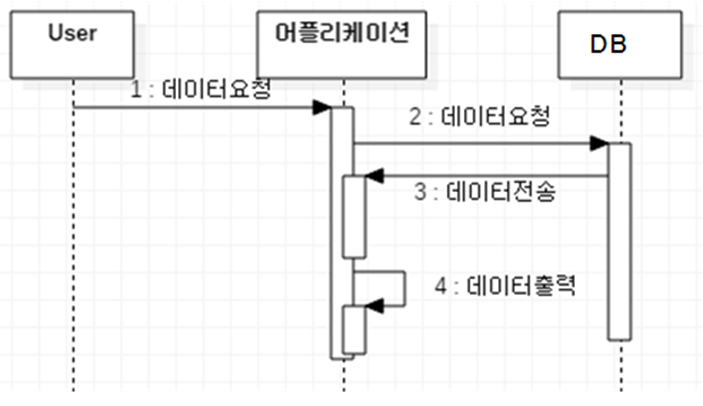
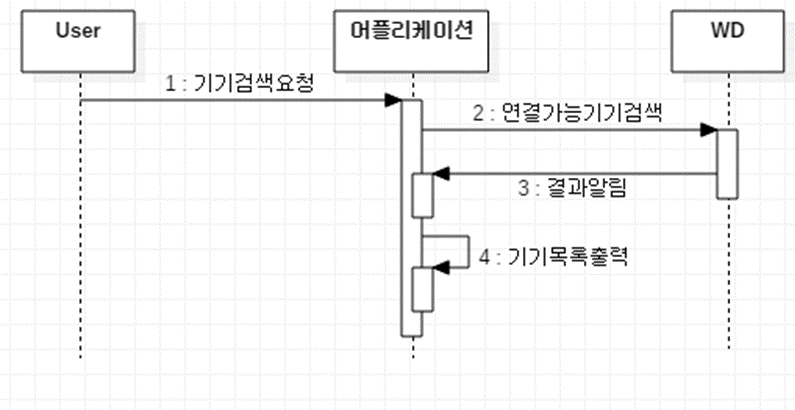
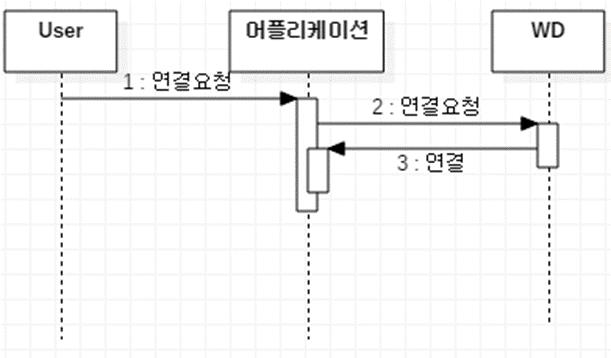
- Sequence diagrams (data usage / device management)
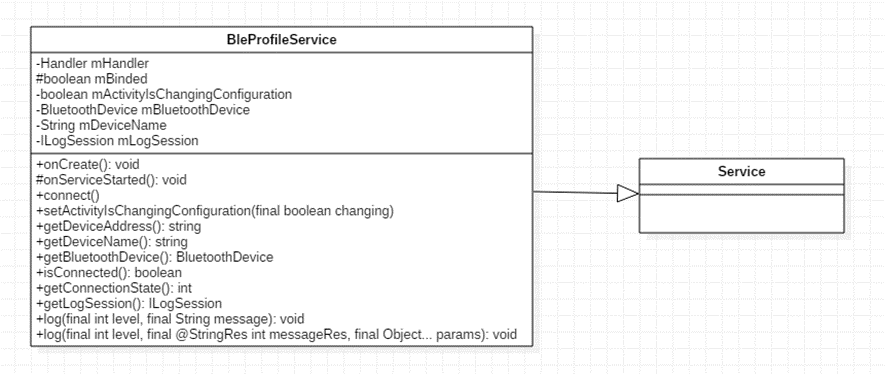
- Class diagrams (Bluetooth / visualization / data)
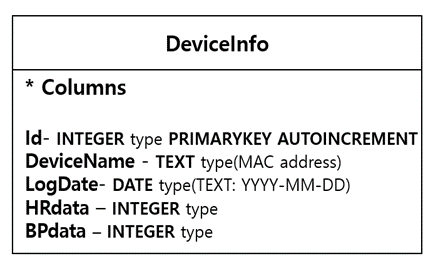
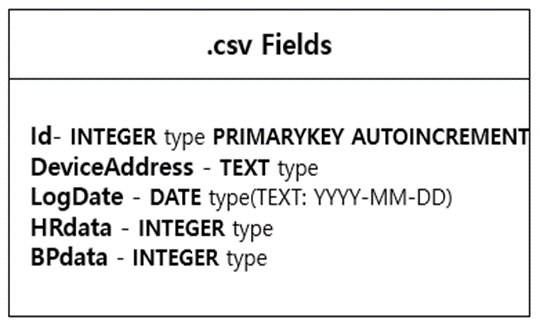
- DB modeling / CSV modeling
Java Android BLE (Bluetooth Low Energy)
Nordic nRF52DK GATT Profile SQLite
ble-nrf52-multi-device-connection/ ├── app/ │ └── src/main/java/ │ — BLE connection management │ — Real-time data reception │ — DB / CSV handling │ — Visualization (LineGraph, RealtimeData, SelecttimeData) └── build.gradle
- 기본설계
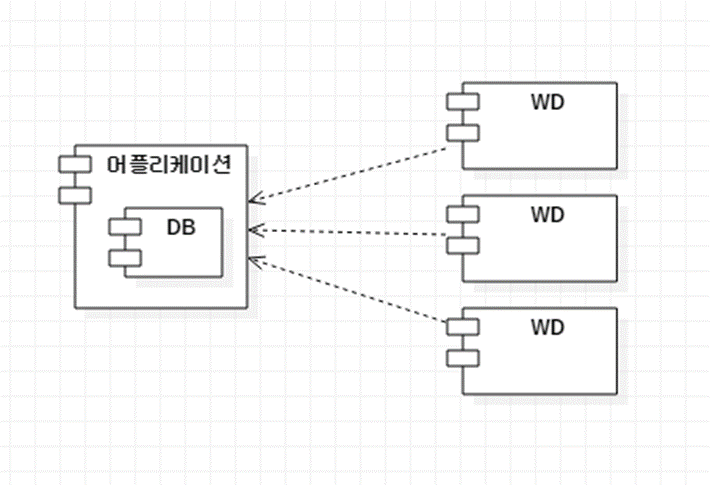
- 프로파일 구조
- Use Case
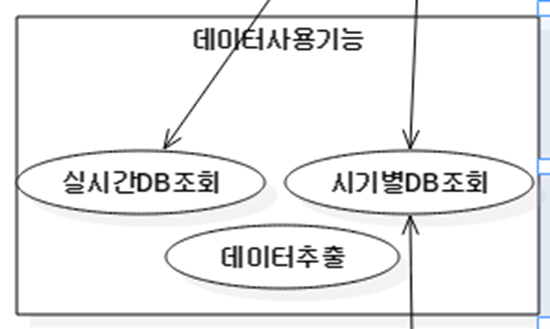
- functional requirement 4-1. 데이터 사용 기능
4-1-1. Suquence Diagram
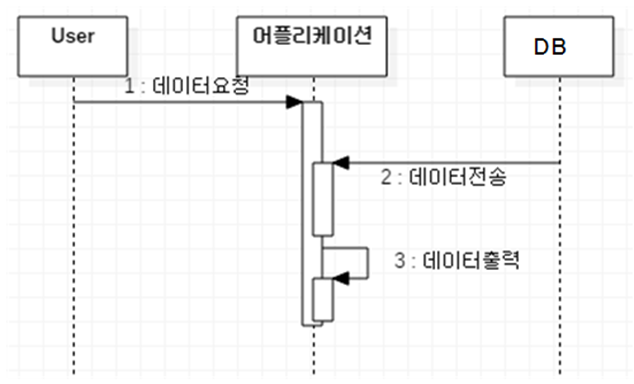
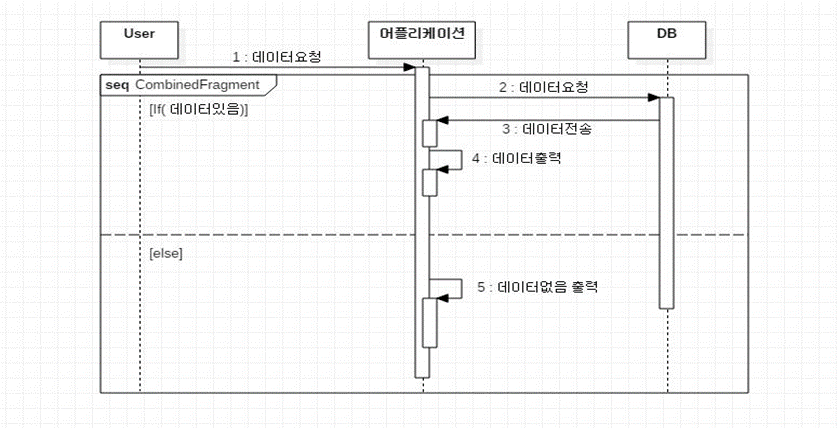
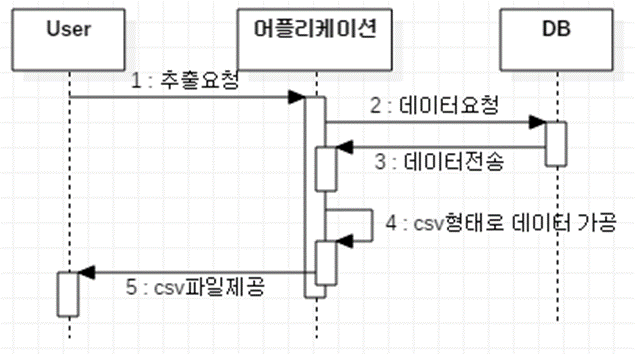
4-2. WD 관리기능
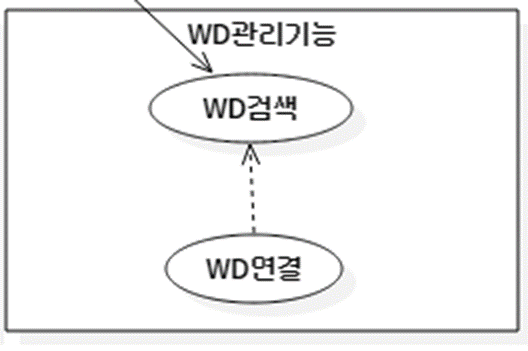
4-2-1. Suquence Diagram
- UI
-
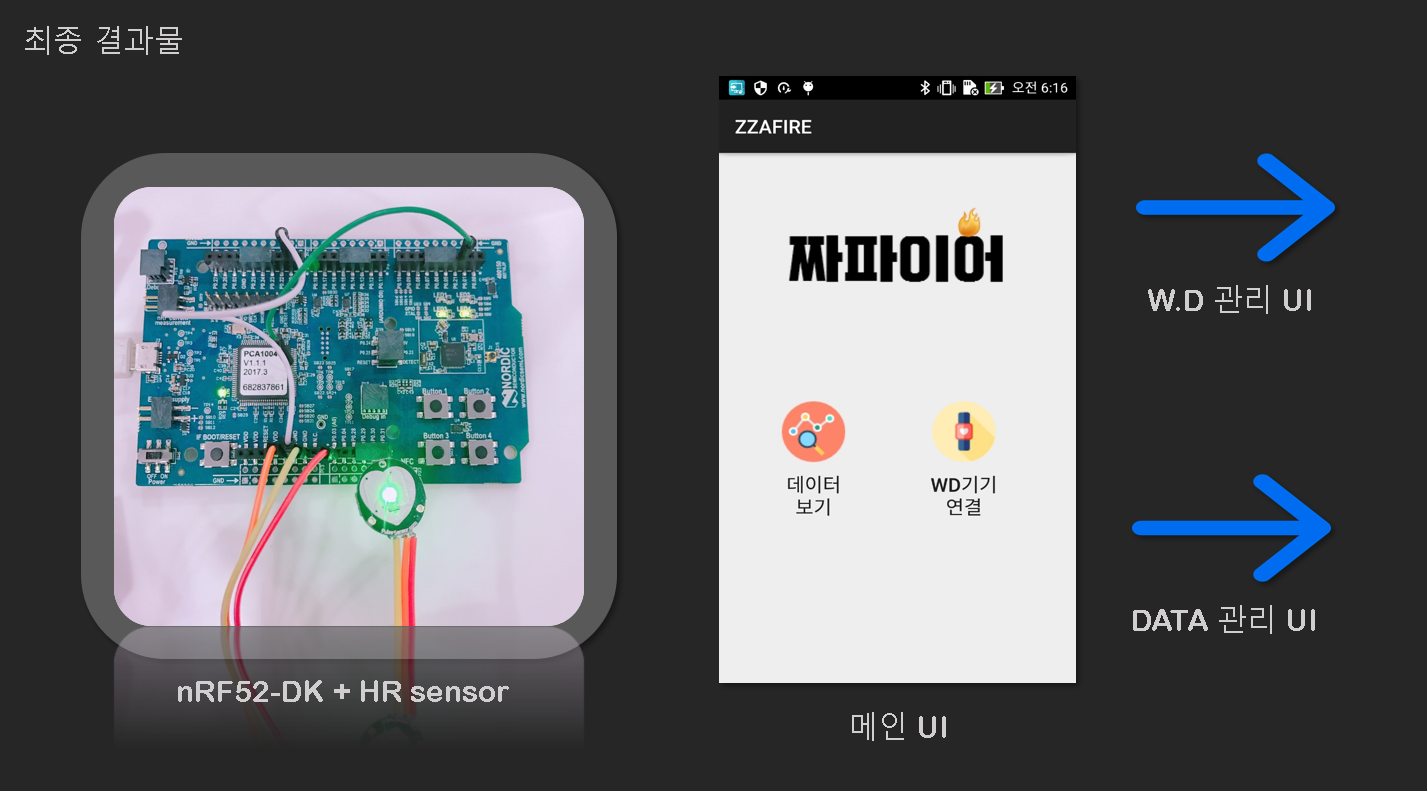
홈
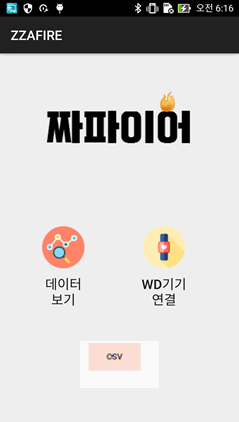
-
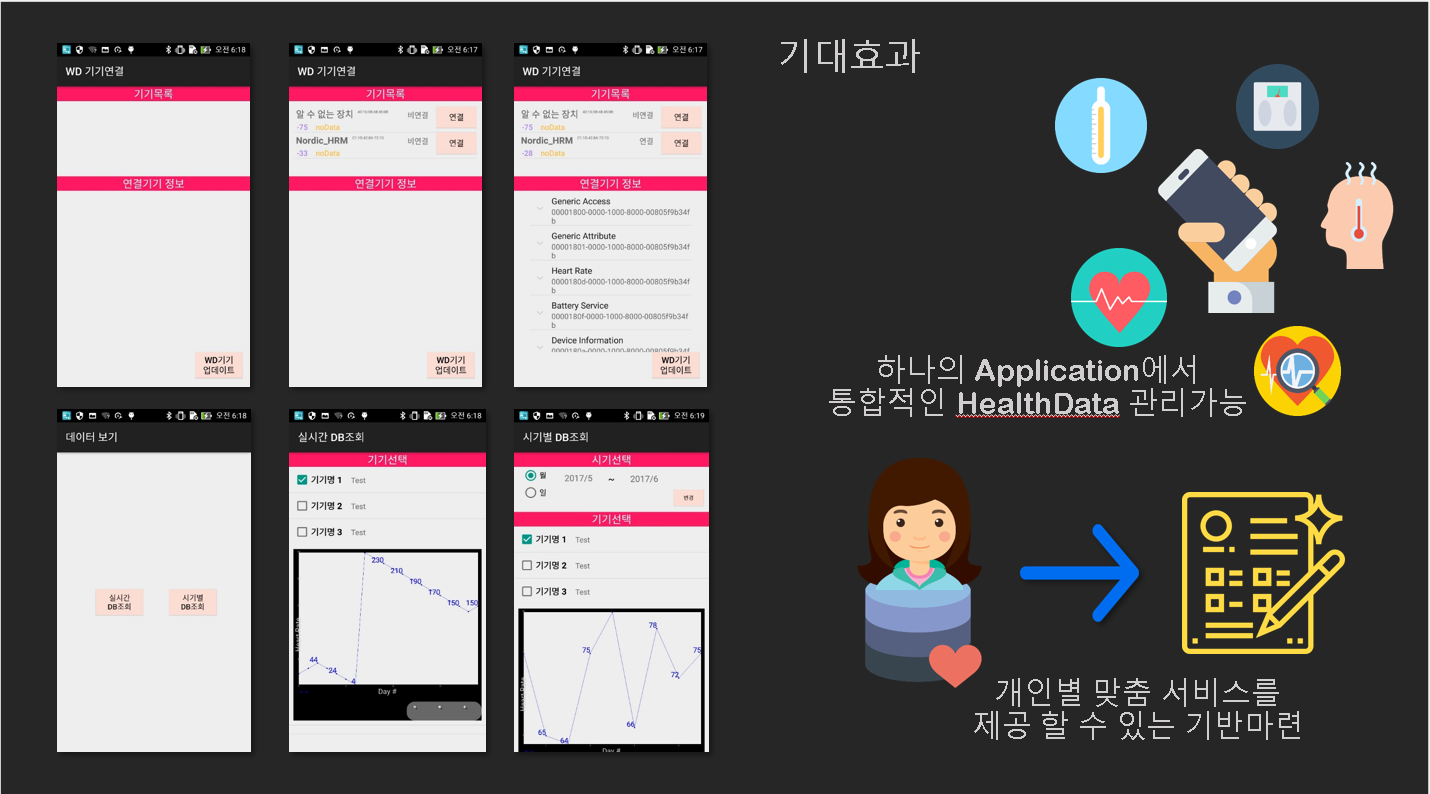
기기 스캔 및 연결
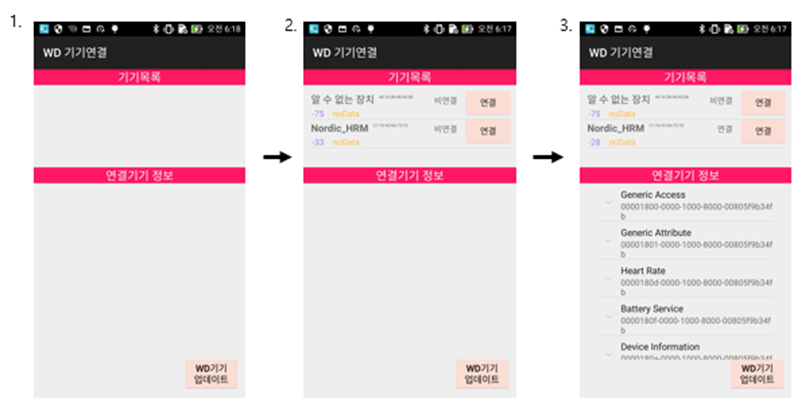
-
데이터보기
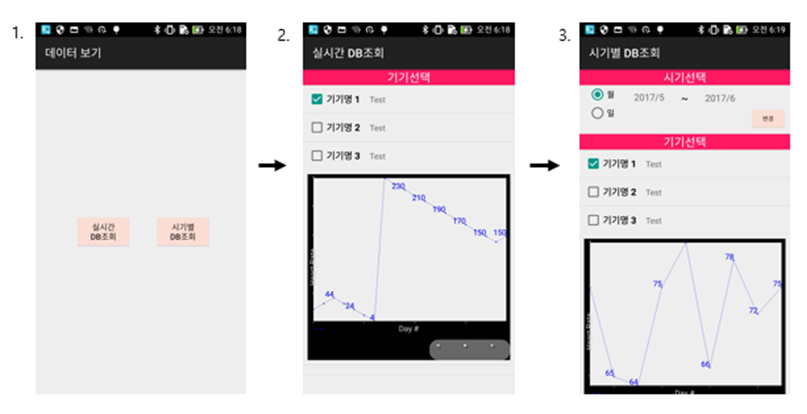
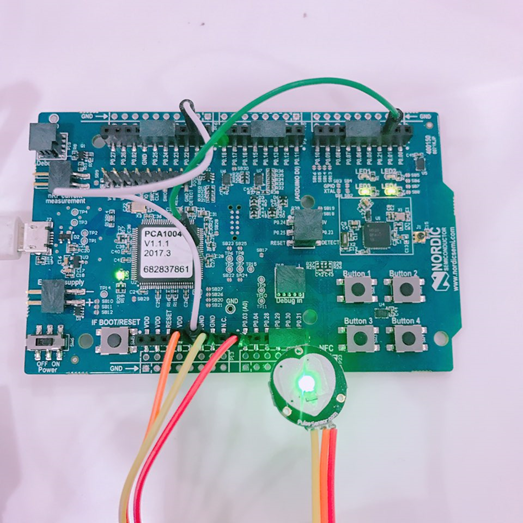
- 하드웨어
- Nordic nRF52DK

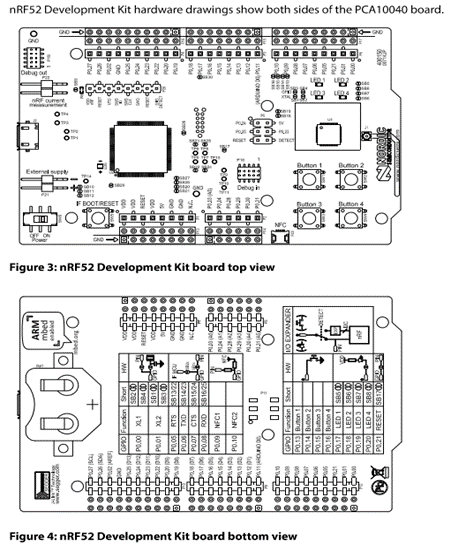
- 심박센서 연결
- Visuallizaion
-
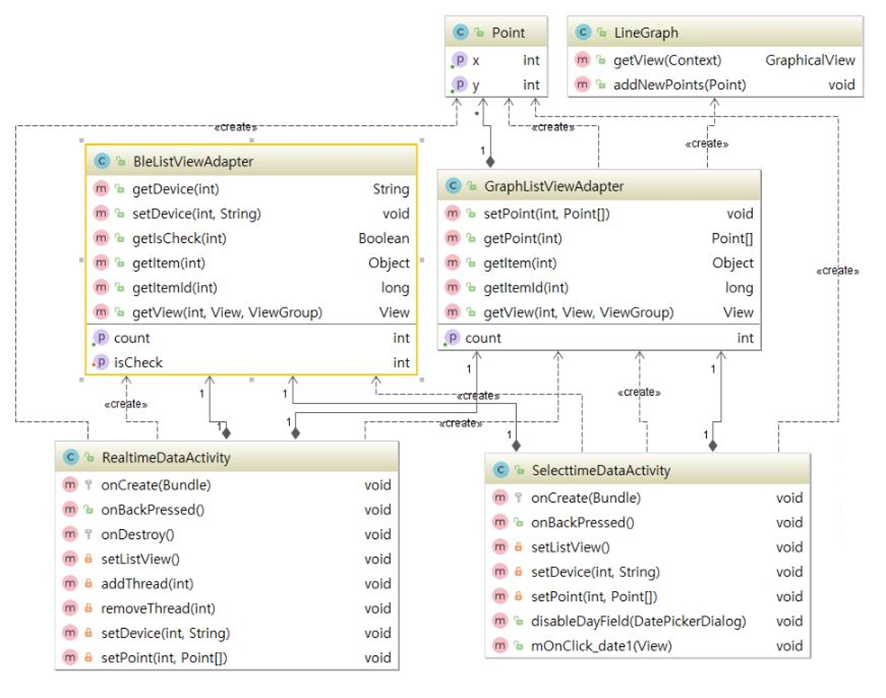
시각화 Diagram
-
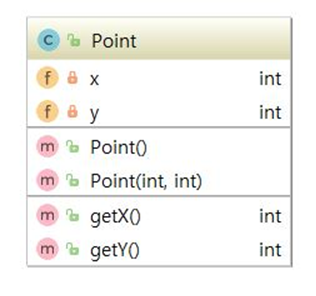
Point class
-
Linegraph classDiagram
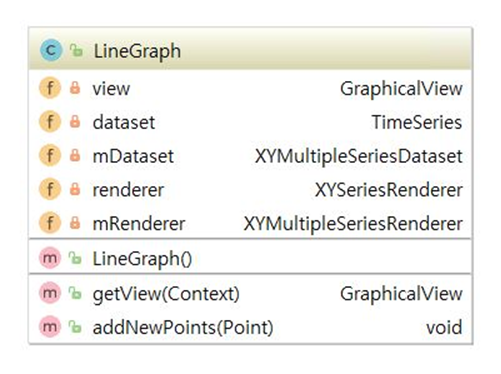
-
SelecttimeDataActivity ClassDiagram
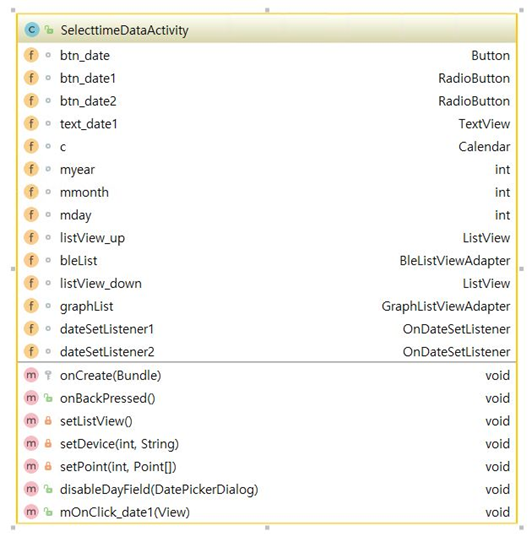
-
RealtimeDataActivity ClassDiagram
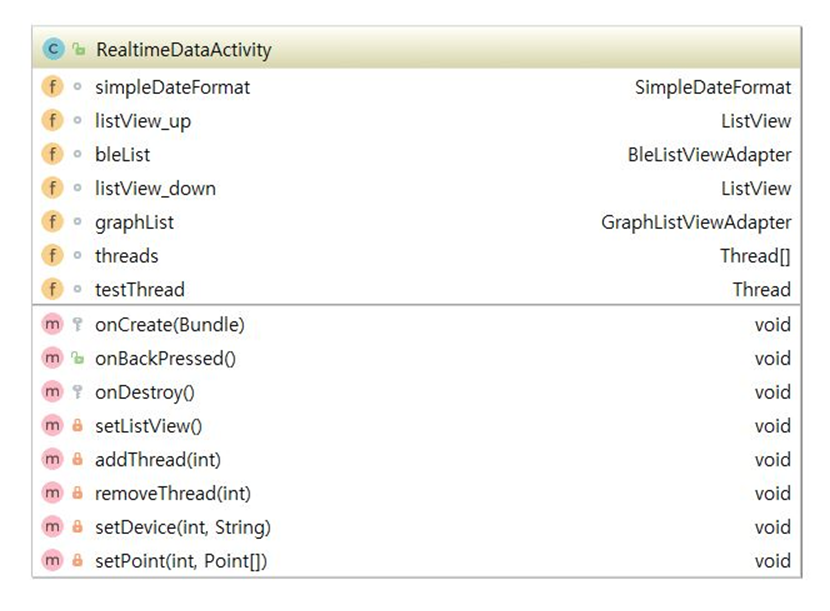
- Bluetooth
-
Bluetooth ClassDiagram
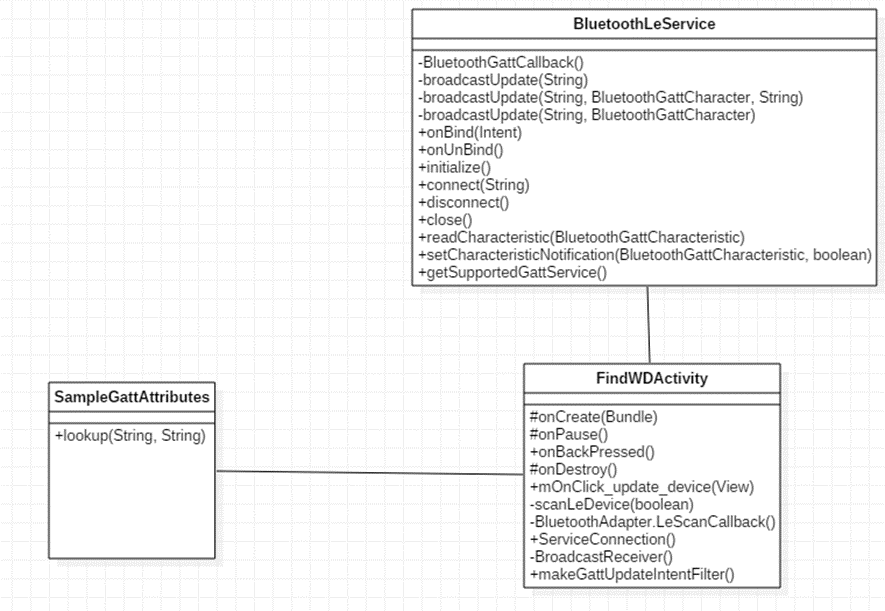
-
multiconnect BluetoothDevice # connectGatt ()를 한후 BluetoothGattCallback # onConnectionStateChange () 를 완료하고, 다른 기기 또한 이 과정을 반복하면서 진행해서 다중 연결을 한다. 기존의 함수에 새로운 변수들을 추가해서 각각의 함수에 접근할 때의 방법을 바꿔주었다.
- Database & CSV
-
DB 모델링
-
CSV 모델링
-
Bit field
6 Profile
-
BLE GATT Profile
-
클래스 다이어그램
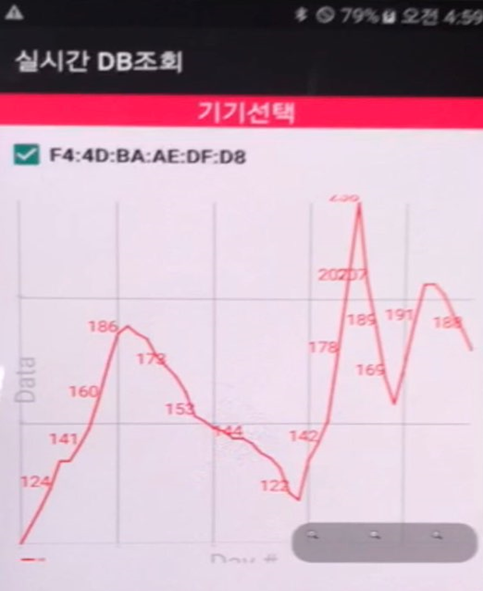
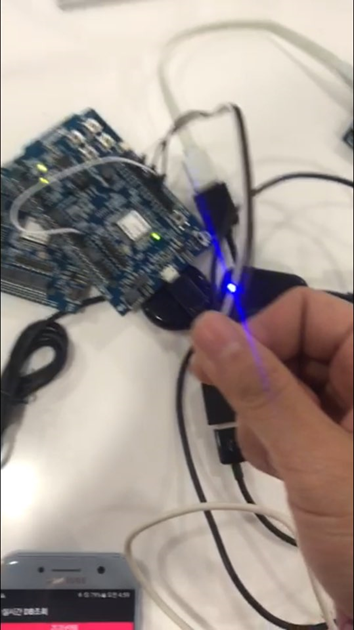
기기와 연결한 센서로 측정 / 실시간으로 값이 출력됨.
그래프 출력 / 다중연결
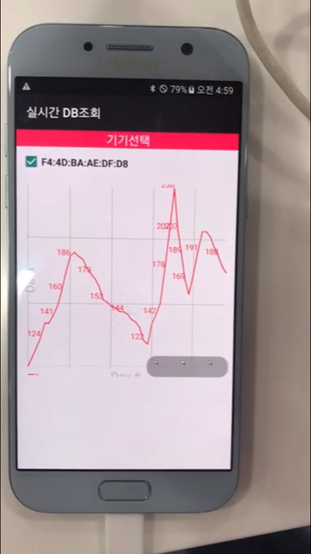
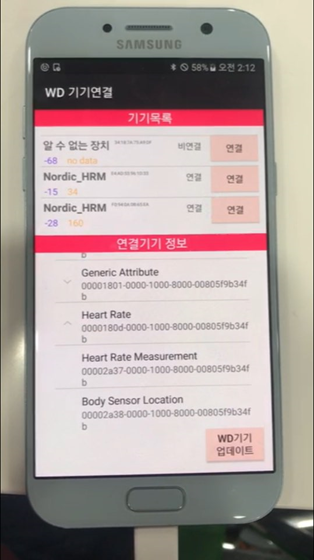
멀티연결 그래프 출력