DoomConsole is a JaszczurHAL/Arduino-Pico firmware port of Doom for RP2040 boards. It is based on Graham Sanderson's kilograham/rp2040-doom, which in turn is derived from Chocolate Doom.
This repository is no longer a stock rp2040-doom tree. The current active
port replaces the original Pico SDK VGA/I2S/TinyUSB backend with a JaszczurHAL
application model, TFT output, HAL-backed input/audio/storage glue, and a
single CMake flow that builds through Arduino-Pico.
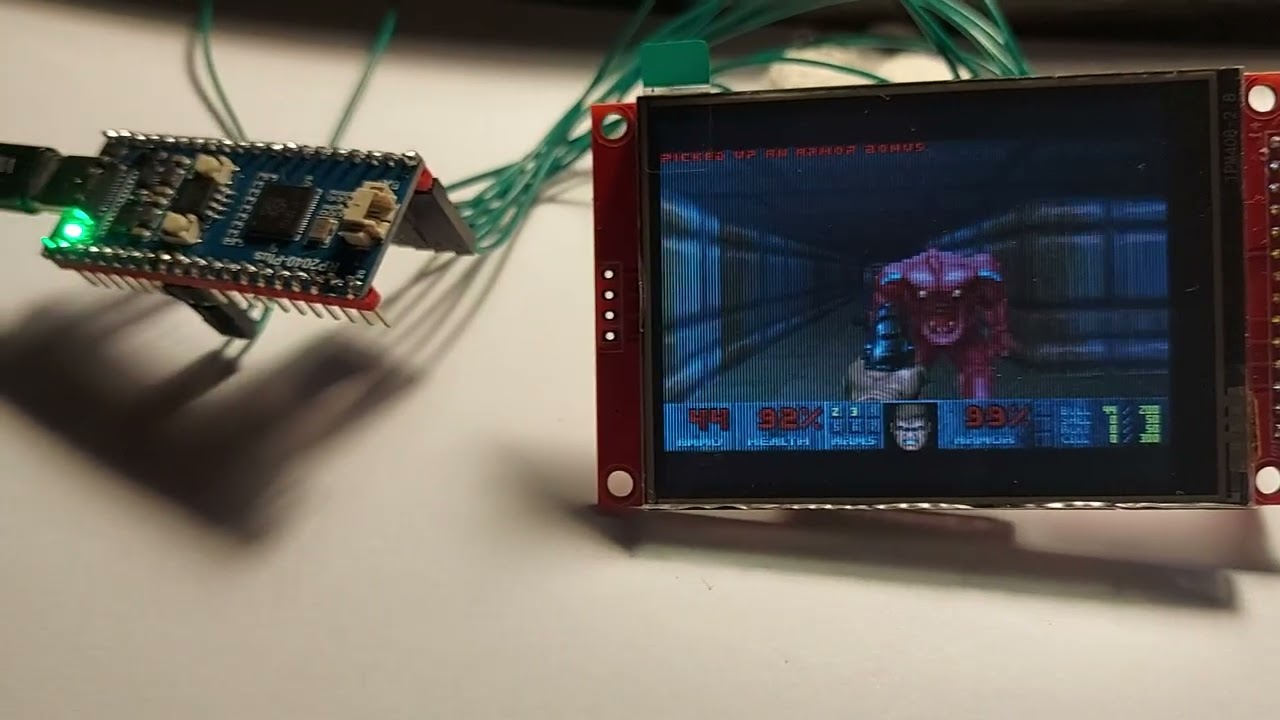
RP2040 ILI9341 320x200:
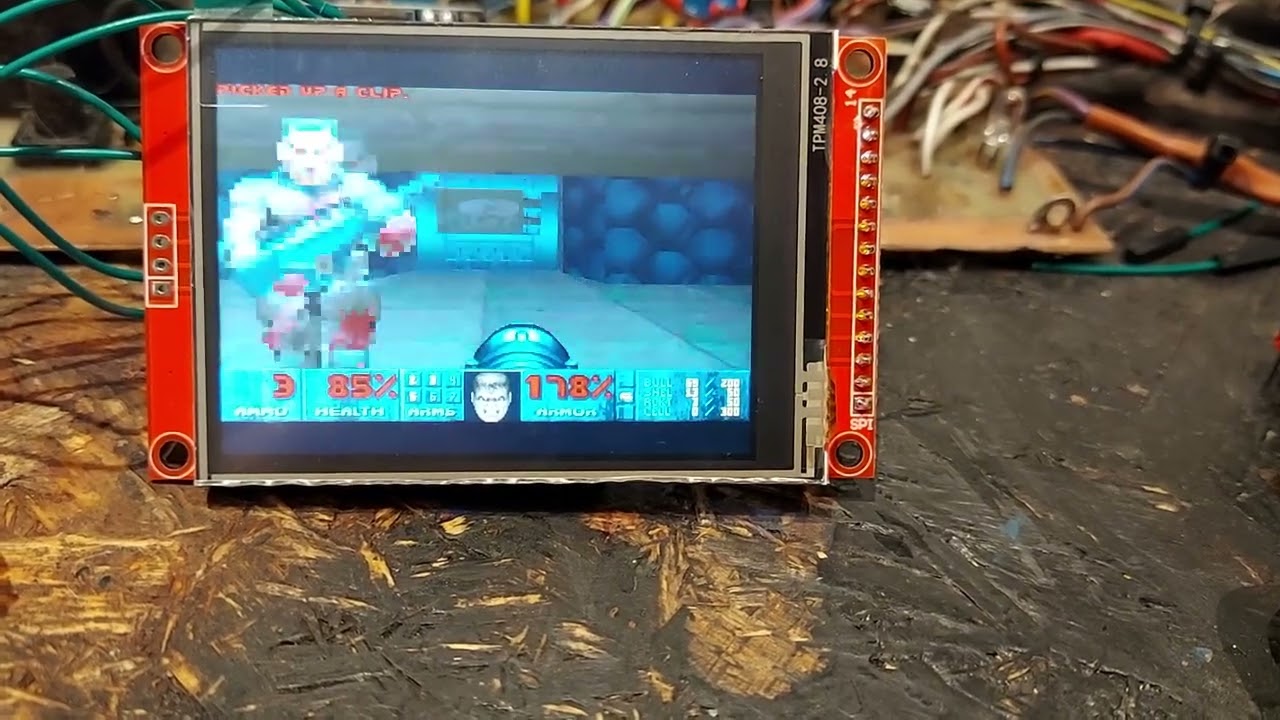
RP2350 ILI9341 320x200:
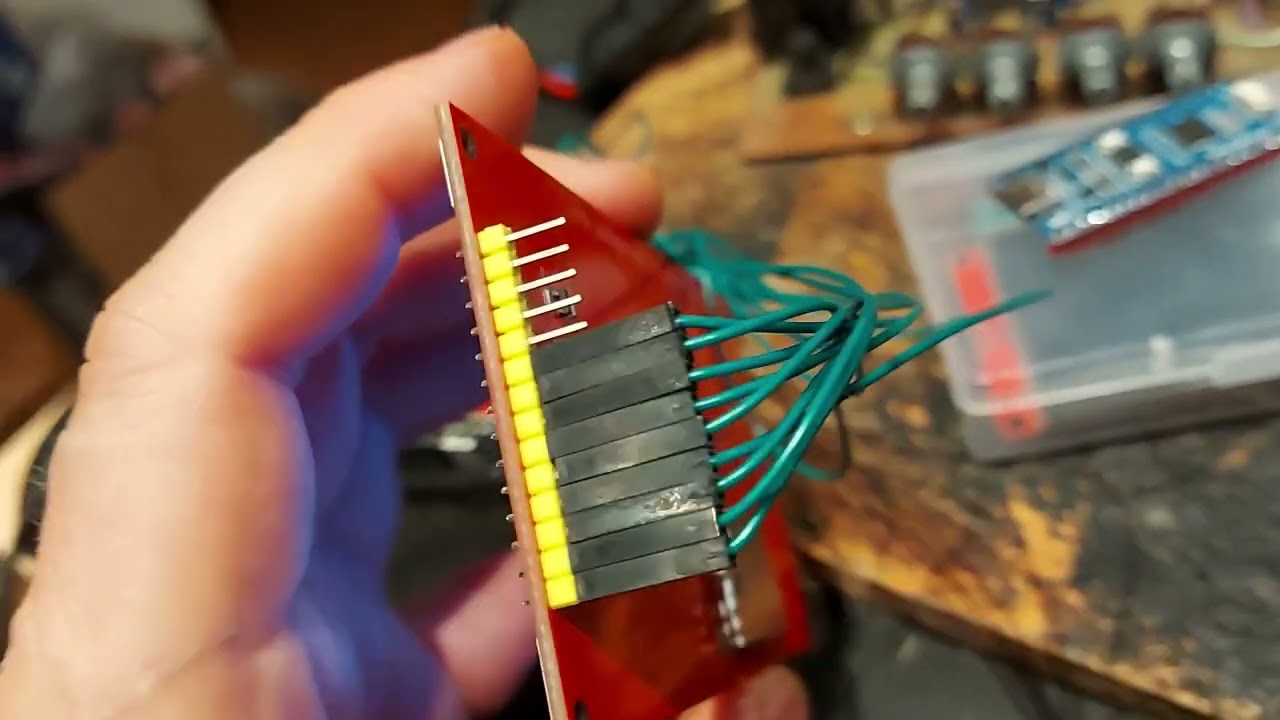
RP2350 ST7796S 480x320:
The original rp2040-doom project proved that real Doom can run on RP2040 by
heavily compressing game data into WHD/WHX and carefully shrinking Chocolate
Doom. DoomConsole keeps that core idea and much of the renderer/data-format
work, but changes the platform layer:
- Application entry is JaszczurHAL-style
app_start(),app_task0(),app_task1(). - Firmware is built by CMake.
- Video output is a 320x200 indexed Doom framebuffer converted to RGB565 and streamed to a HAL TFT display.
- Core1 is used for asynchronous TFT flush and experimental renderer helper work.
- Audio is routed through JaszczurHAL DMA PWM audio.
- Game data is expected as a raw WHD/WHX flash payload, separate from the UF2 firmware image.
- Most legacy desktop, SDL, OPL, network, setup, and old Pico SDK backend files have been moved out of the active source tree.
The active platform code lives mostly in:
doom_main_config.h- central port configuration.hal_project_config.h- thin JaszczurHAL config wrapper.src/jaszczurhal/- current HAL backends and application wrapper.src/doom/- Doom game and renderer code retained from the port lineage.src/whd_gen/- WHD/WHX generation tooling retained for the data format.
The port builds and runs as RP2040/RP2350 firmware. The renderer is functional but still performance-oriented work in progress. PCB is not ready yet. Current measurements show the main cost in wall/BSP column rendering.
Important current traits:
- Tested configuration uses Waveshare RP2040 Plus / 4 MB style target, and Raspberry pi pico2 (RP2350).
- The default WHD/WHX payload address is
0x10200000. - The active build is tuned for a TFT display and HAL GPIO/button input.
See port_issues.md for the short current performance plan.
Common groups in doom_main_config.h:
- TFT display: SPI pins, panel dimensions, rotation, color order, flush mode.
- GPIO input: active-low mode and button pins.
- Audio: PWM pin, PWM resolution, block size, sample rate, mixer channels.
- Flash/WHD: XIP base, flash size, payload address, scan step.
- Zone/heap: Doom zone size and heap reserve.
- Renderer/performance: patch/flat decoder buffers, column cache, plane queue, dual-core column mode, sentinel/debug values.
Most values can still be overridden from CMake/compiler definitions before
doom_main_config.h is included.
VS Code uses the shared JaszczurHAL entrypoint:
../libraries/JaszczurHAL/vscode/entry/jh-vscode
The firmware module contract lives in .vscode/jaszczurhal.project.json.
That manifest is the source of truth for the FQBN, generated CMake build
directory, USB identity, artifacts, and Doom-specific CMake cache values.
The most useful Doom CMake cache keys are:
DOOM_TFT_PANEL- display driver, eitherili9341orst7796s.DOOM_HIGHRES_SCENE- render the scene at the full panel resolution:320x240on ILI9341 or480x320on ST7796S. The ST7796S path is supported only for RP2350/Pico 2.JH_ILI9341_SPI_DEFAULT_HZ- requested TFT SPI clock.DOOM_SYS_CLOCK_KHZ- RP2040/RP2350 system clock request.DOOM_DUAL_CORE_COLUMNS,DOOM_RENDER_ASYNC_PLANES,DOOM_VIDEO_SYNC_FLUSH- renderer/flush experiments; the default active values are conservative.
To use the classic ILI9341 path, keep highres disabled:
{
    "cmake": {
        "cache": {
            "DOOM_TFT_PANEL": "ili9341",
            "DOOM_HIGHRES_SCENE": "0"
        }
    }
}
This works on RP2040 and RP2350 builds. For a regular RP2040 Pico-style board the FQBN can be, for example:
{
    "fqbn": "rp2040:rp2040:rpipico:flash=2097152_524288,usbstack=tinyusb"
}
To fill the whole 320x240 ILI9341 panel, enable highres while keeping the ILI9341 driver:
{
    "cmake": {
        "cache": {
            "DOOM_TFT_PANEL": "ili9341",
            "DOOM_HIGHRES_SCENE": "1"
        }
    }
}
To use the 4.0 inch ST7796S 480x320 path, select an RP2350/Pico 2 board and enable highres:
{
    "fqbn": "rp2040:rp2040:rpipico2w:flash=4194304_2097152,usbstack=tinyusb",
    "cmake": {
        "cache": {
            "DOOM_TFT_PANEL": "st7796s",
            "DOOM_HIGHRES_SCENE": "1"
        }
    }
}
st7796s is intentionally rejected for RP2040 targets. The ST7796S full-panel
framebuffer and flush buffers are RP2350-only.
After changing the manifest, regenerate the CMake cache and rebuild:
../libraries/JaszczurHAL/vscode/entry/jh-vscode build --project .Expected local tools:
cmakearduino-cli- Arduino-Pico platform, currently configured for 5.4.0
- JaszczurHAL checked out at
../libraries/JaszczurHALby default
Note: JaszczurHAL's setup (./runmefirst.sh) will provide all expected tools and dependencies automatically.
The default CMake cache expects:
JH_ROOT=../libraries/JaszczurHAL
ARDUINO_RP2040_PLATFORM_PATH=$HOME/.arduino15/packages/rp2040/hardware/rp2040/5.4.0
Configure (optional):
../libraries/JaszczurHAL/vscode/entry/jh-vscode config-dump --project .Build:
../libraries/JaszczurHAL/vscode/entry/jh-vscode build --project .Generate/update compile commands for editor tooling:
../libraries/JaszczurHAL/vscode/entry/jh-vscode refresh-intellisense --project .Other CMake targets:
firmware_debug- verbose/debug arduino-pico compile variant.firmware_upload- arduino-pico upload target.firmware_compile_db- compile database refresh target.
The generated outputs are placed under .build/, including:
.build/firmware.elf.build/firmware.bin.build/firmware.uf2.build/firmware.map
Board selection is controlled by the Arduino FQBN in
.vscode/jaszczurhal.project.json. The current VS Code tasks use a Pico 2 W
configuration:
rp2040:rp2040:rpipico2w:flash=4194304_2097152,usbstack=tinyusb
Firmware UF2 upload and WHX/WHD payload upload are intentionally separate.
VS Code firmware tasks:
Project: BuildProject: Build (Debug)Project: Upload- verified serial upload throughjh-vscode; if no serial port is configured and exactly one BOOTSEL drive is visible, it falls back to UF2.Project: Upload (UF2 / BOOTSEL)- builds and copies.build/firmware.uf2to the mounted BOOTSEL drive.Project: Serial MonitorProject: Refresh IntelliSenseProject: Upload WHX Payload- runs the picotool WHX helper below.
The WHX payload upload remains a separate picotool flow and expects the board to already be in BOOTSEL mode:
sudo scripts/upload-whx-picotool.shBy default it writes the payload at:
0x10200000
This address is controlled by DOOM_WHD_FLASH_ADDR.
Like rp2040-doom, this port does not run directly from a normal WAD file on
the device. WAD data must be converted to the compact WHD/WHX format used by
the RP2040/2350 renderer/data path.
The generator code is retained in:
src/whd_gen/
The active firmware expects the converted payload in flash, separate from the program image. The default payload address assumes a board with at least 4 MB of flash.
The firmware prints render diagnostics such as:
[render] frame=... fps=... cols=... planes=... tus=bsp/planes/masked/pspr/hud ...
Useful fields:
fps- current frame-rate estimate.cols- wall columns submitted/rendered.planes,pdrop- floor/ceiling workload and queue drops.masked- masked sprite workload.black=total/top/mid/bot- undrawn sentinel pixels by screen band.tus=bsp/planes/masked/pspr/hud- per-frame timing in microseconds.pcache- decoded patch/column cache behavior.ccol,casync- dual-core column queue/helper diagnostics.flush- asynchronous TFT flush statistics.
the main optimization target remains BSP/wall column rendering and safe core1 offload.
doom_main_config.h       central port configuration
hal_project_config.h     JaszczurHAL project config wrapper
CMakeLists.txt           Arduino-Pico/JaszczurHAL firmware build
src/jaszczurhal/         active platform backends
src/doom/                Doom game and renderer code
src/whd_gen/             WHD/WHX conversion tooling
scripts/                 WHX/picotool payload helper
port_issues.md          current performance notes and next steps
_unused/                 files removed from the active port path
This project is a modified port based on kilograham/rp2040-doom, itself derived from Chocolate Doom.
License expectations follow the upstream lineage:
- Code derived from Chocolate Doom keeps its original GPL licensing.
- RP2040-specific code from the original port follows the licensing of
kilograham/rp2040-doom. - New JaszczurHAL port glue in this repository should be treated according to the repository's existing license files and upstream compatibility.
Keep attribution to both upstream projects when redistributing modified builds.