A lightweight, responsive calculator built with HTML, CSS, and JavaScript. Perfect for basic arithmetic operations, featuring a clean design, theme toggle, calculation history, and clipboard support.
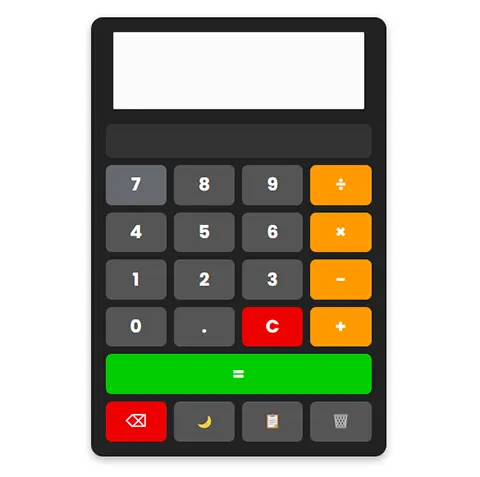
Try it out here: https://jasonbra1n.github.io/simple-math-calculator/
- Basic Operations: Addition (+), subtraction (−), multiplication (×), and division (÷).
- Responsive Design: Adapts to various screen sizes, from desktop to mobile.
- Theme Toggle: Switch between dark (default) and light modes with the 🌙 button.
- History: Displays the last calculation above the input.
- Clipboard Support: Copy results to your clipboard with the 📋 button.
- Keyboard Input: Use your keyboard for quick calculations (numbers, operators, Enter, Backspace).
- Clear Functions: Reset the display (C), delete characters (⌫), or clear history (🗑️).
To use this calculator locally:
- Clone the repository:
git clone https://github.com/jasonbra1n/simple-math-calculator.git
- Open index.html in a web browser. No dependencies or build steps required—just pure HTML, CSS, and JavaScript!
You can embed this calculator into your own webpage using an iframe. Copy the code below:
<iframe src="https://jasonbra1n.github.io/simple-math-calculator/" width="440" height="490" frameborder="0" style="border: none;"></iframe>- Size: The recommended dimensions are 440px wide by 490px tall, based on the calculator’s maximum width and content height.
- Responsive Tip: If your site has a narrower container, the calculator will adjust automatically (down to 90% of the iframe width on small screens).
- Customization: Fork this repo to modify styles or add features to suit your needs.
- Click the buttons or use your keyboard to input numbers and operators.
- Press = (or Enter) to calculate the result.
- Use C to clear the display, ⌫ to delete the last character, or 🗑️ to reset the history.
- Toggle the theme with 🌙 or copy the result with 📋.
Feel free to submit issues or pull requests if you’d like to improve this project! Ideas for enhancements:
- Scientific calculator functions (e.g., sqrt, sin).
- More theme options.
- Persistent history across sessions.
This project is licensed under the MIT License - see the LICENSE file for details.