Web Search-based AI Card Character Creator
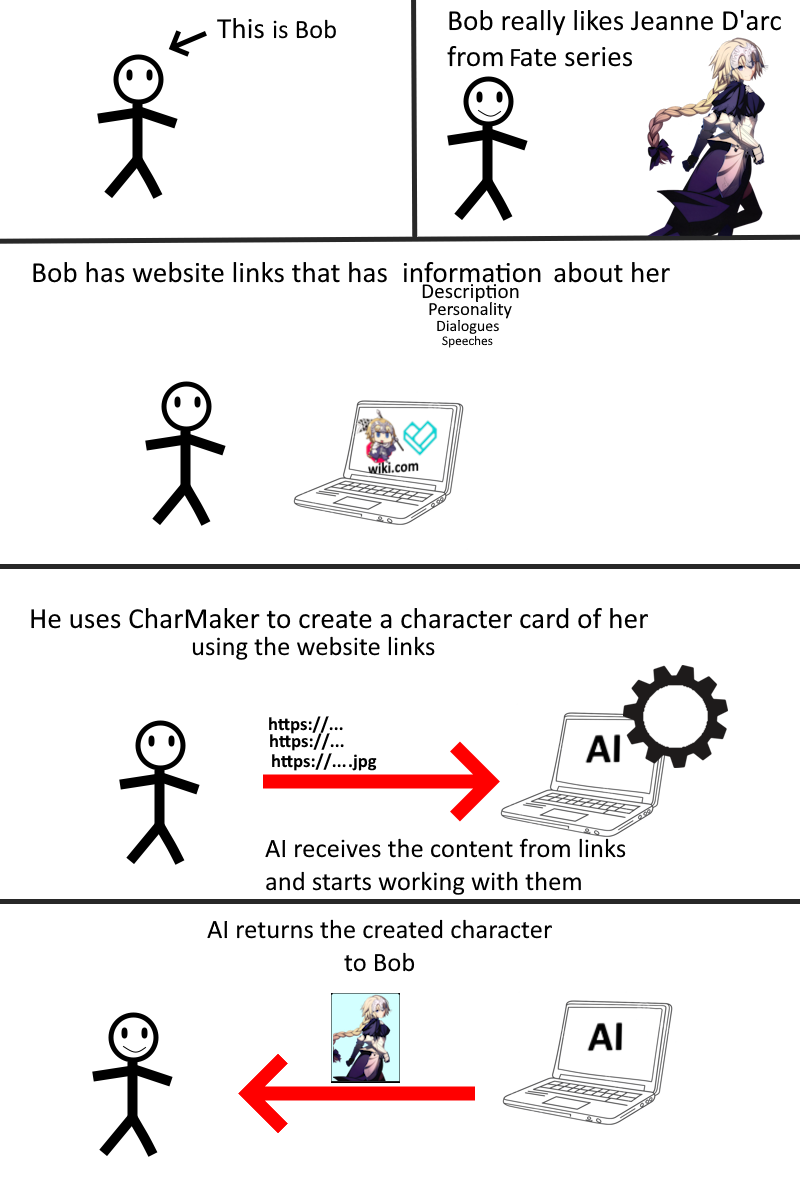
Create Character Cards by sending multiple URLs and even Images to AI!
This open-source tool helps you create a desired character by appending to AI the website scraped content and inserted images, generating its
- Name
- Carefully detailed description
- Brief personality
- Example messages
- Greeting messages
- Multi-Provider AI Support: Gemini, Groq, and OpenRouter APIs
- Multiple Scraper Engines: Selenium and Crawl4AI (slightly better and accurate) options
- Advanced Image Handling: Local files, URLs, and default templates
- Token Counting: Monitor API usage before generation
- Customizable Presets: Predefined character generation templates
- Multi-Browser Support: Chrome, Firefox, and Microsoft Edge
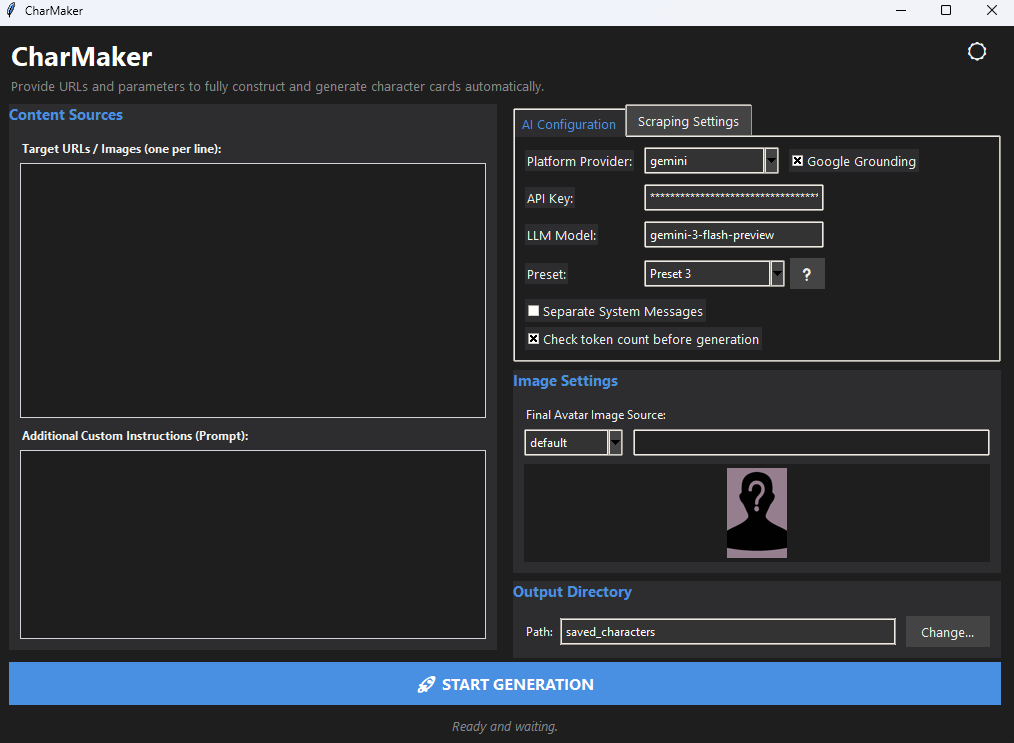
- GUI Interface: Beautiful, responsive desktop application with dark mode support
CharMaker offers two ways to interact with the tool:
-
GUI Application - Full-featured graphical interface with:
- Dark/Light mode support
- Responsive, adaptive layout
- Real-time image preview
- Interactive configuration management
- Quick access to all features
-
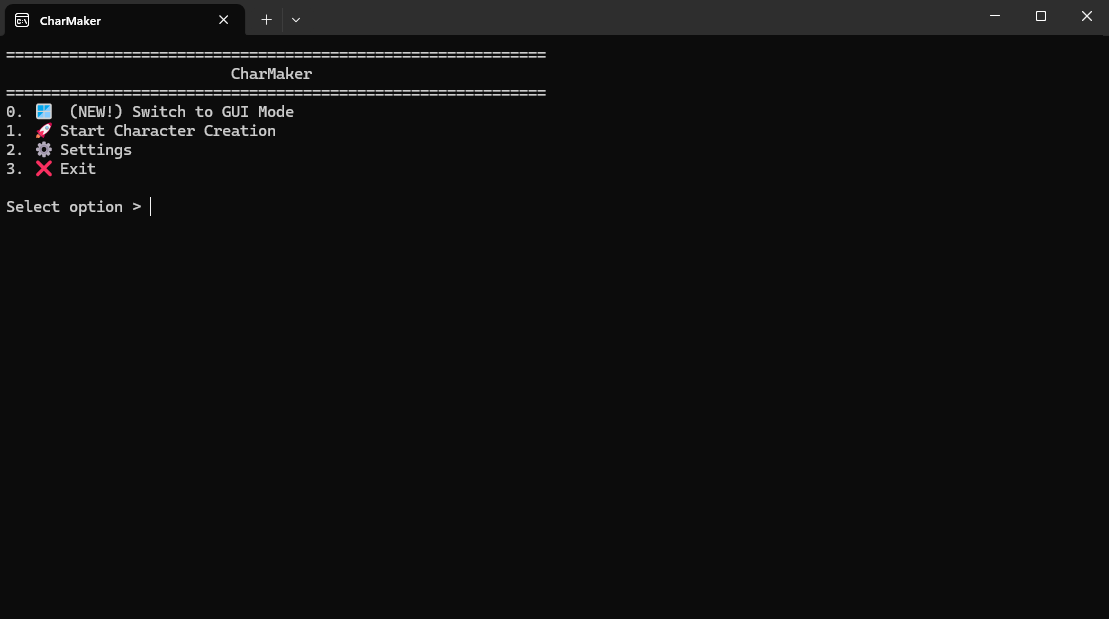
Command-Line Interface - For automation and scripting:
- Batch character creation
- Integration with other tools
- Scriptable workflows
-
Run
main.pyfor terminal mode orinterface.pyfor GUI mode -
Set up your desired save folder, provider, with your own API key:
- Choose API provider (Gemini, Groq, or OpenRouter)
- Separate System Messages: Toggle merging scraped content into a single system prompt
- Select scraper engine (Selenium or Crawl4AI)
-
Start Character Creation - You can:
- Append URLs of characters from wikis or databases
- Append image URLs for visual reference
- (Terminal-only) Use
!to load images from your local computer - (Terminal-only) Press
ENTERin the empty input box to send the appended information
-
After scraping its contents and the AI returns the character's metadata, you can:
- (Terminal-only) Save the character card image using SillyTavern's default .png template, Image from local computer or Image from a URL
- (Terminal-only) Retry (You can send additional instruction as user to AI for feedback)
- (Terminal-only) Discard (Discards the character)
- (Gui-mode only) The character is saved automatically.
The character card will be saved in the set up save path folder.
main: Designed to work with known characters with internet information, supports multiple AI providerscftf(Card for this feeling): Designed to work with images only, generating a card of a character based on the image(s) given
This project is licensed under the MIT License - see the LICENSE file for details.
Built with Selenium and Crawl4AI
Images from the example are from: