





ExoSeeker is an interactive web user interface for creating custom machine learning models to analyze Kepler objects of interest. It empowers anyone to easily discover potential exoplanets by having a streamlined process of taking in new data, building a unique machine learning model, and generating predicted objects of interest classifications.
- It has a user-friendly web interface that allows anyone to create their own AI models for identifying new exoplanets.
- Each component has a tooltip that provides useful information, such as instructions for uploading new data, properties of each estimator's main hyperparameters, and the description of each metric in the model evaluation.
- ExoSeeker allows for stacking multiple estimators, enabling the harnessing of the strength of one to increase the model's performance.
- The user can mix and match multiple models, tweak each one's main hyperparameters, empowering the user to create fully customized machine learning models.
Please use Python version >= 3.13.7
Clone the repository:
git clone https://github.com/gospacedev/exoplanet.gitCreate a virtual environment:
python -m venv exoseeker-venvActivate the virtual environment:
exoseeker-venv/Scripts/Activate.ps1Install the requirements:
pip install -r requirements.txtRun the web interface:
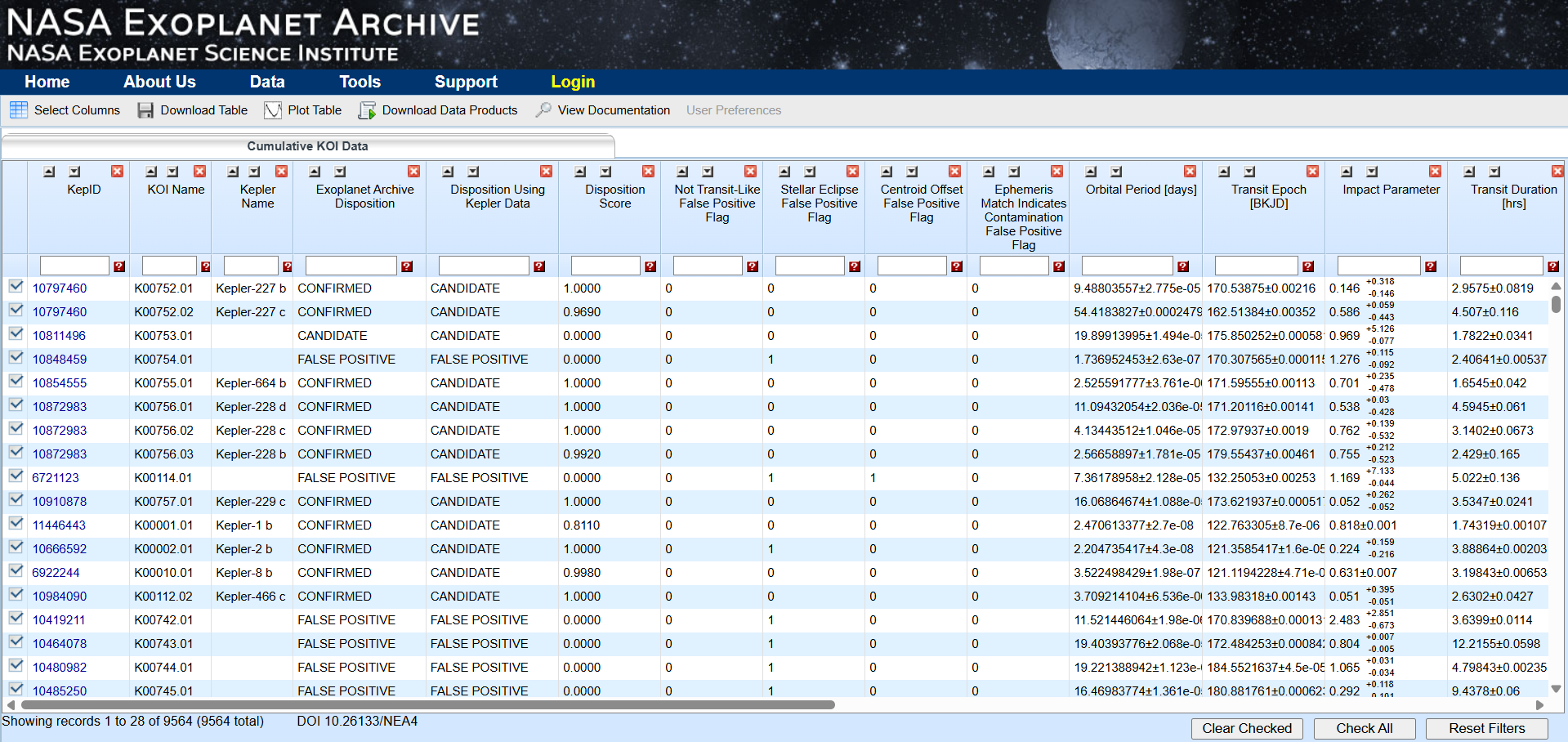
streamlit run app.py- Go to the exoplanet archive dataset from Kepler Objects of Interest
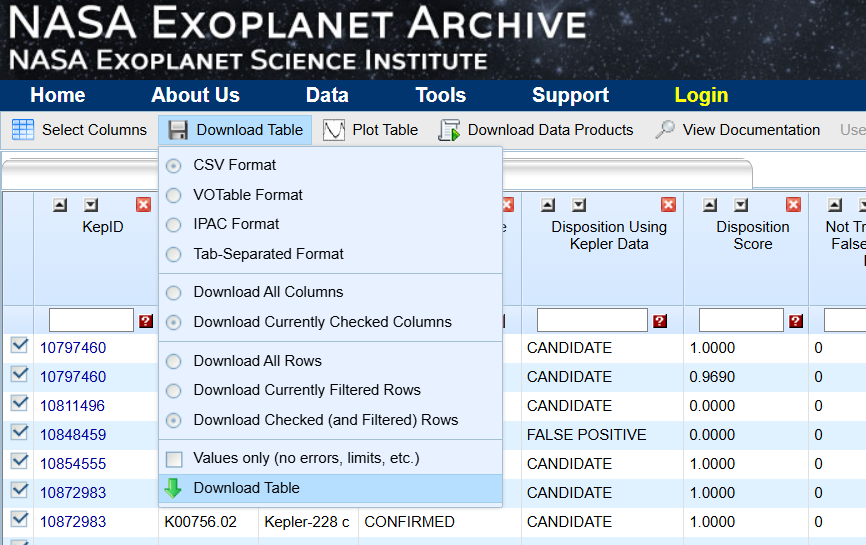
- Download the cumulative dataset from "Download Table"
- You can use the Jupyter notebook named "create_traning_and_target_data.ipynb" to split the downloaded dataset into two files:
- training_dataset.csv: a copy of the cumulative dataset with the last one thousand rows dropped
- target_data.csv: the last one thousand rows of the downloaded data with the exoplanet disposition removed to be used for predictions
- The training dataset can then be uploaded as training data to Exoseeker
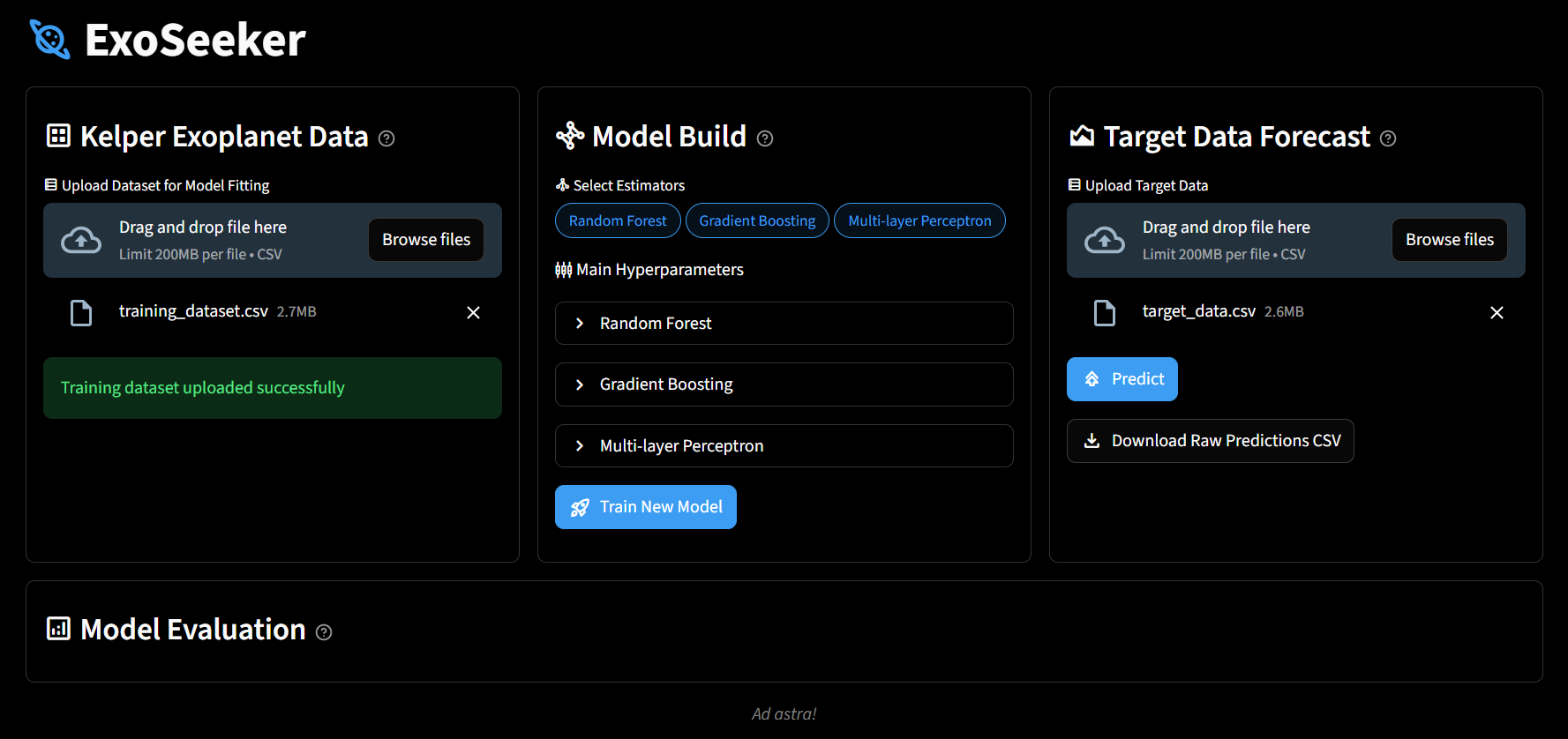
- You can create your own custom machine learning model in the model build section, select estimators, and adjust their main hyperparameters
-
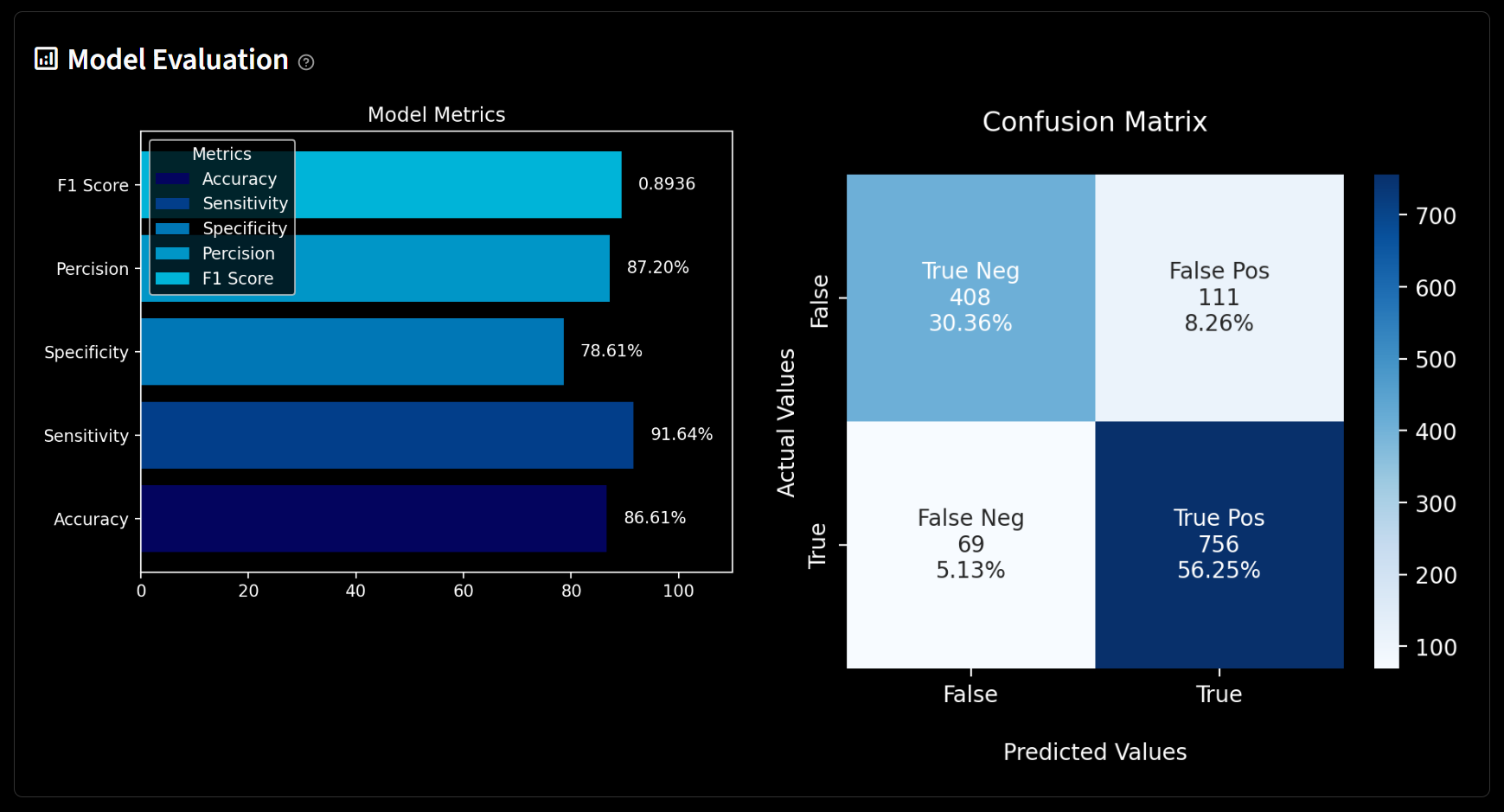
Once the model has been trained, it would be saved locally as a pickle file, and its performance would be visualized in the model evaluation
-
You can then go to the target data forecast to run predictions on target_data.csv