
Play it in your browser now: https://fotcorn.github.io/VoxelWorld/
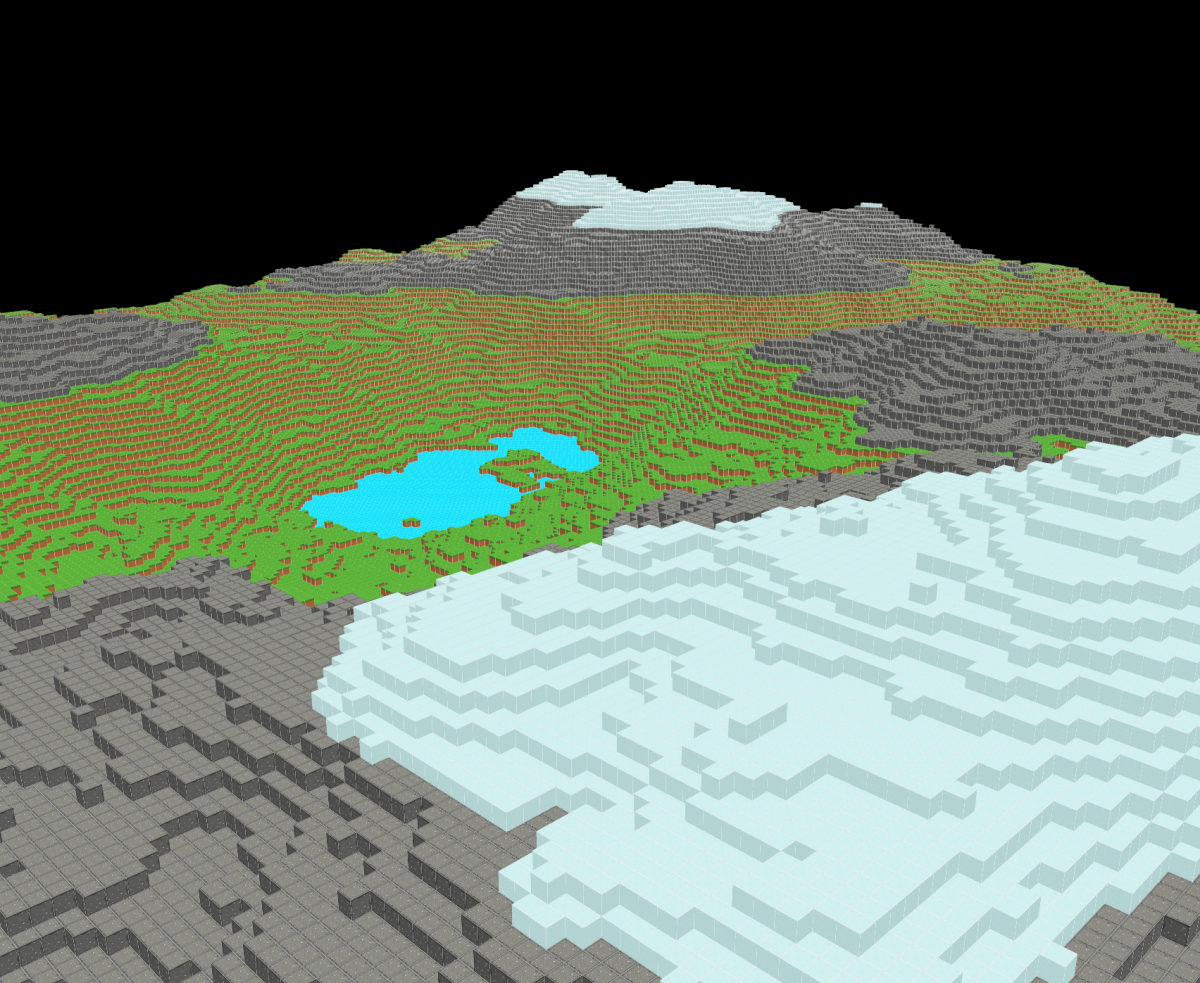
- Procedurally generated endless voxel world
- Optimized vertex data generation from voxel world
- OpenGL 4 based renderer
- Simple water simulation
- Adding/removing blocks with raycasting from mouse position to 3D block position
- UI library based on HTML/CSS with flexbox layout support
Install the following tools:
- conan
- cmake
.venv/bin/conan install . --output-folder=build/conan --build=missing --remote=conancenter
cmake --preset conan-release
cmake --build --preset conan-release
Conan Center's OpenGL/GLFW packages require the distribution's X11 and OpenGL
development packages. If the first command reports missing xorg/system
packages, install the packages it lists with your distribution package manager
(for example, sudo apt-get install <packages-reported-by-conan>) and rerun it.
To choose a different render distance, configure CMake with the number of
chunks to render in each direction from the camera (the default is 15):
cmake --preset conan-release -DVOXELWORLD_RENDER_DISTANCE=24
cmake --build --preset conan-release
Larger values create and draw substantially more chunks, so they have a steep CPU and memory cost.
| Input | Action |
|---|---|
| Mouse | Look around |
| W / A / S / D | Move forward / left / backward / right |
| Space / Shift or E / Q | Move up / down |
| 1 / 2 / 3 | Select grass / water / stone block |
| Left mouse button | Add the selected block |
| Right mouse button | Remove a block |
| Ctrl | Toggle the debug UI |
| Hold Left Alt | Show the cursor and interact with the visible UI |
.venv\\Scripts\\conan install . --output-folder=build/conan -s build_type=Debug --build=missing --remote=conancenter
cmake --preset conan-debug
cmake --build --preset conan-debug
- Block assets: https://opengameart.org/content/free-low-poly-game-asset-3d-blocks
- Perlin noise library: https://github.com/Reputeless/PerlinNoise
- LearnOpenGL.com