Tag Search is a Powershell tool that can be used to look through all .txt documents in it's parent directory (and it's sub directories) and outputting the results based on searched hashtags.
The idea for this application came about over a long period of time. I once dreamt up of a notepad application that has features like hashtags, tabs and code blocks. I never started work on this version of notepad but still wanted to make something to enhance the experience. So I thought of this little extension to impliment hashtags in some way. This is just a short term side project while I work on a major project.
In order to properly use Tag Search, the instructions are actually quite simple.
- Drop the tag-search.ps1 script into any directory. Sub directories are not required but the script will also go through sub directories.
- If this is your first time using the script or added new .txt documents, select option 1 to generate tables on your .txt files.
- After running this initial command, you can now add hashtags to your .txt documents by opening up the files themselves and writing hashtags within the designated table.
- Once all of the desired .txt files have hashtags written into them, return to the script (closing the script is not necessary when writing in hashtags).
- You then can select option 2 to search for specific hashtags.
- You will be prompt to input the desired hashtag. Fulfill the prompt and then you will be displayed a list of documents containing the searched hashtag.
- Select the number that corresponds with the desired hashtag and then the .txt document will open.
- After searching, you are free to continue using the application. :)
Some screenshots are censored to keep my main directories private due to shared space with other projects.
 Table building function indicating to the user that both tables already exist and a table was built.
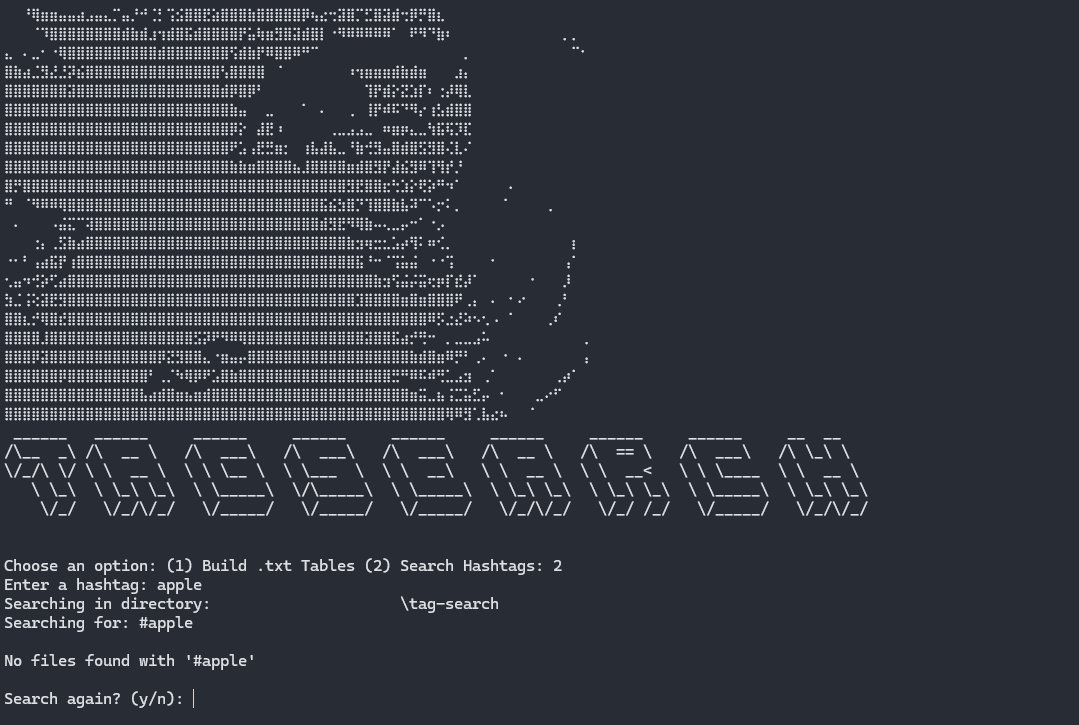 Failed hashtag search. In this instance it is for the hashtag "apple".
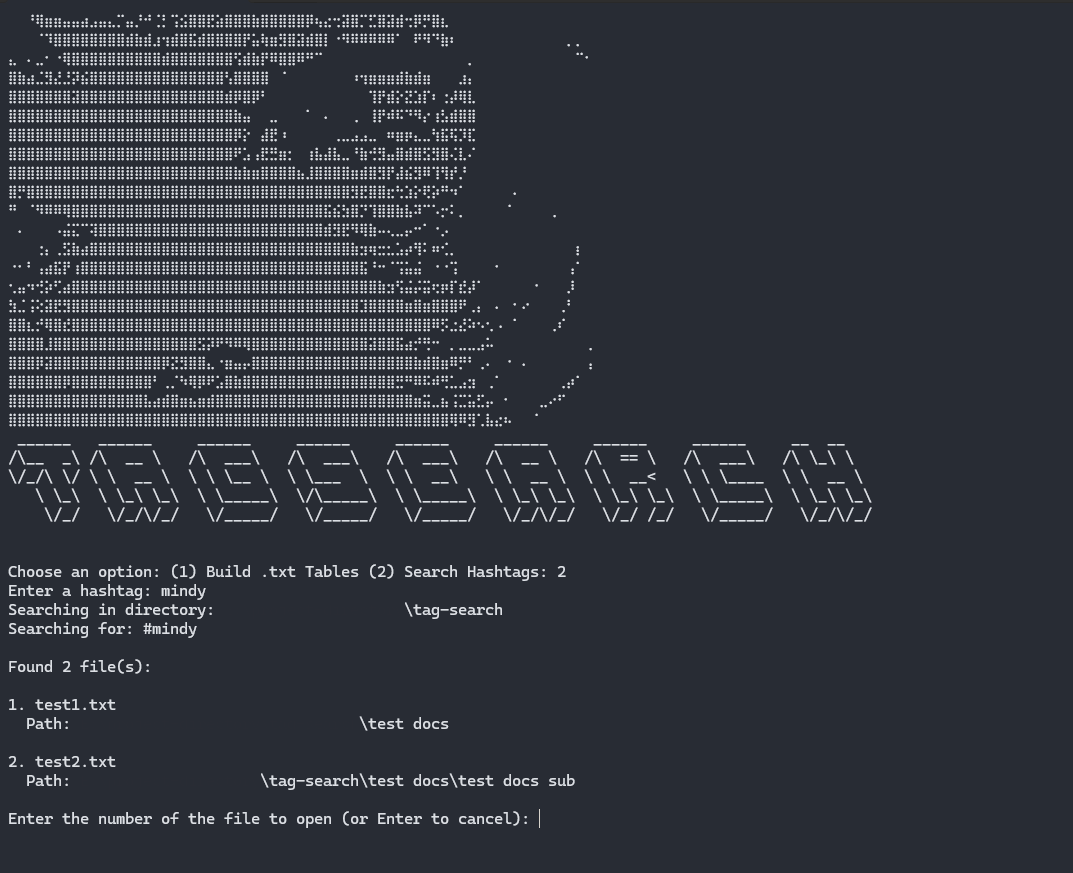 Successful hashtag search. In this instance it is for the hashtag "mindy". It displays all documents that have the hashtag attached to it.
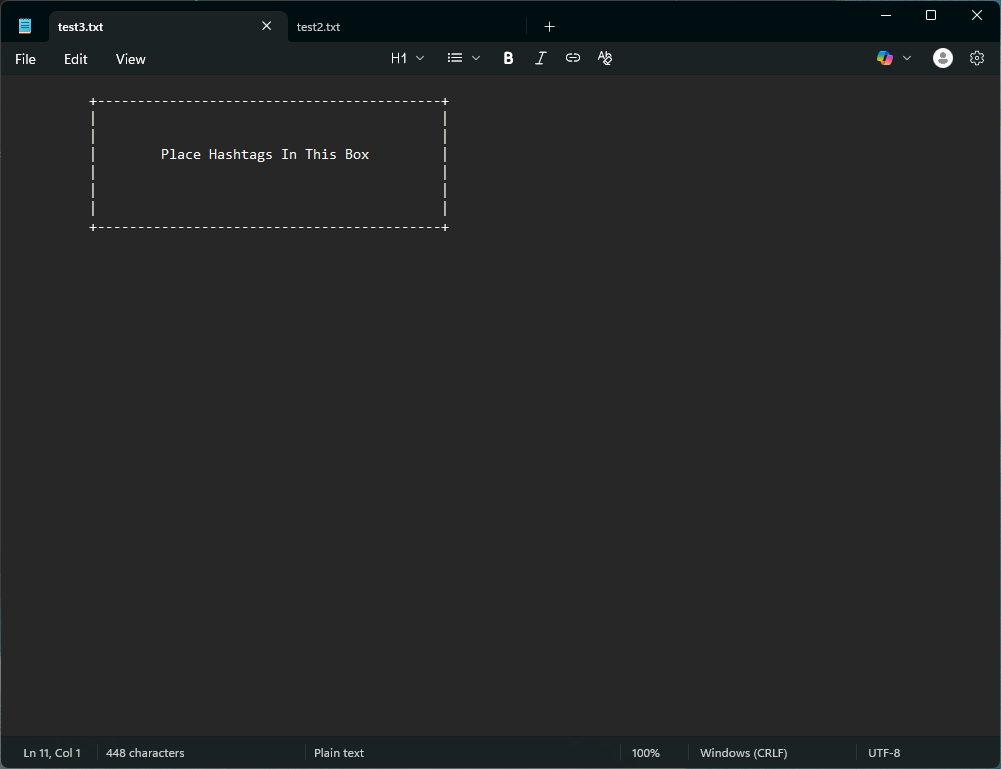 A .txt document that contains a empty table created by Tag Search. The table indicates to the user where to place the hashtags.
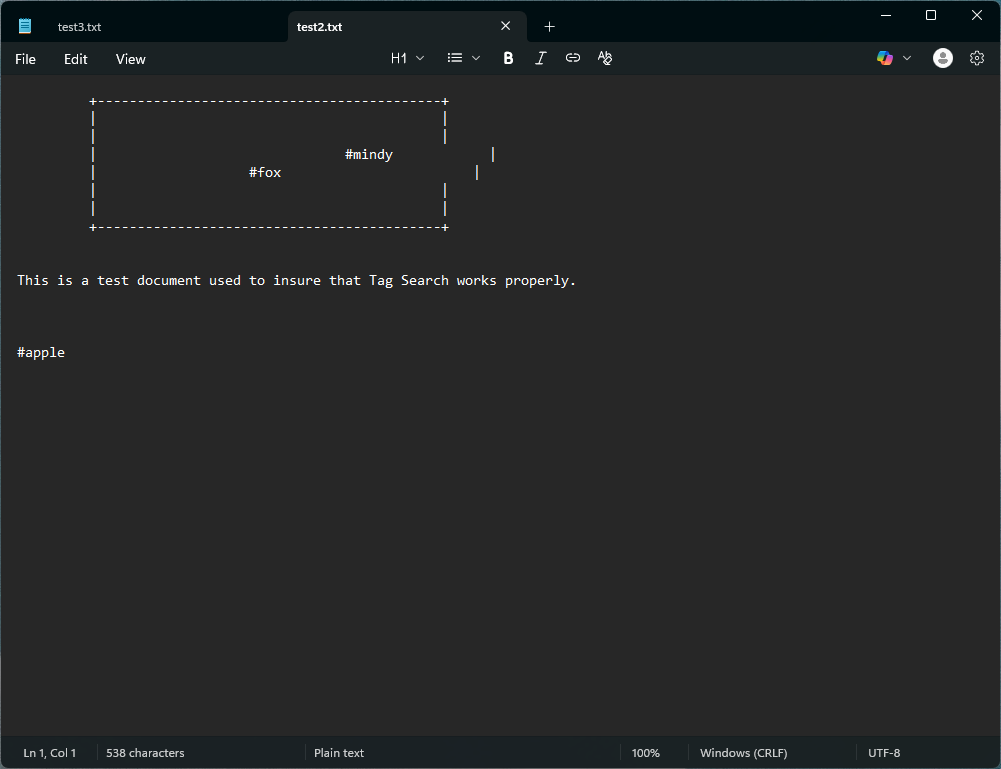 A .txt document that contains a table with hashtags placed inside. As you can see the hashtags "mindy" and "fox" are inside the box and the hashtag "apple" is outside of the box. The box can extend past it's original width.
- Usage guide within the application. 👨🏫
- Function that generates an entire list of all hashtags within all documents. #️⃣🗒️
- Bonus: Enable color themes. 🌈
- Accept that the application is finished. 🥳