The dataset used here is from kaggle competition: https://www.kaggle.com/c/state-farm-distracted-driver-detection.
The code of the project is built on Deep neural networks with use of GPU for optimization.
Requirements
Python – 3.7+
Jupyter Noteboks – 6.0+
Numpy - 1.18.5
Matplotlib - 3.2.2
OpenCV - 4.4
Pandas - 1.0.5
Information on Project :
According to CDC motor vehicle safety division, 2 in 10 car accidents happens due to the involvement of driver engaging in other activities like texting while driving, applying cosmetics, engaging in discussion with fellow passengers and so on. Statistics show that 425,000 people getting injured every year and death toll of 3000 is recorded. The moto of the challenge was State Farm hopes to improve these alarming statistics and better insurance policies their customers by testing whether dashboard cameras can automatically detect drivers engaging in distracted behaviors. Here we were a dataset set captured from 2D cameras attached to the dashboard. The challenge of the task is to classify the behavior of the distraction from driver. This helps us to give some alarming warnings to the driver real life live video classification when he is distracting from driving. Few of alarming techniques we can use are red light blink or giving a beep sound.
Installation:
The programming of the model is entirely carried out in Jupyter Notebook and Jupyter notebook is one of the IDE packages that come with the Anaconda Launcher.
Anaconda Navigator comes in 2 packages namely Anaconda Navigator and Miniconda Navigator. Miniconda is a tiny version of same Anaconda Package. Anaconda Navigator can be downloaded from their webpage.
Installation is quite simple and the steps are listed in the website. Once installed go to the terminal and we can check the version of the version installed with the code:
$ conda -V
Packages can be viewed with command
$ conda list
Additional packages can be installed with command
$ pip install
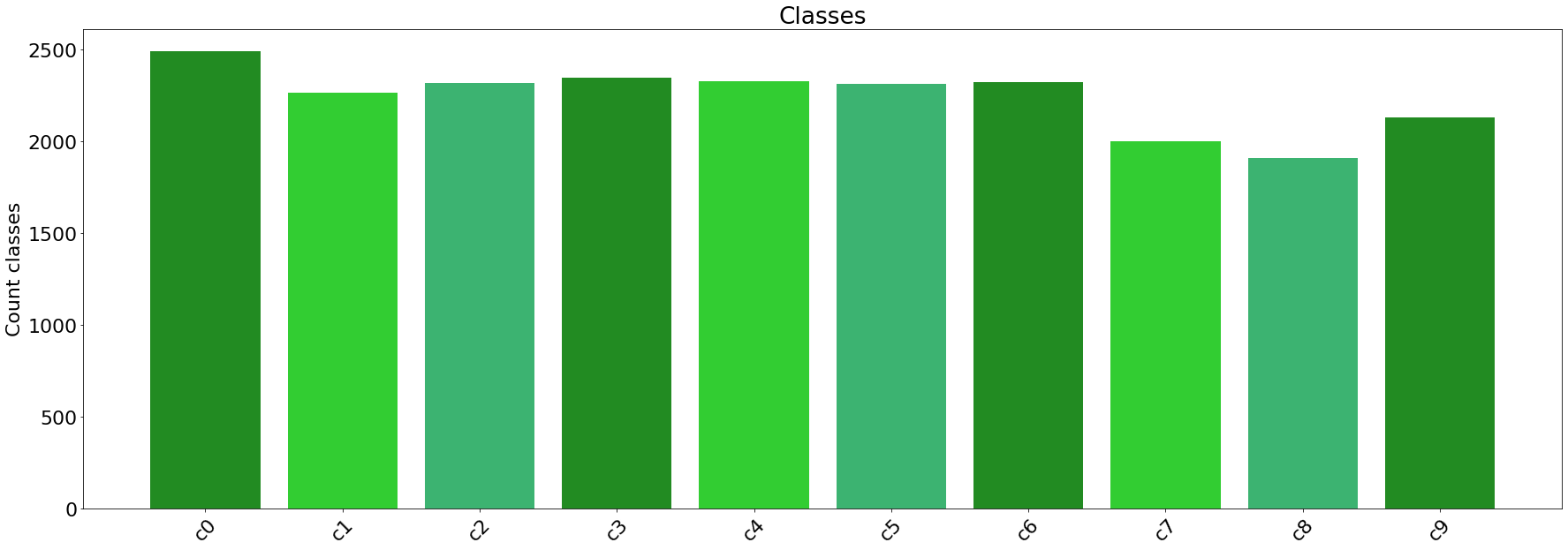
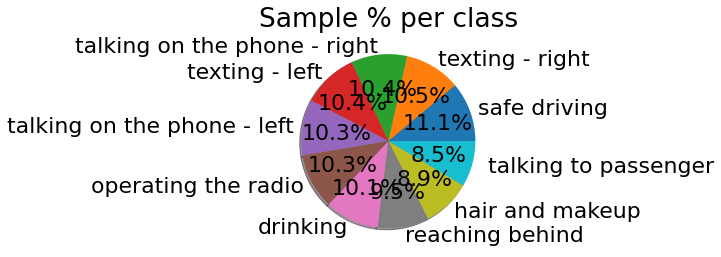
Data visualization graphs are shown below.
TAKE AWAYS FROM THE PROJECT
Avoiding over-fitting:
When we see a problem of model overfitting the given input training data, we should look at few steps to avoid overfitting: Adding more images Making use of Image Data Augmentation Making changes to architecture like adding few more layers Adding regularization Adding data: If we are working on our own data, we can use this step but in competitions we have no option of giving more input data. Use of Image Data Augmentation We can create synthetic data with the help of the input data. There are many image augmentation techniques like rotation, translation, flipping, shear and many more. Depending on the input data we have, we can use the appropriate techniques for Data augmentation. Here for example, we can use flipping horizontally, zoom in, zoom out, cropping, contrast and brightness tweaks. Adding Regularization Regularization is a technique which comes to play to avoid the problem of overfitting. Different options we can use here are adding Dropout layers in the middle, Early stopping. I have used a dropout rate of 0.25 and I was able to avoid issue of over-fitting