















Remote Wallpaper Android Application. Set wallpaper from remote URL's at a defined interval. Supports any link that redirects to an image.
Example Remotes:


📲 Click to View QR Codes 📸 Supports Android 8 (API 26) 2017 +
Note: If installing directly, you may need to allow installation of apps from unknown sources.
For more information, see Release through a website.
View Manual Steps to Install from Unknown Sources
Note: Downloading and Installing the apk should take you to the settings area to allow installation if not already enabled. Otherwise:
- Go to your device settings.
- Search for "Install unknown apps" or similar.
- Choose the app you will install the apk file from.
- Select your web browser to install directly from it.
- Select your file manager to open it, locate the apk and install from there.
- Download the Latest app-release.apk.
- Open the download apk in the app you selected in step #3.
- Choose Install and Accept any Play Protect notifications.
- The app is now installed. Proceed to the Setup section below.
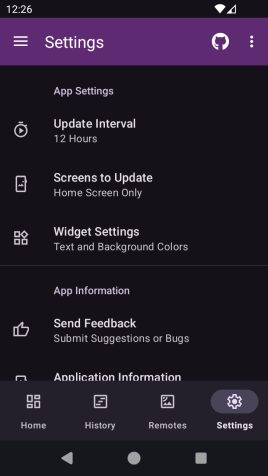
- Install and open the app on your device.
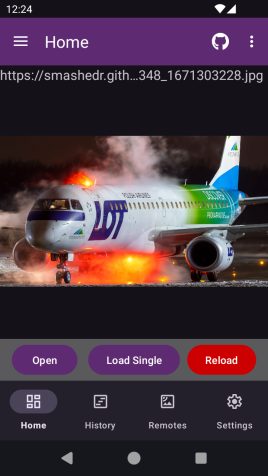
- Select your update interval and initial remote.
- Click Set wallpaper and Start to get the ball rolling.
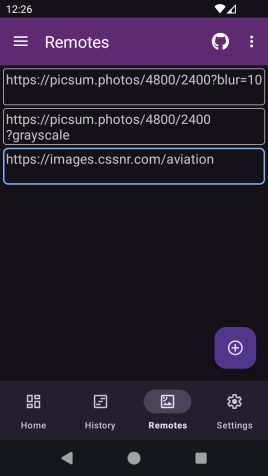
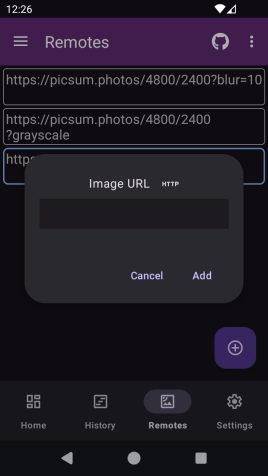
- Or Just Start the App and add a remote from the Remotes.
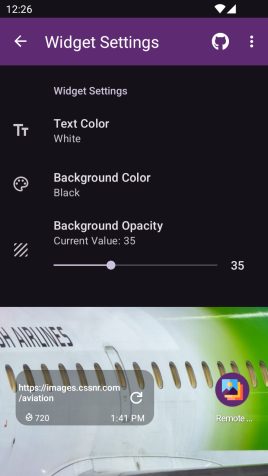
- Optionally, add the Widget to refresh from the home screen.

- Add any remote that redirects to a random image.
- Automatically rotate at configurable intervals.
- Widget with refresh button and updated time.
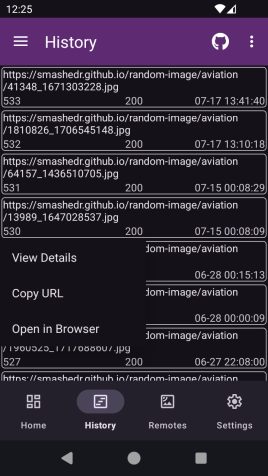
- History of all wallpaper used with links.
- Option to crop wallpaper for device.
- Image Effects; Blur, Grayscale, etc.
- JSON Result Parser with Custom keys.

- The wallpaper cropping may not work as expected.
- Updates are done on intervals, not at specific times.

For general help or to request a feature, see:
- Q&A Discussion: https://github.com/cssnr/remote-wallpaper-android/discussions/categories/q-a
- Request a Feature: https://github.com/cssnr/remote-wallpaper-android/issues/new?template=1-feature.yaml
If you are experiencing an issue/bug or getting unexpected results, you can:
- Report an Issue: https://github.com/cssnr/remote-wallpaper-android/issues
- Chat with us on Discord: https://discord.gg/wXy6m2X8wY
Documentation for building the app and docs.
This section briefly covers running and building in Android Studio and the Command Line.
- Download and Install Android Studio.
https://developer.android.com/studio
-
Ensure that usb or wifi debugging is enabled in the Android developer settings and verify.
-
Then build or run the app on your device.
- Import the Project
- Run Gradle Sync
To Run: Select a device and press Play
To Build:
- Select the Build Variant (debug or release)
- Build > Generate App Bundles or APK > Generate APKs
Note: This section is a WIP! For more details see the release.yaml.
You will need to have ADB installed.
- Download and Install the Android SDK Platform Tools.
https://developer.android.com/tools/releases/platform-tools#downloads
Ensure that adb is in your PATH.
- List and verify the device is connected with:
$ adb devices
List of devices attached
RF9M33Z1Q0M device- Build a debug or release apk.
./gradlew assemble
./gradlew assembleRelease
Note: Use gradlew.bat for Windows.
- Then install the apk to your device with adb.
$ cd app/build/outputs/apk/debug
$ adb -s RF9M33Z1Q0M install app-debug.apk
$ cd app/build/outputs/apk/release
$ adb -s RF9M33Z1Q0M install app-release-unsigned.apkNote: you may have to uninstall before installing due to different certificate signatures.
For more details, see the ADB Documentation.
The docs are built using Zensical.
task docsA Taskfile.yml is used run development commands.
To easily install GitHub Release Binaries use install-release.
If you would like to submit a PR, please review the CONTRIBUTING.md.
Please consider making a donation to support the development of this project and additional open source projects.

You can also star this project on GitHub and support other related projects:
- Django Files Android
- Zipline Android
- NOAA Weather Android
- Remote Wallpaper Android
- Tibs3DPrints Android
For a full list of current projects visit: https://cssnr.github.io/
