Including JS libraries
This tutorial is OUTDATED. It applies to Concerto releases up to v5.0.beta.7.
There are plenty of external JavaScript libraries that can do neat things, like display properly formatted maths equations.
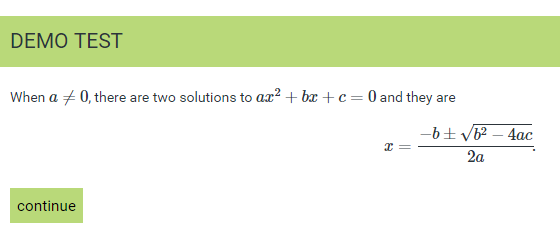
One way to add them into your Concerto test is by adding code to the create_template_def node.
- Edit your existing create_template_def node, or add one
- Edit the Footer of the node
- Instead of editing the HTML, switch to view code (see highlighted button below)
- Add the code for your library. Most external JS libraries will tell you what code you need to add them to a HTML page.

For MathJax the code looks like this:
<script type="text/javascript" async
  src="https://cdn.mathjax.org/mathjax/latest/MathJax.js?config=TeX-MML-AM_CHTML">
</script>
<script>
     window.MathJax = {
        tex2jax: {inlineMath: [["$","$"],["\\(","\\)"]]}
      };
</script>
Please note that some JS libraries are already included in Concerto, such as JQuery, so there is no need to add them.