

This project is composed of two parts:
- BTCPayServer.Hwi: An easy to use library (nuget) wrapping the command line interface of the hwi project.
- BTCPayServer.Vault: A simple local web server providing access to the hardware wallet physically connected to your computer via hwi.
The video below explains how to use BTCPay Vault with BTCPay Server.
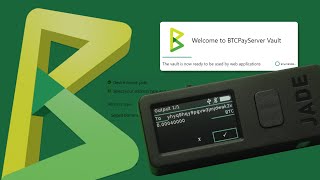
BTCPayServer Vault allows web applications to access your hardware wallet, this enables a better integrated user experience.
The binaries are on our release page.
You can use brew:
brew install btcpayserver-vaultDownload the tarball on our release page
tar -xvf <tarball.tar.gz>
sudo ./install-arch.sh
If BTCPay Server fails to detect your hardware wallet, you may need to restart.
Check if you try to run the hwi executable. If not, install python9 dependencies, and run
ln -s /usr/lib/libcrypt.so.2 /usr/lib/libcrypt.so.1Download the .deb package on our release page
sudo apt install <package.deb>Inspire you from install-arch.sh. We provide the udev rules and desktop entries in the tarball.
When running the BTCPayServer Vault, a local webserver is hosted on http://127.0.0.1:65092 which web applications, via your local browser, can connect to in order to interact with your hardware wallet.
The protocol is fairly simple:
First, the web application needs to make a permission request to the Vault by sending a HTTP request GET to http://127.0.0.1:65092/hwi-bridge/v1/request-permission
This will prompt the user to grant access to the web application and if the user accepts, the request returns HTTP 200. Note that internally, the Vault relies on the ORIGIN HTTP header to identify the web application requesting access.
If the access was granted previously, the request returns HTTP 200.
Second, the web application can query the hardware through POST requests to http://127.0.0.1:65092/hwi-bridge/v1.
{
    "params": [ "param1", "param2" ]
}
Those parameters are then passed as-is to hwi and the result is returned as a string.

Hardware wallets have been created to protect your money, even if your computer was compromised.
However, while it protects your money, it will not protect your privacy if you allow an untrusted application to access your public keys. This is why BTCPayServer Vault always ask permission to user first before allowing any web application to access your hardware wallet.
This is a two step process:
- Install the latest version of the .NET Core 6.0 SDK
- Run
dotnet build
If you want to run it for testing:
cd BTCPayServer.Vault
dotnet runVideo below explains how to use BTCPay Vault with BTCPay Server.
This project is under MIT License.
Special thanks to Wasabi Wallet, this code is based on their work, and as well to the bitcoin developers and achow101 for the HWI Project.


