Small helper project to run a Keycloak CLI container and manage realms, clients, users and groups with kcadm.sh and kcreg.sh through make targets.
Demo:
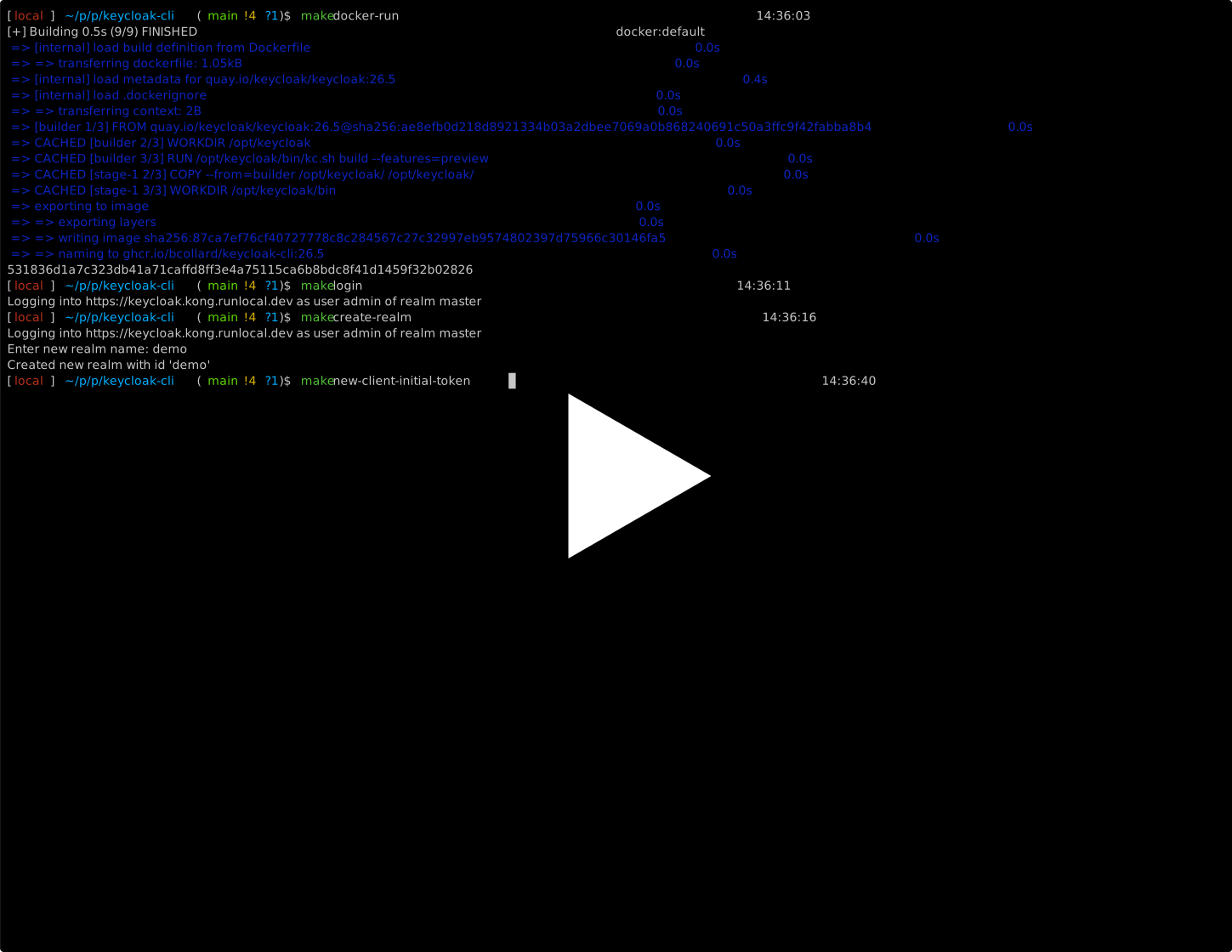
- Docker
- GNU Make
jqgum(for interactive prompts and multi-select UI)
Install missing CLI tools on macOS:
brew install jq gumDockerfile: builds a Keycloak image with preview features enabledMakefile: entrypoint for build/run/admin/registration commandsscripts/kcadm-common.sh: sharedkcadmhelper (conditionally appends admin header)scripts/container-common.sh: shared Docker container check helperscripts/kcadm-login.sh: authenticate with Keycloakscripts/kcadm-get-realms.sh: list realmsscripts/kcadm-create-realm.sh: create a realmscripts/kcadm-delete-realm.sh: interactive multi-select realm deletionscripts/kcadm-get-users.sh: list users with group membershipsscripts/kcadm-get-groups.sh: list groups with membersscripts/kcadm-create-user.sh: interactive user creation helperscripts/kcadm-create-group.sh: interactive group creation helperscripts/kcadm-add-user-to-group.sh: interactively assign existing users to existing groupsscripts/kcadm-delete-user.sh: interactive multi-select user deletionscripts/kcadm-delete-group.sh: interactive multi-select group deletionscripts/kcadm-new-client-initial-token.sh: generate a client initial access tokenscripts/kcadm-get-clients.sh: list clients in a realmscripts/kcadm-delete-client.sh: interactive multi-select client deletionscripts/kcreg-create-client.sh: interactive client creation helper
The following variables are used by targets:
VERSION(default:26.5)IMAGE(default:ghcr.io/bcollard/keycloak-cli)KC_CONTAINER_NAME(default:keycloak-cli)KC_SERVER_HOSTNAME(default:keycloak.kong.runlocal.dev)KC_ADMIN_PASSWORD(required forlogin) - password for theadminuser in themasterrealm, used to obtain an access token for admin operationsKC_ADMIN_SECRET_HEADER(used by admin endpoints) - extra header value required by my LB to protect KC admin endpoints
Example:
export KC_SERVER_HOSTNAME="keycloak.kong.runlocal.dev" # the domain name your Keycloak instance is accessible at
export KC_ADMIN_PASSWORD="<admin-password>"            # password for the `admin` user in the `master` realm
# optional
export KC_ADMIN_SECRET_HEADER="<secret-header-value>"
When KC_ADMIN_SECRET_HEADER is set, admin scripts append -h keycloak-kong=<value> to kcadm.sh calls.
When it is unset/empty, no extra header is added.
Build and run container:
make docker-runShow all commands:
make helpmake docker-build
make docker-run
make docker-stop
make docker-cleanupmake login
make get-realms
make create-realm
make delete-realmdelete-realm presents a multi-select list of all realms (the master realm is excluded). Requires confirmation before proceeding.
All targets below support a REALM_NAME environment variable to skip the realm prompt.
make get-users
make get-groups
make create-user
make create-group
make add-user-to-group
make delete-user
make delete-group
get-users lists all users enriched with their group memberships (username, email, first/last name, enabled, groups).
get-groups lists all top-level groups enriched with their members (name, path, subGroupCount, members).
create-user prompts for realm, username, optional email/first name/last name, optional password (with temporary flag), and optional group assignment via multi-select.
create-group prompts for realm and group name, and optionally creates the group as a subgroup of an existing group by parent group ID.
add-user-to-group shows a multi-select list of users then a multi-select list of groups, and adds every selected user to every selected group.
delete-user shows a multi-select list of users and deletes the chosen ones after confirmation.
delete-group shows a multi-select list of groups and deletes the chosen ones after confirmation.
REALM_NAME="myrealm" make get-users
REALM_NAME="myrealm" make get-groups
REALM_NAME="myrealm" make create-user
REALM_NAME="myrealm" make create-group
REALM_NAME="myrealm" make add-user-to-group
REALM_NAME="myrealm" make delete-user
REALM_NAME="myrealm" make delete-groupmake get-clients
make new-client-initial-token
make create-client
make delete-clientget-clients lists all clients in a realm (clientId, name, description, enabled, publicClient, serviceAccountsEnabled).
new-client-initial-token generates a client initial access token and prints the raw token value. Requires a realm name prompt.
create-client prompts for realm name and initial token, then launches the interactive gum flow picker (see below).
delete-client shows a multi-select list of clients and deletes the chosen ones after confirmation.
All four targets support REALM_NAME (and INITIAL_TOKEN for create-client):
REALM_NAME="myrealm" make get-clients
REALM_NAME="myrealm" make delete-client
REALM_NAME="myrealm" INITIAL_TOKEN="<token>" make create-clientThe create-client script prompts for:
- Realm (unless provided by env)
- Initial access token (unless provided by env)
- Client ID / name
- Enabled OAuth/OIDC flows (multi-select)
- Redirect URIs (only when Authorization Code Flow is enabled; accepts comma-separated and/or multiline values)
- JWT Authorization Grant IdP (only when JWT grant is enabled)
Then it:
- Builds JSON payload safely with
jq - Calls
./kcreg.sh create - Prints the full create response
- Prints the client secret if returned
Run scripts directly with env vars:
REALM_NAME="myrealm" INITIAL_TOKEN="<token>" KC_CONTAINER_NAME="keycloak-cli" ./scripts/kcreg-create-client.sh
REALM_NAME="myrealm" KC_CONTAINER_NAME="keycloak-cli" ./scripts/kcadm-get-users.sh