
| Basic | Badges |
|---|---|
| OS |    |
| Architecture |  |
| Python |  |
| PyMOL | |
| Dependencies |   |
| CI status |   |
| Code Quality Status |        |
| Server Docker Image |   |
| Server Status |   |
| Code Quality Control |          |
REvoDesign requires no non-standard hardware to run.
All dependencies and extras are listed in pyproject.toml.
Welcome to REvoDesign - a PyMOL plugin that makes enzyme redesign tasks easier for everyone. REvoDesign aims at facilitating enzyme redesign using a combination of structural and phylogenetic information, serving as a co-pilot for protein designers and leveraging the wealth of human knowledge in enzyme design.
Enzyme redesign is a complex task that requires a deep understanding of protein structures, substrate binding sites, and evolutionary relationships. REvoDesign Toolkit is designed to streamline this process by offering a range of tools and functionalities to assist protein designers in their endeavors.
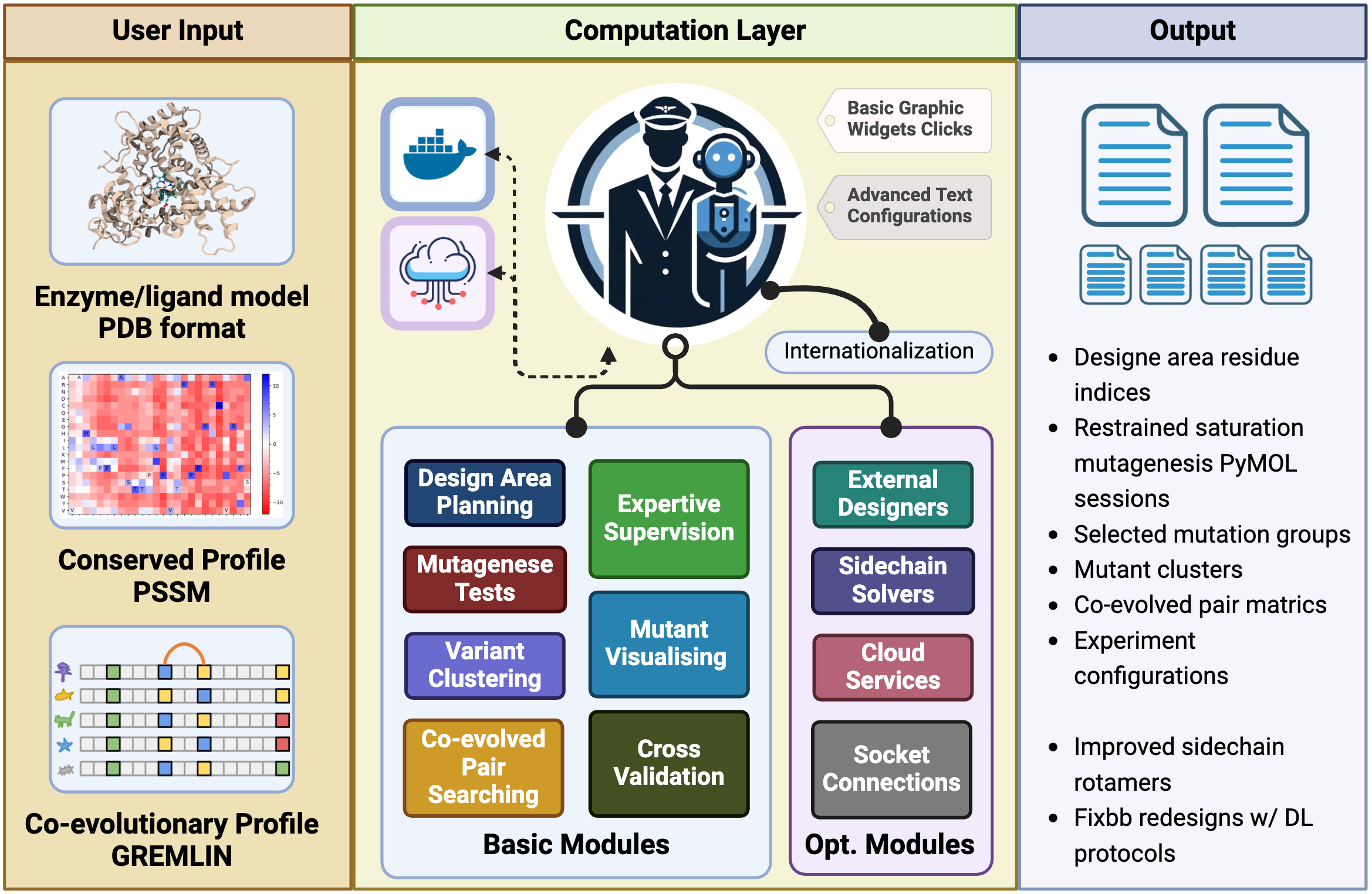
In brief, the REvoDesign PyMOL plugin provides a set of essential tools to help protein designers with the following tasks:
-
Surface Residue Analysis: Identify surface residues exposed as solvent-accessible surface area (SASA) and design pocket identification based on substrates and/or cofactors, with customizable cutoffs.
-
Mutant Loading: Load available designable mutants through a PSSM-like table in CSV format, allowing for customizable rejections and preferences.
-
Human Knowledge Supervision: Perform human knowledge-supervised mutant selection within the PyMOL interface, utilizing structural views.
-
Scale Reduction: Reduce the scale of your design, making it suitable for low-throughput wet-lab validation by leveraging sequence clustering.
-
Visualization: Visualize mutant tables in PyMOL, whether they have been scored or not.
-
Co-Evolution Analysis: Search for possible inter-residue co-evolved residue pairs for effective mutants using the GREMLIN Markov random field profile.
REvoDesign is your indispensable companion in the intricate journey of enzyme redesign. Whether you are a seasoned protein designer or just beginning your exploration, REvoDesign Toolkit is here to simplify your workflow and enhance your enzyme engineering endeavors.
Please refer to the manual for detailed instructions on how to use the toolkit and make the most of its features.
REvoDesign offers a user-friendly installation process using a graphical user interface (GUI).
Before installing the main program, you need to install the REvoDesign Package Manager as a PyMOL plugin.
-
Open PyMOL.
-
Navigate to Plugin > Plugin Manager and select Install New Plugin.
-
Choose Install from PyMOLWiki or any URL.
-
Paste the following URL:
https://gist.githubusercontent.com/YaoYinYing/c1e8bfe0fc0b9c60bf49ea04a550a044/raw/REvoDesign_PyMOL.py -
Click Fetch.
-
Confirm the installation when prompted.
-
Set the installation location (use the default if unsure) and click OK.
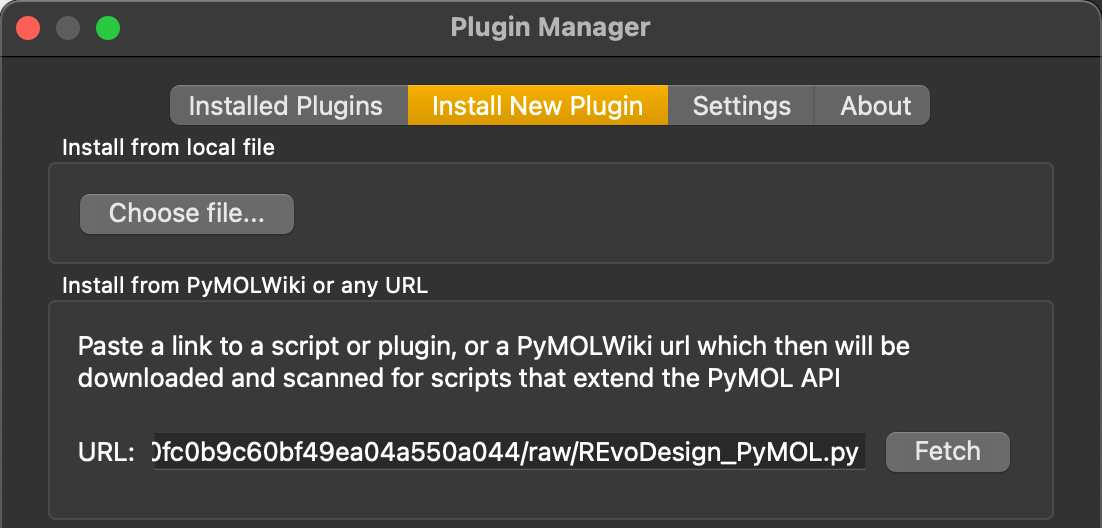
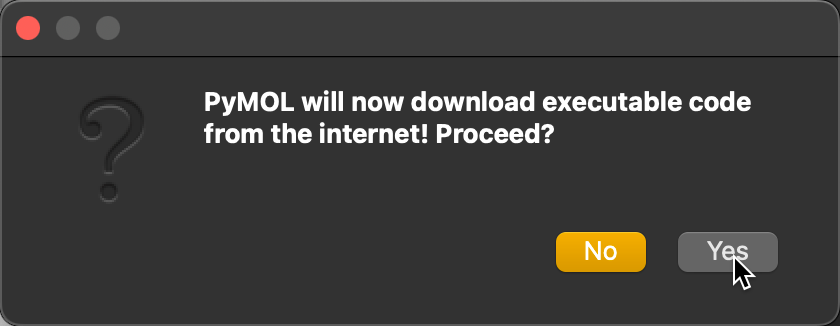
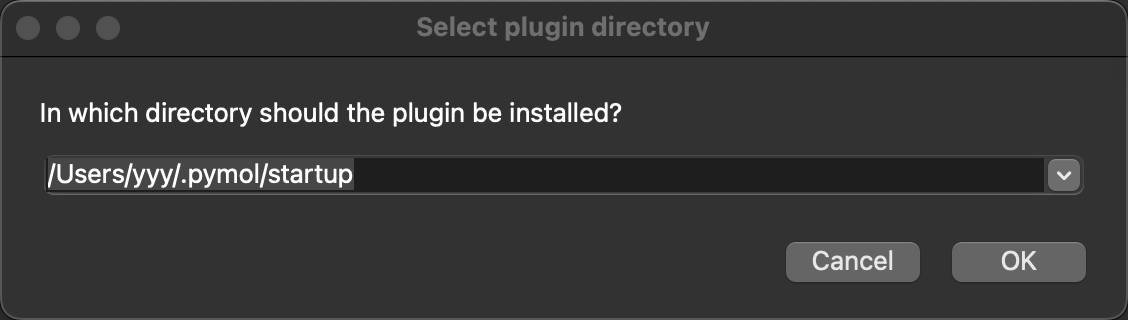
Once installed, the REvoDesign Package Manager will appear in the PyMOL menu.
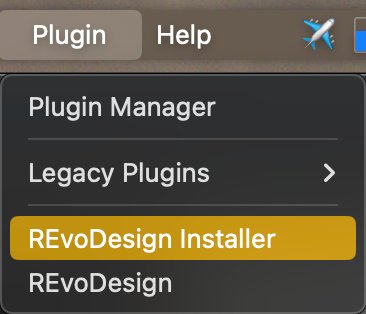
The REvoDesign Package Manager simplifies the installation of the core REvoDesign program. It supports various installation methods and configurations:
- Installation Sources:
- Repository: Install directly from the remote repository.
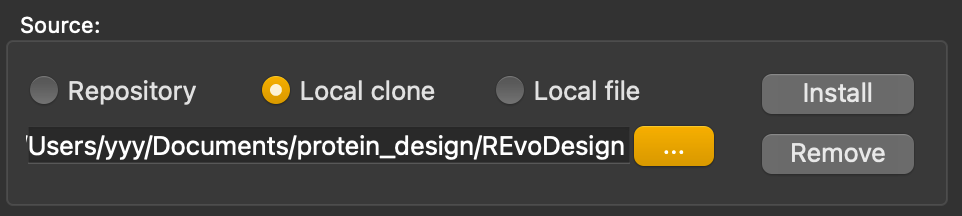
- Local clone/directory: Install from a local source code or cloned repository.
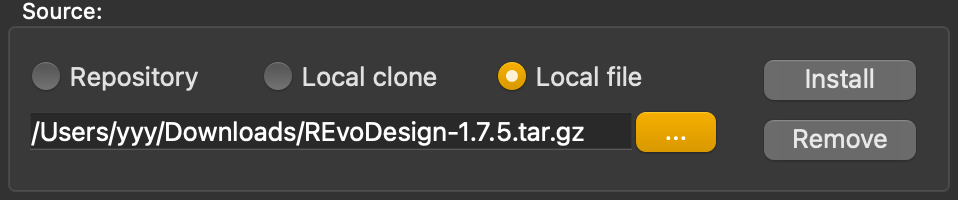
- Local file: Install from a
.zipor.tar.gzarchive.
- Options:
- Upgrade: Update to the latest release version.
- Verbose: Show detailed installation logs.
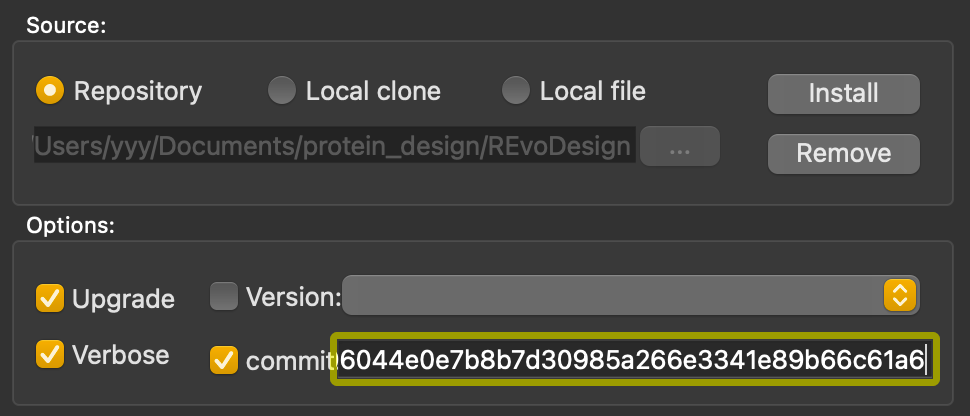
- Version/Commit: Install a specific version or commit from the repository.
- Network Control:
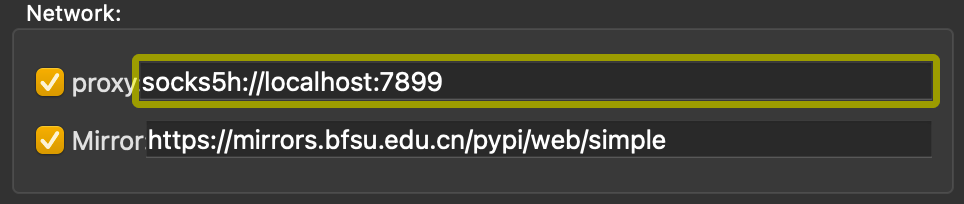
- Proxy Support: Configure HTTP, HTTPS, SOCKS5, or SOCKS5h proxies.
- Mirror: Use a PyPI mirror for installations.
- Extras:
- Basic: Default installation.
- Customized: Select additional features.
- Everything: Install all extras (excluding test packages).
- Cache: Choose a custom cache directory or use the default.
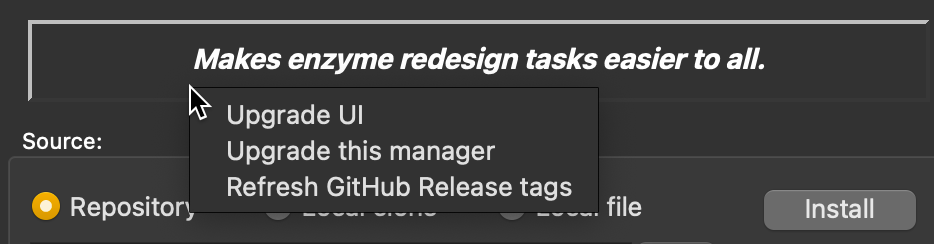
- Self-Upgrades: Upgrade the package manager and UI directly.
-
Remote Repository: Select Repository and click Install.
-
Local Clone: Use Local clone to install from a local repository or unzipped source code.
-
Local File: Select Local file to install from a
.zipor.tar.gzfile. -
Specific Version/Commit: Check Version or Commit to install a specific release.
-
Customized/Extras: Use Customized to select specific features or Everything for a full installation.
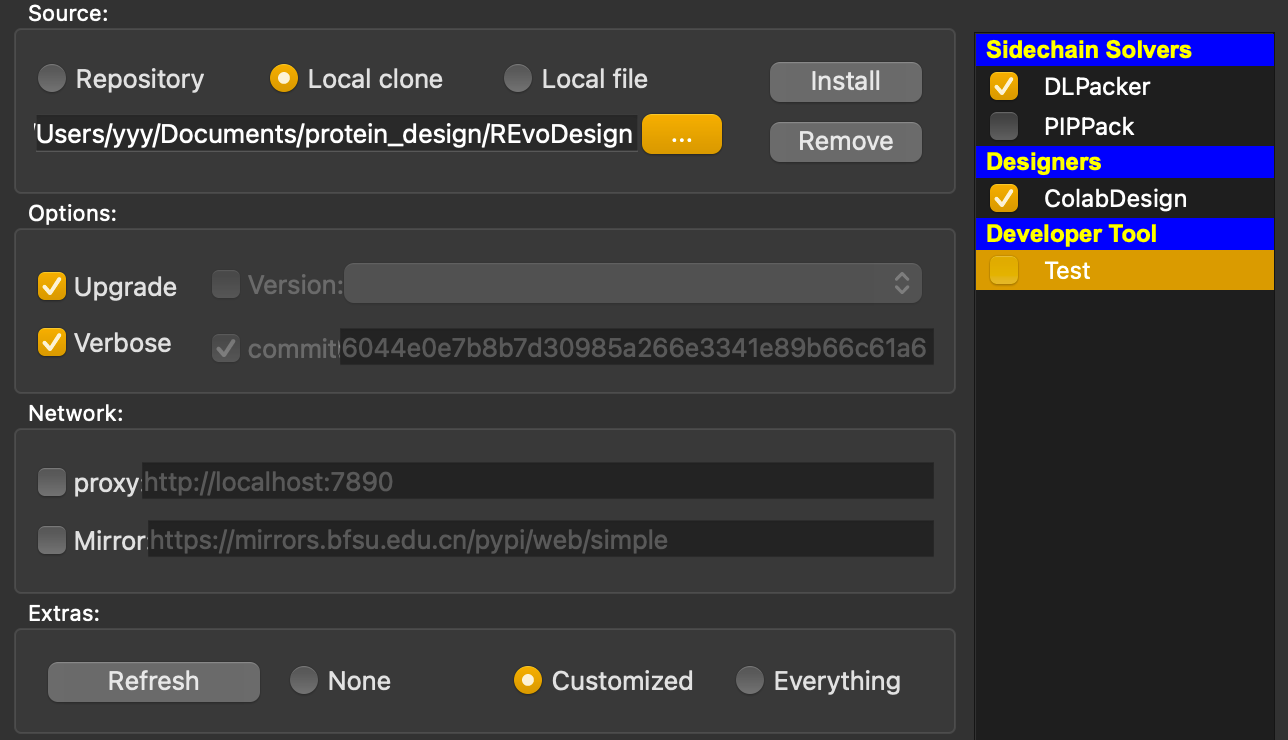
The typical installation process will take several minutes, depending on your network speed, as well as the extras you choose.
Use the Remove button in the manager to uninstall. You can also remove selected extras.
Set up proxies and mirrors to bypass network restrictions. For example, create a SOCKS5 proxy using SSH:
ssh -D 7899 -C root@<your.vps.ip> -p<ssh-port>Configure the proxy in the manager:
Right-click any non-editing area of the manager and select Upgrade this manager to fetch the latest version.
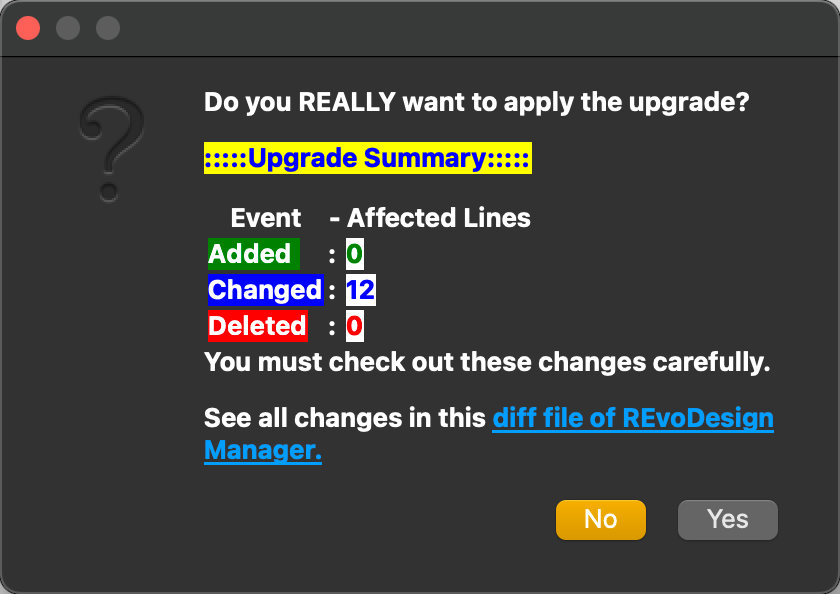
After confirming, the script will replace the existing manager with the updated version.
You are now ready to use REvoDesign for your enzyme redesign projects!
Extras table
For detailed plugin, please refer to the Extras table.
Warning
ColabDesign uses Jax, which requires Python >= 3.9
Important
Please make sure that modern PyMOL version is fetched from pymol-open-source channel, instead of obsolete PyMOL bundle (< v2.5.7, shipped with Python 3.7) from offical website or schrodinger's conda channel.
Important
ALSO, for MacOS users work with Apple Silicon and PyMOL bundle >2.5.7, jaxlib builded with AVX will not work under Rosetta-2.
Please consider using native build of pymol-open-source or building jaxlib from source.
Doc: Building jaxlib from source
Issue: CPU Support / Necessary AVX Instructions
- Getting started:
- In order to get started, you need to load/fetch a structure(
fetch 1SUO, for example) into your PyMOL session. - Click
Menu->REvoDesign->Import PyMOL Sessionto let REvoDesign find a designable molecule. Here is a keyboard shortcut:Ctrl+N. - Have fun!
- In order to get started, you need to load/fetch a structure(
Happy enzyme redesigning with REvoDesign! If you encounter any issues during installation or usage, please consult the documentation or seek assistance from REvoDesign toolkit's support resources.
REvoDesign is tested on various test cases, which can be found in the tests/cases/tabs directory, with related test data under tests/data directory.
A detailed tutorial of using REvoDesign can be found as this manual.
Please refer to the test cases and tutorial document.
To reproduce our data, please refer to our manuscript as well as the input data section below. Note that during software development, results may fluctuate. This does not affect the results and conclusion in our manuscript.
-
Sequence:
T5aH2.fasta -
docked structure:
T5aH2-HEM-T31_initial_4263.pdb -
Full PSSM GREMLIN archive:
T5aH2_wt_PSSM_GREMLIN_results.zip -
Pythia ddG scan result:
T5aH2-pythia-ddg.zip
Most of the design tasks w/ REvoDesign will not take very long time, as the software is designed and optimized w/ the most common desktop machines. We recently added a thread pool management mechanism so that users can check and control the detailed wall time of their calculations.
REvoDesign uses pytest for testing. These cases cover from unit to integration testing. Tests are classified into three categories:
make fast-testfast tests: quick tests that run quickly and in parallel and can be run frequently.make serial-testserial tests: tests that should be run serially due to the resource consumption.make slow-testslow tests: tests that take a long time to run and should be run at very last order.
To run the tests, use the following command:
make all-testKeyword tests can be run with the following command:
make kw-test PYTEST_KW='test_menu_window_pops' # single keyword
# or
make kw-test PYTEST_KW='"citable or citation"' # multiple keywords, should be in double quotesUse this one-liner command to clean up the test workspace.
make cleanFor more testing options, please refer to the Makefile in the root directory.
Less than 35 minutes in total on GH Action runner, Ubuntu 24.04
REvoDesign uses several tools for formatting. To format the code, use the following command:
make black