
A beautiful and interactive algorithm visualization platform built with Vue 3 and Spring Boot.


## Overview
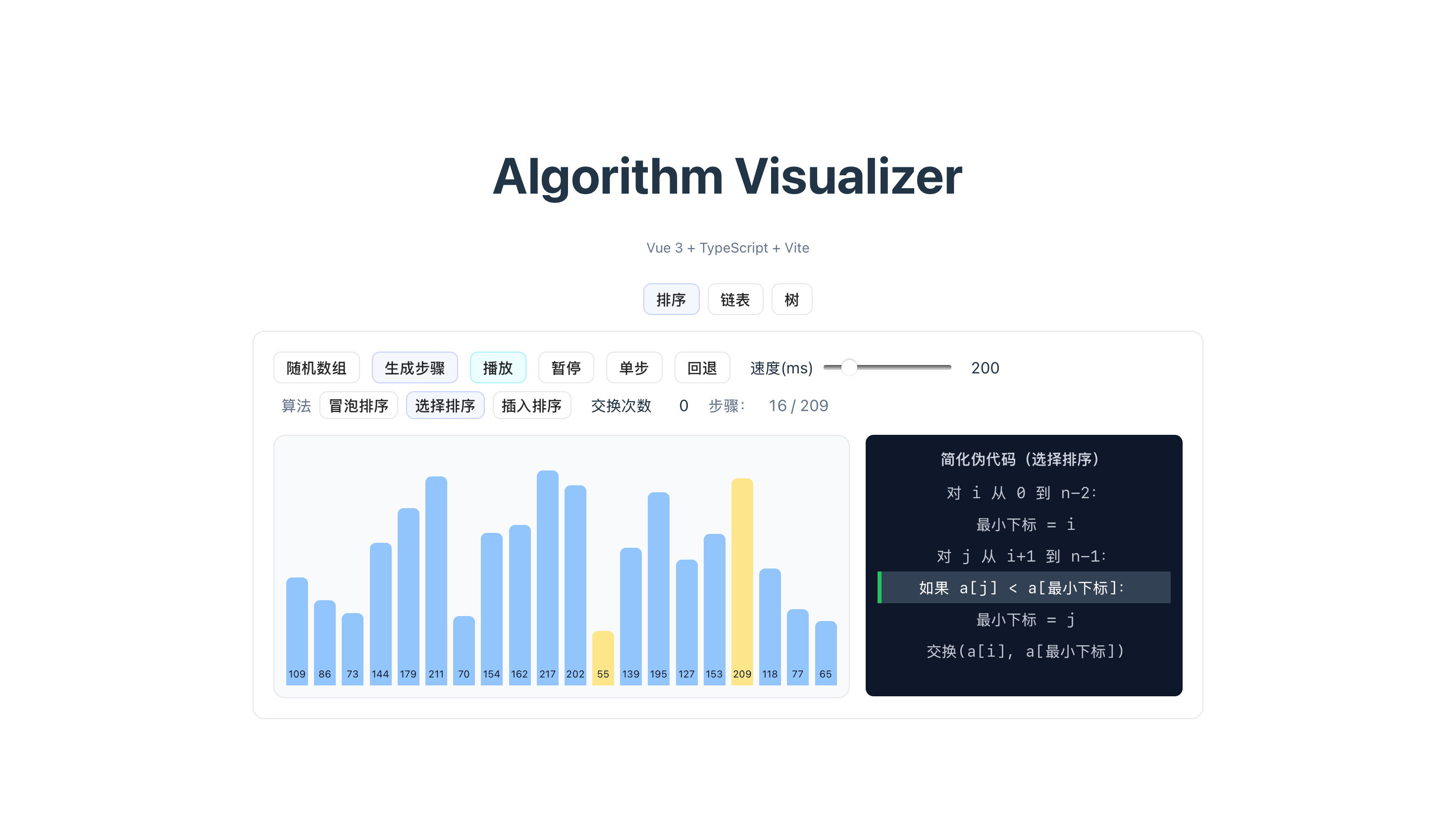
Algorithm Visualizer is an interactive platform for visualizing various algorithms, making it easier to understand how they work step by step. This project demonstrates algorithms with smooth animations and detailed explanations.
- Interactive Visualization: Watch algorithms in action with real-time animations
- Multiple Algorithms: Support for sorting, searching, tree, and graph algorithms
- Step-by-Step Execution: Control the animation speed and pause/resume at any time
- Visual Feedback: Color-coded elements to show algorithm progress
- Responsive Design: Works on desktop and mobile devices
- Bubble Sort
- Selection Sort
- Insertion Sort
- Merge Sort
- Quick Sort
- Heap Sort
- Linear Search
- Binary Search
- Tree Traversal (Pre-order, In-order, Post-order, Level-order)
- Binary Tree Operations
- Framework: Vue 3 with Composition API
- Language: TypeScript
- Build Tool: Vite
- Styling: CSS3 with modern features
- Framework: Spring Boot 3
- Language: Java 21
- Build Tool: Maven
- API: RESTful
- Java 21 or higher
- Maven 3.9 or higher
- Node.js 18 or higher
- npm or yarn
-
Clone the repository
git clone <repository-url>
cd algorithm-visualizer
-
Start both frontend and backend
./start.command
-
Access the application
- Frontend: http://localhost:5173
- Backend API: http://localhost:8080
cd backend
mvn spring-boot:runcd frontend
npm install
npm run devalgorithm-visualizer/
├── backend/ # Spring Boot backend
│ ├── src/main/java/ # Java source code
│ ├── src/main/resources/ # Configuration files
│ └── pom.xml # Maven configuration
├── frontend/ # Vue 3 frontend
│ ├── src/ # TypeScript source code
│ │ ├── components/ # Vue components
│ │ ├── assets/ # Static assets
│ │ ├── App.vue # Main application component
│ │ └── main.ts # Application entry point
│ ├── index.html # HTML template
│ ├── package.json # npm dependencies
│ └── vite.config.ts # Vite configuration
├── docs/ # Project documentation
├── logs/ # Log files
├── start.command # One-click startup script
└── stop.command # One-click shutdown script
- Select an algorithm from the navigation menu
- Configure algorithm parameters (array size, speed, etc.)
- Generate input data or enter custom data
- Start the visualization and watch the algorithm execute
- Use controls to pause, resume, or step through the algorithm
- View explanations of each step
cd frontend
npm install    # Install dependencies
npm run dev    # Start development server
npm run build  # Build for production
npm run preview # Preview production buildcd backend
mvn install # Install dependencies and build
mvn spring-boot:run # Start development server
mvn test # Run tests- Requirements Specification: docs/需求规格说明书.md
- Architecture Design: docs/总体设计说明书.md
- Detailed Design: docs/详细设计说明书.md
- API Documentation: docs/接口文档.md
- Database Design: docs/数据库设计文档.md
- Change Log: docs/CHANGELOG.md
Contributions are welcome! Please feel free to submit a Pull Request.
- Follow the existing code style
- Write clear comments
- Add tests for new features
- Ensure all tests pass before submitting
This project is licensed under the MIT License - see the LICENSE file for details.
- Inspired by various algorithm visualization tools
- Built for educational purposes
- Thanks to all contributors and supporters