Add tiny variants of all Vanilla flowers, much like Pink Petals.
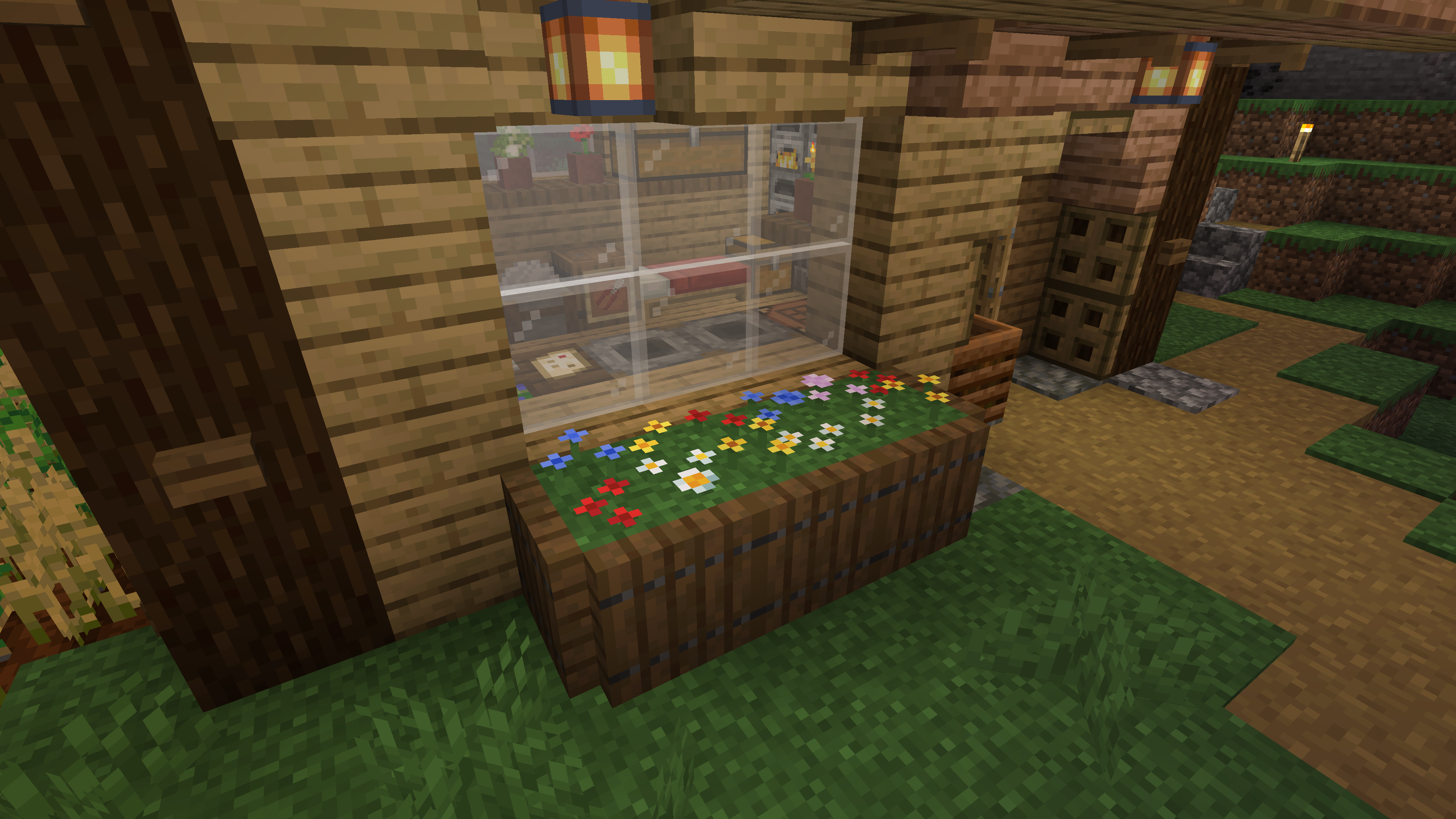
If you're looking for a more thorough description of the mod and its features, check out the mod's description.
So you want to add your own Tiny Flowers? The easiest way to get started is to use the pack generator I've built. Fill in the boxes, provide your textures, and download a .jar file ready to put in the mods directory. Alternatively, grab the files out of that .jar and include them directly in your mod.

Want a bit more control? The rest of this section explains the JSON files this mod uses.
The files required are split into data and assets. The data files are loaded by the server and synced via a dynamic registry. The asset files are client-only, and affect how the flowers look. Most of the work is in the second half. For each custom file, I have written a Typescript definition, for those proficient in Typescript, and an example JSON file. Alternatively, you can check the source code of this mod for the codec definitions.
To keep this README readable, everything in inside the following expandable section:
JSON files
There is only one data file required per flower, which defines all of the server-side behaviour of the mod.
This file defines the behaviours of this flower variant.
interface TinyFlowerData {
  /** The unique identifier of this type. Should match <namespace>:<id> from the path of this file. */
  id: Identifier;
  /** The ID of the original flower block. Will be turned into Tiny Flowers if crafted with or used on by Florists' Shears. */
  original_id: Identifier;
  /** Optional. Whether the original block is segmentable like Pink Petals or Wildflowers. Defaults to false. */
  is_segmented?: boolean;
  /** Optional. List of block IDs or tags that this tiny flower can be placed on. Defaults to `#minecraft:supports_vegetation`. */
  can_survive_on?: (Identifier | TagKey)[];
  /** Optional. List of mob effects to be applied if consumed in Suspicious Stew. Defaults to an empty list. */
  suspicious_stew_effects?: {
    /** The ID of the mob effect that will be applied. */
    id: Identifier;
    /** Effect duration in ticks. */
    duration: number;
  }[];
  /** Optional. A list of behaviours for this tiny flower type. */
  behaviors?: Behavior[];
}

type Behavior =
  | TransformDayNightBehavior
  | TransformWeatherBehavior
  | SturdyPlacementBehavior;

/** Turns this tiny flower into another at a specific time of day. */
interface TransformDayNightBehavior {
  type: "transform_day_night";
  /** When the transformation is allowed to take place. */
  when: "always" | "day" | "night";
  /** Identifier of a tiny flower type to turn into when a tick is received. */
  turns_into: Identifier;
  /** Optional. Packed RGB value of a colour to tint particles. No particles will be spawned if omitted or set to 0. */
  particle_color?: number;
  /** Optional. ID of the sound event that plays when this transformation happens due to a random tick. */
  sound_event_long?: Identifier;
  /** Optional. ID of the sound event that plays when this transformation happens due to a scheduled tick. */
  sound_event_short?: Identifier;
}

/** Turns this tiny flower into another under specific weather conditions. */
interface TransformWeatherBehavior {
  type: "transform_weather";
  /** When the transformation is allowed to take place. */
  when:
    | "always"
    | "raining" // When it is raining in this world.
    | "thundering" // When it is thundering in this world.
    | "raining_on" // When this block is receiving direct rainfall.
    | "snowing_on"; // When this block is receiving direct snowfall.
  /** Identifier of a tiny flower type to turn into when a tick is received. */
  turns_into: Identifier;
  /** Optional. Packed RGB value of a colour to tint particles. No particles will be spawned if omitted or set to 0. */
  particle_color?: number;
  /** Optional. ID of the sound event that plays when this transformation happens due to a random tick. */
  sound_event_long?: Identifier;
  /** Optional. ID of the sound event that plays when this transformation happens due to a scheduled tick. */
  sound_event_short?: Identifier;
}

/** Allows placement on any sturdy block, similar to Leaf Litter.
 *  */
interface SturdyPlacementBehavior {
  type: "sturdy_placement";
}
{
"id": "tiny_dirt_flower:tiny_dirt",
"original_id": "minecraft:dirt",
"can_survive_on": ["minecraft:dirt"],
"suspicious_stew_effects": [
{
"duration": 10,
"id": "minecraft:darkness"
}
]
}Each flower type requires edits to 1 shared JSON file, 6 individual JSON files (mostly to do with item and block models), at least 2 textures (1 for the item and potentially many for the block model), and a translation key in your language files.
This is the entrypoint for any rendering-related concepts for this flower type. It defines the models that will be used for the item and block, and any other visual behaviours.
interface TinyFlowerResources {
  /** The unique identifier of this type. Should match <namespace>:<id> from the path of this file. */
  id: Identifier;
  /** The item model to use for this type. Usually of the form `<namespace>:item/<id>`. */
  item_model: Identifier;
  /** The block model to render when this type is in the first spot. Usually of the form `<namespace>:block/<id>_1`. */
  model1: Identifier;
  /** The block model to render when this type is in the second spot. Usually of the form `<namespace>:block/<id>_2`. */
  model2: Identifier;
  /** The block model to render when this type is in the third spot. Usually of the form `<namespace>:block/<id>_3`. */
  model3: Identifier;
  /** The block model to render when this type is in the fourth spot. Usually of the form `<namespace>:block/<id>_4`. */
  model4: Identifier;
}
{
"id": "tiny_dirt_flower:tiny_dirt",
"item_model": "tiny_dirt_flower:item/tiny_dirt",
"model1": "tiny_dirt_flower:block/tiny_flowers/tiny_dirt_1",
"model2": "tiny_dirt_flower:block/tiny_flowers/tiny_dirt_2",
"model3": "tiny_dirt_flower:block/tiny_flowers/tiny_dirt_3",
"model4": "tiny_dirt_flower:block/tiny_flowers/tiny_dirt_4"
}Each tiny flower type needs a translatable name. For most flowers, the English version of this string will be "Tiny <name of base flower>".
{
  "block.<namespace>.<id>": ""
}Minecraft only starts the item model loading process from an item definition file, so we need to jump in and create one. This also allows resource packs to do more complicated replacements.
This mod uses the minecraft:select model type to switch which model is displayed. If you want to follow this pattern, which you probably do, then you will need a case for each type of flower you are adding. The final model identifier key must match the item_model key in the main resources file.
Read Items model definition on the wiki for a full reference.
{
  "model": {
    "type": "minecraft:select",
    "cases": [
      {
        "model": {
          "type": "minecraft:model",
          "model": "tiny_dirt_flower:item/tiny_dirt"
        },
        "when": "tiny_dirt_flower:tiny_dirt"
      }
    ],
    "property": "tiny_flowers:tiny_flower"
  }
}The path of this file must match the item_model key in the main resources file and be referenced in the items file above.
If using minecraft:item/generated, the texture referenced in layer0 should be placed at <namespace>/textures/item/<id>.png.

Read Model#Item_models on the wiki for a full reference.
{
  "parent": "minecraft:item/generated",
  "textures": {
    "layer0": "tiny_dirt_flower:item/tiny_dirt"
  }
}These files define the models that will be rendered when the flower is placed in the world. The path of these files must match the model<index> key in the main resources file.
This mod provides a set of pre-defined models for common configurations. You are encouraged to use the model with the fewest number of layers that still gets the idea of your flower across.
| Number of layers | Tinted stem (default) | Untinted stem | Texture keys |
|---|---|---|---|
| 1 | tiny_flowers:block/garden_<index> |
tiny_flowers:block/garden_untinted_<index> |
flowerbed, stem, particle |
| 2 | tiny_flowers:block/garden_double_<index> |
tiny_flowers:block/garden_double_untinted_<index> |
flowerbed, flowerbed_upper, stem, particle |
| 2 | tiny_flowers:block/garden_triple_<index> |
tiny_flowers:block/garden_triple_untinted_<index> |
flowerbed, flowerbed_middle, flowerbed_upper, stem, particle |
If using one of these models, textured referenced by the layers should be placed at <namespace>/textures/item/<id>.png.
If you are making your own models, the following tint sources are mapped to tint indexes that can be used on elements of the model:
tintindex |
Tint source |
|---|---|
| 1 | Grass |
| 2 | Dry foliage |

Some specialty base models are also available. The most useful of these is likely to be tiny_flowers:block/garden_leaf_litter_<index>, which gives a very low single plane like Leaf Litter.
Read Model#Block_models on the wiki for a full reference.
{
  "parent": "tiny_flowers:block/garden_1",
  "textures": {
    "flowerbed": "tiny_dirt_flower:block/tiny_dirt",
    "particle": "tiny_dirt_flower:block/tiny_dirt",
    "stem": "minecraft:block/pink_petals_stem"
  }
}Contributions to this project are welcome. I'm still very must in the process of writing this mod, so might be a bit hesitant to include wide sweepeing changes, as this is a learning experience for me.
Thanks to the following people for their contributions to this mod:
This mod is licensed under the Mozilla Public License 2.0. You may use this mod in your mod packs.