
Study-Room is an innovative platform designed to help students with their learning experience. It features an AI assistant, question paper builder and solver, image analyzer for extracting information, PSF (Problem Solving Framework) Scanner, and more! This repository contains both the frontend and backend code to get your application up and running.
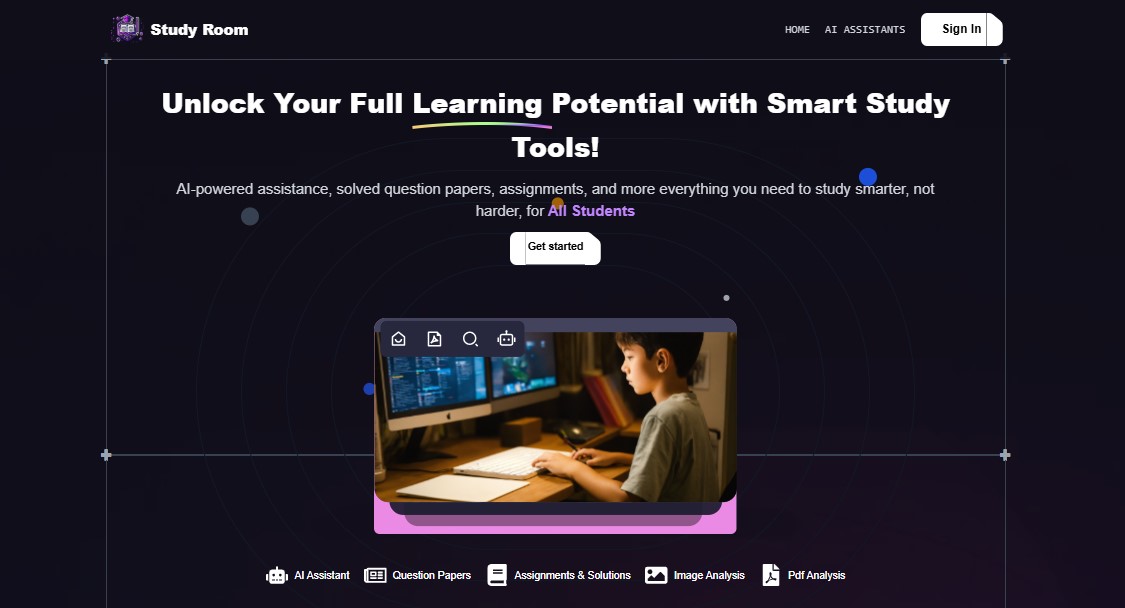
- AI Assistant: An intelligent AI assistant that helps answer questions and provide study-related recommendations.
- Question Paper Builder & Solver: Create custom question papers and get automatic solutions generated for them.
- Image Analyzer: Upload images and get relevant information extracted and analyzed.
- PSF Scanner: A tool for analyzing problem-solving frameworks for better understanding and improved learning.
- Question Summary Generator: A tool to generate concise summaries of questions for easier study.
- Node.js (for backend)
- npm
- Git
- Vercel account for deployment
-
Clone the repository:
git clone https://github.com/sAtyAmSDev/Study-Room.git
cd Study-Room
cd backend
-
Install dependencies:
npm install
-
Configure environment variables:
- Create a
.envfile in the root of the backend directory. - Add necessary configuration like database credentials, API keys, etc.
- Create a
-
Run the backend locally:
npm run dev
The backend will start running on
http://localhost:80.
-
Navigate to the frontend directory:
cd ../frontend -
Install dependencies:
npm install
-
Configure environment variables for frontend (if needed):
- You may need to configure API endpoints or third-party services here.
-
Run the frontend locally:
npm run dev
The frontend will start running on
http://localhost:1573.
- Sign up or log in to Vercel.
- Connect your GitHub repository to Vercel.
- Configure the project and set environment variables on Vercel.
- Deploy the backend.
- Sign up or log in to Vercel.
- Connect your GitHub repository to Vercel.
- Configure the frontend project settings, including build commands and environment variables.
- Deploy the frontend.
Both backend and frontend will be deployed to Vercel and will be accessible from the URLs Vercel provides.
- Currently, the project is not deployed, but you can follow the instructions above to deploy both the frontend and backend on Vercel.
Study-Room/
├── backend/                 # Backend server
│   ├── models/              # Models for database schema
│   ├── controllers/         # API route handlers
│   ├── routes/              # Define API endpoints
│   ├── services/            # Logic for AI and other features
│   └── server.js            # Entry point for the backend
│
├── frontend/                # Frontend React app
│   ├── components/          # Reusable UI components
│   ├── pages/               # React pages
│   ├── public/              # Static files
│   └── App.js               # Main React component
│
└── README.md                # This file

## Technologies Used

- **Frontend**: React
- **Backend**: Node.js, Express.js
- **Database**: MongoDB
- **Deployment**: Vercel for both frontend and backend

## How to Contribute

1. Fork the repository.
2. Clone your forked repository.
3. Create a new branch for your feature/fix.
4. Make changes and commit them.
5. Push to your branch.
6. Open a pull request with a clear description of your changes.


## Acknowledgements

- Special thanks to all the contributors and open-source tools that made this project possible.
- [Vercel](https://vercel.com) for easy deployment.

---

If you encounter any issues or have questions, feel free to open an issue on GitHub or contact us directly!