A canvas-first, agentic IDE with a built-in browser. Preview live components, run full projects end-to-end — with AI agents that code, browse, test, and ship autonomously.


Website | Download | Docs | Blog | Contributing
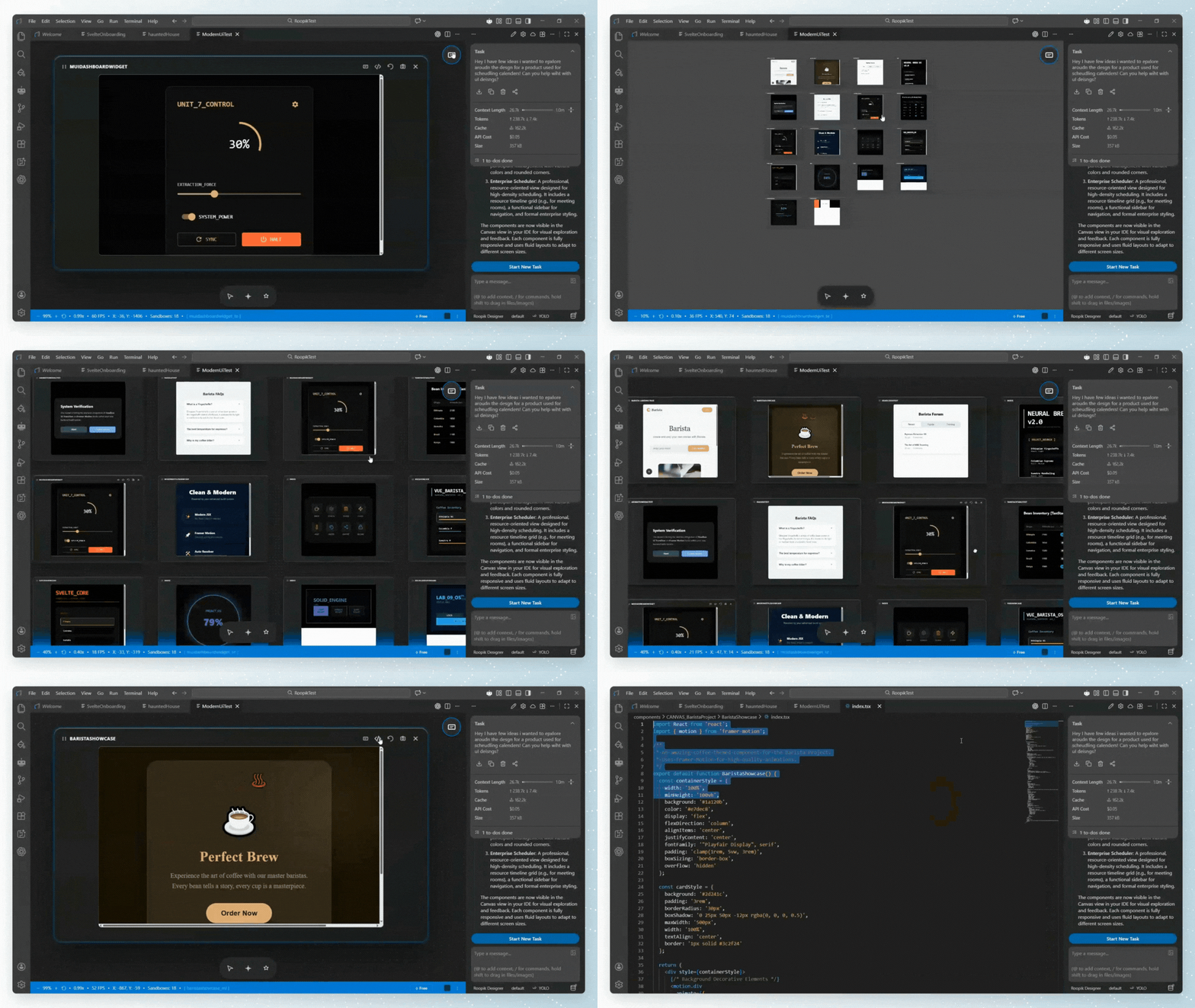
Most AI-powered IDEs are code editors with chat. Roopik goes further — it has a real browser built in that AI agents can see and control. Agents don't just write code, they preview it, click through it, test it, and fix what they see. No context switching, no manual testing.
An infinite design surface for building UI components across React, Vue, Svelte, Solid, and Preact. Each component renders live in its own isolated sandbox — write a Single File Component (SFC) and see it instantly. Compare multiple variations side-by-side, iterate with AI, and ship without ever spinning up a dev server.
Run your full project with a built-in browser. Inspect elements live, click any element to jump to its source code, edit it, and see changes instantly. No more switching between editor and browser.
The browser supports multiple tabs with full agentic control. Agents can open, navigate, screenshot, click, type, and inspect — all exposed through MCP. External Chrome mode connects to a real Chrome instance via CDP for full extension/profile access.
Playwright-inspired reliability built into every browser action. Smart selectors (text=, role=, css=, data-testid=), automatic waiting for elements to be ready, auto-scroll, and strict locator mode — agents interact with pages the same way a human would, without brittle coordinate-based clicking.
Multiple AI agents work simultaneously in the same workspace:
- Dio — built-in agent (based on Roo Code)
- Claude Code — extension + CLI via MCP
- OpenAI Codex — extension + CLI via MCP
- Cursor — via MCP
No setup needed — the IDE auto-registers and connects agents via MCP on startup.
See CONTRIBUTING.md for project structure, build instructions, and development setup.
Available for Windows, macOS, and Linux at roopik.com
git clone https://github.com/RoopikLabs/roopik.git
cd roopik
npm install
npm run watch        # Development
See CONTRIBUTING.md for full build instructions including the Dio extension.
We welcome contributions! See CONTRIBUTING.md for:
- How to build and run from source
- Project structure overview
- Pull request guidelines
This program does not collect or transfer any user data to external systems unless specifically requested by the user. Telemetry features inherited from upstream dependencies are disabled by default.
Built on Visual Studio Code (MIT) and Roo Code (Apache 2.0).
Copyright (c) 2025 - present Roopik Labs. Licensed under the MIT License.