Releases: QoderAI/changelog
Knowledge Engine Performance Optimization

Bug fixes
Computer Use Now Available on Windows
Features
- Computer Use Supports Windows: Computer Use is now available on Windows devices, expanding desktop automation to more use cases.
Improvements
- Enhanced knowledge card type support for broader content coverage and more flexible information organization.
- Improved knowledge card retrieval for higher relevance and more accurate results.
- Optimized memory retrieval to surface more contextually relevant information, faster.
Bug fixes
Better Control for RepoWiki, Better Chat Experience in Quest Window
Features
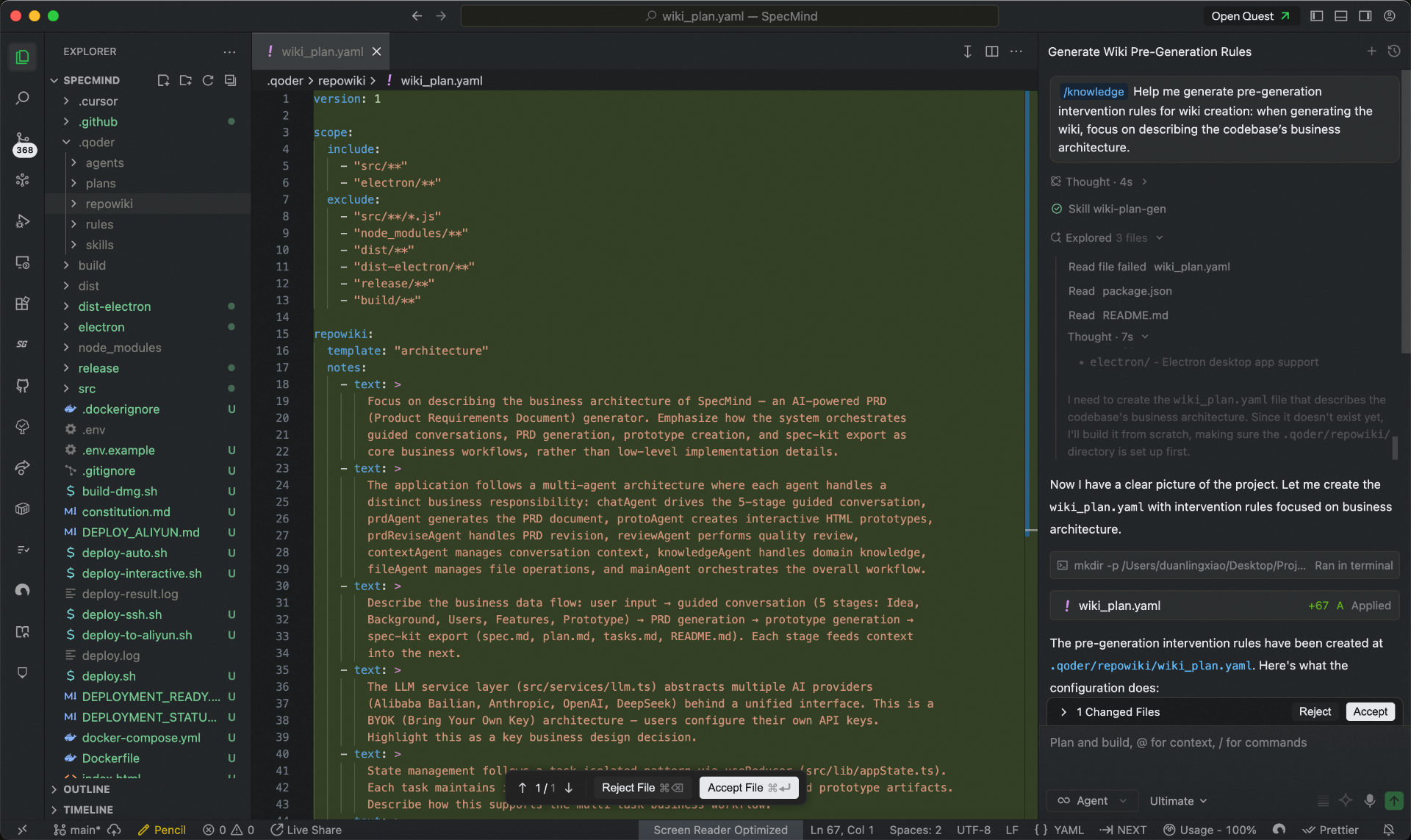
- More control before generating RepoWiki: RepoWiki now lets you define scope and perspective upfront, with conversational planning to support collaborative knowledge generation and editing.
-
Standalone chats in Quest Window: Start chats directly without opening a workspace, perfect for quick questions and lightweight tasks.
-
Quick Navigation in Quest: A new sidebar in Quest Window lets you navigate directly to any target chat within a task.
-
Custom Models: Configure context window and thinking mode for your BYOK models in the Personal edition.
-
Bring SSH Remote Control to mobile: Manage and collaborate on remote devices with greater flexibility.
Improvements
- Optimized Git branch selector in Quest Window to view more branches at a glance.
- Terminal tool display refined for clearer, more intuitive interactions.
- Improved evaluation and tracking for the memory agent.
Kimi-K2.7-Code Supports Fast Mode
Features
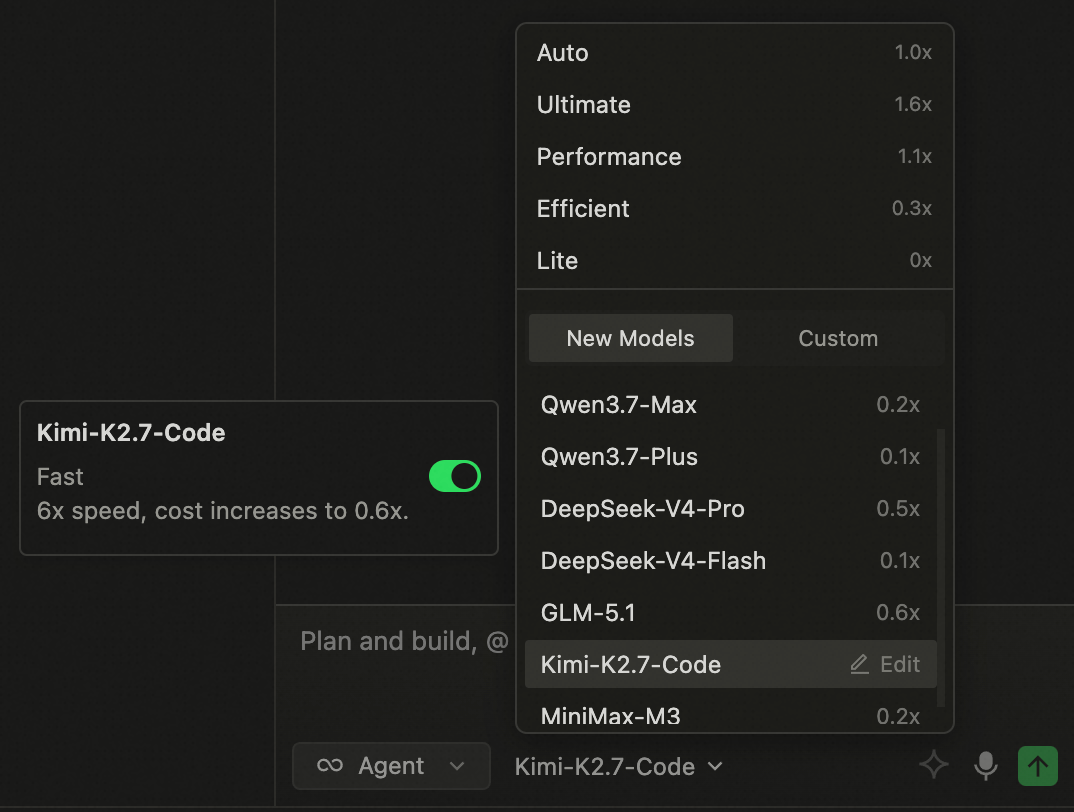
- Kimi-K2.7-Code now supports Fast Mode, delivering 6× faster speed for a superior coding experience.
Support SSH Connection Multiplexing, Session Loading and Knowledge Retrieval Capability Optimization
Features
- Support SSH ControlMaster connection multiplexing, reducing repeated authentication in remote scenarios and improving connection efficiency
Improvements
- Optimize session loading in Quest window agent mode, enhancing the completeness of historical session retrieval and usage stability.
- Optimize knowledge retrieval performance, improving retrieval efficiency and result effectiveness to help users find required content faster.
Quest Window Supports Mobile Remote Control
Features
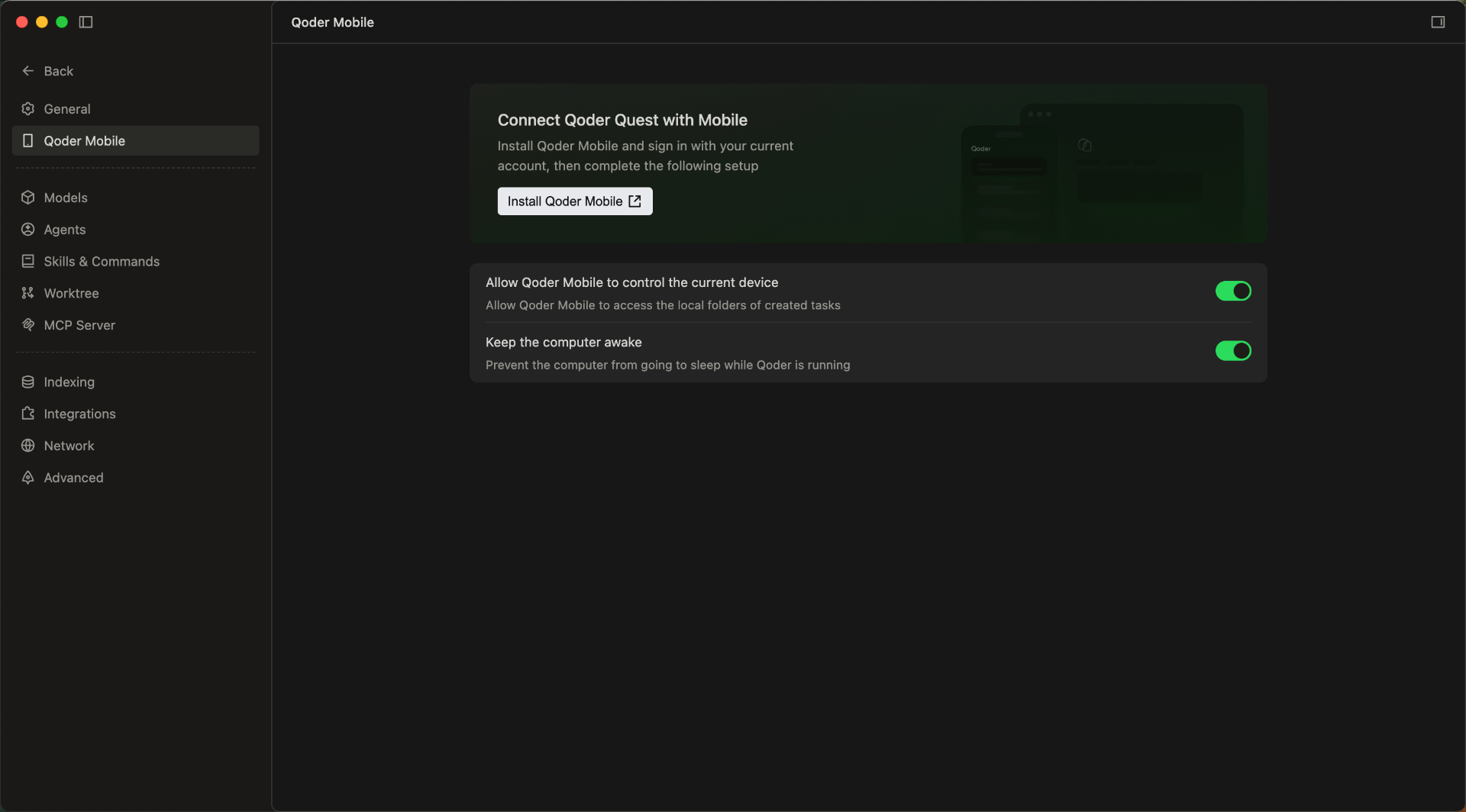
- Quest Window Mobile Access Support: Users can view and process tasks anytime, anywhere, enabling flexible and convenient remote operations.
-
More Model Tiers in Quest Window: The model selector in Agent mode now offers three tiers (Performance, Efficient, and Lite) for clearer, more intuitive model selection.
-
Enhanced Expert Team and Sub-Agent Personalization: Built-in expert agents now support custom prompts to better align with your team's standards and personal preferences. Custom sub-agents also support model configuration, making it easier to match the right capabilities to each task.
Improvements
- Improved onboarding for the App Window Snapshot feature, helping you set up shortcuts faster.
- Improved file drag-and-drop in Quest window, expanding the droppable area for easier uploads.
- Updated the Credits usage panel with promotional activity details, including quota, usage count, and remaining balance.
- Improved knowledge retrieval accuracy and efficiency.
- Optimized local index cleanup to reduce unnecessary index overhead and improve resource utilization.
- Optimized the reporting logic to reduce sync stuttering and improve overall smoothness.
Team Knowledge Engine and Voice Input Upgrades
Features
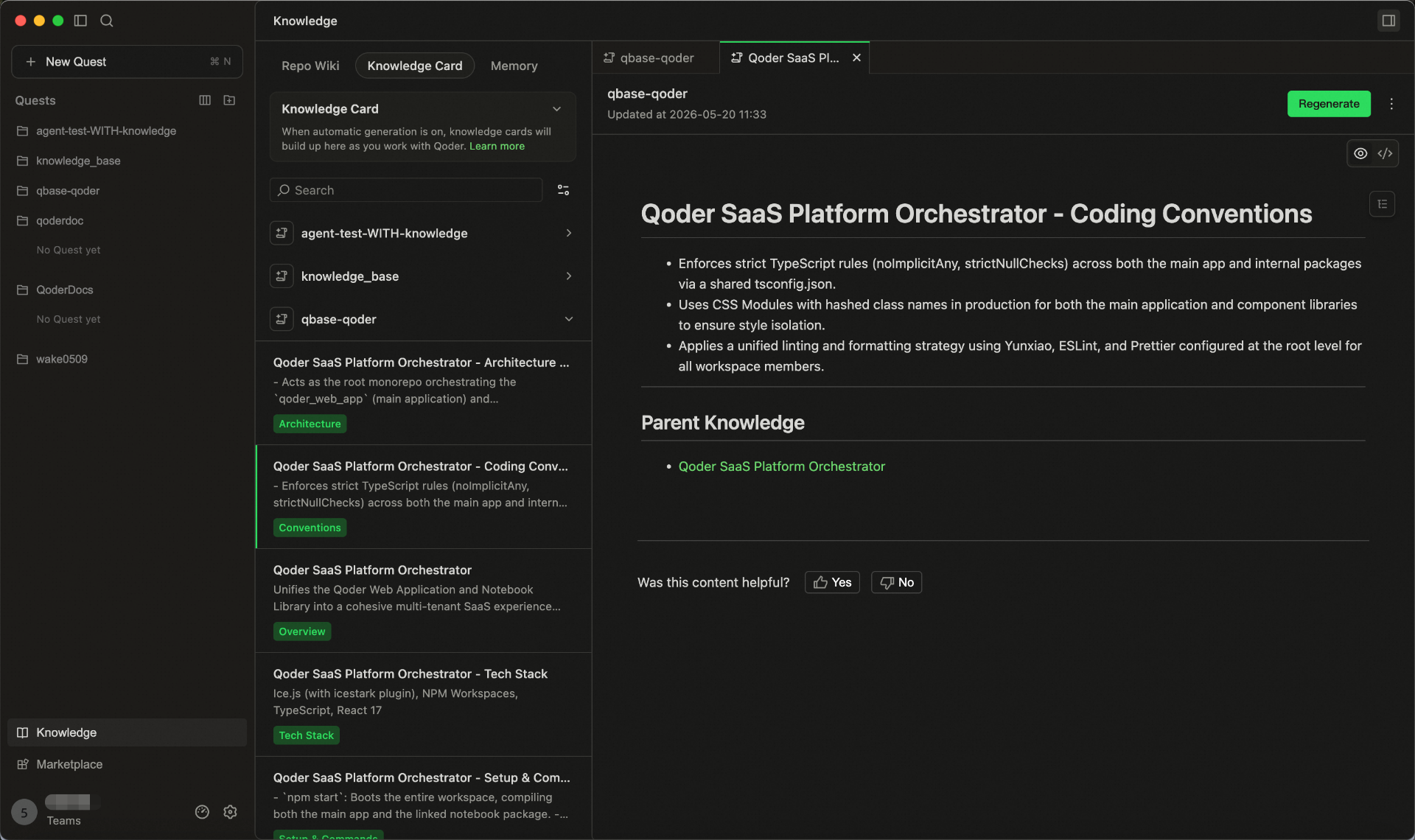
- Team Shared Knowledge Engine is now live
- Bring User Memory, RepoWiki, and Knowledge Cards into one shared system.
- Enter /knowledge in the chat box to update knowledge anytime.
- Knowledge is stored in the cloud, maintained by the team, and used by Agents in real time.
- Smart Polishing for Voice Input: Automatically refines colloquial speech after transcription, making your input clearer and more natural for higher-quality interactions with Agent.
Improvements
- Optimized generation and update performance of RepoWiki and knowledge cards in large repositories.
- Improved knowledge hit efficiency in code change scenarios.
- Improved the performance and experience of Agent Mode in Quest Window.
- Streamlined the knowledge usage workflow, reducing the effort required to supplement project background information.
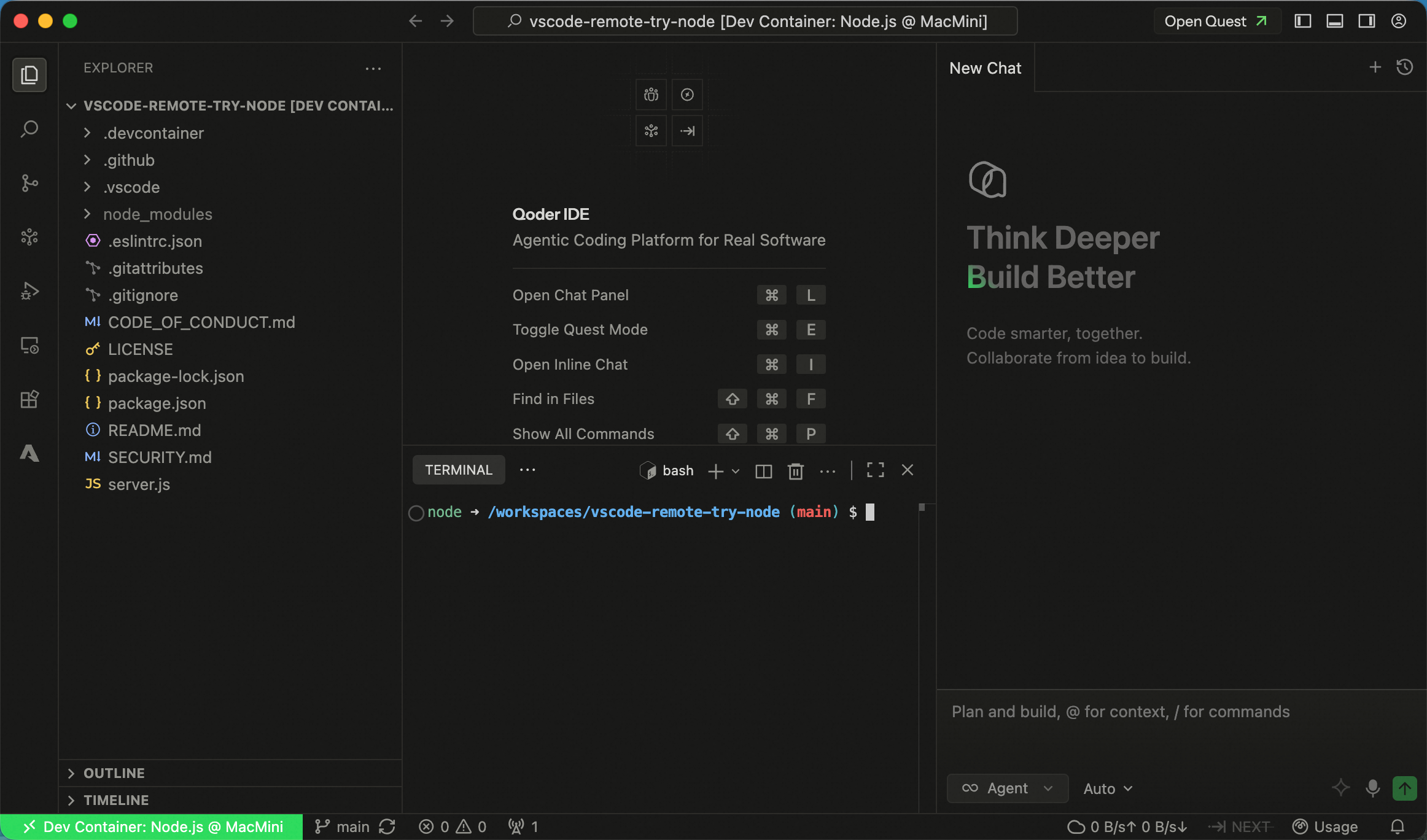
Support for Using Dev Container in SSH Remote
Features
- Support for using Dev Container in SSH Remote: Added Dev Container support for SSH Remote environments, along with the ability to attach to any Docker container, improving flexibility and consistency of remote development setups.
Improvements
- More keyboard shortcut options are now available for App Window Snapshot, configurable in Settings → Integration → App Window Snapshot.
- Added a clearer entry point to sub-agent settings in the Experts model selector in the Quest Window, helping users configure sub-agents more quickly.
- Optimized the experience for handling long history sessions, maintaining more stable and smoother interactions in ultra-long context scenarios.