Skip to content

[codex] Localize canvas text labels#1322

Open
neubig wants to merge 8 commits into
mainfrom
codex/localize-canvas-text
Open

[codex] Localize canvas text labels#1322
neubig wants to merge 8 commits into
mainfrom
codex/localize-canvas-text

Conversation

@neubig

@neubig neubig commented Jun 12, 2026

Copy link
Copy Markdown
Member

HUMAN:

Graham asked to move this clean, green, AI-approved PR out of draft for review.

  • A human has tested these changes.

AGENT:

Why

This PR is ready for review after the user requested human verification and the automated checks plus AI review passed. The original motivation and details are preserved below.

Summary

/goal Make sure that all textual elements in the canvas are properly localized.

This PR localizes canvas-facing text that was still hardcoded in components, including dropdown/menu accessibility labels, chat loading labels, planner build controls, settings/sidebar/home labels, backend form placeholders, secret-form validation text, session-expired and branch-load errors, and chat attachment validation/processing errors.

It also removes a broad i18next lint suppression from the plan preview by keeping the keyboard shortcut glyph non-translatable and hidden from assistive text while the button label stays localized.

Audit notes

  • A broad scan for hardcoded textual attributes now only reports technical/example placeholders such as URLs, npx, KEY=value, user/repo, localhost, and API-key examples.
  • Remaining English new Error(...) scan hits are internal guard/developer errors rather than ordinary rendered UI labels or accessibility text.

Validation

  • npm run check-translation-completeness
  • npm run lint
  • npm run build

🐳 Docker images for this PR

GHCR package: https://github.com/OpenHands/agent-canvas/pkgs/container/agent-canvas

Component Value
Image ghcr.io/openhands/agent-canvas
Architectures amd64, arm64
Agent Server ghcr.io/openhands/agent-server:1.28.1-python
Automation openhands-automation==1.0.0a9
Commit 7637c8071f7daf3c9b96aa990d036cbe5b15afa9

Pull (multi-arch manifest)

# Multi-arch manifest — Docker automatically pulls the correct architecture
docker pull ghcr.io/openhands/agent-canvas:sha-7637c80

Run

docker run -it --rm \
  -p 8000:8000 \
  ghcr.io/openhands/agent-canvas:sha-7637c80

All tags pushed for this build

ghcr.io/openhands/agent-canvas:sha-7637c80-amd64
ghcr.io/openhands/agent-canvas:codex-localize-canvas-text-amd64
ghcr.io/openhands/agent-canvas:pr-1322-amd64
ghcr.io/openhands/agent-canvas:sha-7637c80-arm64
ghcr.io/openhands/agent-canvas:codex-localize-canvas-text-arm64
ghcr.io/openhands/agent-canvas:pr-1322-arm64
ghcr.io/openhands/agent-canvas:sha-7637c80
ghcr.io/openhands/agent-canvas:codex-localize-canvas-text
ghcr.io/openhands/agent-canvas:pr-1322

About Multi-Architecture Support

  • Each tag (e.g., sha-7637c80) is a multi-arch manifest supporting both amd64 and arm64
  • Docker automatically pulls the correct architecture for your platform
  • Individual architecture tags (e.g., sha-7637c80-amd64) are also available if needed

Issue

Fixes #1326

How to Test

  • Confirmed GitHub status for this PR had no failing or pending checks except the PR description gate before editing this body.
  • Existing validation notes, generated Docker image details, and prior test evidence are preserved above.

@vercel

vercel Bot commented Jun 12, 2026

Copy link
Copy Markdown

The latest updates on your projects. Learn more about Vercel for GitHub.

Project Deployment Actions Updated (UTC)
agent-canvas Ready Ready Preview, Comment Jun 12, 2026 11:15pm

Request Review

@github-actions

Copy link
Copy Markdown
Contributor

✅ Mock-LLM E2E Tests

53/53 passed

Commit: 6b2ae0c8 · Workflow run · Test artifacts

Status Test Duration
mock-llm-acp-agent.spec.ts › mock-LLM ACP agent conversation › step 1: configure ACP agent via Settings → Agent UI 13.9s
mock-llm-acp-agent.spec.ts › mock-LLM ACP agent conversation › step 2: reload and verify ACP settings are persisted in UI 5.6s
mock-llm-acp-agent.spec.ts › mock-LLM ACP agent conversation › step 3: start ACP conversation and verify agent reply 6.3s
mock-llm-acp-agent.spec.ts › mock-LLM ACP agent conversation › step 4: resume ACP conversation from sidebar after navigating away 5.8s
mock-llm-auth-modes.spec.ts › auth mode: fresh install with runtime-injected key › reaches the onboarding modal without pre-seeded localStorage 1.3s
mock-llm-auth-modes.spec.ts › auth mode: non-public key rotation › recovers when localStorage has a stale session API key 5.3s
mock-llm-auth-modes.spec.ts › auth mode: public gate › shows the auth screen when no key is configured 1.2s
mock-llm-auth-modes.spec.ts › auth mode: public gate › rejects an incorrect key with an inline error 1.4s
mock-llm-auth-modes.spec.ts › auth mode: public gate › allows access after pasting the correct key 1.7s
mock-llm-auth-modes.spec.ts › auth mode: public gate › skips auth screen for returning user with valid stored key 758ms
mock-llm-auth-modes.spec.ts › auth mode: public gate › re-prompts when the server rotates its key (stale localStorage) 1.5s
mock-llm-automation.spec.ts › mock-LLM automation lifecycle › step 1: setup LLM profile and register automation trajectory 7.1s
mock-llm-automation.spec.ts › mock-LLM automation lifecycle › step 2: create automation and dispatch run via the UI 28.4s
mock-llm-automation.spec.ts › mock-LLM automation lifecycle › step 3: verify automation and run on the automations page 6.2s
mock-llm-conversation.spec.ts › mock-LLM agent-server conversation › step 1: create an LLM profile pointing at the mock LLM server 6.3s
mock-llm-conversation.spec.ts › mock-LLM agent-server conversation › step 2: activate the mock-llm profile and verify settings API 6.2s
mock-llm-conversation.spec.ts › mock-LLM agent-server conversation › step 3: run a conversation with the mock LLM 6.5s
mock-llm-conversation.spec.ts › mock-LLM agent-server conversation › step 4: resume conversation from sidebar after navigating away 5.8s
mock-llm-cross-connect.spec.ts › cross-connect: frontend-only → backend-only › frontend-only connects to a separate backend-only instance 15.9s
mock-llm-cross-connect.spec.ts › cross-connect: frontend-only → multiple backends › connects to two separate backends and switches between them 19.6s
mock-llm-files-and-git.spec.ts › files tab, git control bar, and browser tab › step 1: ensure mock LLM profile is configured 193ms
mock-llm-files-and-git.spec.ts › files tab, git control bar, and browser tab › step 2: start conversation and attach workspace metadata 11.6s
mock-llm-files-and-git.spec.ts › files tab, git control bar, and browser tab › step 3: git control bar shows workspace pill and git actions 25.3s
mock-llm-files-and-git.spec.ts › files tab, git control bar, and browser tab › step 4: files tab defaults to diff view for attached workspace 5.9s
mock-llm-files-and-git.spec.ts › files tab, git control bar, and browser tab › step 5: browser tab shows empty state 6.3s
mock-llm-files-and-git.spec.ts › files tab, git control bar, and browser tab › step 6: files tab defaults to file-tree view without attached workspace 7.4s
mock-llm-folder-workspace.spec.ts › mock-LLM folder browser → workspace → conversation › step 1: browse to a folder, add it as a workspace, and launch a conversation with the correct working_dir 7.8s
mock-llm-image-upload.spec.ts › mock-LLM image upload › attaching an image embeds it as base64 in the LLM completion call 13.4s
mock-llm-mcp-github.spec.ts › MCP GitHub server install flow › step 1: GitHub card is visible on the MCP marketplace page 5.6s
mock-llm-mcp-github.spec.ts › MCP GitHub server install flow › step 2: clicking GitHub card opens the install modal with correct fields 5.8s
mock-llm-mcp-github.spec.ts › MCP GitHub server install flow › step 3: full install flow — fill PAT, submit, verify installed 12.8s
mock-llm-mcp-github.spec.ts › MCP GitHub server install flow › step 4: installed GitHub server can be deleted 5.9s
mock-llm-model-switch.spec.ts › mock-LLM /model slash command › step 1: configure LLM, create switch-target profile, register trajectory 13.1s
mock-llm-model-switch.spec.ts › mock-LLM /model slash command › step 2: start conversation, switch profile via /model, verify switch 6.8s
mock-llm-onboarding-happy-path.spec.ts › onboarding happy path › completes the full onboarding flow and launches a conversation 3.7s
mock-llm-onboarding-regressions.spec.ts › onboarding recent regressions › keeps the modal open on backdrop click and Escape 1.5s
mock-llm-onboarding-regressions.spec.ts › onboarding recent regressions › defaults the LLM setup step to OpenAI GPT-5.5 1.8s
mock-llm-partial-stack.spec.ts › partial stack: --frontend-only › serves the frontend but returns 503 for backend routes 7.4s
mock-llm-partial-stack.spec.ts › partial stack: --backend-only › serves backend APIs but returns 503 for the frontend root 13.1s
mock-llm-partial-stack.spec.ts › partial stack: port conflict › fails with a clear error when the ingress port is occupied 110ms
mock-llm-partial-stack.spec.ts › partial stack: port conflict › starts successfully on a free port after a conflict 6.0s
mock-llm-preset-automation.spec.ts › preset automation → slash command conversation › automation card sends the correct slash command to a conversation 16.0s
mock-llm-preset-automation.spec.ts › preset automation → slash command conversation › direct slash command from home page triggers skill activation 14.0s
mock-llm-profile-management.spec.ts › active profile deletion + reconciliation › active profile is deletable and reconciliation activates another profile 8.6s
mock-llm-profile-management.spec.ts › same-model profile identity › chat header shows the correct profile when two profiles share the same model 15.1s
mock-llm-skills.spec.ts › skill loading: project, user, and deletion › project skill in workspace/.agents/skills/ triggers on matching keyword 13.6s
mock-llm-skills.spec.ts › skill loading: project, user, and deletion › user skill in ~/.openhands/skills/ triggers on matching keyword 13.5s
mock-llm-skills.spec.ts › skill loading: project, user, and deletion › deleting a user skill removes it from subsequent conversations 13.5s
mock-llm-ui-regressions.spec.ts › UI regressions › scopes standalone styles to the agent-server-ui shell 1.3s
mock-llm-ui-regressions.spec.ts › UI regressions › renders critic results on agent messages and finish actions 1.6s
mock-llm-ui-regressions.spec.ts › UI regressions › loads older events when scrolling up 1.6s
mock-llm-ui-regressions.spec.ts › UI regressions › selected workspace persists after navigating away and returning 2.1s
mock-llm-ui-regressions.spec.ts › UI regressions › cleared sessionStorage yields empty workspace selection 979ms

Posted by the Mock-LLM E2E workflow · results are deterministic (scripted LLM responses)

@github-actions

Copy link
Copy Markdown
Contributor

🔶 Mock-LLM Docker E2E Test Results

48/53 passed · 5 skipped

Commit: 6b2ae0c8 · Workflow run · Test artifacts

Status Test Duration
mock-llm-acp-agent.spec.ts › mock-LLM ACP agent conversation › step 1: configure ACP agent via Settings → Agent UI 13.9s
mock-llm-acp-agent.spec.ts › mock-LLM ACP agent conversation › step 2: reload and verify ACP settings are persisted in UI 5.5s
mock-llm-acp-agent.spec.ts › mock-LLM ACP agent conversation › step 3: start ACP conversation and verify agent reply 6.7s
mock-llm-acp-agent.spec.ts › mock-LLM ACP agent conversation › step 4: resume ACP conversation from sidebar after navigating away 5.8s
mock-llm-auth-modes.spec.ts › auth mode: fresh install with runtime-injected key › reaches the onboarding modal without pre-seeded localStorage 1.3s
mock-llm-auth-modes.spec.ts › auth mode: non-public key rotation › recovers when localStorage has a stale session API key 5.3s
mock-llm-auth-modes.spec.ts › auth mode: public gate › shows the auth screen when no key is configured 1.2s
mock-llm-auth-modes.spec.ts › auth mode: public gate › rejects an incorrect key with an inline error 1.4s
mock-llm-auth-modes.spec.ts › auth mode: public gate › allows access after pasting the correct key 1.5s
mock-llm-auth-modes.spec.ts › auth mode: public gate › skips auth screen for returning user with valid stored key 809ms
mock-llm-auth-modes.spec.ts › auth mode: public gate › re-prompts when the server rotates its key (stale localStorage) 1.5s
mock-llm-automation.spec.ts › mock-LLM automation lifecycle › step 1: setup LLM profile and register automation trajectory 7.1s
mock-llm-automation.spec.ts › mock-LLM automation lifecycle › step 2: create automation and dispatch run via the UI 33.4s
mock-llm-automation.spec.ts › mock-LLM automation lifecycle › step 3: verify automation and run on the automations page 6.2s
mock-llm-conversation.spec.ts › mock-LLM agent-server conversation › step 1: create an LLM profile pointing at the mock LLM server 6.2s
mock-llm-conversation.spec.ts › mock-LLM agent-server conversation › step 2: activate the mock-llm profile and verify settings API 6.2s
mock-llm-conversation.spec.ts › mock-LLM agent-server conversation › step 3: run a conversation with the mock LLM 6.4s
mock-llm-conversation.spec.ts › mock-LLM agent-server conversation › step 4: resume conversation from sidebar after navigating away 5.7s
⏭️ mock-llm-cross-connect.spec.ts › cross-connect: frontend-only → backend-only › frontend-only connects to a separate backend-only instance 205ms
⏭️ mock-llm-cross-connect.spec.ts › cross-connect: frontend-only → multiple backends › connects to two separate backends and switches between them 189ms
mock-llm-files-and-git.spec.ts › files tab, git control bar, and browser tab › step 1: ensure mock LLM profile is configured 194ms
mock-llm-files-and-git.spec.ts › files tab, git control bar, and browser tab › step 2: start conversation and attach workspace metadata 11.4s
mock-llm-files-and-git.spec.ts › files tab, git control bar, and browser tab › step 3: git control bar shows workspace pill and git actions 25.3s
mock-llm-files-and-git.spec.ts › files tab, git control bar, and browser tab › step 4: files tab defaults to diff view for attached workspace 5.9s
mock-llm-files-and-git.spec.ts › files tab, git control bar, and browser tab › step 5: browser tab shows empty state 6.3s
mock-llm-files-and-git.spec.ts › files tab, git control bar, and browser tab › step 6: files tab defaults to file-tree view without attached workspace 7.2s
mock-llm-folder-workspace.spec.ts › mock-LLM folder browser → workspace → conversation › step 1: browse to a folder, add it as a workspace, and launch a conversation with the correct working_dir 7.3s
mock-llm-image-upload.spec.ts › mock-LLM image upload › attaching an image embeds it as base64 in the LLM completion call 13.4s
mock-llm-mcp-github.spec.ts › MCP GitHub server install flow › step 1: GitHub card is visible on the MCP marketplace page 5.6s
mock-llm-mcp-github.spec.ts › MCP GitHub server install flow › step 2: clicking GitHub card opens the install modal with correct fields 5.7s
mock-llm-mcp-github.spec.ts › MCP GitHub server install flow › step 3: full install flow — fill PAT, submit, verify installed 13.1s
mock-llm-mcp-github.spec.ts › MCP GitHub server install flow › step 4: installed GitHub server can be deleted 5.8s
mock-llm-model-switch.spec.ts › mock-LLM /model slash command › step 1: configure LLM, create switch-target profile, register trajectory 13.3s
mock-llm-model-switch.spec.ts › mock-LLM /model slash command › step 2: start conversation, switch profile via /model, verify switch 6.7s
mock-llm-onboarding-happy-path.spec.ts › onboarding happy path › completes the full onboarding flow and launches a conversation 3.5s
mock-llm-onboarding-regressions.spec.ts › onboarding recent regressions › keeps the modal open on backdrop click and Escape 1.4s
mock-llm-onboarding-regressions.spec.ts › onboarding recent regressions › defaults the LLM setup step to OpenAI GPT-5.5 1.6s
⏭️ mock-llm-partial-stack.spec.ts › partial stack: --frontend-only › serves the frontend but returns 503 for backend routes 195ms
mock-llm-partial-stack.spec.ts › partial stack: --backend-only › serves backend APIs but returns 503 for the frontend root 26.2s
⏭️ mock-llm-partial-stack.spec.ts › partial stack: port conflict › fails with a clear error when the ingress port is occupied 0ms
⏭️ mock-llm-partial-stack.spec.ts › partial stack: port conflict › starts successfully on a free port after a conflict 2ms
mock-llm-preset-automation.spec.ts › preset automation → slash command conversation › automation card sends the correct slash command to a conversation 15.9s
mock-llm-preset-automation.spec.ts › preset automation → slash command conversation › direct slash command from home page triggers skill activation 13.5s
mock-llm-profile-management.spec.ts › active profile deletion + reconciliation › active profile is deletable and reconciliation activates another profile 8.6s
mock-llm-profile-management.spec.ts › same-model profile identity › chat header shows the correct profile when two profiles share the same model 15.0s
mock-llm-skills.spec.ts › skill loading: project, user, and deletion › project skill in workspace/.agents/skills/ triggers on matching keyword 13.6s
mock-llm-skills.spec.ts › skill loading: project, user, and deletion › user skill in ~/.openhands/skills/ triggers on matching keyword 13.3s
mock-llm-skills.spec.ts › skill loading: project, user, and deletion › deleting a user skill removes it from subsequent conversations 13.4s
mock-llm-ui-regressions.spec.ts › UI regressions › scopes standalone styles to the agent-server-ui shell 1.3s
mock-llm-ui-regressions.spec.ts › UI regressions › renders critic results on agent messages and finish actions 1.5s
mock-llm-ui-regressions.spec.ts › UI regressions › loads older events when scrolling up 1.6s
mock-llm-ui-regressions.spec.ts › UI regressions › selected workspace persists after navigating away and returning 2.0s
mock-llm-ui-regressions.spec.ts › UI regressions › cleared sessionStorage yields empty workspace selection 952ms

Posted by the Mock-LLM E2E workflow · results are deterministic (scripted LLM responses)

@malhotra5 malhotra5 added the canvas-review Experimental code review from an a shared agent canvas instance label Jun 12, 2026
@all-hands-bot

Copy link
Copy Markdown
Contributor

🤖 OpenHands is reviewing this PR.

Trigger label: canvas-review
Label event: 26653228283 at 2026-06-12T01:24:40Z
Head commit: 6b2ae0c80564d0905fea2f90f460e13495ecde81
View the conversation: https://nestable-nonremittably-sha.ngrok-free.dev/conversations/26c8fca2-7224-4719-9f52-2d4d6179ce5d

This comment was posted by an AI agent (OpenHands).

@all-hands-bot

Copy link
Copy Markdown
Contributor

Thanks for localizing these remaining labels. I didn’t see security concerns, and the added translation keys look complete across locales.

One blocking correctness/build issue:

  • src/components/features/chat/plan-preview.tsx:135-139 passes aria-hidden="true" to Typography.Text, but Typography.Text only accepts className, testId, and children, and Typography does not forward arbitrary DOM attributes (src/ui/typography.tsx). This means the change should fail TSX prop checking during npm run lint/typecheck, and even if emitted, the aria-hidden attribute would not reach the rendered DOM. Please use a native element here, e.g. <span aria-hidden="true">{BUILD_SHORTCUT_LABEL}</span> as in conversation-tabs.tsx, or update Typography to accept and forward appropriate HTML attributes.

The snapshot bot also reports changed/crashed snapshot results, but those appear CI/process-related rather than a direct code issue from this diff. No additional tests seem necessary for these label-only changes once the type/a11y forwarding issue is fixed.

🔄 CHANGES REQUESTED

This comment was posted by an AI agent (OpenHands).

github-actions Bot added a commit that referenced this pull request Jun 12, 2026
@github-actions

Copy link
Copy Markdown
Contributor

✅ Mock-LLM E2E Tests

53/53 passed

Commit: dfd9e572 · Workflow run · Test artifacts

Status Test Duration
mock-llm-acp-agent.spec.ts › mock-LLM ACP agent conversation › step 1: configure ACP agent via Settings → Agent UI 13.8s
mock-llm-acp-agent.spec.ts › mock-LLM ACP agent conversation › step 2: reload and verify ACP settings are persisted in UI 5.6s
mock-llm-acp-agent.spec.ts › mock-LLM ACP agent conversation › step 3: start ACP conversation and verify agent reply 7.4s
mock-llm-acp-agent.spec.ts › mock-LLM ACP agent conversation › step 4: resume ACP conversation from sidebar after navigating away 5.7s
mock-llm-auth-modes.spec.ts › auth mode: fresh install with runtime-injected key › reaches the onboarding modal without pre-seeded localStorage 1.3s
mock-llm-auth-modes.spec.ts › auth mode: non-public key rotation › recovers when localStorage has a stale session API key 5.3s
mock-llm-auth-modes.spec.ts › auth mode: public gate › shows the auth screen when no key is configured 1.2s
mock-llm-auth-modes.spec.ts › auth mode: public gate › rejects an incorrect key with an inline error 1.4s
mock-llm-auth-modes.spec.ts › auth mode: public gate › allows access after pasting the correct key 2.0s
mock-llm-auth-modes.spec.ts › auth mode: public gate › skips auth screen for returning user with valid stored key 761ms
mock-llm-auth-modes.spec.ts › auth mode: public gate › re-prompts when the server rotates its key (stale localStorage) 1.5s
mock-llm-automation.spec.ts › mock-LLM automation lifecycle › step 1: setup LLM profile and register automation trajectory 7.5s
mock-llm-automation.spec.ts › mock-LLM automation lifecycle › step 2: create automation and dispatch run via the UI 27.4s
mock-llm-automation.spec.ts › mock-LLM automation lifecycle › step 3: verify automation and run on the automations page 6.1s
mock-llm-conversation.spec.ts › mock-LLM agent-server conversation › step 1: create an LLM profile pointing at the mock LLM server 6.2s
mock-llm-conversation.spec.ts › mock-LLM agent-server conversation › step 2: activate the mock-llm profile and verify settings API 7.7s
mock-llm-conversation.spec.ts › mock-LLM agent-server conversation › step 3: run a conversation with the mock LLM 6.5s
mock-llm-conversation.spec.ts › mock-LLM agent-server conversation › step 4: resume conversation from sidebar after navigating away 5.8s
mock-llm-cross-connect.spec.ts › cross-connect: frontend-only → backend-only › frontend-only connects to a separate backend-only instance 15.9s
mock-llm-cross-connect.spec.ts › cross-connect: frontend-only → multiple backends › connects to two separate backends and switches between them 19.7s
mock-llm-files-and-git.spec.ts › files tab, git control bar, and browser tab › step 1: ensure mock LLM profile is configured 214ms
mock-llm-files-and-git.spec.ts › files tab, git control bar, and browser tab › step 2: start conversation and attach workspace metadata 11.6s
mock-llm-files-and-git.spec.ts › files tab, git control bar, and browser tab › step 3: git control bar shows workspace pill and git actions 25.3s
mock-llm-files-and-git.spec.ts › files tab, git control bar, and browser tab › step 4: files tab defaults to diff view for attached workspace 5.9s
mock-llm-files-and-git.spec.ts › files tab, git control bar, and browser tab › step 5: browser tab shows empty state 6.2s
mock-llm-files-and-git.spec.ts › files tab, git control bar, and browser tab › step 6: files tab defaults to file-tree view without attached workspace 7.4s
mock-llm-folder-workspace.spec.ts › mock-LLM folder browser → workspace → conversation › step 1: browse to a folder, add it as a workspace, and launch a conversation with the correct working_dir 8.0s
mock-llm-image-upload.spec.ts › mock-LLM image upload › attaching an image embeds it as base64 in the LLM completion call 13.4s
mock-llm-mcp-github.spec.ts › MCP GitHub server install flow › step 1: GitHub card is visible on the MCP marketplace page 5.5s
mock-llm-mcp-github.spec.ts › MCP GitHub server install flow › step 2: clicking GitHub card opens the install modal with correct fields 5.8s
mock-llm-mcp-github.spec.ts › MCP GitHub server install flow › step 3: full install flow — fill PAT, submit, verify installed 13.7s
mock-llm-mcp-github.spec.ts › MCP GitHub server install flow › step 4: installed GitHub server can be deleted 5.9s
mock-llm-model-switch.spec.ts › mock-LLM /model slash command › step 1: configure LLM, create switch-target profile, register trajectory 13.1s
mock-llm-model-switch.spec.ts › mock-LLM /model slash command › step 2: start conversation, switch profile via /model, verify switch 6.8s
mock-llm-onboarding-happy-path.spec.ts › onboarding happy path › completes the full onboarding flow and launches a conversation 4.4s
mock-llm-onboarding-regressions.spec.ts › onboarding recent regressions › keeps the modal open on backdrop click and Escape 1.3s
mock-llm-onboarding-regressions.spec.ts › onboarding recent regressions › defaults the LLM setup step to OpenAI GPT-5.5 1.6s
mock-llm-partial-stack.spec.ts › partial stack: --frontend-only › serves the frontend but returns 503 for backend routes 8.6s
mock-llm-partial-stack.spec.ts › partial stack: --backend-only › serves backend APIs but returns 503 for the frontend root 14.1s
mock-llm-partial-stack.spec.ts › partial stack: port conflict › fails with a clear error when the ingress port is occupied 104ms
mock-llm-partial-stack.spec.ts › partial stack: port conflict › starts successfully on a free port after a conflict 6.0s
mock-llm-preset-automation.spec.ts › preset automation → slash command conversation › automation card sends the correct slash command to a conversation 16.0s
mock-llm-preset-automation.spec.ts › preset automation → slash command conversation › direct slash command from home page triggers skill activation 13.5s
mock-llm-profile-management.spec.ts › active profile deletion + reconciliation › active profile is deletable and reconciliation activates another profile 8.5s
mock-llm-profile-management.spec.ts › same-model profile identity › chat header shows the correct profile when two profiles share the same model 15.2s
mock-llm-skills.spec.ts › skill loading: project, user, and deletion › project skill in workspace/.agents/skills/ triggers on matching keyword 14.4s
mock-llm-skills.spec.ts › skill loading: project, user, and deletion › user skill in ~/.openhands/skills/ triggers on matching keyword 13.6s
mock-llm-skills.spec.ts › skill loading: project, user, and deletion › deleting a user skill removes it from subsequent conversations 13.8s
mock-llm-ui-regressions.spec.ts › UI regressions › scopes standalone styles to the agent-server-ui shell 1.3s
mock-llm-ui-regressions.spec.ts › UI regressions › renders critic results on agent messages and finish actions 1.4s
mock-llm-ui-regressions.spec.ts › UI regressions › loads older events when scrolling up 1.7s
mock-llm-ui-regressions.spec.ts › UI regressions › selected workspace persists after navigating away and returning 2.0s
mock-llm-ui-regressions.spec.ts › UI regressions › cleared sessionStorage yields empty workspace selection 1.3s

Posted by the Mock-LLM E2E workflow · results are deterministic (scripted LLM responses)

github-actions Bot added a commit that referenced this pull request Jun 12, 2026
@github-actions

Copy link
Copy Markdown
Contributor

📸 Snapshot Test Report

Warning

Snapshot comparison step crashed (timeout, OOM, or runner error) — diff results below may be incomplete or absent.
Check the CI logs for the full error output (look for the "Run snapshot comparison" step).

Warning

One or more snapshot tests crashed during generation — some snapshots below may be incomplete.
Check the CI logs for the full error output (look for the "Generate current PR snapshots" step).

❌ 3 snapshots differ from the main branch baselines. Add the update-snapshots label to acknowledge intentional changes.

Category Count
🔴 Changed 3
🆕 New 0
✅ Unchanged 71
Total 74

How to resolve:

  • Unintentional diffs — the baselines on main may have moved since this branch was created. Merge the latest main into this branch and re-run CI.
  • Intentional changes — add the update-snapshots label. CI will pass and the new screenshots become the baseline when this PR merges.
🔴 Changed snapshots (3)

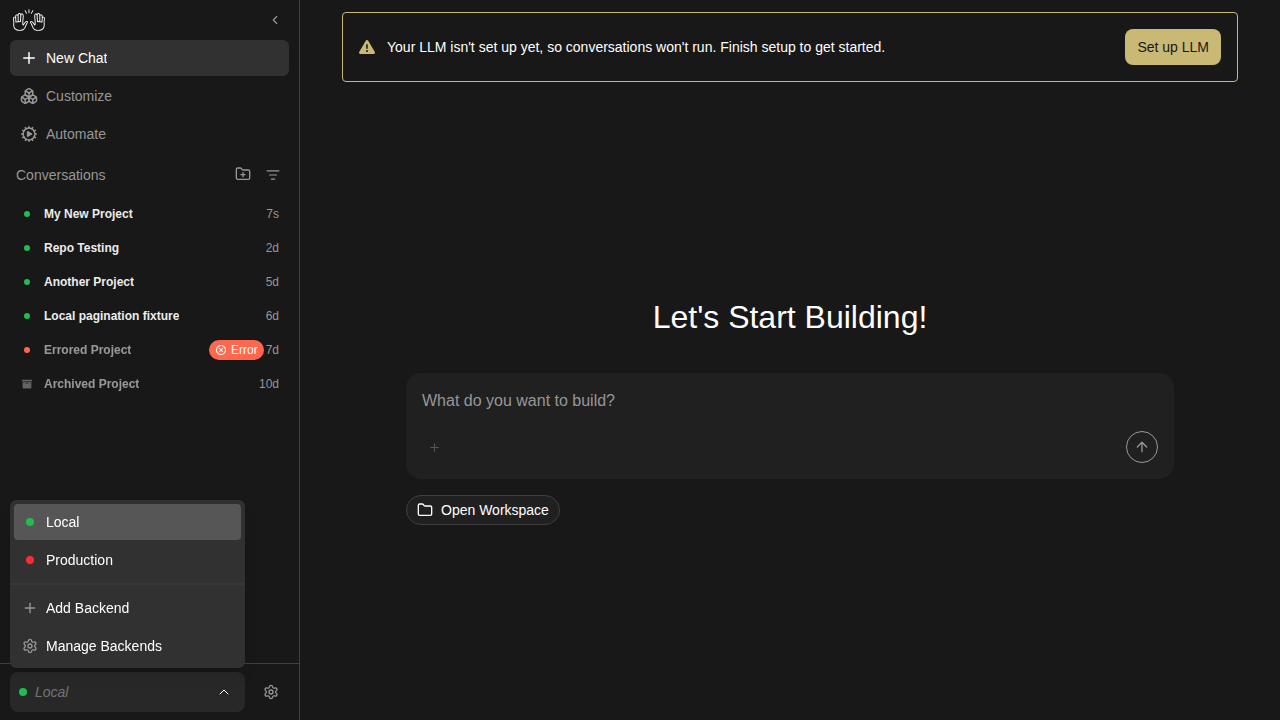
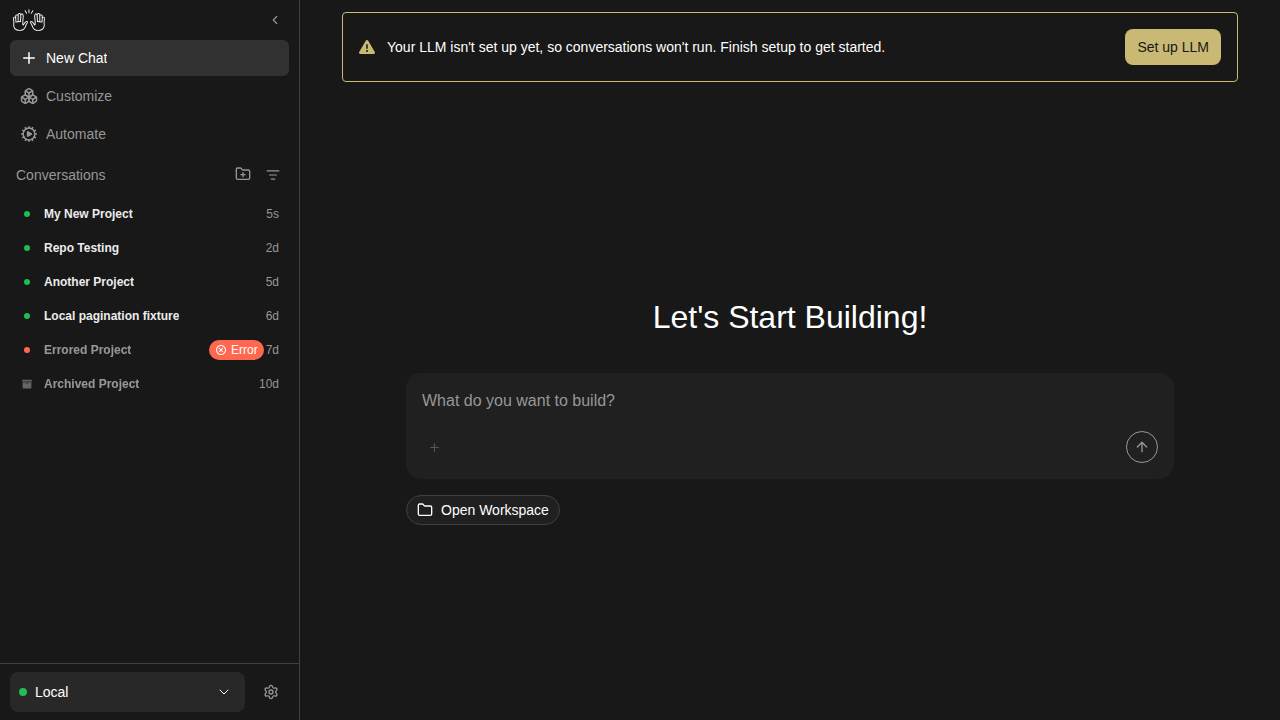
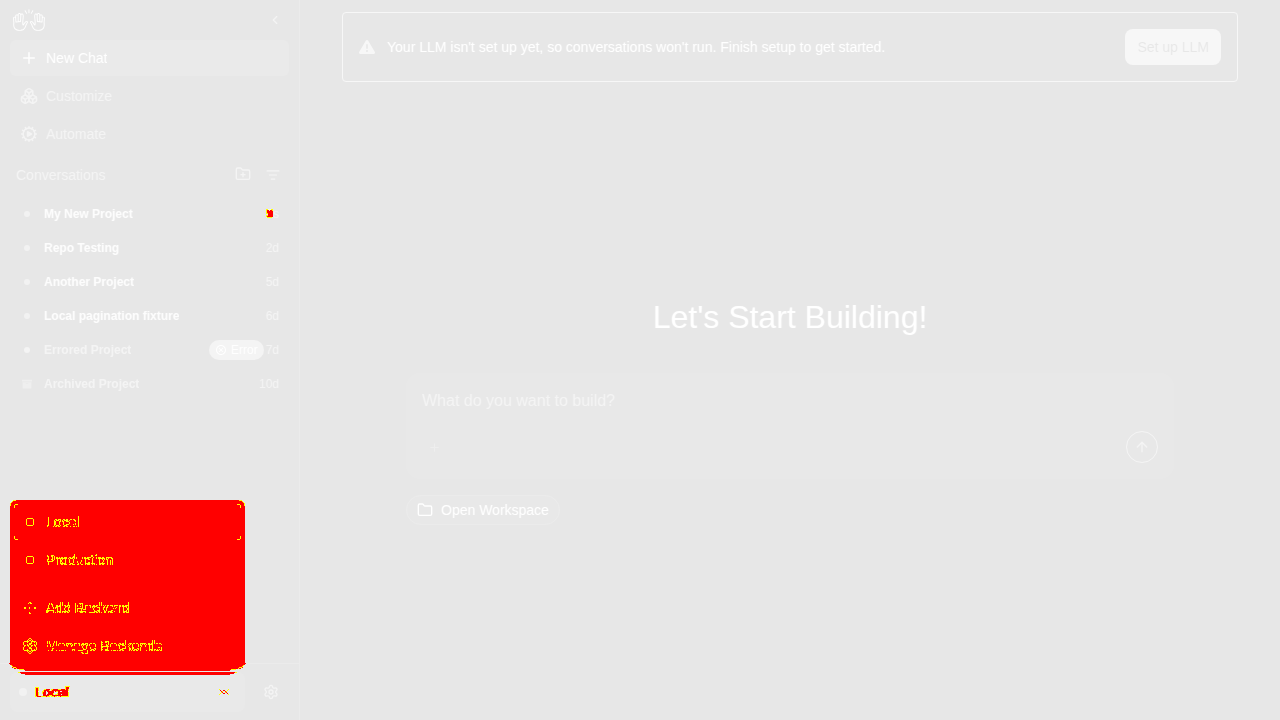
backends-extended

backend-dropdown-two-backends

Expected (main) Actual (PR) Diff
expected actual diff

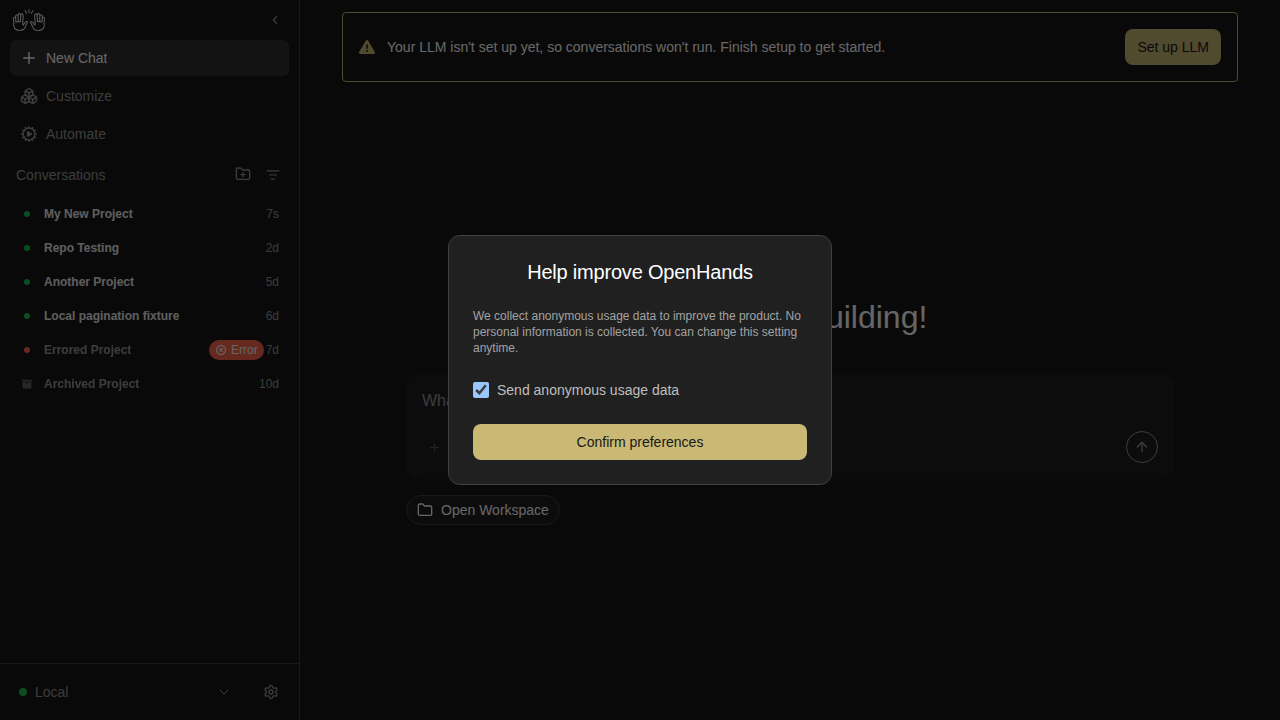
settings-page — 2 snapshots

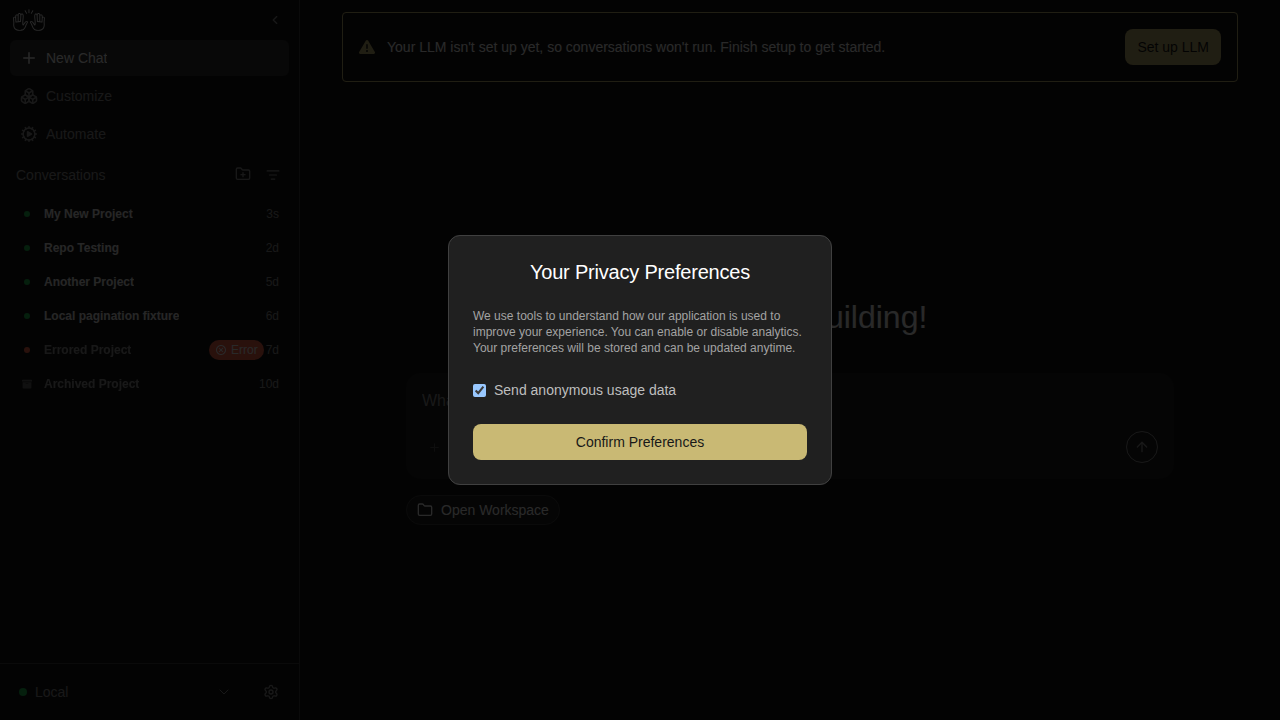
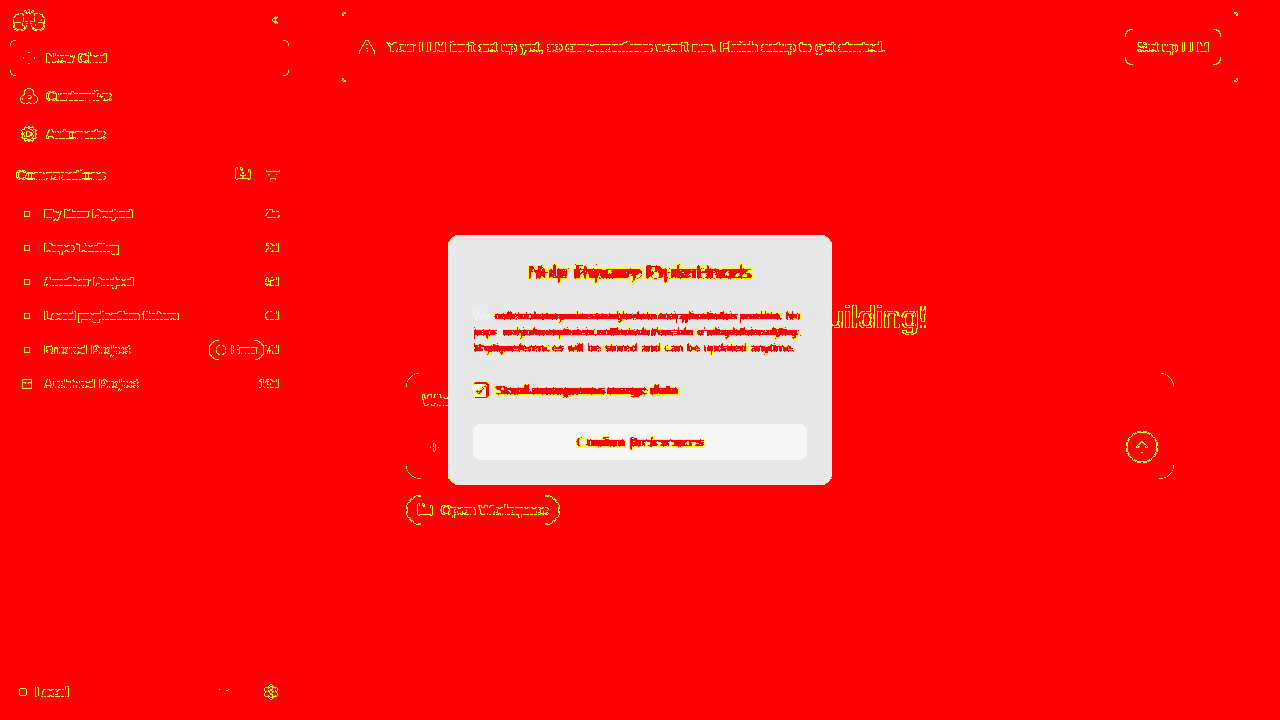
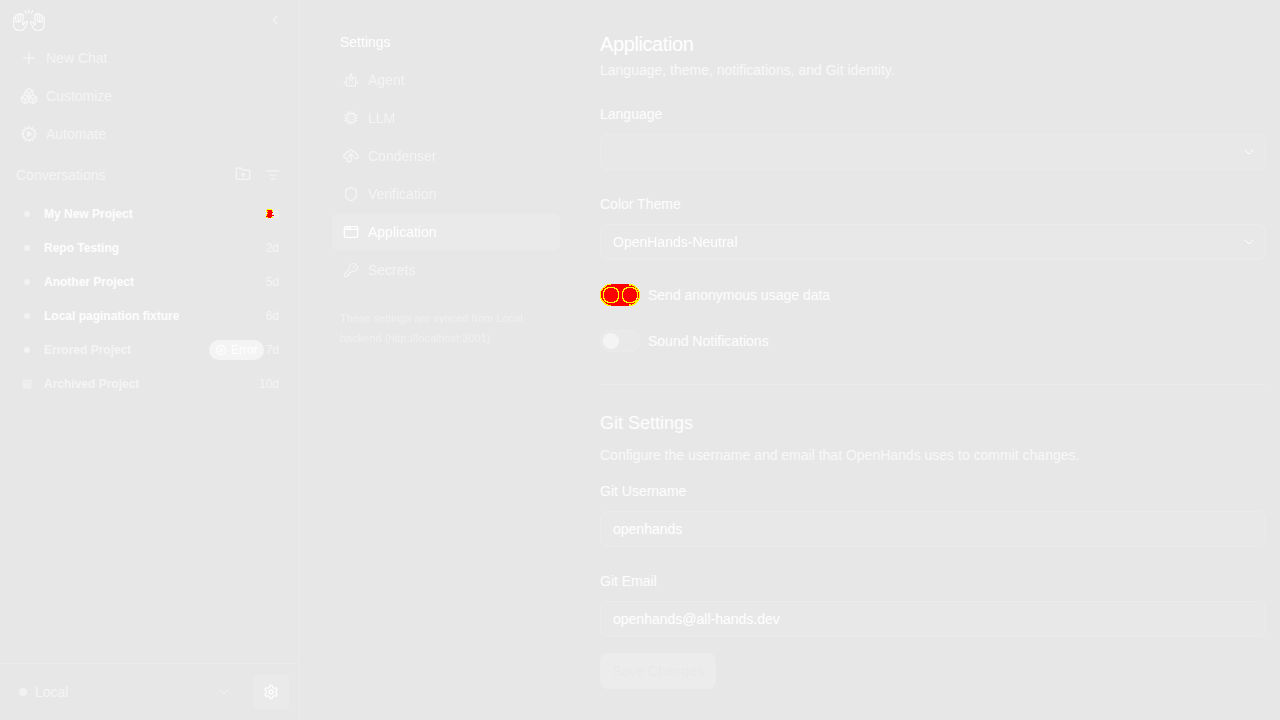
analytics-consent-modal

Expected (main) Actual (PR) Diff
expected actual diff

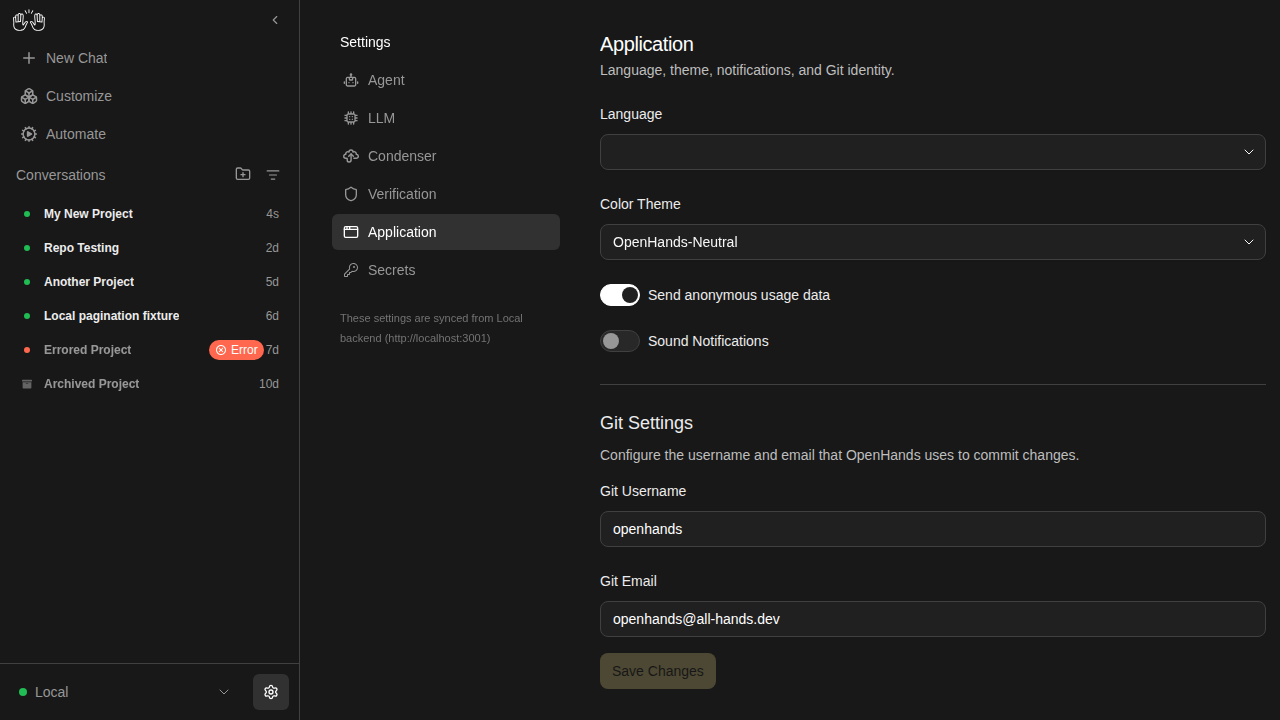
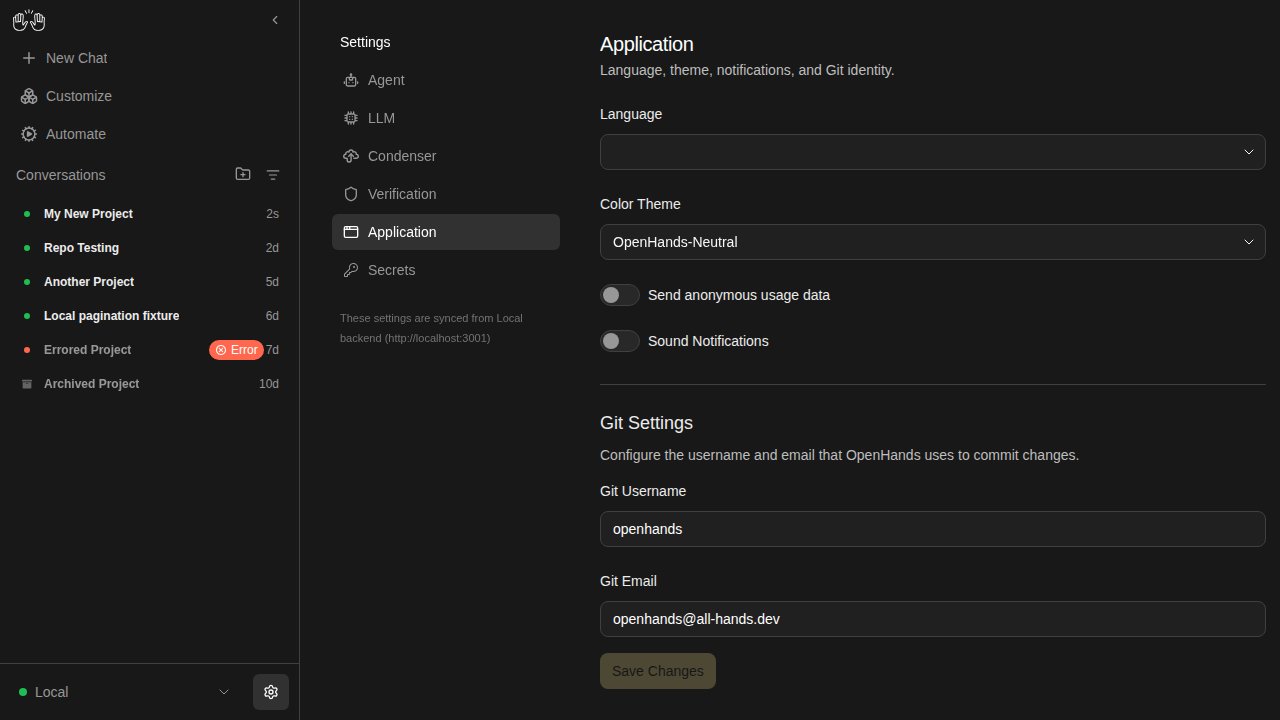
settings-app-page

Expected (main) Actual (PR) Diff
expected actual diff
✅ Unchanged snapshots (71)

archived-conversation

  • conversation-panel-with-archived-badges
  • conversation-view-archived
  • conversation-view-sandbox-error

automations

  • automations-delete-modal
  • automations-list-active-inactive
  • automations-no-automations
  • automations-search-no-results

backends-extended

  • backend-add-blank-disabled
  • backend-add-cloud-advanced-open
  • backend-add-cloud-no-key-disabled
  • backend-add-cloud-with-key-enabled
  • backend-add-form-partially-filled
  • backend-add-invalid-url-disabled
  • backend-add-local-ready
  • backend-add-name-only-disabled
  • backend-add-two-column-layout
  • backend-add-whitespace-host-disabled
  • backend-after-switch
  • backend-cancel-nothing-saved
  • backend-edit-prefilled
  • backend-manage-after-removal
  • backend-manage-two-listed
  • backend-remove-cancelled
  • backend-remove-confirmation
  • backend-switch-overlay

backends

  • backend-add-modal
  • backend-manage-modal
  • backend-selector-open

changes-tab

  • changes-deleted-file
  • changes-diff-viewer
  • changes-empty

collapsible-thinking

  • reasoning-content-collapsed
  • reasoning-content-expanded
  • think-action-collapsed
  • think-action-expanded

mcp-page

  • mcp-custom-server-1-editor-open
  • mcp-custom-server-2-url-filled
  • mcp-custom-server-3-all-filled
  • mcp-custom-server-4-installed
  • mcp-custom-server-editor
  • mcp-empty-installed
  • mcp-search-filtered
  • mcp-slack-install-1-marketplace
  • mcp-slack-install-2-modal
  • mcp-slack-install-3-filled
  • mcp-slack-install-4-installed

onboarding

  • onboarding-step-0-check-backend
  • onboarding-step-1-choose-agent
  • onboarding-step-2-setup-llm
  • onboarding-step-3-say-hello

projects-workspace-browser

  • projects-workspace-browser

settings-page

  • add-backend-modal
  • home-screen
  • settings-page

settings-secrets

  • secrets-add-form-filled
  • secrets-add-form
  • secrets-after-save
  • secrets-delete-confirm
  • secrets-list

settings-verification

  • condenser-settings
  • verification-settings-critic-enabled
  • verification-settings-off
  • verification-settings-on

sidebar

  • sidebar-collapsed
  • sidebar-conversation-panel
  • sidebar-filter-menu

skills-page

  • skills-empty
  • skills-loaded
  • skills-no-match
  • skills-search-filtered
  • skills-type-filter

Generated by the Snapshot Tests workflow. This comment was created by an AI agent (OpenHands) on behalf of the repo maintainers.

@github-actions

Copy link
Copy Markdown
Contributor

🔶 Mock-LLM Docker E2E Test Results

48/53 passed · 5 skipped

Commit: dfd9e572 · Workflow run · Test artifacts

Status Test Duration
mock-llm-acp-agent.spec.ts › mock-LLM ACP agent conversation › step 1: configure ACP agent via Settings → Agent UI 13.6s
mock-llm-acp-agent.spec.ts › mock-LLM ACP agent conversation › step 2: reload and verify ACP settings are persisted in UI 5.5s
mock-llm-acp-agent.spec.ts › mock-LLM ACP agent conversation › step 3: start ACP conversation and verify agent reply 6.7s
mock-llm-acp-agent.spec.ts › mock-LLM ACP agent conversation › step 4: resume ACP conversation from sidebar after navigating away 5.7s
mock-llm-auth-modes.spec.ts › auth mode: fresh install with runtime-injected key › reaches the onboarding modal without pre-seeded localStorage 1.3s
mock-llm-auth-modes.spec.ts › auth mode: non-public key rotation › recovers when localStorage has a stale session API key 5.3s
mock-llm-auth-modes.spec.ts › auth mode: public gate › shows the auth screen when no key is configured 1.1s
mock-llm-auth-modes.spec.ts › auth mode: public gate › rejects an incorrect key with an inline error 1.4s
mock-llm-auth-modes.spec.ts › auth mode: public gate › allows access after pasting the correct key 1.6s
mock-llm-auth-modes.spec.ts › auth mode: public gate › skips auth screen for returning user with valid stored key 710ms
mock-llm-auth-modes.spec.ts › auth mode: public gate › re-prompts when the server rotates its key (stale localStorage) 1.4s
mock-llm-automation.spec.ts › mock-LLM automation lifecycle › step 1: setup LLM profile and register automation trajectory 7.0s
mock-llm-automation.spec.ts › mock-LLM automation lifecycle › step 2: create automation and dispatch run via the UI 32.4s
mock-llm-automation.spec.ts › mock-LLM automation lifecycle › step 3: verify automation and run on the automations page 6.2s
mock-llm-conversation.spec.ts › mock-LLM agent-server conversation › step 1: create an LLM profile pointing at the mock LLM server 6.2s
mock-llm-conversation.spec.ts › mock-LLM agent-server conversation › step 2: activate the mock-llm profile and verify settings API 6.5s
mock-llm-conversation.spec.ts › mock-LLM agent-server conversation › step 3: run a conversation with the mock LLM 6.3s
mock-llm-conversation.spec.ts › mock-LLM agent-server conversation › step 4: resume conversation from sidebar after navigating away 5.7s
⏭️ mock-llm-cross-connect.spec.ts › cross-connect: frontend-only → backend-only › frontend-only connects to a separate backend-only instance 200ms
⏭️ mock-llm-cross-connect.spec.ts › cross-connect: frontend-only → multiple backends › connects to two separate backends and switches between them 170ms
mock-llm-files-and-git.spec.ts › files tab, git control bar, and browser tab › step 1: ensure mock LLM profile is configured 195ms
mock-llm-files-and-git.spec.ts › files tab, git control bar, and browser tab › step 2: start conversation and attach workspace metadata 11.3s
mock-llm-files-and-git.spec.ts › files tab, git control bar, and browser tab › step 3: git control bar shows workspace pill and git actions 25.3s
mock-llm-files-and-git.spec.ts › files tab, git control bar, and browser tab › step 4: files tab defaults to diff view for attached workspace 5.9s
mock-llm-files-and-git.spec.ts › files tab, git control bar, and browser tab › step 5: browser tab shows empty state 6.3s
mock-llm-files-and-git.spec.ts › files tab, git control bar, and browser tab › step 6: files tab defaults to file-tree view without attached workspace 7.2s
mock-llm-folder-workspace.spec.ts › mock-LLM folder browser → workspace → conversation › step 1: browse to a folder, add it as a workspace, and launch a conversation with the correct working_dir 7.3s
mock-llm-image-upload.spec.ts › mock-LLM image upload › attaching an image embeds it as base64 in the LLM completion call 13.7s
mock-llm-mcp-github.spec.ts › MCP GitHub server install flow › step 1: GitHub card is visible on the MCP marketplace page 5.5s
mock-llm-mcp-github.spec.ts › MCP GitHub server install flow › step 2: clicking GitHub card opens the install modal with correct fields 5.6s
mock-llm-mcp-github.spec.ts › MCP GitHub server install flow › step 3: full install flow — fill PAT, submit, verify installed 12.6s
mock-llm-mcp-github.spec.ts › MCP GitHub server install flow › step 4: installed GitHub server can be deleted 5.8s
mock-llm-model-switch.spec.ts › mock-LLM /model slash command › step 1: configure LLM, create switch-target profile, register trajectory 12.9s
mock-llm-model-switch.spec.ts › mock-LLM /model slash command › step 2: start conversation, switch profile via /model, verify switch 6.5s
mock-llm-onboarding-happy-path.spec.ts › onboarding happy path › completes the full onboarding flow and launches a conversation 3.3s
mock-llm-onboarding-regressions.spec.ts › onboarding recent regressions › keeps the modal open on backdrop click and Escape 1.3s
mock-llm-onboarding-regressions.spec.ts › onboarding recent regressions › defaults the LLM setup step to OpenAI GPT-5.5 1.6s
⏭️ mock-llm-partial-stack.spec.ts › partial stack: --frontend-only › serves the frontend but returns 503 for backend routes 176ms
mock-llm-partial-stack.spec.ts › partial stack: --backend-only › serves backend APIs but returns 503 for the frontend root 25.2s
⏭️ mock-llm-partial-stack.spec.ts › partial stack: port conflict › fails with a clear error when the ingress port is occupied 0ms
⏭️ mock-llm-partial-stack.spec.ts › partial stack: port conflict › starts successfully on a free port after a conflict 1ms
mock-llm-preset-automation.spec.ts › preset automation → slash command conversation › automation card sends the correct slash command to a conversation 15.8s
mock-llm-preset-automation.spec.ts › preset automation → slash command conversation › direct slash command from home page triggers skill activation 13.2s
mock-llm-profile-management.spec.ts › active profile deletion + reconciliation › active profile is deletable and reconciliation activates another profile 8.4s
mock-llm-profile-management.spec.ts › same-model profile identity › chat header shows the correct profile when two profiles share the same model 14.9s
mock-llm-skills.spec.ts › skill loading: project, user, and deletion › project skill in workspace/.agents/skills/ triggers on matching keyword 13.4s
mock-llm-skills.spec.ts › skill loading: project, user, and deletion › user skill in ~/.openhands/skills/ triggers on matching keyword 13.2s
mock-llm-skills.spec.ts › skill loading: project, user, and deletion › deleting a user skill removes it from subsequent conversations 13.2s
mock-llm-ui-regressions.spec.ts › UI regressions › scopes standalone styles to the agent-server-ui shell 1.2s
mock-llm-ui-regressions.spec.ts › UI regressions › renders critic results on agent messages and finish actions 1.4s
mock-llm-ui-regressions.spec.ts › UI regressions › loads older events when scrolling up 1.6s
mock-llm-ui-regressions.spec.ts › UI regressions › selected workspace persists after navigating away and returning 2.0s
mock-llm-ui-regressions.spec.ts › UI regressions › cleared sessionStorage yields empty workspace selection 925ms

Posted by the Mock-LLM E2E workflow · results are deterministic (scripted LLM responses)

@github-actions

Copy link
Copy Markdown
Contributor

⚠️ Mock-LLM Docker E2E Test Results

0/0 passed

Commit: 03b62138 · Workflow run

Status Test Duration

Posted by the Mock-LLM E2E workflow · results are deterministic (scripted LLM responses)

@github-actions

Copy link
Copy Markdown
Contributor

🛑 Mock-LLM E2E Tests

18/18 passed · ⚠️ 35 not run (process killed at 18/53)

Commit: 03b62138 · Workflow run · Test artifacts

Status Test Duration
chromium › mock-llm-acp-agent.spec.ts › mock-LLM ACP agent conversation › step 1: configure ACP agent via Settings → Agent UI 13.7s
chromium › mock-llm-acp-agent.spec.ts › mock-LLM ACP agent conversation › step 2: reload and verify ACP settings are persisted in UI 5.5s
chromium › mock-llm-acp-agent.spec.ts › mock-LLM ACP agent conversation › step 3: start ACP conversation and verify agent reply 6.3s
chromium › mock-llm-acp-agent.spec.ts › mock-LLM ACP agent conversation › step 4: resume ACP conversation from sidebar after navigating away 5.8s
chromium › mock-llm-auth-modes.spec.ts › auth mode: fresh install with runtime-injected key › reaches the onboarding modal without pre-seeded localStorage 1.3s
chromium › mock-llm-auth-modes.spec.ts › auth mode: non-public key rotation › recovers when localStorage has a stale session API key 5.3s
chromium › mock-llm-auth-modes.spec.ts › auth mode: public gate › shows the auth screen when no key is configured 1.1s
chromium › mock-llm-auth-modes.spec.ts › auth mode: public gate › rejects an incorrect key with an inline error 1.4s
chromium › mock-llm-auth-modes.spec.ts › auth mode: public gate › allows access after pasting the correct key 1.7s
chromium › mock-llm-auth-modes.spec.ts › auth mode: public gate › skips auth screen for returning user with valid stored key 755ms
chromium › mock-llm-auth-modes.spec.ts › auth mode: public gate › re-prompts when the server rotates its key (stale localStorage) 1.4s
chromium › mock-llm-automation.spec.ts › mock-LLM automation lifecycle › step 1: setup LLM profile and register automation trajectory 7.1s
chromium › mock-llm-automation.spec.ts › mock-LLM automation lifecycle › step 2: create automation and dispatch run via the UI 30.3s
chromium › mock-llm-automation.spec.ts › mock-LLM automation lifecycle › step 3: verify automation and run on the automations page 6.1s
chromium › mock-llm-conversation.spec.ts › mock-LLM agent-server conversation › step 1: create an LLM profile pointing at the mock LLM server 6.2s
chromium › mock-llm-conversation.spec.ts › mock-LLM agent-server conversation › step 2: activate the mock-llm profile and verify settings API 7.7s
chromium › mock-llm-conversation.spec.ts › mock-LLM agent-server conversation › step 3: run a conversation with the mock LLM 7.3s
chromium › mock-llm-conversation.spec.ts › mock-LLM agent-server conversation › step 4: resume conversation from sidebar after navigating away 5.7s

Posted by the Mock-LLM E2E workflow · results are deterministic (scripted LLM responses)

@github-actions

Copy link
Copy Markdown
Contributor

✅ Mock-LLM E2E Tests

53/53 passed

Commit: 139ae6d3 · Workflow run · Test artifacts

Status Test Duration
mock-llm-acp-agent.spec.ts › mock-LLM ACP agent conversation › step 1: configure ACP agent via Settings → Agent UI 13.7s
mock-llm-acp-agent.spec.ts › mock-LLM ACP agent conversation › step 2: reload and verify ACP settings are persisted in UI 5.5s
mock-llm-acp-agent.spec.ts › mock-LLM ACP agent conversation › step 3: start ACP conversation and verify agent reply 6.7s
mock-llm-acp-agent.spec.ts › mock-LLM ACP agent conversation › step 4: resume ACP conversation from sidebar after navigating away 5.8s
mock-llm-auth-modes.spec.ts › auth mode: fresh install with runtime-injected key › reaches the onboarding modal without pre-seeded localStorage 1.3s
mock-llm-auth-modes.spec.ts › auth mode: non-public key rotation › recovers when localStorage has a stale session API key 5.3s
mock-llm-auth-modes.spec.ts › auth mode: public gate › shows the auth screen when no key is configured 1.4s
mock-llm-auth-modes.spec.ts › auth mode: public gate › rejects an incorrect key with an inline error 1.4s
mock-llm-auth-modes.spec.ts › auth mode: public gate › allows access after pasting the correct key 1.6s
mock-llm-auth-modes.spec.ts › auth mode: public gate › skips auth screen for returning user with valid stored key 711ms
mock-llm-auth-modes.spec.ts › auth mode: public gate › re-prompts when the server rotates its key (stale localStorage) 1.5s
mock-llm-automation.spec.ts › mock-LLM automation lifecycle › step 1: setup LLM profile and register automation trajectory 7.0s
mock-llm-automation.spec.ts › mock-LLM automation lifecycle › step 2: create automation and dispatch run via the UI 30.4s
mock-llm-automation.spec.ts › mock-LLM automation lifecycle › step 3: verify automation and run on the automations page 6.1s
mock-llm-conversation.spec.ts › mock-LLM agent-server conversation › step 1: create an LLM profile pointing at the mock LLM server 6.1s
mock-llm-conversation.spec.ts › mock-LLM agent-server conversation › step 2: activate the mock-llm profile and verify settings API 6.1s
mock-llm-conversation.spec.ts › mock-LLM agent-server conversation › step 3: run a conversation with the mock LLM 6.4s
mock-llm-conversation.spec.ts › mock-LLM agent-server conversation › step 4: resume conversation from sidebar after navigating away 5.7s
mock-llm-cross-connect.spec.ts › cross-connect: frontend-only → backend-only › frontend-only connects to a separate backend-only instance 15.8s
mock-llm-cross-connect.spec.ts › cross-connect: frontend-only → multiple backends › connects to two separate backends and switches between them 19.8s
mock-llm-files-and-git.spec.ts › files tab, git control bar, and browser tab › step 1: ensure mock LLM profile is configured 220ms
mock-llm-files-and-git.spec.ts › files tab, git control bar, and browser tab › step 2: start conversation and attach workspace metadata 11.6s
mock-llm-files-and-git.spec.ts › files tab, git control bar, and browser tab › step 3: git control bar shows workspace pill and git actions 25.3s
mock-llm-files-and-git.spec.ts › files tab, git control bar, and browser tab › step 4: files tab defaults to diff view for attached workspace 5.8s
mock-llm-files-and-git.spec.ts › files tab, git control bar, and browser tab › step 5: browser tab shows empty state 6.3s
mock-llm-files-and-git.spec.ts › files tab, git control bar, and browser tab › step 6: files tab defaults to file-tree view without attached workspace 7.4s
mock-llm-folder-workspace.spec.ts › mock-LLM folder browser → workspace → conversation › step 1: browse to a folder, add it as a workspace, and launch a conversation with the correct working_dir 9.3s
mock-llm-image-upload.spec.ts › mock-LLM image upload › attaching an image embeds it as base64 in the LLM completion call 14.5s
mock-llm-mcp-github.spec.ts › MCP GitHub server install flow › step 1: GitHub card is visible on the MCP marketplace page 5.6s
mock-llm-mcp-github.spec.ts › MCP GitHub server install flow › step 2: clicking GitHub card opens the install modal with correct fields 5.7s
mock-llm-mcp-github.spec.ts › MCP GitHub server install flow › step 3: full install flow — fill PAT, submit, verify installed 12.9s
mock-llm-mcp-github.spec.ts › MCP GitHub server install flow › step 4: installed GitHub server can be deleted 5.8s
mock-llm-model-switch.spec.ts › mock-LLM /model slash command › step 1: configure LLM, create switch-target profile, register trajectory 12.9s
mock-llm-model-switch.spec.ts › mock-LLM /model slash command › step 2: start conversation, switch profile via /model, verify switch 9.5s
mock-llm-onboarding-happy-path.spec.ts › onboarding happy path › completes the full onboarding flow and launches a conversation 3.6s
mock-llm-onboarding-regressions.spec.ts › onboarding recent regressions › keeps the modal open on backdrop click and Escape 1.3s
mock-llm-onboarding-regressions.spec.ts › onboarding recent regressions › defaults the LLM setup step to OpenAI GPT-5.5 1.5s
mock-llm-partial-stack.spec.ts › partial stack: --frontend-only › serves the frontend but returns 503 for backend routes 7.4s
mock-llm-partial-stack.spec.ts › partial stack: --backend-only › serves backend APIs but returns 503 for the frontend root 13.1s
mock-llm-partial-stack.spec.ts › partial stack: port conflict › fails with a clear error when the ingress port is occupied 100ms
mock-llm-partial-stack.spec.ts › partial stack: port conflict › starts successfully on a free port after a conflict 6.0s
mock-llm-preset-automation.spec.ts › preset automation → slash command conversation › automation card sends the correct slash command to a conversation 16.3s
mock-llm-preset-automation.spec.ts › preset automation → slash command conversation › direct slash command from home page triggers skill activation 13.3s
mock-llm-profile-management.spec.ts › active profile deletion + reconciliation › active profile is deletable and reconciliation activates another profile 10.1s
mock-llm-profile-management.spec.ts › same-model profile identity › chat header shows the correct profile when two profiles share the same model 14.7s
mock-llm-skills.spec.ts › skill loading: project, user, and deletion › project skill in workspace/.agents/skills/ triggers on matching keyword 13.5s
mock-llm-skills.spec.ts › skill loading: project, user, and deletion › user skill in ~/.openhands/skills/ triggers on matching keyword 13.3s
mock-llm-skills.spec.ts › skill loading: project, user, and deletion › deleting a user skill removes it from subsequent conversations 14.0s
mock-llm-ui-regressions.spec.ts › UI regressions › scopes standalone styles to the agent-server-ui shell 940ms
mock-llm-ui-regressions.spec.ts › UI regressions › renders critic results on agent messages and finish actions 1.5s
mock-llm-ui-regressions.spec.ts › UI regressions › loads older events when scrolling up 1.9s
mock-llm-ui-regressions.spec.ts › UI regressions › selected workspace persists after navigating away and returning 2.3s
mock-llm-ui-regressions.spec.ts › UI regressions › cleared sessionStorage yields empty workspace selection 893ms

Posted by the Mock-LLM E2E workflow · results are deterministic (scripted LLM responses)

@github-actions

Copy link
Copy Markdown
Contributor

🛑 Mock-LLM Docker E2E Test Results

38/43 passed · 5 skipped · ⚠️ 10 not run (process killed at 43/53)

Commit: 139ae6d3 · Workflow run · Test artifacts

Status Test Duration
chromium › mock-llm-acp-agent.spec.ts › mock-LLM ACP agent conversation › step 1: configure ACP agent via Settings → Agent UI 14.8s
chromium › mock-llm-acp-agent.spec.ts › mock-LLM ACP agent conversation › step 2: reload and verify ACP settings are persisted in UI 5.6s
chromium › mock-llm-acp-agent.spec.ts › mock-LLM ACP agent conversation › step 3: start ACP conversation and verify agent reply 6.8s
chromium › mock-llm-acp-agent.spec.ts › mock-LLM ACP agent conversation › step 4: resume ACP conversation from sidebar after navigating away 5.8s
chromium › mock-llm-auth-modes.spec.ts › auth mode: fresh install with runtime-injected key › reaches the onboarding modal without pre-seeded localStorage 1.3s
chromium › mock-llm-auth-modes.spec.ts › auth mode: non-public key rotation › recovers when localStorage has a stale session API key 7.5s
chromium › mock-llm-auth-modes.spec.ts › auth mode: public gate › shows the auth screen when no key is configured 1.2s
chromium › mock-llm-auth-modes.spec.ts › auth mode: public gate › rejects an incorrect key with an inline error 1.3s
chromium › mock-llm-auth-modes.spec.ts › auth mode: public gate › allows access after pasting the correct key 1.8s
chromium › mock-llm-auth-modes.spec.ts › auth mode: public gate › skips auth screen for returning user with valid stored key 777ms
chromium › mock-llm-auth-modes.spec.ts › auth mode: public gate › re-prompts when the server rotates its key (stale localStorage) 1.5s
chromium › mock-llm-automation.spec.ts › mock-LLM automation lifecycle › step 1: setup LLM profile and register automation trajectory 7.2s
chromium › mock-llm-automation.spec.ts › mock-LLM automation lifecycle › step 2: create automation and dispatch run via the UI 39.4s
chromium › mock-llm-automation.spec.ts › mock-LLM automation lifecycle › step 3: verify automation and run on the automations page 6.2s
chromium › mock-llm-conversation.spec.ts › mock-LLM agent-server conversation › step 1: create an LLM profile pointing at the mock LLM server 6.3s
chromium › mock-llm-conversation.spec.ts › mock-LLM agent-server conversation › step 2: activate the mock-llm profile and verify settings API 6.6s
chromium › mock-llm-conversation.spec.ts › mock-LLM agent-server conversation › step 3: run a conversation with the mock LLM 6.3s
chromium › mock-llm-conversation.spec.ts › mock-LLM agent-server conversation › step 4: resume conversation from sidebar after navigating away 5.7s
⏭️ chromium › mock-llm-cross-connect.spec.ts › cross-connect: frontend-only → backend-only › frontend-only connects to a separate backend-only instance 175ms
⏭️ chromium › mock-llm-cross-connect.spec.ts › cross-connect: frontend-only → multiple backends › connects to two separate backends and switches between them 191ms
chromium › mock-llm-files-and-git.spec.ts › files tab, git control bar, and browser tab › step 1: ensure mock LLM profile is configured 191ms
chromium › mock-llm-files-and-git.spec.ts › files tab, git control bar, and browser tab › step 2: start conversation and attach workspace metadata 11.5s
chromium › mock-llm-files-and-git.spec.ts › files tab, git control bar, and browser tab › step 3: git control bar shows workspace pill and git actions 25.3s
chromium › mock-llm-files-and-git.spec.ts › files tab, git control bar, and browser tab › step 4: files tab defaults to diff view for attached workspace 5.9s
chromium › mock-llm-files-and-git.spec.ts › files tab, git control bar, and browser tab › step 5: browser tab shows empty state 6.3s
chromium › mock-llm-files-and-git.spec.ts › files tab, git control bar, and browser tab › step 6: files tab defaults to file-tree view without attached workspace 7.3s
chromium › mock-llm-folder-workspace.spec.ts › mock-LLM folder browser → workspace → conversation › step 1: browse to a folder, add it as a workspace, and launch a conversation with the correct working_dir 7.3s
chromium › mock-llm-image-upload.spec.ts › mock-LLM image upload › attaching an image embeds it as base64 in the LLM completion call 13.5s
chromium › mock-llm-mcp-github.spec.ts › MCP GitHub server install flow › step 1: GitHub card is visible on the MCP marketplace page 5.6s
chromium › mock-llm-mcp-github.spec.ts › MCP GitHub server install flow › step 2: clicking GitHub card opens the install modal with correct fields 5.8s
chromium › mock-llm-mcp-github.spec.ts › MCP GitHub server install flow › step 3: full install flow — fill PAT, submit, verify installed 13.0s
chromium › mock-llm-mcp-github.spec.ts › MCP GitHub server install flow › step 4: installed GitHub server can be deleted 5.9s
chromium › mock-llm-model-switch.spec.ts › mock-LLM /model slash command › step 1: configure LLM, create switch-target profile, register trajectory 13.2s
chromium › mock-llm-model-switch.spec.ts › mock-LLM /model slash command › step 2: start conversation, switch profile via /model, verify switch 6.6s
chromium › mock-llm-onboarding-happy-path.spec.ts › onboarding happy path › completes the full onboarding flow and launches a conversation 3.4s
chromium › mock-llm-onboarding-regressions.spec.ts › onboarding recent regressions › keeps the modal open on backdrop click and Escape 1.4s
chromium › mock-llm-onboarding-regressions.spec.ts › onboarding recent regressions › defaults the LLM setup step to OpenAI GPT-5.5 1.6s
⏭️ chromium › mock-llm-partial-stack.spec.ts › partial stack: --frontend-only › serves the frontend but returns 503 for backend routes 185ms
chromium › mock-llm-partial-stack.spec.ts › partial stack: --backend-only › serves backend APIs but returns 503 for the frontend root 26.1s
⏭️ chromium › mock-llm-partial-stack.spec.ts › partial stack: port conflict › fails with a clear error when the ingress port is occupied 0ms
⏭️ chromium › mock-llm-partial-stack.spec.ts › partial stack: port conflict › starts successfully on a free port after a conflict 2ms
chromium › mock-llm-preset-automation.spec.ts › preset automation → slash command conversation › automation card sends the correct slash command to a conversation 16.2s
chromium › mock-llm-preset-automation.spec.ts › preset automation → slash command conversation › direct slash command from home page triggers skill activation 13.3s

Posted by the Mock-LLM E2E workflow · results are deterministic (scripted LLM responses)

@neubig neubig requested a review from all-hands-bot June 12, 2026 20:30

Copy link
Copy Markdown
Contributor

🔍 Review in progress…

We are performing the review through OpenHands Cloud Automation. You can log in and view the conversation here.

@github-actions

Copy link
Copy Markdown
Contributor

✅ Mock-LLM E2E Tests

53/53 passed

Commit: aa97fedf · Workflow run · Test artifacts

Status Test Duration
mock-llm-acp-agent.spec.ts › mock-LLM ACP agent conversation › step 1: configure ACP agent via Settings → Agent UI 13.8s
mock-llm-acp-agent.spec.ts › mock-LLM ACP agent conversation › step 2: reload and verify ACP settings are persisted in UI 5.4s
mock-llm-acp-agent.spec.ts › mock-LLM ACP agent conversation › step 3: start ACP conversation and verify agent reply 5.9s
mock-llm-acp-agent.spec.ts › mock-LLM ACP agent conversation › step 4: resume ACP conversation from sidebar after navigating away 5.5s
mock-llm-auth-modes.spec.ts › auth mode: fresh install with runtime-injected key › reaches the onboarding modal without pre-seeded localStorage 804ms
mock-llm-auth-modes.spec.ts › auth mode: non-public key rotation › recovers when localStorage has a stale session API key 5.3s
mock-llm-auth-modes.spec.ts › auth mode: public gate › shows the auth screen when no key is configured 1.1s
mock-llm-auth-modes.spec.ts › auth mode: public gate › rejects an incorrect key with an inline error 1.3s
mock-llm-auth-modes.spec.ts › auth mode: public gate › allows access after pasting the correct key 1.5s
mock-llm-auth-modes.spec.ts › auth mode: public gate › skips auth screen for returning user with valid stored key 630ms
mock-llm-auth-modes.spec.ts › auth mode: public gate › re-prompts when the server rotates its key (stale localStorage) 1.3s
mock-llm-automation.spec.ts › mock-LLM automation lifecycle › step 1: setup LLM profile and register automation trajectory 6.6s
mock-llm-automation.spec.ts › mock-LLM automation lifecycle › step 2: create automation and dispatch run via the UI 31.2s
mock-llm-automation.spec.ts › mock-LLM automation lifecycle › step 3: verify automation and run on the automations page 5.9s
mock-llm-conversation.spec.ts › mock-LLM agent-server conversation › step 1: create an LLM profile pointing at the mock LLM server 6.0s
mock-llm-conversation.spec.ts › mock-LLM agent-server conversation › step 2: activate the mock-llm profile and verify settings API 5.9s
mock-llm-conversation.spec.ts › mock-LLM agent-server conversation › step 3: run a conversation with the mock LLM 6.2s
mock-llm-conversation.spec.ts › mock-LLM agent-server conversation › step 4: resume conversation from sidebar after navigating away 5.5s
mock-llm-cross-connect.spec.ts › cross-connect: frontend-only → backend-only › frontend-only connects to a separate backend-only instance 13.5s
mock-llm-cross-connect.spec.ts › cross-connect: frontend-only → multiple backends › connects to two separate backends and switches between them 18.0s
mock-llm-files-and-git.spec.ts › files tab, git control bar, and browser tab › step 1: ensure mock LLM profile is configured 130ms
mock-llm-files-and-git.spec.ts › files tab, git control bar, and browser tab › step 2: start conversation and attach workspace metadata 11.3s
mock-llm-files-and-git.spec.ts › files tab, git control bar, and browser tab › step 3: git control bar shows workspace pill and git actions 25.3s
mock-llm-files-and-git.spec.ts › files tab, git control bar, and browser tab › step 4: files tab defaults to diff view for attached workspace 5.7s
mock-llm-files-and-git.spec.ts › files tab, git control bar, and browser tab › step 5: browser tab shows empty state 6.2s
mock-llm-files-and-git.spec.ts › files tab, git control bar, and browser tab › step 6: files tab defaults to file-tree view without attached workspace 7.1s
mock-llm-folder-workspace.spec.ts › mock-LLM folder browser → workspace → conversation › step 1: browse to a folder, add it as a workspace, and launch a conversation with the correct working_dir 7.5s
mock-llm-image-upload.spec.ts › mock-LLM image upload › attaching an image embeds it as base64 in the LLM completion call 12.7s
mock-llm-mcp-github.spec.ts › MCP GitHub server install flow › step 1: GitHub card is visible on the MCP marketplace page 5.4s
mock-llm-mcp-github.spec.ts › MCP GitHub server install flow › step 2: clicking GitHub card opens the install modal with correct fields 5.5s
mock-llm-mcp-github.spec.ts › MCP GitHub server install flow › step 3: full install flow — fill PAT, submit, verify installed 12.3s
mock-llm-mcp-github.spec.ts › MCP GitHub server install flow › step 4: installed GitHub server can be deleted 5.6s
mock-llm-model-switch.spec.ts › mock-LLM /model slash command › step 1: configure LLM, create switch-target profile, register trajectory 12.4s
mock-llm-model-switch.spec.ts › mock-LLM /model slash command › step 2: start conversation, switch profile via /model, verify switch 6.5s
mock-llm-onboarding-happy-path.spec.ts › onboarding happy path › completes the full onboarding flow and launches a conversation 2.9s
mock-llm-onboarding-regressions.spec.ts › onboarding recent regressions › keeps the modal open on backdrop click and Escape 1.3s
mock-llm-onboarding-regressions.spec.ts › onboarding recent regressions › defaults the LLM setup step to OpenAI GPT-5.5 1.5s
mock-llm-partial-stack.spec.ts › partial stack: --frontend-only › serves the frontend but returns 503 for backend routes 7.2s
mock-llm-partial-stack.spec.ts › partial stack: --backend-only › serves backend APIs but returns 503 for the frontend root 10.1s
mock-llm-partial-stack.spec.ts › partial stack: port conflict › fails with a clear error when the ingress port is occupied 72ms
mock-llm-partial-stack.spec.ts › partial stack: port conflict › starts successfully on a free port after a conflict 6.0s
mock-llm-preset-automation.spec.ts › preset automation → slash command conversation › automation card sends the correct slash command to a conversation 15.4s
mock-llm-preset-automation.spec.ts › preset automation → slash command conversation › direct slash command from home page triggers skill activation 12.8s
mock-llm-profile-management.spec.ts › active profile deletion + reconciliation › active profile is deletable and reconciliation activates another profile 7.8s
mock-llm-profile-management.spec.ts › same-model profile identity › chat header shows the correct profile when two profiles share the same model 14.2s
mock-llm-skills.spec.ts › skill loading: project, user, and deletion › project skill in workspace/.agents/skills/ triggers on matching keyword 12.9s
mock-llm-skills.spec.ts › skill loading: project, user, and deletion › user skill in ~/.openhands/skills/ triggers on matching keyword 12.8s
mock-llm-skills.spec.ts › skill loading: project, user, and deletion › deleting a user skill removes it from subsequent conversations 12.8s
mock-llm-ui-regressions.spec.ts › UI regressions › scopes standalone styles to the agent-server-ui shell 1.2s
mock-llm-ui-regressions.spec.ts › UI regressions › renders critic results on agent messages and finish actions 1.4s
mock-llm-ui-regressions.spec.ts › UI regressions › loads older events when scrolling up 1.4s
mock-llm-ui-regressions.spec.ts › UI regressions › selected workspace persists after navigating away and returning 1.8s
mock-llm-ui-regressions.spec.ts › UI regressions › cleared sessionStorage yields empty workspace selection 822ms

Posted by the Mock-LLM E2E workflow · results are deterministic (scripted LLM responses)

@github-actions

Copy link
Copy Markdown
Contributor

🛑 Mock-LLM Docker E2E Test Results

33/35 passed · 2 skipped · ⚠️ 18 not run (process killed at 35/53)

Commit: aa97fedf · Workflow run · Test artifacts

Status Test Duration
chromium › mock-llm-acp-agent.spec.ts › mock-LLM ACP agent conversation › step 1: configure ACP agent via Settings → Agent UI 14.0s
chromium › mock-llm-acp-agent.spec.ts › mock-LLM ACP agent conversation › step 2: reload and verify ACP settings are persisted in UI 5.6s
chromium › mock-llm-acp-agent.spec.ts › mock-LLM ACP agent conversation › step 3: start ACP conversation and verify agent reply 6.8s
chromium › mock-llm-acp-agent.spec.ts › mock-LLM ACP agent conversation › step 4: resume ACP conversation from sidebar after navigating away 5.8s
chromium › mock-llm-auth-modes.spec.ts › auth mode: fresh install with runtime-injected key › reaches the onboarding modal without pre-seeded localStorage 1.4s
chromium › mock-llm-auth-modes.spec.ts › auth mode: non-public key rotation › recovers when localStorage has a stale session API key 5.4s
chromium › mock-llm-auth-modes.spec.ts › auth mode: public gate › shows the auth screen when no key is configured 1.2s
chromium › mock-llm-auth-modes.spec.ts › auth mode: public gate › rejects an incorrect key with an inline error 1.3s
chromium › mock-llm-auth-modes.spec.ts › auth mode: public gate › allows access after pasting the correct key 1.8s
chromium › mock-llm-auth-modes.spec.ts › auth mode: public gate › skips auth screen for returning user with valid stored key 783ms
chromium › mock-llm-auth-modes.spec.ts › auth mode: public gate › re-prompts when the server rotates its key (stale localStorage) 1.5s
chromium › mock-llm-automation.spec.ts › mock-LLM automation lifecycle › step 1: setup LLM profile and register automation trajectory 7.2s
chromium › mock-llm-automation.spec.ts › mock-LLM automation lifecycle › step 2: create automation and dispatch run via the UI 33.5s
chromium › mock-llm-automation.spec.ts › mock-LLM automation lifecycle › step 3: verify automation and run on the automations page 6.1s
chromium › mock-llm-conversation.spec.ts › mock-LLM agent-server conversation › step 1: create an LLM profile pointing at the mock LLM server 6.2s
chromium › mock-llm-conversation.spec.ts › mock-LLM agent-server conversation › step 2: activate the mock-llm profile and verify settings API 7.8s
chromium › mock-llm-conversation.spec.ts › mock-LLM agent-server conversation › step 3: run a conversation with the mock LLM 6.3s
chromium › mock-llm-conversation.spec.ts › mock-LLM agent-server conversation › step 4: resume conversation from sidebar after navigating away 5.9s
⏭️ chromium › mock-llm-cross-connect.spec.ts › cross-connect: frontend-only → backend-only › frontend-only connects to a separate backend-only instance 200ms
⏭️ chromium › mock-llm-cross-connect.spec.ts › cross-connect: frontend-only → multiple backends › connects to two separate backends and switches between them 182ms
chromium › mock-llm-files-and-git.spec.ts › files tab, git control bar, and browser tab › step 1: ensure mock LLM profile is configured 189ms
chromium › mock-llm-files-and-git.spec.ts › files tab, git control bar, and browser tab › step 2: start conversation and attach workspace metadata 11.4s
chromium › mock-llm-files-and-git.spec.ts › files tab, git control bar, and browser tab › step 3: git control bar shows workspace pill and git actions 25.3s
chromium › mock-llm-files-and-git.spec.ts › files tab, git control bar, and browser tab › step 4: files tab defaults to diff view for attached workspace 5.9s
chromium › mock-llm-files-and-git.spec.ts › files tab, git control bar, and browser tab › step 5: browser tab shows empty state 6.3s
chromium › mock-llm-files-and-git.spec.ts › files tab, git control bar, and browser tab › step 6: files tab defaults to file-tree view without attached workspace 7.3s
chromium › mock-llm-folder-workspace.spec.ts › mock-LLM folder browser → workspace → conversation › step 1: browse to a folder, add it as a workspace, and launch a conversation with the correct working_dir 7.4s
chromium › mock-llm-image-upload.spec.ts › mock-LLM image upload › attaching an image embeds it as base64 in the LLM completion call 13.5s
chromium › mock-llm-mcp-github.spec.ts › MCP GitHub server install flow › step 1: GitHub card is visible on the MCP marketplace page 5.6s
chromium › mock-llm-mcp-github.spec.ts › MCP GitHub server install flow › step 2: clicking GitHub card opens the install modal with correct fields 5.8s
chromium › mock-llm-mcp-github.spec.ts › MCP GitHub server install flow › step 3: full install flow — fill PAT, submit, verify installed 12.8s
chromium › mock-llm-mcp-github.spec.ts › MCP GitHub server install flow › step 4: installed GitHub server can be deleted 5.9s
chromium › mock-llm-model-switch.spec.ts › mock-LLM /model slash command › step 1: configure LLM, create switch-target profile, register trajectory 13.3s
chromium › mock-llm-model-switch.spec.ts › mock-LLM /model slash command › step 2: start conversation, switch profile via /model, verify switch 6.7s
chromium › mock-llm-onboarding-happy-path.spec.ts › onboarding happy path › completes the full onboarding flow and launches a conversation 3.9s

Posted by the Mock-LLM E2E workflow · results are deterministic (scripted LLM responses)

@neubig

neubig commented Jun 12, 2026

Copy link
Copy Markdown
Member Author

Addressed the AI review issue in b2ae57b by replacing the nested Typography.Text shortcut marker with a native span so aria-hidden is applied to the DOM. Local validation: npm run typecheck; npx vitest run __tests__/components/features/chat/plan-preview.test.tsx.

@github-actions

Copy link
Copy Markdown
Contributor

✅ Mock-LLM E2E Tests

53/53 passed

Commit: b2ae57b8 · Workflow run · Test artifacts

Status Test Duration
mock-llm-acp-agent.spec.ts › mock-LLM ACP agent conversation › step 1: configure ACP agent via Settings → Agent UI 13.9s
mock-llm-acp-agent.spec.ts › mock-LLM ACP agent conversation › step 2: reload and verify ACP settings are persisted in UI 5.6s
mock-llm-acp-agent.spec.ts › mock-LLM ACP agent conversation › step 3: start ACP conversation and verify agent reply 6.3s
mock-llm-acp-agent.spec.ts › mock-LLM ACP agent conversation › step 4: resume ACP conversation from sidebar after navigating away 5.7s
mock-llm-auth-modes.spec.ts › auth mode: fresh install with runtime-injected key › reaches the onboarding modal without pre-seeded localStorage 1.3s
mock-llm-auth-modes.spec.ts › auth mode: non-public key rotation › recovers when localStorage has a stale session API key 5.3s
mock-llm-auth-modes.spec.ts › auth mode: public gate › shows the auth screen when no key is configured 1.2s
mock-llm-auth-modes.spec.ts › auth mode: public gate › rejects an incorrect key with an inline error 1.4s
mock-llm-auth-modes.spec.ts › auth mode: public gate › allows access after pasting the correct key 1.7s
mock-llm-auth-modes.spec.ts › auth mode: public gate › skips auth screen for returning user with valid stored key 810ms
mock-llm-auth-modes.spec.ts › auth mode: public gate › re-prompts when the server rotates its key (stale localStorage) 1.5s
mock-llm-automation.spec.ts › mock-LLM automation lifecycle › step 1: setup LLM profile and register automation trajectory 7.2s
mock-llm-automation.spec.ts › mock-LLM automation lifecycle › step 2: create automation and dispatch run via the UI 30.6s
mock-llm-automation.spec.ts › mock-LLM automation lifecycle › step 3: verify automation and run on the automations page 6.2s
mock-llm-conversation.spec.ts › mock-LLM agent-server conversation › step 1: create an LLM profile pointing at the mock LLM server 6.2s
mock-llm-conversation.spec.ts › mock-LLM agent-server conversation › step 2: activate the mock-llm profile and verify settings API 6.2s
mock-llm-conversation.spec.ts › mock-LLM agent-server conversation › step 3: run a conversation with the mock LLM 6.6s
mock-llm-conversation.spec.ts › mock-LLM agent-server conversation › step 4: resume conversation from sidebar after navigating away 5.9s
mock-llm-cross-connect.spec.ts › cross-connect: frontend-only → backend-only › frontend-only connects to a separate backend-only instance 15.9s
mock-llm-cross-connect.spec.ts › cross-connect: frontend-only → multiple backends › connects to two separate backends and switches between them 21.6s
mock-llm-files-and-git.spec.ts › files tab, git control bar, and browser tab › step 1: ensure mock LLM profile is configured 205ms
mock-llm-files-and-git.spec.ts › files tab, git control bar, and browser tab › step 2: start conversation and attach workspace metadata 11.7s
mock-llm-files-and-git.spec.ts › files tab, git control bar, and browser tab › step 3: git control bar shows workspace pill and git actions 25.3s
mock-llm-files-and-git.spec.ts › files tab, git control bar, and browser tab › step 4: files tab defaults to diff view for attached workspace 5.9s
mock-llm-files-and-git.spec.ts › files tab, git control bar, and browser tab › step 5: browser tab shows empty state 6.3s
mock-llm-files-and-git.spec.ts › files tab, git control bar, and browser tab › step 6: files tab defaults to file-tree view without attached workspace 7.5s
mock-llm-folder-workspace.spec.ts › mock-LLM folder browser → workspace → conversation › step 1: browse to a folder, add it as a workspace, and launch a conversation with the correct working_dir 8.7s
mock-llm-image-upload.spec.ts › mock-LLM image upload › attaching an image embeds it as base64 in the LLM completion call 13.5s
mock-llm-mcp-github.spec.ts › MCP GitHub server install flow › step 1: GitHub card is visible on the MCP marketplace page 5.6s
mock-llm-mcp-github.spec.ts › MCP GitHub server install flow › step 2: clicking GitHub card opens the install modal with correct fields 5.8s
mock-llm-mcp-github.spec.ts › MCP GitHub server install flow › step 3: full install flow — fill PAT, submit, verify installed 12.9s
mock-llm-mcp-github.spec.ts › MCP GitHub server install flow › step 4: installed GitHub server can be deleted 5.9s
mock-llm-model-switch.spec.ts › mock-LLM /model slash command › step 1: configure LLM, create switch-target profile, register trajectory 13.2s
mock-llm-model-switch.spec.ts › mock-LLM /model slash command › step 2: start conversation, switch profile via /model, verify switch 6.9s
mock-llm-onboarding-happy-path.spec.ts › onboarding happy path › completes the full onboarding flow and launches a conversation 3.7s
mock-llm-onboarding-regressions.spec.ts › onboarding recent regressions › keeps the modal open on backdrop click and Escape 1.4s
mock-llm-onboarding-regressions.spec.ts › onboarding recent regressions › defaults the LLM setup step to OpenAI GPT-5.5 1.6s
mock-llm-partial-stack.spec.ts › partial stack: --frontend-only › serves the frontend but returns 503 for backend routes 7.3s
mock-llm-partial-stack.spec.ts › partial stack: --backend-only › serves backend APIs but returns 503 for the frontend root 14.1s
mock-llm-partial-stack.spec.ts › partial stack: port conflict › fails with a clear error when the ingress port is occupied 109ms
mock-llm-partial-stack.spec.ts › partial stack: port conflict › starts successfully on a free port after a conflict 6.0s
mock-llm-preset-automation.spec.ts › preset automation → slash command conversation › automation card sends the correct slash command to a conversation 16.0s
mock-llm-preset-automation.spec.ts › preset automation → slash command conversation › direct slash command from home page triggers skill activation 13.5s
mock-llm-profile-management.spec.ts › active profile deletion + reconciliation › active profile is deletable and reconciliation activates another profile 8.7s
mock-llm-profile-management.spec.ts › same-model profile identity › chat header shows the correct profile when two profiles share the same model 15.2s
mock-llm-skills.spec.ts › skill loading: project, user, and deletion › project skill in workspace/.agents/skills/ triggers on matching keyword 14.0s
mock-llm-skills.spec.ts › skill loading: project, user, and deletion › user skill in ~/.openhands/skills/ triggers on matching keyword 13.5s
mock-llm-skills.spec.ts › skill loading: project, user, and deletion › deleting a user skill removes it from subsequent conversations 13.5s
mock-llm-ui-regressions.spec.ts › UI regressions › scopes standalone styles to the agent-server-ui shell 1.3s
mock-llm-ui-regressions.spec.ts › UI regressions › renders critic results on agent messages and finish actions 1.5s
mock-llm-ui-regressions.spec.ts › UI regressions › loads older events when scrolling up 1.7s
mock-llm-ui-regressions.spec.ts › UI regressions › selected workspace persists after navigating away and returning 2.1s
mock-llm-ui-regressions.spec.ts › UI regressions › cleared sessionStorage yields empty workspace selection 980ms

Posted by the Mock-LLM E2E workflow · results are deterministic (scripted LLM responses)

@github-actions

Copy link
Copy Markdown
Contributor

🔶 Mock-LLM Docker E2E Test Results

48/53 passed · 5 skipped

Commit: b2ae57b8 · Workflow run · Test artifacts

Status Test Duration
mock-llm-acp-agent.spec.ts › mock-LLM ACP agent conversation › step 1: configure ACP agent via Settings → Agent UI 13.8s
mock-llm-acp-agent.spec.ts › mock-LLM ACP agent conversation › step 2: reload and verify ACP settings are persisted in UI 5.5s
mock-llm-acp-agent.spec.ts › mock-LLM ACP agent conversation › step 3: start ACP conversation and verify agent reply 6.7s
mock-llm-acp-agent.spec.ts › mock-LLM ACP agent conversation › step 4: resume ACP conversation from sidebar after navigating away 5.7s
mock-llm-auth-modes.spec.ts › auth mode: fresh install with runtime-injected key › reaches the onboarding modal without pre-seeded localStorage 1.3s
mock-llm-auth-modes.spec.ts › auth mode: non-public key rotation › recovers when localStorage has a stale session API key 5.3s
mock-llm-auth-modes.spec.ts › auth mode: public gate › shows the auth screen when no key is configured 1.2s
mock-llm-auth-modes.spec.ts › auth mode: public gate › rejects an incorrect key with an inline error 1.6s
mock-llm-auth-modes.spec.ts › auth mode: public gate › allows access after pasting the correct key 1.7s
mock-llm-auth-modes.spec.ts › auth mode: public gate › skips auth screen for returning user with valid stored key 768ms
mock-llm-auth-modes.spec.ts › auth mode: public gate › re-prompts when the server rotates its key (stale localStorage) 1.4s
mock-llm-automation.spec.ts › mock-LLM automation lifecycle › step 1: setup LLM profile and register automation trajectory 7.1s
mock-llm-automation.spec.ts › mock-LLM automation lifecycle › step 2: create automation and dispatch run via the UI 34.5s
mock-llm-automation.spec.ts › mock-LLM automation lifecycle › step 3: verify automation and run on the automations page 6.1s
mock-llm-conversation.spec.ts › mock-LLM agent-server conversation › step 1: create an LLM profile pointing at the mock LLM server 6.3s
mock-llm-conversation.spec.ts › mock-LLM agent-server conversation › step 2: activate the mock-llm profile and verify settings API 6.2s
mock-llm-conversation.spec.ts › mock-LLM agent-server conversation › step 3: run a conversation with the mock LLM 6.3s
mock-llm-conversation.spec.ts › mock-LLM agent-server conversation › step 4: resume conversation from sidebar after navigating away 5.7s
⏭️ mock-llm-cross-connect.spec.ts › cross-connect: frontend-only → backend-only › frontend-only connects to a separate backend-only instance 207ms
⏭️ mock-llm-cross-connect.spec.ts › cross-connect: frontend-only → multiple backends › connects to two separate backends and switches between them 199ms
mock-llm-files-and-git.spec.ts › files tab, git control bar, and browser tab › step 1: ensure mock LLM profile is configured 172ms
mock-llm-files-and-git.spec.ts › files tab, git control bar, and browser tab › step 2: start conversation and attach workspace metadata 11.6s
mock-llm-files-and-git.spec.ts › files tab, git control bar, and browser tab › step 3: git control bar shows workspace pill and git actions 25.3s
mock-llm-files-and-git.spec.ts › files tab, git control bar, and browser tab › step 4: files tab defaults to diff view for attached workspace 6.0s
mock-llm-files-and-git.spec.ts › files tab, git control bar, and browser tab › step 5: browser tab shows empty state 6.3s
mock-llm-files-and-git.spec.ts › files tab, git control bar, and browser tab › step 6: files tab defaults to file-tree view without attached workspace 7.2s
mock-llm-folder-workspace.spec.ts › mock-LLM folder browser → workspace → conversation › step 1: browse to a folder, add it as a workspace, and launch a conversation with the correct working_dir 7.3s
mock-llm-image-upload.spec.ts › mock-LLM image upload › attaching an image embeds it as base64 in the LLM completion call 21.8s
mock-llm-mcp-github.spec.ts › MCP GitHub server install flow › step 1: GitHub card is visible on the MCP marketplace page 5.5s
mock-llm-mcp-github.spec.ts › MCP GitHub server install flow › step 2: clicking GitHub card opens the install modal with correct fields 5.7s
mock-llm-mcp-github.spec.ts › MCP GitHub server install flow › step 3: full install flow — fill PAT, submit, verify installed 12.9s
mock-llm-mcp-github.spec.ts › MCP GitHub server install flow › step 4: installed GitHub server can be deleted 5.8s
mock-llm-model-switch.spec.ts › mock-LLM /model slash command › step 1: configure LLM, create switch-target profile, register trajectory 13.1s
mock-llm-model-switch.spec.ts › mock-LLM /model slash command › step 2: start conversation, switch profile via /model, verify switch 6.8s
mock-llm-onboarding-happy-path.spec.ts › onboarding happy path › completes the full onboarding flow and launches a conversation 3.4s
mock-llm-onboarding-regressions.spec.ts › onboarding recent regressions › keeps the modal open on backdrop click and Escape 1.4s
mock-llm-onboarding-regressions.spec.ts › onboarding recent regressions › defaults the LLM setup step to OpenAI GPT-5.5 1.6s
⏭️ mock-llm-partial-stack.spec.ts › partial stack: --frontend-only › serves the frontend but returns 503 for backend routes 196ms
mock-llm-partial-stack.spec.ts › partial stack: --backend-only › serves backend APIs but returns 503 for the frontend root 25.1s
⏭️ mock-llm-partial-stack.spec.ts › partial stack: port conflict › fails with a clear error when the ingress port is occupied 0ms
⏭️ mock-llm-partial-stack.spec.ts › partial stack: port conflict › starts successfully on a free port after a conflict 1ms
mock-llm-preset-automation.spec.ts › preset automation → slash command conversation › automation card sends the correct slash command to a conversation 15.8s
mock-llm-preset-automation.spec.ts › preset automation → slash command conversation › direct slash command from home page triggers skill activation 13.3s
mock-llm-profile-management.spec.ts › active profile deletion + reconciliation › active profile is deletable and reconciliation activates another profile 8.5s
mock-llm-profile-management.spec.ts › same-model profile identity › chat header shows the correct profile when two profiles share the same model 15.6s
mock-llm-skills.spec.ts › skill loading: project, user, and deletion › project skill in workspace/.agents/skills/ triggers on matching keyword 15.6s
mock-llm-skills.spec.ts › skill loading: project, user, and deletion › user skill in ~/.openhands/skills/ triggers on matching keyword 13.2s
mock-llm-skills.spec.ts › skill loading: project, user, and deletion › deleting a user skill removes it from subsequent conversations 13.2s
mock-llm-ui-regressions.spec.ts › UI regressions › scopes standalone styles to the agent-server-ui shell 1.3s
mock-llm-ui-regressions.spec.ts › UI regressions › renders critic results on agent messages and finish actions 1.4s
mock-llm-ui-regressions.spec.ts › UI regressions › loads older events when scrolling up 1.6s
mock-llm-ui-regressions.spec.ts › UI regressions › selected workspace persists after navigating away and returning 2.4s
mock-llm-ui-regressions.spec.ts › UI regressions › cleared sessionStorage yields empty workspace selection 968ms

Posted by the Mock-LLM E2E workflow · results are deterministic (scripted LLM responses)

@github-actions

Copy link
Copy Markdown
Contributor

✅ Mock-LLM E2E Tests

53/53 passed

Commit: 212ac9d9 · Workflow run · Test artifacts

Status Test Duration
mock-llm-acp-agent.spec.ts › mock-LLM ACP agent conversation › step 1: configure ACP agent via Settings → Agent UI 20.6s
mock-llm-acp-agent.spec.ts › mock-LLM ACP agent conversation › step 2: reload and verify ACP settings are persisted in UI 6.8s
mock-llm-acp-agent.spec.ts › mock-LLM ACP agent conversation › step 3: start ACP conversation and verify agent reply 6.3s
mock-llm-acp-agent.spec.ts › mock-LLM ACP agent conversation › step 4: resume ACP conversation from sidebar after navigating away 5.7s
mock-llm-auth-modes.spec.ts › auth mode: fresh install with runtime-injected key › reaches the onboarding modal without pre-seeded localStorage 1.3s
mock-llm-auth-modes.spec.ts › auth mode: non-public key rotation › recovers when localStorage has a stale session API key 5.3s
mock-llm-auth-modes.spec.ts › auth mode: public gate › shows the auth screen when no key is configured 1.2s
mock-llm-auth-modes.spec.ts › auth mode: public gate › rejects an incorrect key with an inline error 1.4s
mock-llm-auth-modes.spec.ts › auth mode: public gate › allows access after pasting the correct key 1.7s
mock-llm-auth-modes.spec.ts › auth mode: public gate › skips auth screen for returning user with valid stored key 742ms
mock-llm-auth-modes.spec.ts › auth mode: public gate › re-prompts when the server rotates its key (stale localStorage) 1.4s
mock-llm-automation.spec.ts › mock-LLM automation lifecycle › step 1: setup LLM profile and register automation trajectory 7.0s
mock-llm-automation.spec.ts › mock-LLM automation lifecycle › step 2: create automation and dispatch run via the UI 40.1s
mock-llm-automation.spec.ts › mock-LLM automation lifecycle › step 3: verify automation and run on the automations page 6.3s
mock-llm-conversation.spec.ts › mock-LLM agent-server conversation › step 1: create an LLM profile pointing at the mock LLM server 6.2s
mock-llm-conversation.spec.ts › mock-LLM agent-server conversation › step 2: activate the mock-llm profile and verify settings API 6.5s
mock-llm-conversation.spec.ts › mock-LLM agent-server conversation › step 3: run a conversation with the mock LLM 6.6s
mock-llm-conversation.spec.ts › mock-LLM agent-server conversation › step 4: resume conversation from sidebar after navigating away 5.7s
mock-llm-cross-connect.spec.ts › cross-connect: frontend-only → backend-only › frontend-only connects to a separate backend-only instance 15.8s
mock-llm-cross-connect.spec.ts › cross-connect: frontend-only → multiple backends › connects to two separate backends and switches between them 21.9s
mock-llm-files-and-git.spec.ts › files tab, git control bar, and browser tab › step 1: ensure mock LLM profile is configured 195ms
mock-llm-files-and-git.spec.ts › files tab, git control bar, and browser tab › step 2: start conversation and attach workspace metadata 11.9s
mock-llm-files-and-git.spec.ts › files tab, git control bar, and browser tab › step 3: git control bar shows workspace pill and git actions 25.3s
mock-llm-files-and-git.spec.ts › files tab, git control bar, and browser tab › step 4: files tab defaults to diff view for attached workspace 5.9s
mock-llm-files-and-git.spec.ts › files tab, git control bar, and browser tab › step 5: browser tab shows empty state 6.4s
mock-llm-files-and-git.spec.ts › files tab, git control bar, and browser tab › step 6: files tab defaults to file-tree view without attached workspace 7.5s
mock-llm-folder-workspace.spec.ts › mock-LLM folder browser → workspace → conversation › step 1: browse to a folder, add it as a workspace, and launch a conversation with the correct working_dir 8.7s
mock-llm-image-upload.spec.ts › mock-LLM image upload › attaching an image embeds it as base64 in the LLM completion call 13.4s
mock-llm-mcp-github.spec.ts › MCP GitHub server install flow › step 1: GitHub card is visible on the MCP marketplace page 5.5s
mock-llm-mcp-github.spec.ts › MCP GitHub server install flow › step 2: clicking GitHub card opens the install modal with correct fields 5.7s
mock-llm-mcp-github.spec.ts › MCP GitHub server install flow › step 3: full install flow — fill PAT, submit, verify installed 12.8s
mock-llm-mcp-github.spec.ts › MCP GitHub server install flow › step 4: installed GitHub server can be deleted 5.8s
mock-llm-model-switch.spec.ts › mock-LLM /model slash command › step 1: configure LLM, create switch-target profile, register trajectory 13.0s
mock-llm-model-switch.spec.ts › mock-LLM /model slash command › step 2: start conversation, switch profile via /model, verify switch 7.6s
mock-llm-onboarding-happy-path.spec.ts › onboarding happy path › completes the full onboarding flow and launches a conversation 4.4s
mock-llm-onboarding-regressions.spec.ts › onboarding recent regressions › keeps the modal open on backdrop click and Escape 1.3s
mock-llm-onboarding-regressions.spec.ts › onboarding recent regressions › defaults the LLM setup step to OpenAI GPT-5.5 1.5s
mock-llm-partial-stack.spec.ts › partial stack: --frontend-only › serves the frontend but returns 503 for backend routes 7.3s
mock-llm-partial-stack.spec.ts › partial stack: --backend-only › serves backend APIs but returns 503 for the frontend root 13.1s
mock-llm-partial-stack.spec.ts › partial stack: port conflict › fails with a clear error when the ingress port is occupied 108ms
mock-llm-partial-stack.spec.ts › partial stack: port conflict › starts successfully on a free port after a conflict 6.0s
mock-llm-preset-automation.spec.ts › preset automation → slash command conversation › automation card sends the correct slash command to a conversation 16.5s
mock-llm-preset-automation.spec.ts › preset automation → slash command conversation › direct slash command from home page triggers skill activation 13.4s
mock-llm-profile-management.spec.ts › active profile deletion + reconciliation › active profile is deletable and reconciliation activates another profile 8.4s
mock-llm-profile-management.spec.ts › same-model profile identity › chat header shows the correct profile when two profiles share the same model 15.2s
mock-llm-skills.spec.ts › skill loading: project, user, and deletion › project skill in workspace/.agents/skills/ triggers on matching keyword 13.6s
mock-llm-skills.spec.ts › skill loading: project, user, and deletion › user skill in ~/.openhands/skills/ triggers on matching keyword 13.4s
mock-llm-skills.spec.ts › skill loading: project, user, and deletion › deleting a user skill removes it from subsequent conversations 15.1s
mock-llm-ui-regressions.spec.ts › UI regressions › scopes standalone styles to the agent-server-ui shell 1.3s
mock-llm-ui-regressions.spec.ts › UI regressions › renders critic results on agent messages and finish actions 1.4s
mock-llm-ui-regressions.spec.ts › UI regressions › loads older events when scrolling up 1.6s
mock-llm-ui-regressions.spec.ts › UI regressions › selected workspace persists after navigating away and returning 2.0s
mock-llm-ui-regressions.spec.ts › UI regressions › cleared sessionStorage yields empty workspace selection 925ms

Posted by the Mock-LLM E2E workflow · results are deterministic (scripted LLM responses)

@github-actions

Copy link
Copy Markdown
Contributor

🔶 Mock-LLM Docker E2E Test Results

48/53 passed · 5 skipped

Commit: 212ac9d9 · Workflow run · Test artifacts

Status Test Duration
mock-llm-acp-agent.spec.ts › mock-LLM ACP agent conversation › step 1: configure ACP agent via Settings → Agent UI 13.6s
mock-llm-acp-agent.spec.ts › mock-LLM ACP agent conversation › step 2: reload and verify ACP settings are persisted in UI 6.1s
mock-llm-acp-agent.spec.ts › mock-LLM ACP agent conversation › step 3: start ACP conversation and verify agent reply 6.7s
mock-llm-acp-agent.spec.ts › mock-LLM ACP agent conversation › step 4: resume ACP conversation from sidebar after navigating away 5.7s
mock-llm-auth-modes.spec.ts › auth mode: fresh install with runtime-injected key › reaches the onboarding modal without pre-seeded localStorage 1.3s
mock-llm-auth-modes.spec.ts › auth mode: non-public key rotation › recovers when localStorage has a stale session API key 5.3s
mock-llm-auth-modes.spec.ts › auth mode: public gate › shows the auth screen when no key is configured 1.1s
mock-llm-auth-modes.spec.ts › auth mode: public gate › rejects an incorrect key with an inline error 1.4s
mock-llm-auth-modes.spec.ts › auth mode: public gate › allows access after pasting the correct key 1.7s
mock-llm-auth-modes.spec.ts › auth mode: public gate › skips auth screen for returning user with valid stored key 781ms
mock-llm-auth-modes.spec.ts › auth mode: public gate › re-prompts when the server rotates its key (stale localStorage) 1.4s
mock-llm-automation.spec.ts › mock-LLM automation lifecycle › step 1: setup LLM profile and register automation trajectory 7.1s
mock-llm-automation.spec.ts › mock-LLM automation lifecycle › step 2: create automation and dispatch run via the UI 32.4s
mock-llm-automation.spec.ts › mock-LLM automation lifecycle › step 3: verify automation and run on the automations page 6.1s
mock-llm-conversation.spec.ts › mock-LLM agent-server conversation › step 1: create an LLM profile pointing at the mock LLM server 6.3s
mock-llm-conversation.spec.ts › mock-LLM agent-server conversation › step 2: activate the mock-llm profile and verify settings API 6.3s
mock-llm-conversation.spec.ts › mock-LLM agent-server conversation › step 3: run a conversation with the mock LLM 6.3s
mock-llm-conversation.spec.ts › mock-LLM agent-server conversation › step 4: resume conversation from sidebar after navigating away 5.7s
⏭️ mock-llm-cross-connect.spec.ts › cross-connect: frontend-only → backend-only › frontend-only connects to a separate backend-only instance 188ms
⏭️ mock-llm-cross-connect.spec.ts › cross-connect: frontend-only → multiple backends › connects to two separate backends and switches between them 176ms
mock-llm-files-and-git.spec.ts › files tab, git control bar, and browser tab › step 1: ensure mock LLM profile is configured 202ms
mock-llm-files-and-git.spec.ts › files tab, git control bar, and browser tab › step 2: start conversation and attach workspace metadata 11.3s
mock-llm-files-and-git.spec.ts › files tab, git control bar, and browser tab › step 3: git control bar shows workspace pill and git actions 25.3s
mock-llm-files-and-git.spec.ts › files tab, git control bar, and browser tab › step 4: files tab defaults to diff view for attached workspace 5.9s
mock-llm-files-and-git.spec.ts › files tab, git control bar, and browser tab › step 5: browser tab shows empty state 6.3s
mock-llm-files-and-git.spec.ts › files tab, git control bar, and browser tab › step 6: files tab defaults to file-tree view without attached workspace 7.2s
mock-llm-folder-workspace.spec.ts › mock-LLM folder browser → workspace → conversation › step 1: browse to a folder, add it as a workspace, and launch a conversation with the correct working_dir 7.3s
mock-llm-image-upload.spec.ts › mock-LLM image upload › attaching an image embeds it as base64 in the LLM completion call 13.3s
mock-llm-mcp-github.spec.ts › MCP GitHub server install flow › step 1: GitHub card is visible on the MCP marketplace page 5.5s
mock-llm-mcp-github.spec.ts › MCP GitHub server install flow › step 2: clicking GitHub card opens the install modal with correct fields 5.7s
mock-llm-mcp-github.spec.ts › MCP GitHub server install flow › step 3: full install flow — fill PAT, submit, verify installed 12.7s
mock-llm-mcp-github.spec.ts › MCP GitHub server install flow › step 4: installed GitHub server can be deleted 5.8s
mock-llm-model-switch.spec.ts › mock-LLM /model slash command › step 1: configure LLM, create switch-target profile, register trajectory 13.0s
mock-llm-model-switch.spec.ts › mock-LLM /model slash command › step 2: start conversation, switch profile via /model, verify switch 6.6s
mock-llm-onboarding-happy-path.spec.ts › onboarding happy path › completes the full onboarding flow and launches a conversation 3.4s
mock-llm-onboarding-regressions.spec.ts › onboarding recent regressions › keeps the modal open on backdrop click and Escape 1.3s
mock-llm-onboarding-regressions.spec.ts › onboarding recent regressions › defaults the LLM setup step to OpenAI GPT-5.5 1.6s
⏭️ mock-llm-partial-stack.spec.ts › partial stack: --frontend-only › serves the frontend but returns 503 for backend routes 189ms
mock-llm-partial-stack.spec.ts › partial stack: --backend-only › serves backend APIs but returns 503 for the frontend root 25.2s
⏭️ mock-llm-partial-stack.spec.ts › partial stack: port conflict › fails with a clear error when the ingress port is occupied 0ms
⏭️ mock-llm-partial-stack.spec.ts › partial stack: port conflict › starts successfully on a free port after a conflict 1ms
mock-llm-preset-automation.spec.ts › preset automation → slash command conversation › automation card sends the correct slash command to a conversation 15.7s
mock-llm-preset-automation.spec.ts › preset automation → slash command conversation › direct slash command from home page triggers skill activation 13.2s
mock-llm-profile-management.spec.ts › active profile deletion + reconciliation › active profile is deletable and reconciliation activates another profile 8.4s
mock-llm-profile-management.spec.ts › same-model profile identity › chat header shows the correct profile when two profiles share the same model 14.8s
mock-llm-skills.spec.ts › skill loading: project, user, and deletion › project skill in workspace/.agents/skills/ triggers on matching keyword 13.4s
mock-llm-skills.spec.ts › skill loading: project, user, and deletion › user skill in ~/.openhands/skills/ triggers on matching keyword 13.2s
mock-llm-skills.spec.ts › skill loading: project, user, and deletion › deleting a user skill removes it from subsequent conversations 13.2s
mock-llm-ui-regressions.spec.ts › UI regressions › scopes standalone styles to the agent-server-ui shell 1.4s
mock-llm-ui-regressions.spec.ts › UI regressions › renders critic results on agent messages and finish actions 1.5s
mock-llm-ui-regressions.spec.ts › UI regressions › loads older events when scrolling up 1.6s
mock-llm-ui-regressions.spec.ts › UI regressions › selected workspace persists after navigating away and returning 2.3s
mock-llm-ui-regressions.spec.ts › UI regressions › cleared sessionStorage yields empty workspace selection 954ms

Posted by the Mock-LLM E2E workflow · results are deterministic (scripted LLM responses)

@github-actions

Copy link
Copy Markdown
Contributor

✅ Mock-LLM E2E Tests

53/53 passed

Commit: c34b7380 · Workflow run · Test artifacts

Status Test Duration
mock-llm-acp-agent.spec.ts › mock-LLM ACP agent conversation › step 1: configure ACP agent via Settings → Agent UI 13.9s
mock-llm-acp-agent.spec.ts › mock-LLM ACP agent conversation › step 2: reload and verify ACP settings are persisted in UI 5.5s
mock-llm-acp-agent.spec.ts › mock-LLM ACP agent conversation › step 3: start ACP conversation and verify agent reply 6.7s
mock-llm-acp-agent.spec.ts › mock-LLM ACP agent conversation › step 4: resume ACP conversation from sidebar after navigating away 5.7s
mock-llm-auth-modes.spec.ts › auth mode: fresh install with runtime-injected key › reaches the onboarding modal without pre-seeded localStorage 1.4s
mock-llm-auth-modes.spec.ts › auth mode: non-public key rotation › recovers when localStorage has a stale session API key 5.3s
mock-llm-auth-modes.spec.ts › auth mode: public gate › shows the auth screen when no key is configured 1.1s
mock-llm-auth-modes.spec.ts › auth mode: public gate › rejects an incorrect key with an inline error 1.4s
mock-llm-auth-modes.spec.ts › auth mode: public gate › allows access after pasting the correct key 1.8s
mock-llm-auth-modes.spec.ts › auth mode: public gate › skips auth screen for returning user with valid stored key 754ms
mock-llm-auth-modes.spec.ts › auth mode: public gate › re-prompts when the server rotates its key (stale localStorage) 1.5s
mock-llm-automation.spec.ts › mock-LLM automation lifecycle › step 1: setup LLM profile and register automation trajectory 7.1s
mock-llm-automation.spec.ts › mock-LLM automation lifecycle › step 2: create automation and dispatch run via the UI 29.4s
mock-llm-automation.spec.ts › mock-LLM automation lifecycle › step 3: verify automation and run on the automations page 6.2s
mock-llm-conversation.spec.ts › mock-LLM agent-server conversation › step 1: create an LLM profile pointing at the mock LLM server 6.2s
mock-llm-conversation.spec.ts › mock-LLM agent-server conversation › step 2: activate the mock-llm profile and verify settings API 6.2s
mock-llm-conversation.spec.ts › mock-LLM agent-server conversation › step 3: run a conversation with the mock LLM 6.5s
mock-llm-conversation.spec.ts › mock-LLM agent-server conversation › step 4: resume conversation from sidebar after navigating away 5.9s
mock-llm-cross-connect.spec.ts › cross-connect: frontend-only → backend-only › frontend-only connects to a separate backend-only instance 15.9s
mock-llm-cross-connect.spec.ts › cross-connect: frontend-only → multiple backends › connects to two separate backends and switches between them 19.8s
mock-llm-files-and-git.spec.ts › files tab, git control bar, and browser tab › step 1: ensure mock LLM profile is configured 188ms
mock-llm-files-and-git.spec.ts › files tab, git control bar, and browser tab › step 2: start conversation and attach workspace metadata 11.7s
mock-llm-files-and-git.spec.ts › files tab, git control bar, and browser tab › step 3: git control bar shows workspace pill and git actions 25.3s
mock-llm-files-and-git.spec.ts › files tab, git control bar, and browser tab › step 4: files tab defaults to diff view for attached workspace 5.9s
mock-llm-files-and-git.spec.ts › files tab, git control bar, and browser tab › step 5: browser tab shows empty state 6.3s
mock-llm-files-and-git.spec.ts › files tab, git control bar, and browser tab › step 6: files tab defaults to file-tree view without attached workspace 7.4s
mock-llm-folder-workspace.spec.ts › mock-LLM folder browser → workspace → conversation › step 1: browse to a folder, add it as a workspace, and launch a conversation with the correct working_dir 7.8s
mock-llm-image-upload.spec.ts › mock-LLM image upload › attaching an image embeds it as base64 in the LLM completion call 13.5s
mock-llm-mcp-github.spec.ts › MCP GitHub server install flow › step 1: GitHub card is visible on the MCP marketplace page 5.5s
mock-llm-mcp-github.spec.ts › MCP GitHub server install flow › step 2: clicking GitHub card opens the install modal with correct fields 5.7s
mock-llm-mcp-github.spec.ts › MCP GitHub server install flow › step 3: full install flow — fill PAT, submit, verify installed 12.8s
mock-llm-mcp-github.spec.ts › MCP GitHub server install flow › step 4: installed GitHub server can be deleted 5.8s
mock-llm-model-switch.spec.ts › mock-LLM /model slash command › step 1: configure LLM, create switch-target profile, register trajectory 14.2s
mock-llm-model-switch.spec.ts › mock-LLM /model slash command › step 2: start conversation, switch profile via /model, verify switch 6.8s
mock-llm-onboarding-happy-path.spec.ts › onboarding happy path › completes the full onboarding flow and launches a conversation 3.8s
mock-llm-onboarding-regressions.spec.ts › onboarding recent regressions › keeps the modal open on backdrop click and Escape 1.4s
mock-llm-onboarding-regressions.spec.ts › onboarding recent regressions › defaults the LLM setup step to OpenAI GPT-5.5 1.6s
mock-llm-partial-stack.spec.ts › partial stack: --frontend-only › serves the frontend but returns 503 for backend routes 7.4s
mock-llm-partial-stack.spec.ts › partial stack: --backend-only › serves backend APIs but returns 503 for the frontend root 13.1s
mock-llm-partial-stack.spec.ts › partial stack: port conflict › fails with a clear error when the ingress port is occupied 103ms
mock-llm-partial-stack.spec.ts › partial stack: port conflict › starts successfully on a free port after a conflict 6.0s
mock-llm-preset-automation.spec.ts › preset automation → slash command conversation › automation card sends the correct slash command to a conversation 19.2s
mock-llm-preset-automation.spec.ts › preset automation → slash command conversation › direct slash command from home page triggers skill activation 13.5s
mock-llm-profile-management.spec.ts › active profile deletion + reconciliation › active profile is deletable and reconciliation activates another profile 8.6s
mock-llm-profile-management.spec.ts › same-model profile identity › chat header shows the correct profile when two profiles share the same model 16.1s
mock-llm-skills.spec.ts › skill loading: project, user, and deletion › project skill in workspace/.agents/skills/ triggers on matching keyword 13.6s
mock-llm-skills.spec.ts › skill loading: project, user, and deletion › user skill in ~/.openhands/skills/ triggers on matching keyword 13.4s
mock-llm-skills.spec.ts › skill loading: project, user, and deletion › deleting a user skill removes it from subsequent conversations 16.0s
mock-llm-ui-regressions.spec.ts › UI regressions › scopes standalone styles to the agent-server-ui shell 1.3s
mock-llm-ui-regressions.spec.ts › UI regressions › renders critic results on agent messages and finish actions 1.4s
mock-llm-ui-regressions.spec.ts › UI regressions › loads older events when scrolling up 1.6s
mock-llm-ui-regressions.spec.ts › UI regressions › selected workspace persists after navigating away and returning 2.4s
mock-llm-ui-regressions.spec.ts › UI regressions › cleared sessionStorage yields empty workspace selection 948ms

Posted by the Mock-LLM E2E workflow · results are deterministic (scripted LLM responses)

@github-actions

Copy link
Copy Markdown
Contributor

🔶 Mock-LLM Docker E2E Test Results

48/53 passed · 5 skipped

Commit: c34b7380 · Workflow run · Test artifacts

Status Test Duration
mock-llm-acp-agent.spec.ts › mock-LLM ACP agent conversation › step 1: configure ACP agent via Settings → Agent UI 13.9s
mock-llm-acp-agent.spec.ts › mock-LLM ACP agent conversation › step 2: reload and verify ACP settings are persisted in UI 5.7s
mock-llm-acp-agent.spec.ts › mock-LLM ACP agent conversation › step 3: start ACP conversation and verify agent reply 6.8s
mock-llm-acp-agent.spec.ts › mock-LLM ACP agent conversation › step 4: resume ACP conversation from sidebar after navigating away 5.7s
mock-llm-auth-modes.spec.ts › auth mode: fresh install with runtime-injected key › reaches the onboarding modal without pre-seeded localStorage 1.3s
mock-llm-auth-modes.spec.ts › auth mode: non-public key rotation › recovers when localStorage has a stale session API key 5.3s
mock-llm-auth-modes.spec.ts › auth mode: public gate › shows the auth screen when no key is configured 1.2s
mock-llm-auth-modes.spec.ts › auth mode: public gate › rejects an incorrect key with an inline error 1.3s
mock-llm-auth-modes.spec.ts › auth mode: public gate › allows access after pasting the correct key 1.8s
mock-llm-auth-modes.spec.ts › auth mode: public gate › skips auth screen for returning user with valid stored key 766ms
mock-llm-auth-modes.spec.ts › auth mode: public gate › re-prompts when the server rotates its key (stale localStorage) 1.5s
mock-llm-automation.spec.ts › mock-LLM automation lifecycle › step 1: setup LLM profile and register automation trajectory 7.1s
mock-llm-automation.spec.ts › mock-LLM automation lifecycle › step 2: create automation and dispatch run via the UI 34.5s
mock-llm-automation.spec.ts › mock-LLM automation lifecycle › step 3: verify automation and run on the automations page 6.2s
mock-llm-conversation.spec.ts › mock-LLM agent-server conversation › step 1: create an LLM profile pointing at the mock LLM server 6.3s
mock-llm-conversation.spec.ts › mock-LLM agent-server conversation › step 2: activate the mock-llm profile and verify settings API 6.2s
mock-llm-conversation.spec.ts › mock-LLM agent-server conversation › step 3: run a conversation with the mock LLM 6.4s
mock-llm-conversation.spec.ts › mock-LLM agent-server conversation › step 4: resume conversation from sidebar after navigating away 5.7s
⏭️ mock-llm-cross-connect.spec.ts › cross-connect: frontend-only → backend-only › frontend-only connects to a separate backend-only instance 197ms
⏭️ mock-llm-cross-connect.spec.ts › cross-connect: frontend-only → multiple backends › connects to two separate backends and switches between them 180ms
mock-llm-files-and-git.spec.ts › files tab, git control bar, and browser tab › step 1: ensure mock LLM profile is configured 209ms
mock-llm-files-and-git.spec.ts › files tab, git control bar, and browser tab › step 2: start conversation and attach workspace metadata 11.4s
mock-llm-files-and-git.spec.ts › files tab, git control bar, and browser tab › step 3: git control bar shows workspace pill and git actions 25.3s
mock-llm-files-and-git.spec.ts › files tab, git control bar, and browser tab › step 4: files tab defaults to diff view for attached workspace 5.9s
mock-llm-files-and-git.spec.ts › files tab, git control bar, and browser tab › step 5: browser tab shows empty state 6.3s
mock-llm-files-and-git.spec.ts › files tab, git control bar, and browser tab › step 6: files tab defaults to file-tree view without attached workspace 7.2s
mock-llm-folder-workspace.spec.ts › mock-LLM folder browser → workspace → conversation › step 1: browse to a folder, add it as a workspace, and launch a conversation with the correct working_dir 7.4s
mock-llm-image-upload.spec.ts › mock-LLM image upload › attaching an image embeds it as base64 in the LLM completion call 13.7s
mock-llm-mcp-github.spec.ts › MCP GitHub server install flow › step 1: GitHub card is visible on the MCP marketplace page 5.5s
mock-llm-mcp-github.spec.ts › MCP GitHub server install flow › step 2: clicking GitHub card opens the install modal with correct fields 5.7s
mock-llm-mcp-github.spec.ts › MCP GitHub server install flow › step 3: full install flow — fill PAT, submit, verify installed 13.0s
mock-llm-mcp-github.spec.ts › MCP GitHub server install flow › step 4: installed GitHub server can be deleted 5.8s
mock-llm-model-switch.spec.ts › mock-LLM /model slash command › step 1: configure LLM, create switch-target profile, register trajectory 13.1s
mock-llm-model-switch.spec.ts › mock-LLM /model slash command › step 2: start conversation, switch profile via /model, verify switch 6.6s
mock-llm-onboarding-happy-path.spec.ts › onboarding happy path › completes the full onboarding flow and launches a conversation 3.6s
mock-llm-onboarding-regressions.spec.ts › onboarding recent regressions › keeps the modal open on backdrop click and Escape 1.4s
mock-llm-onboarding-regressions.spec.ts › onboarding recent regressions › defaults the LLM setup step to OpenAI GPT-5.5 1.5s
⏭️ mock-llm-partial-stack.spec.ts › partial stack: --frontend-only › serves the frontend but returns 503 for backend routes 194ms
mock-llm-partial-stack.spec.ts › partial stack: --backend-only › serves backend APIs but returns 503 for the frontend root 25.2s
⏭️ mock-llm-partial-stack.spec.ts › partial stack: port conflict › fails with a clear error when the ingress port is occupied 0ms
⏭️ mock-llm-partial-stack.spec.ts › partial stack: port conflict › starts successfully on a free port after a conflict 2ms
mock-llm-preset-automation.spec.ts › preset automation → slash command conversation › automation card sends the correct slash command to a conversation 15.9s
mock-llm-preset-automation.spec.ts › preset automation → slash command conversation › direct slash command from home page triggers skill activation 13.4s
mock-llm-profile-management.spec.ts › active profile deletion + reconciliation › active profile is deletable and reconciliation activates another profile 8.6s
mock-llm-profile-management.spec.ts › same-model profile identity › chat header shows the correct profile when two profiles share the same model 15.0s
mock-llm-skills.spec.ts › skill loading: project, user, and deletion › project skill in workspace/.agents/skills/ triggers on matching keyword 13.5s
mock-llm-skills.spec.ts › skill loading: project, user, and deletion › user skill in ~/.openhands/skills/ triggers on matching keyword 13.3s
mock-llm-skills.spec.ts › skill loading: project, user, and deletion › deleting a user skill removes it from subsequent conversations 13.4s
mock-llm-ui-regressions.spec.ts › UI regressions › scopes standalone styles to the agent-server-ui shell 1.3s
mock-llm-ui-regressions.spec.ts › UI regressions › renders critic results on agent messages and finish actions 1.4s
mock-llm-ui-regressions.spec.ts › UI regressions › loads older events when scrolling up 1.6s
mock-llm-ui-regressions.spec.ts › UI regressions › selected workspace persists after navigating away and returning 2.1s
mock-llm-ui-regressions.spec.ts › UI regressions › cleared sessionStorage yields empty workspace selection 973ms

Posted by the Mock-LLM E2E workflow · results are deterministic (scripted LLM responses)

@neubig neubig requested review from all-hands-bot and removed request for all-hands-bot June 12, 2026 22:44

all-hands-bot commented Jun 12, 2026

Copy link
Copy Markdown
Contributor

Review complete.

This review was performed through OpenHands Cloud Automation. You can log in and view the conversation here.

@all-hands-bot all-hands-bot left a comment

Copy link
Copy Markdown
Contributor

Choose a reason for hiding this comment

The reason will be displayed to describe this comment to others. Learn more.

Code Review Summary

🟢 Good taste - Clean localization implementation with no blocking issues.

Overview

This PR adds i18n support for aria-labels, placeholders, and file validation error messages across the codebase. The changes are well-structured and comprehensive with 14-language translation coverage.

Analysis

Previous Review Follow-up:
The blocking issue from the previous review (passing aria-hidden to Typography.Text) has been correctly resolved. The shortcut label now uses a native <span> element with aria-hidden="true" in both plan-preview.tsx and conversation-tabs.tsx. ✅

Data Structure Quality:
The formatFileValidationError function in file-validation.ts is well-designed - it properly falls back to the raw error message when no i18n key is present, ensuring backward compatibility with any existing validation results that don't use the new error key system.

Consistency:
The build shortcut label extraction (String.fromCharCode(0x2318, 0x21a9)) is consistent across both files that use it, reducing duplication.

Translation Completeness:
All new translation keys have comprehensive 14-language coverage including: en, ja, zh-CN, zh-TW, ko-KR, no, it, pt, es, ar, fr, tr, de, uk, ca.

Minor Observations:

  • The eslint-disable i18next/no-literal-string comment removal is appropriate since the literal is no longer present in that file
  • The removed comment in conversation-tabs.tsx was also correctly removed when the hardcoded text was replaced

Testing

E2E test results: 53/53 passed


[RISK ASSESSMENT]

  • [Overall PR] ⚠️ Risk Assessment: 🟢 LOW
    This PR consists entirely of localization changes with no functional logic modifications, no breaking API changes, and comprehensive test coverage passing.

VERDICT:
Worth merging - The localization implementation is clean, consistent, and addresses all previous feedback.

KEY INSIGHT:
The formatFileValidationError helper demonstrates good defensive programming with a fallback pattern that prevents runtime errors if any validation results lack an error key.


This review was generated by an AI agent (OpenHands) on behalf of the user through OpenHands Automation. View conversation

@github-actions

Copy link
Copy Markdown
Contributor

✅ Mock-LLM E2E Tests

53/53 passed

Commit: 7637c807 · Workflow run · Test artifacts

Status Test Duration
mock-llm-acp-agent.spec.ts › mock-LLM ACP agent conversation › step 1: configure ACP agent via Settings → Agent UI 13.9s
mock-llm-acp-agent.spec.ts › mock-LLM ACP agent conversation › step 2: reload and verify ACP settings are persisted in UI 5.6s
mock-llm-acp-agent.spec.ts › mock-LLM ACP agent conversation › step 3: start ACP conversation and verify agent reply 6.7s
mock-llm-acp-agent.spec.ts › mock-LLM ACP agent conversation › step 4: resume ACP conversation from sidebar after navigating away 5.7s
mock-llm-auth-modes.spec.ts › auth mode: fresh install with runtime-injected key › reaches the onboarding modal without pre-seeded localStorage 1.3s
mock-llm-auth-modes.spec.ts › auth mode: non-public key rotation › recovers when localStorage has a stale session API key 5.3s
mock-llm-auth-modes.spec.ts › auth mode: public gate › shows the auth screen when no key is configured 1.2s
mock-llm-auth-modes.spec.ts › auth mode: public gate › rejects an incorrect key with an inline error 1.4s
mock-llm-auth-modes.spec.ts › auth mode: public gate › allows access after pasting the correct key 1.8s
mock-llm-auth-modes.spec.ts › auth mode: public gate › skips auth screen for returning user with valid stored key 1.2s
mock-llm-auth-modes.spec.ts › auth mode: public gate › re-prompts when the server rotates its key (stale localStorage) 1.5s
mock-llm-automation.spec.ts › mock-LLM automation lifecycle › step 1: setup LLM profile and register automation trajectory 7.6s
mock-llm-automation.spec.ts › mock-LLM automation lifecycle › step 2: create automation and dispatch run via the UI 27.4s
mock-llm-automation.spec.ts › mock-LLM automation lifecycle › step 3: verify automation and run on the automations page 6.2s
mock-llm-conversation.spec.ts › mock-LLM agent-server conversation › step 1: create an LLM profile pointing at the mock LLM server 6.2s
mock-llm-conversation.spec.ts › mock-LLM agent-server conversation › step 2: activate the mock-llm profile and verify settings API 6.5s
mock-llm-conversation.spec.ts › mock-LLM agent-server conversation › step 3: run a conversation with the mock LLM 6.5s
mock-llm-conversation.spec.ts › mock-LLM agent-server conversation › step 4: resume conversation from sidebar after navigating away 5.7s
mock-llm-cross-connect.spec.ts › cross-connect: frontend-only → backend-only › frontend-only connects to a separate backend-only instance 15.9s
mock-llm-cross-connect.spec.ts › cross-connect: frontend-only → multiple backends › connects to two separate backends and switches between them 19.7s
mock-llm-files-and-git.spec.ts › files tab, git control bar, and browser tab › step 1: ensure mock LLM profile is configured 239ms
mock-llm-files-and-git.spec.ts › files tab, git control bar, and browser tab › step 2: start conversation and attach workspace metadata 11.7s
mock-llm-files-and-git.spec.ts › files tab, git control bar, and browser tab › step 3: git control bar shows workspace pill and git actions 25.3s
mock-llm-files-and-git.spec.ts › files tab, git control bar, and browser tab › step 4: files tab defaults to diff view for attached workspace 5.9s
mock-llm-files-and-git.spec.ts › files tab, git control bar, and browser tab › step 5: browser tab shows empty state 6.3s
mock-llm-files-and-git.spec.ts › files tab, git control bar, and browser tab › step 6: files tab defaults to file-tree view without attached workspace 7.6s
mock-llm-folder-workspace.spec.ts › mock-LLM folder browser → workspace → conversation › step 1: browse to a folder, add it as a workspace, and launch a conversation with the correct working_dir 7.8s
mock-llm-image-upload.spec.ts › mock-LLM image upload › attaching an image embeds it as base64 in the LLM completion call 13.5s
mock-llm-mcp-github.spec.ts › MCP GitHub server install flow › step 1: GitHub card is visible on the MCP marketplace page 5.5s
mock-llm-mcp-github.spec.ts › MCP GitHub server install flow › step 2: clicking GitHub card opens the install modal with correct fields 5.7s
mock-llm-mcp-github.spec.ts › MCP GitHub server install flow › step 3: full install flow — fill PAT, submit, verify installed 12.9s
mock-llm-mcp-github.spec.ts › MCP GitHub server install flow › step 4: installed GitHub server can be deleted 5.8s
mock-llm-model-switch.spec.ts › mock-LLM /model slash command › step 1: configure LLM, create switch-target profile, register trajectory 13.2s
mock-llm-model-switch.spec.ts › mock-LLM /model slash command › step 2: start conversation, switch profile via /model, verify switch 6.8s
mock-llm-onboarding-happy-path.spec.ts › onboarding happy path › completes the full onboarding flow and launches a conversation 3.8s
mock-llm-onboarding-regressions.spec.ts › onboarding recent regressions › keeps the modal open on backdrop click and Escape 1.4s
mock-llm-onboarding-regressions.spec.ts › onboarding recent regressions › defaults the LLM setup step to OpenAI GPT-5.5 1.6s
mock-llm-partial-stack.spec.ts › partial stack: --frontend-only › serves the frontend but returns 503 for backend routes 7.4s
mock-llm-partial-stack.spec.ts › partial stack: --backend-only › serves backend APIs but returns 503 for the frontend root 14.1s
mock-llm-partial-stack.spec.ts › partial stack: port conflict › fails with a clear error when the ingress port is occupied 110ms
mock-llm-partial-stack.spec.ts › partial stack: port conflict › starts successfully on a free port after a conflict 6.0s
mock-llm-preset-automation.spec.ts › preset automation → slash command conversation › automation card sends the correct slash command to a conversation 16.8s
mock-llm-preset-automation.spec.ts › preset automation → slash command conversation › direct slash command from home page triggers skill activation 13.6s
mock-llm-profile-management.spec.ts › active profile deletion + reconciliation › active profile is deletable and reconciliation activates another profile 8.6s
mock-llm-profile-management.spec.ts › same-model profile identity › chat header shows the correct profile when two profiles share the same model 15.2s
mock-llm-skills.spec.ts › skill loading: project, user, and deletion › project skill in workspace/.agents/skills/ triggers on matching keyword 13.6s
mock-llm-skills.spec.ts › skill loading: project, user, and deletion › user skill in ~/.openhands/skills/ triggers on matching keyword 14.1s
mock-llm-skills.spec.ts › skill loading: project, user, and deletion › deleting a user skill removes it from subsequent conversations 13.6s
mock-llm-ui-regressions.spec.ts › UI regressions › scopes standalone styles to the agent-server-ui shell 1.3s
mock-llm-ui-regressions.spec.ts › UI regressions › renders critic results on agent messages and finish actions 1.5s
mock-llm-ui-regressions.spec.ts › UI regressions › loads older events when scrolling up 1.6s
mock-llm-ui-regressions.spec.ts › UI regressions › selected workspace persists after navigating away and returning 2.0s
mock-llm-ui-regressions.spec.ts › UI regressions › cleared sessionStorage yields empty workspace selection 959ms

Posted by the Mock-LLM E2E workflow · results are deterministic (scripted LLM responses)

@github-actions

Copy link
Copy Markdown
Contributor

🔶 Mock-LLM Docker E2E Test Results

48/53 passed · 5 skipped

Commit: 7637c807 · Workflow run · Test artifacts

Status Test Duration
mock-llm-acp-agent.spec.ts › mock-LLM ACP agent conversation › step 1: configure ACP agent via Settings → Agent UI 14.2s
mock-llm-acp-agent.spec.ts › mock-LLM ACP agent conversation › step 2: reload and verify ACP settings are persisted in UI 5.5s
mock-llm-acp-agent.spec.ts › mock-LLM ACP agent conversation › step 3: start ACP conversation and verify agent reply 6.7s
mock-llm-acp-agent.spec.ts › mock-LLM ACP agent conversation › step 4: resume ACP conversation from sidebar after navigating away 5.7s
mock-llm-auth-modes.spec.ts › auth mode: fresh install with runtime-injected key › reaches the onboarding modal without pre-seeded localStorage 1.3s
mock-llm-auth-modes.spec.ts › auth mode: non-public key rotation › recovers when localStorage has a stale session API key 5.3s
mock-llm-auth-modes.spec.ts › auth mode: public gate › shows the auth screen when no key is configured 1.1s
mock-llm-auth-modes.spec.ts › auth mode: public gate › rejects an incorrect key with an inline error 1.4s
mock-llm-auth-modes.spec.ts › auth mode: public gate › allows access after pasting the correct key 1.7s
mock-llm-auth-modes.spec.ts › auth mode: public gate › skips auth screen for returning user with valid stored key 732ms
mock-llm-auth-modes.spec.ts › auth mode: public gate › re-prompts when the server rotates its key (stale localStorage) 1.5s
mock-llm-automation.spec.ts › mock-LLM automation lifecycle › step 1: setup LLM profile and register automation trajectory 7.1s
mock-llm-automation.spec.ts › mock-LLM automation lifecycle › step 2: create automation and dispatch run via the UI 32.4s
mock-llm-automation.spec.ts › mock-LLM automation lifecycle › step 3: verify automation and run on the automations page 6.2s
mock-llm-conversation.spec.ts › mock-LLM agent-server conversation › step 1: create an LLM profile pointing at the mock LLM server 6.2s
mock-llm-conversation.spec.ts › mock-LLM agent-server conversation › step 2: activate the mock-llm profile and verify settings API 6.1s
mock-llm-conversation.spec.ts › mock-LLM agent-server conversation › step 3: run a conversation with the mock LLM 6.3s
mock-llm-conversation.spec.ts › mock-LLM agent-server conversation › step 4: resume conversation from sidebar after navigating away 5.7s
⏭️ mock-llm-cross-connect.spec.ts › cross-connect: frontend-only → backend-only › frontend-only connects to a separate backend-only instance 171ms
⏭️ mock-llm-cross-connect.spec.ts › cross-connect: frontend-only → multiple backends › connects to two separate backends and switches between them 188ms
mock-llm-files-and-git.spec.ts › files tab, git control bar, and browser tab › step 1: ensure mock LLM profile is configured 164ms
mock-llm-files-and-git.spec.ts › files tab, git control bar, and browser tab › step 2: start conversation and attach workspace metadata 11.4s
mock-llm-files-and-git.spec.ts › files tab, git control bar, and browser tab › step 3: git control bar shows workspace pill and git actions 25.3s
mock-llm-files-and-git.spec.ts › files tab, git control bar, and browser tab › step 4: files tab defaults to diff view for attached workspace 5.9s
mock-llm-files-and-git.spec.ts › files tab, git control bar, and browser tab › step 5: browser tab shows empty state 6.3s
mock-llm-files-and-git.spec.ts › files tab, git control bar, and browser tab › step 6: files tab defaults to file-tree view without attached workspace 7.2s
mock-llm-folder-workspace.spec.ts › mock-LLM folder browser → workspace → conversation › step 1: browse to a folder, add it as a workspace, and launch a conversation with the correct working_dir 7.3s
mock-llm-image-upload.spec.ts › mock-LLM image upload › attaching an image embeds it as base64 in the LLM completion call 13.3s
mock-llm-mcp-github.spec.ts › MCP GitHub server install flow › step 1: GitHub card is visible on the MCP marketplace page 5.5s
mock-llm-mcp-github.spec.ts › MCP GitHub server install flow › step 2: clicking GitHub card opens the install modal with correct fields 5.7s
mock-llm-mcp-github.spec.ts › MCP GitHub server install flow › step 3: full install flow — fill PAT, submit, verify installed 12.7s
mock-llm-mcp-github.spec.ts › MCP GitHub server install flow › step 4: installed GitHub server can be deleted 5.8s
mock-llm-model-switch.spec.ts › mock-LLM /model slash command › step 1: configure LLM, create switch-target profile, register trajectory 13.0s
mock-llm-model-switch.spec.ts › mock-LLM /model slash command › step 2: start conversation, switch profile via /model, verify switch 6.6s
mock-llm-onboarding-happy-path.spec.ts › onboarding happy path › completes the full onboarding flow and launches a conversation 3.5s
mock-llm-onboarding-regressions.spec.ts › onboarding recent regressions › keeps the modal open on backdrop click and Escape 1.3s
mock-llm-onboarding-regressions.spec.ts › onboarding recent regressions › defaults the LLM setup step to OpenAI GPT-5.5 1.6s
⏭️ mock-llm-partial-stack.spec.ts › partial stack: --frontend-only › serves the frontend but returns 503 for backend routes 165ms
mock-llm-partial-stack.spec.ts › partial stack: --backend-only › serves backend APIs but returns 503 for the frontend root 24.2s
⏭️ mock-llm-partial-stack.spec.ts › partial stack: port conflict › fails with a clear error when the ingress port is occupied 0ms
⏭️ mock-llm-partial-stack.spec.ts › partial stack: port conflict › starts successfully on a free port after a conflict 2ms
mock-llm-preset-automation.spec.ts › preset automation → slash command conversation › automation card sends the correct slash command to a conversation 15.8s
mock-llm-preset-automation.spec.ts › preset automation → slash command conversation › direct slash command from home page triggers skill activation 13.3s
mock-llm-profile-management.spec.ts › active profile deletion + reconciliation › active profile is deletable and reconciliation activates another profile 8.5s
mock-llm-profile-management.spec.ts › same-model profile identity › chat header shows the correct profile when two profiles share the same model 14.8s
mock-llm-skills.spec.ts › skill loading: project, user, and deletion › project skill in workspace/.agents/skills/ triggers on matching keyword 13.3s
mock-llm-skills.spec.ts › skill loading: project, user, and deletion › user skill in ~/.openhands/skills/ triggers on matching keyword 13.2s
mock-llm-skills.spec.ts › skill loading: project, user, and deletion › deleting a user skill removes it from subsequent conversations 13.3s
mock-llm-ui-regressions.spec.ts › UI regressions › scopes standalone styles to the agent-server-ui shell 1.3s
mock-llm-ui-regressions.spec.ts › UI regressions › renders critic results on agent messages and finish actions 1.5s
mock-llm-ui-regressions.spec.ts › UI regressions › loads older events when scrolling up 1.6s
mock-llm-ui-regressions.spec.ts › UI regressions › selected workspace persists after navigating away and returning 2.0s
mock-llm-ui-regressions.spec.ts › UI regressions › cleared sessionStorage yields empty workspace selection 976ms

Posted by the Mock-LLM E2E workflow · results are deterministic (scripted LLM responses)

@neubig neubig marked this pull request as ready for review June 13, 2026 00:42
Sign up for free to join this conversation on GitHub. Already have an account? Sign in to comment

Labels

canvas-review Experimental code review from an a shared agent canvas instance

Projects

None yet

Development

Successfully merging this pull request may close these issues.

Track PR #1322: Localize canvas text labels

3 participants