A keyboard-driven, plain-text diagram tool for developers.
grafli lets you sketch architecture diagrams, code-review notes, and design
sketches without leaving the keyboard. Files are line-oriented .grafli text
that diffs cleanly in git and that LLMs can read and produce reliably.
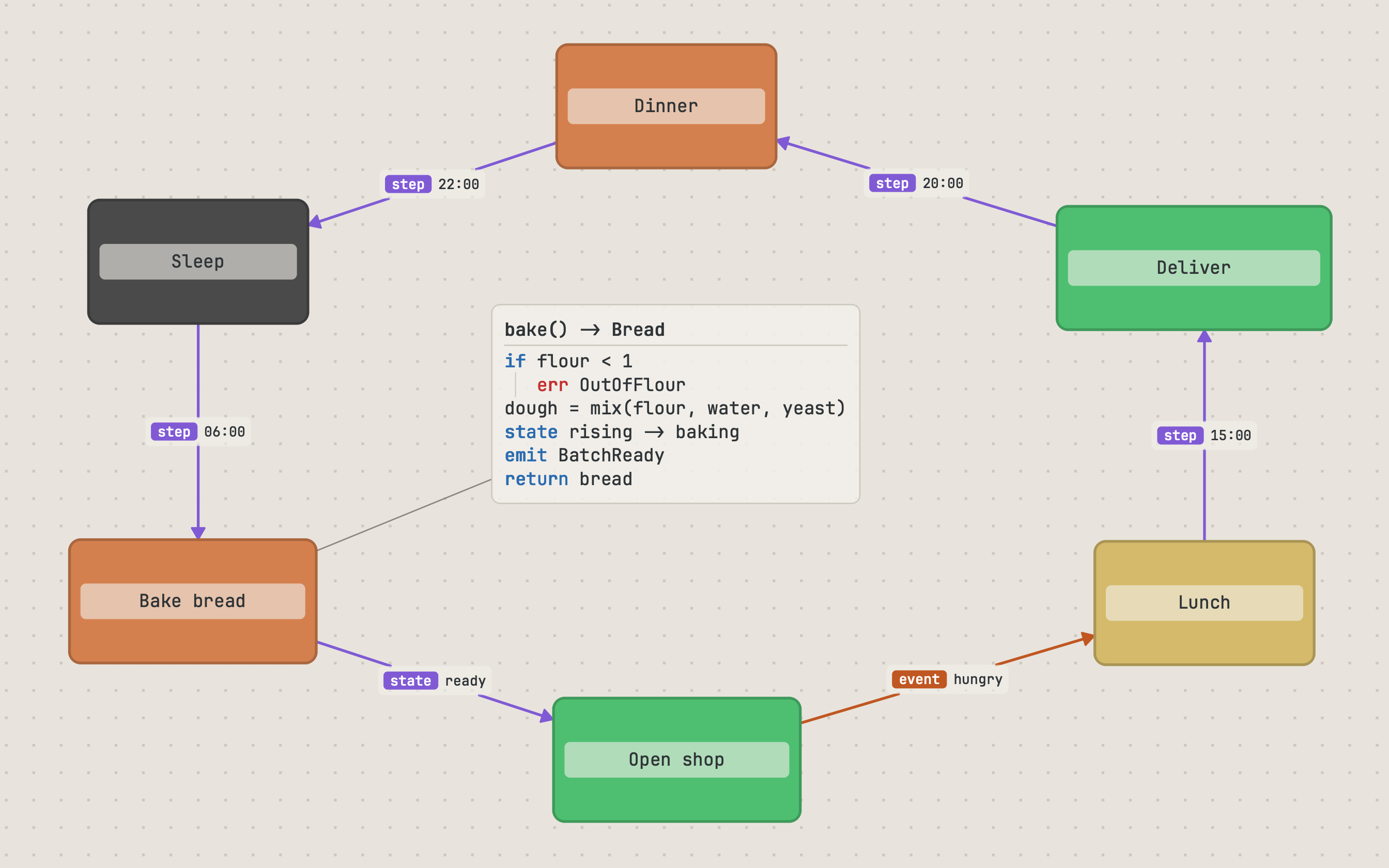
Documentation and feature tour: https://grafli.mistergc.dev
grafli isn't just a diagram editor — it's the canvas your coding agent
uses to communicate complex systems back to you. The bundled grafli
skill teaches the agent how to produce idiomatic .grafli files —
proper layouts, semantic edge labels, code-mode notes for
review-oriented diagrams, plus a "plan before you write" loop that
keeps the output focused and readable.
Extract the skill from your installed copy and point your agent at it:
# Save to a file, or pipe straight into the right place for your tool.
grafli skill -o SKILL.md
grafli skill --where        # path of the bundled SKILL.md
grafli skill --help # install URLs for Claude Code, OpenCode, Codex| AI tool | Where the skill goes | Docs |
|---|---|---|
| Claude Code | ~/.claude/skills/grafli/SKILL.md |
https://code.claude.com/docs/en/skills |
| OpenCode | ~/.config/opencode/skills/grafli/SKILL.md |
https://opencode.ai/docs/skills |
| Codex CLI | append to ~/.codex/AGENTS.md |
https://agents.md/ |
Once installed, ask your agent to "draw a diagram of …", "visualize the
data flow in this module", or "sketch the OAuth callback as a grafli" —
the skill triggers and produces a .grafli you can open in the
desktop app or render headless via grafli render.
pip install grafli
grafli my-diagram.grafli
Requirements: Python 3.12+, PySide6 (Qt 6.7+).
- Keyboard-first. Modal editing in the spirit of vim — Select, Rect, Text, Connect — composes a small set of keystrokes into rich diagrams.
- Less is more. Three primitives (boxes, arrows, notes) plus visible containment cover the cases that matter, without a menu maze.
- Text for AI, git, humans.
.graflifiles are line-oriented plain text; there are no binary blobs and no cloud dependency.
- Modal vim-style editing with directional creation (one keystroke spawns a connected neighbor box or note).
- Semantic edge labels — prefixes such as
call:,data:,event:,verify:,risk:render as colored chips and tint their arrow. - Code-mode notes — minimal pseudocode for review-oriented diagrams: a
bold function signature on the first line, control/effect keywords
(
if,for,call,emit, …) in blue, contract keywords (pre,post,verify,risk, …) in red, and clickable@file:linerefs. - Tasks (
T:/TODO:), questions (Q:/QUESTION:, both case-insensitive), and threaded discussions inside notes. - Find and focus — combine these at will:
- Subgraph focus (B) — fade everything not reachable from the selection; cycle direction (incoming / outgoing / both) and depth (1-hop / unlimited).
- Complexity heatmap (A) — color nodes by connectivity to find hot spots.
- Dim connectors (,) / dim notes (Shift+N) — fade arrows or text-notes to 8% opacity to read the rest.
- Minimap (M) — corner overview with boxes, notes, and connector density.
- Jump labels and graph navigation — every visible element is one or two keys away; hold Alt to follow connectors edge by edge.
- Sub-graflis — link any node to a deeper diagram in its own file.
- Markdown resources — attach a markdown note to any element and edit it in a full-window zen editor.
- Auto-save and external file watching — open a
.graflinext to your editor; changes flow both ways. - Yank as PNG (Y), SVG export (Ctrl+E).
@ box frontend "Frontend" 100,100 160x60 %secondary
@ box backend  "Backend"  320,100 160x60 %primary
@ box db       "Database" 320,240 160x60 %subtle

@ arrow frontend -> backend "REST API"
@ arrow backend  -> db      "data: queries" !dashed

@ note 100,240 "SPA with React"
@ note logic 100,320 """
code:
handleRequest(req) -> Response
pre req.id is set
call validate(req)
emit RequestAccepted(req.id)
return ok  @api/handler.py:42
"""
| Element | Syntax |
|---|---|
| Box | @ box <id> "<label>" <x>,<y> <w>x<h> [color] [^anchor] [~size] [!style] [>parent] |
| Arrow | @ arrow <from> <op> <to> ["label"] [!style] [~size] |
| Note | @ note [<id>] <x>,<y> "<text>" [color] [~size] [!style] [>parent] |
Arrow operators: -> right, <- left, <-> both, -- none.
Triple-quoted block notes are supported when a note contains quote characters or spans multiple lines.
| Key | Action |
|---|---|
| v / n / t / c | Switch mode: Select / Rect / Text / Connect |
Shift+click in n/t mode |
Stay in create mode for rapid placement |
| h j k l | Move selection (vim directions) |
| Ctrl+h/k/l | Create connected box (left/up/right) |
| Alt (hold) | Graph navigation — follow connectors |
| / | Search by label |
| Ctrl+J | Jump mode (all visible items) |
| B / Shift+B | Subgraph focus (cycle direction / toggle depth) |
| , / Shift+N | Dim arrows / dim notes (focus on the rest) |
| Y / Ctrl+E | Yank PNG to clipboard / Export SVG |
| F1 | In-app cheat sheet and text-annotation reference |
The full set is in the in-app F1 dialog and on the documentation site.
- Documentation: https://grafli.mistergc.dev
- Source: https://github.com/MisterGC/grafli
- Issues: https://github.com/MisterGC/grafli/issues
MIT