


PrivateCloud is a Python CLI installer that provisions a Kubernetes-based private cloud stack.
It focuses on fast deployment, repeatable infrastructure, and production-ready defaults.
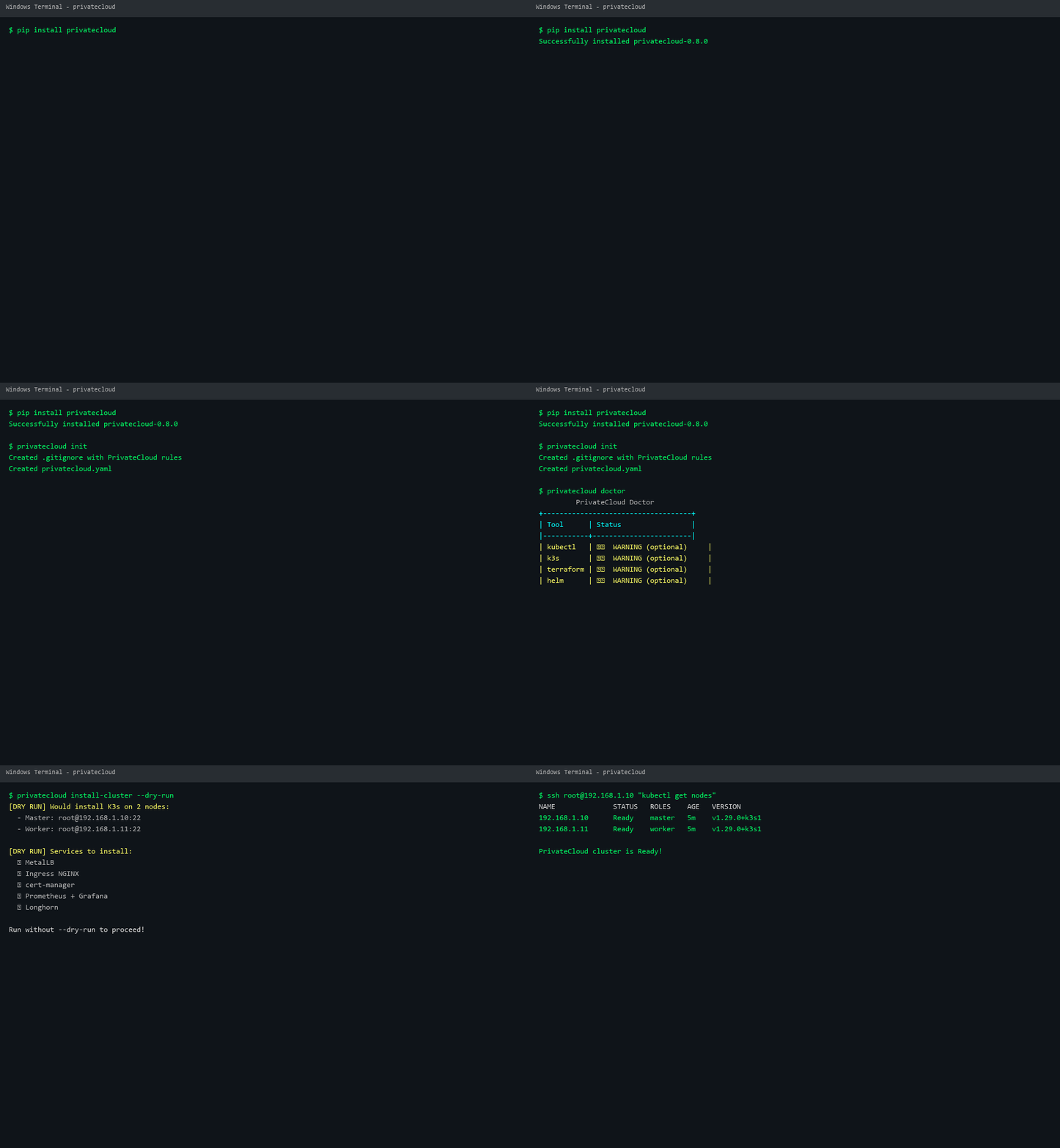
- Provider abstraction — bare-metal SSH, Proxmox VE, or HPE Morpheus VM Essentials via Terraform
- Terraform runner — generates, applies, and destroys infrastructure automatically
- Config auto-write — Terraform outputs (node IPs) written back to
privatecloud.yaml - Helm-based service installation — all services deployed via Helm charts
- Cluster upgrade —
privatecloud upgrade v1.30.0+k3s1 - Multi-cluster — manage multiple clusters with
cluster list/add/switch/remove - HA setup — high availability with multiple masters
- Add-on marketplace — one-command install of common tools
- Local backups — full cluster state to
backups/directory - Encrypted backups — age encryption with
--encrypt - Cloud storage — S3, GCS, Azure Blob integration
- Scheduled backups — cron/systemd timers with
backup schedule - etcd snapshots —
backup create --etcd-snapshot - Longhorn PITR — snapshots and point-in-time restore
- GUI authentication —
--authflag with env var credentials - Secret masking — tokens/passwords masked in logs
- Environment variables —
${VAR}syntax for secrets - Auto .gitignore — prevents accidental secret commits
- Web UI —
privatecloud gui --port 8080 - Cluster metrics — nodes, pods, health status
- One-click actions — backup, restore, destroy
- Diagnostics —
privatecloud doctor --diagnostics - Configuration linting —
privatecloud lint - Release notes —
privatecloud release-notes
| Tool | Required |
|---|---|
| Python 3.9+ | ✅ |
| ssh / scp | ✅ |
| curl | ✅ |
| terraform | ✅ |
| helm | ✅ |
| kubectl | optional |
| flask | for GUI |
| age | for backup encryption |
pip install privatecloud# Initialize
privatecloud init # generate privatecloud.yaml
privatecloud doctor --diagnostics # check dependencies and cluster health
privatecloud lint # validate config
# Deploy
privatecloud plan # preview the install plan
privatecloud install-cluster # deploy everything
privatecloud install-cluster --dry-run # preview without changes
# Manage
privatecloud gui --port 8080 # start web dashboard
privatecloud upgrade v1.30.0+k3s1 # upgrade cluster
privatecloud cluster list # list managed clusters
# Backup & Restore
privatecloud backup create # create backup
privatecloud backup create --encrypt # encrypted backup
privatecloud backup create --s3 my-bucket # upload to S3
privatecloud backup create --etcd-snapshot # include etcd
privatecloud backup schedule daily --keep 7 # schedule backups
privatecloud backup list # list backups
privatecloud backup restore <name> # restore backup
privatecloud backup restore <name> --force # force restore
# Snapshots & PITR
privatecloud snapshot my-volume # create snapshot
privatecloud snapshots-list # list all snapshots
privatecloud restore my-volume snap-123 # restore from snapshot
# Add-ons
privatecloud addon list # list available add-ons
privatecloud addon install monitoring-stack # install add-on
privatecloud addon search logging # search add-ons
# Destroy
privatecloud destroy # with backup prompt
privatecloud destroy --yes # skip confirmationcluster_name: my-private-cloud
provider: bare-metal # or "proxmox" or "morpheus"
k3s_version: v1.29.0+k3s1
nodes:
- host: 192.168.1.10
user: root
role: master
- host: 192.168.1.11
user: root
role: worker
proxmox:
url: https://192.168.1.100:8006/api2/json
token_id: root@pam!mytoken
token_secret: "${PROXMOX_TOKEN}" # Use env var for secrets
node: pve
template: ubuntu-2204-template
master_count: 1
worker_count: 2
# morpheus:
# url: https://morpheus.example.com
# username: admin
# password: ${MORPHEUS_PASSWORD}
# group_name: My Group
# cloud_name: My Cloud
# instance_type_name: Ubuntu
# layout_name: VMware VM
# plan_name: 1 CPU, 2GB Memory
# master_count: 1
# worker_count: 2
# cloud_type: vmware
services:
metallb: true
ingress_nginx: true
cert_manager: true
monitoring: true
longhorn: true| Provider | Status | Description |
|---|---|---|
| Bare-metal | ✅ Stable | Direct SSH installation |
| Proxmox | ✅ v0.2.0 | Proxmox VE via Terraform |
| HPE Morpheus | ✅ v0.8.0 | HPE Morpheus VM Essentials via Terraform |
| Hetzner | 🔜 v0.7.0 | Hetzner Cloud API |
| LibVirt | 🔜 v0.7.0 | Local KVM/libvirt VMs |
| vSphere | 📋 Backlog | VMware vSphere integration |
| OpenStack | 📋 Backlog | OpenStack integration |
- Hetzner Cloud provider
- LibVirt/KVM provider
- Cluster backup verification
- Rollback from failed upgrade
- High-availability k3s with external DB
- Rolling cluster upgrades
- Multi-cluster management UI
- Add-on marketplace with 20+ tools
- Cloud storage backup with lifecycle policies
See CONTRIBUTING.md for development guidelines.
MIT