 |
🏆 2025 Open Source Developer Competition Award KOR: 본 프로젝트는 과학기술정보통신부 주최, 정보통신산업진흥원 주관 「2025년 오픈소스 개발자대회」에서 기술적 우수성과 혁신성을 인정받아 수상팀에게 수여되는 공식 배지입니다. ENG: This project has been recognized for its technical excellence and innovation at the 2025 Open Source Developer Competition, hosted by the Ministry of Science and ICT (MSIT) and organized by the National IT Industry Promotion Agency (NIPA). This is the official badge awarded to winning teams. |
RAGIT is a self-hosted, production-ready RAG (Retrieval-Augmented Generation) system built with microservices architecture. It enables AI-powered code analysis, semantic search, and intelligent chat interactions with your codebase using vector embeddings and LLM integration.
RAGIT is designed to help developers understand and navigate large codebases through AI-powered semantic search and conversational interfaces. By combining vector databases with Large Language Models, RAGIT provides context-aware answers to questions about your code.
- 🏗️ Microservices Architecture: Scalable Gateway-Backend pattern with service isolation
- 🔍 Semantic Code Search: Vector-based code retrieval using Milvus
- 💬 AI-Powered Chat: LLM integration for natural language code queries
- 📦 Fully Dockerized: 9 containerized services for easy deployment
- ⚡ Async Processing: Celery-based background workers for heavy computations
- 🎨 Modern Web UI: Beautiful, responsive interface built with NiceGUI
- 🔐 Authentication & Authorization: Secure user management with JWT tokens
- 📊 Real-time Updates: WebSocket-like polling for chat synchronization
- Architecture
- System Components
- Docker Services
- Communication Flow
- Project Structure
- Video Tutorial
- Getting Started
- Port Configuration
- Technology Stack
RAGIT follows a microservices architecture with clear separation of concerns. The system consists of 9 Docker containers working together to provide a seamless RAG experience.
graph TB
    User[👤 User Browser]

    subgraph "Client Layer"
        Frontend[🎨 Frontend<br/>NiceGUI<br/>Port 8000]
    end

    subgraph "Gateway Layer"
        Gateway[🚪 Gateway<br/>FastAPI Proxy<br/>Port 8080]
    end

    subgraph "Application Layer"
        Backend[⚙️ Backend<br/>FastAPI REST API<br/>Port 8001]
        Worker[🔄 RAG Worker<br/>Celery<br/>Background Tasks]
    end

    subgraph "Data Layer"
        Postgres[(🗄️ PostgreSQL<br/>Port 5432)]
        Redis[(⚡ Redis<br/>Port 6380)]
        Milvus[(🔍 Milvus<br/>Vector DB<br/>Port 19530)]
    end

    subgraph "Infrastructure Layer"
        Etcd[(📦 etcd<br/>Port 2379)]
        MinIO[(💾 MinIO<br/>Object Storage<br/>Port 9000)]
    end

    User -->|HTTP/WS| Frontend
    Frontend -->|API Calls| Gateway
    Gateway -->|Proxy| Backend
    Backend -->|SQL| Postgres
    Backend -->|Cache/Queue| Redis
    Backend -->|Trigger Tasks| Worker
    Worker -->|Vector Search| Milvus
    Worker -->|Metadata| Postgres
    Worker -->|Queue| Redis
    Milvus -->|Coordination| Etcd
    Milvus -->|Storage| MinIO

    style Frontend fill:#61dafb,stroke:#000,stroke-width:2px,color:#000
    style Gateway fill:#10b981,stroke:#000,stroke-width:2px,color:#000
    style Backend fill:#3b82f6,stroke:#000,stroke-width:2px,color:#fff
    style Worker fill:#8b5cf6,stroke:#000,stroke-width:2px,color:#fff
    style Postgres fill:#336791,stroke:#000,stroke-width:2px,color:#fff
    style Redis fill:#dc2626,stroke:#000,stroke-width:2px,color:#fff
    style Milvus fill:#00a6fb,stroke:#000,stroke-width:2px,color:#fff
sequenceDiagram
    participant User
    participant Frontend
    participant Gateway
    participant Backend
    participant Worker
    participant Milvus
    participant LLM

    User->>Frontend: Ask question about code
    Frontend->>Gateway: POST /api/chat/rooms/{id}/messages
    Gateway->>Backend: Forward request
    Backend->>Backend: Create message record
    Backend->>Worker: Trigger RAG task (Celery)
    Backend-->>Frontend: Return task_id

    Worker->>Milvus: Search similar code vectors
    Milvus-->>Worker: Return relevant code chunks
    Worker->>LLM: Generate answer with context
    LLM-->>Worker: Return AI response
    Worker->>Backend: Update message with answer

    loop Polling every 2s
        Frontend->>Gateway: GET /api/chat/rooms/{id}/messages
        Gateway->>Backend: Forward request
        Backend-->>Frontend: Return messages (including AI response)
    end

    Frontend->>User: Display AI answer
- Port: 8000
- Purpose: Web UI for user interaction
- Features:
- Repository management interface
- Real-time chat interface
- User authentication pages
- Settings and configuration
- Tech: Python, NiceGUI, Tailwind CSS
- Port: 8080
- Purpose: API Gateway and reverse proxy
- Features:
- Request routing and load balancing
- CORS handling
- Request/response transformation
- Middleware for logging and monitoring
- Tech: FastAPI, Python
- Port: 8001
- Purpose: Core business logic and REST API
- Features:
- User authentication & authorization (JWT)
- Repository CRUD operations
- Chat room management
- Message persistence
- Celery task orchestration
- Tech: FastAPI, SQLAlchemy, PostgreSQL
- Purpose: Asynchronous background processing
- Features:
- Code parsing and embedding generation
- Vector database operations
- LLM integration for answer generation
- Repository analysis and indexing
- Tech: Celery, Python, OpenAI API
- Concurrency: 2 workers
- Port: 5432
- Purpose: Primary relational database
- Stores:
- User accounts and sessions
- Repository metadata
- Chat rooms and messages
- File tracking information
- Port: 6380 (exposed), 6379 (internal)
- Purpose: Cache and message broker
- Uses:
- Celery task queue
- Celery result backend
- Session cache
- Real-time data cache
- Ports: 19530 (gRPC), 9091 (metrics)
- Version: v2.4.15
- Purpose: Vector storage and similarity search
- Features:
- Code embedding storage
- Semantic code search
- High-performance vector indexing
- Scalable architecture
- Port: 2379
- Purpose: Distributed configuration for Milvus
- Role: Metadata storage and service coordination for Milvus
- Ports: 9000 (API), 9001 (Console)
- Purpose: Object storage backend for Milvus
- Role: Stores vector data and logs for Milvus
RAGIT runs 9 Docker containers in a coordinated network:
| Service | Container Name | Image | Exposed Ports | Internal Ports | Health Check |
|---|---|---|---|---|---|
| PostgreSQL | ragit-postgres | postgres:15 | 5432 | 5432 | ✅ pg_isready |
| Redis | ragit-redis | redis:7-alpine | 6380 | 6379 | ✅ redis-cli ping |
| etcd | ragit-etcd | quay.io/coreos/etcd:v3.5.5 | - | 2379 | ✅ endpoint health |
| MinIO | ragit-minio | minio/minio:RELEASE.2023-03-20T20-16-18Z | 9000, 9001 | 9000, 9001 | ✅ health endpoint |
| Milvus | ragit-milvus | milvusdb/milvus:v2.4.15 | 19530, 9091 | 19530, 9091 | ✅ /healthz |
| Backend | ragit-backend | ragit-backend (custom) | 8001 | 8001 | ✅ /health |
| Gateway | ragit-gateway | ragit-gateway (custom) | 8080 | 8080 | ✅ root endpoint |
| Frontend | ragit-frontend | ragit-frontend (custom) | 8000 | 8000 | ✅ root endpoint |
| RAG Worker | ragit-rag-worker | ragit-rag-worker (custom) | - | - | ⚙️ Celery inspect |
graph TD
    A[etcd] --> D[Milvus]
    B[MinIO] --> D
    C[PostgreSQL] --> E[Backend]
    F[Redis] --> E
    F --> G[RAG Worker]
    C --> G
    D --> G
    E --> H[Gateway]
    E --> I[Frontend]
    H --> I

    style A fill:#f9f,stroke:#333
    style B fill:#f9f,stroke:#333
    style C fill:#9cf,stroke:#333
    style D fill:#9f9,stroke:#333
    style E fill:#fc9,stroke:#333
    style F fill:#f99,stroke:#333
    style G fill:#c9f,stroke:#333
    style H fill:#9fc,stroke:#333
    style I fill:#9ff,stroke:#333
-
User Interaction
- User accesses web UI at
http://localhost:8000 - Frontend renders NiceGUI components
- User accesses web UI at
-
API Gateway Pattern
- Frontend sends API requests to Gateway (
http://localhost:8080) - Gateway validates, transforms, and forwards to Backend (
http://localhost:8001)
- Frontend sends API requests to Gateway (
-
Business Logic Processing
- Backend processes requests using FastAPI routers
- Authenticates users via JWT tokens
- Queries PostgreSQL for structured data
-
Asynchronous RAG Processing
- Backend creates Celery tasks for RAG operations
- Tasks are queued in Redis
- RAG Worker picks up tasks from the queue
- Worker performs vector operations on Milvus
- Worker calls OpenAI API for LLM responses
- Results are stored back in PostgreSQL
-
Real-time Updates
- Frontend polls Backend every 2 seconds
- Backend returns updated chat messages
- UI automatically displays new AI responses
Frontend ←→ Gateway ←→ Backend
                ↓
            PostgreSQL
                ↓
            Celery Tasks (via Redis)
                ↓
            RAG Worker
                ↓
        ┌───────┴───────┐
        ↓               ↓
    Milvus          OpenAI API
    (Vector DB)     (LLM)
RAGIT/
├── backend/                     # FastAPI REST API Server
│   ├── core/
│   │   ├── database.py          # Database connection & ORM setup
│   │   └── celery.py            # Celery integration
│   ├── models/
│   │   ├── user.py              # User & session models
│   │   ├── repository.py        # Repository models
│   │   ├── chat.py              # Chat & message models
│   │   └── vector.py            # Vector metadata models
│   ├── routers/
│   │   ├── auth.py              # Authentication endpoints
│   │   ├── repository.py        # Repository CRUD endpoints
│   │   └── chat.py              # Chat & messaging endpoints
│   ├── services/
│   │   ├── auth_service.py      # JWT authentication logic
│   │   ├── user_service.py      # User management
│   │   ├── repository_service.py # Repository operations
│   │   └── chat_service.py      # Chat operations
│   ├── schemas/                 # Pydantic request/response models
│   ├── Dockerfile               # Backend container image
│   └── main.py                  # FastAPI application entry
│
├── frontend/                    # NiceGUI Web Interface
│   ├── src/
│   │   ├── components/
│   │   │   └── header.py        # Reusable header component
│   │   ├── pages/
│   │   │   ├── auth_page.py     # Login/Register page
│   │   │   ├── main_page.py     # Dashboard
│   │   │   ├── chat_page.py     # Chat interface
│   │   │   └── repository_settings_page.py
│   │   ├── services/
│   │   │   ├── api_service.py   # Backend API client
│   │   │   └── auth_service.py  # Frontend auth handler
│   │   └── utils/
│   │       └── theme.py         # UI theme configuration
│   ├── Dockerfile               # Frontend container image
│   └── main.py                  # NiceGUI application entry
│
├── gateway/                     # API Gateway Service
│   ├── routers/
│   │   └── auth.py              # Auth proxy routes
│   ├── services/
│   │   ├── proxy_service.py     # Request forwarding logic
│   │   └── data_service.py      # Data transformation
│   ├── config.py                # Gateway configuration
│   ├── Dockerfile               # Gateway container image
│   └── main.py                  # FastAPI gateway entry
│
├── rag_worker/                  # Celery Background Worker
│   ├── vector_db/
│   │   ├── service.py           # Milvus connection & ops
│   │   ├── embedding_service.py # Text → Vector conversion
│   │   ├── search_service.py    # Semantic search
│   │   └── repository_embedder.py # Code embedding pipeline
│   ├── python_parser/
│   │   ├── parser.py            # AST-based code parser
│   │   ├── file_scanner.py      # Repository file scanner
│   │   └── service.py           # Parsing orchestration
│   ├── git_service/
│   │   └── exceptions.py        # Git operation handlers
│   ├── ask_question/
│   │   └── types.py             # LLM integration types
│   ├── tasks.py                 # Celery task definitions
│   ├── celery_app.py            # Celery app configuration
│   ├── Dockerfile               # Worker container image
│   └── main.py                  # Worker entry point
│
├── ragit_sdk/                   # CLI Management Tool (Legacy)
│   ├── core/
│   │   ├── process_manager.py   # Local process management
│   │   └── docker_manager.py    # Docker operations
│   ├── cli.py                   # Click-based CLI
│   ├── config.py                # Configuration management
│   └── logger.py                # Logging utilities
│
├── milvus/                      # Milvus configuration
│   └── embedEtcd.yaml           # etcd settings
│
├── docs/                        # Documentation
│   ├── installation.md
│   ├── sdk-usage.md
│   └── README.md
│
├── data/                        # Runtime data (git ignored)
├── repository/                  # Cloned repositories (git ignored)
├── parsed_repository/           # Parsed code cache (git ignored)
├── logs/                        # Application logs (git ignored)
│
├── docker-compose.yml           # Multi-container orchestration (with GPU)
├── docker-compose.cpu.yml       # Multi-container orchestration (with CPU, without GPU)
├── docker-compose.local.yml     # Local development setup
├── pyproject.toml               # Python dependencies (uv)
├── uv.lock                      # Locked dependencies
├── .env                         # Environment variables
├── .env.local                   # Local overrides
├── .dockerignore                # Docker build exclusions
├── .gitignore                   # Git exclusions
├── CLAUDE.md                    # Coding standards
└── README.md                    # This file
For a complete demonstration of RAGIT v0.1.0, watch our video tutorial:
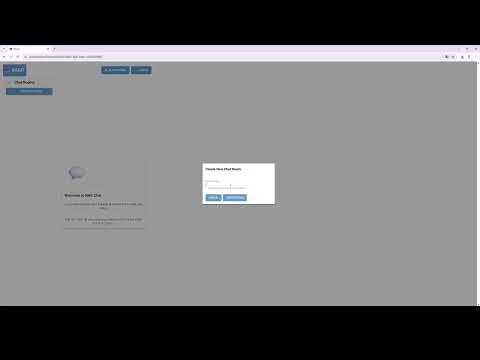
🎥 Watch RAGIT v0.1.0 Demo on YouTube
This video covers:
- Setting up RAGIT with Docker
- Adding and indexing code repositories
- Using the AI-powered chat interface
- Semantic code search capabilities
- Docker & Docker Compose (v3.8+)
- Git
- OpenAI API Key (for LLM features)
⚠️ Performance WarningThis RAG system runs on CPU (not GPU) by default. Embedding operations are resource-intensive and may consume significant CPU and memory during repository indexing and chat operations. For production use with large codebases, GPU acceleration is recommended.
-
Clone the repository
git clone https://github.com/Gyu-Chul/RAGIT.git cd RAGIT -
Configure OpenAI API Key
Open
docker-compose.ymland update theOPENAI_API_KEYin therag-workerservice (line 210):rag-worker: environment: OPENAI_API_KEY: sk-your-actual-openai-api-key-here # Replace with your key
-
Start all services
docker-compose up -d (using GPU)
docker-compose -f docker-compose.cpu.yml up -d (using CPU, without GPU)
-
Wait for services to be healthy (approximately 60-90 seconds)
docker-compose ps
-
Access the application
- Frontend UI: http://localhost:8000
- Backend API: http://localhost:8001/docs
- Gateway: http://localhost:8080
If you want to run services locally without Docker:
-
Install Python dependencies
# Install uv package manager
pip install uv

# Install dependencies
uv sync
-
Start infrastructure services
# Start only databases (PostgreSQL, Redis, Milvus, etc.) docker-compose up -d postgres redis etcd minio milvus -
Run application services locally
# Terminal 1: Backend
cd backend
uvicorn main:app --reload --port 8001

# Terminal 2: Frontend
cd frontend
python main.py

# Terminal 3: Gateway
cd gateway
uvicorn main:app --reload --port 8080

# Terminal 4: RAG Worker
celery -A rag_worker.celery_app worker --loglevel=info --concurrency=2
| Port | Service | Protocol | Purpose | Exposed Externally |
|---|---|---|---|---|
| 8000 | Frontend | HTTP | Web UI | ✅ Yes |
| 8001 | Backend | HTTP | REST API | ✅ Yes |
| 8080 | Gateway | HTTP | API Gateway | ✅ Yes |
| 5432 | PostgreSQL | TCP | Database | ✅ Yes |
| 6380 → 6379 | Redis | TCP | Cache/Queue | ✅ Yes (mapped) |
| 19530 | Milvus | gRPC | Vector DB API | ✅ Yes |
| 9091 | Milvus | HTTP | Metrics | ✅ Yes |
| 9000 | MinIO | HTTP | Object Storage API | ✅ Yes |
| 9001 | MinIO | HTTP | Web Console | ✅ Yes |
| 2379 | etcd | HTTP | Distributed Config | ❌ Internal only |
For production deployment, expose only:
- 8000 (Frontend)
- Optionally 8080 (Gateway) if frontend is deployed separately
All other ports should be restricted to internal network only.
- FastAPI - Modern Python web framework
- SQLAlchemy - ORM for PostgreSQL
- Pydantic - Data validation
- JWT - Authentication tokens
- Celery - Distributed task queue
- NiceGUI - Python-based web UI framework
- Tailwind CSS - Utility-first CSS
- PostgreSQL 15 - Relational database
- Redis 7 - In-memory cache & message broker
- Milvus v2.4.15 - Vector database
- etcd v3.5.5 - Distributed configuration
- MinIO - S3-compatible object storage
- OpenAI API - LLM integration
- Python AST - Code parsing
- Sentence Transformers - Text embeddings (configurable)
- Docker - Containerization
- Docker Compose - Multi-container orchestration
- uv - Fast Python package manager
This project is licensed under the CC-BY-NC-4.0 License.