
Author: Benjamin Barad/benjamin.barad@gmail.com, developed in close collaboration with Michaela Medina.
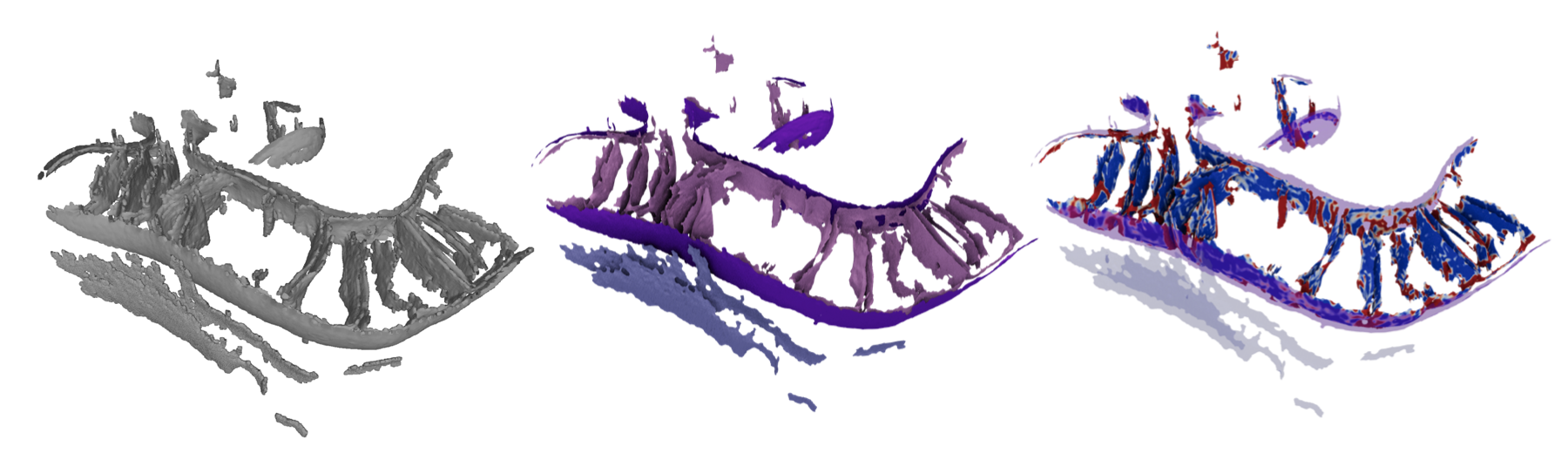
A pipeline of tools to generate robust open-mesh surfaces from voxel segmentations of biological membranes using the Screened Poisson algorithm, calculate morphological features including curvature and membrane–membrane distance using pycurv's vector-voting framework, and convert these morphological quantities into morphometric insights.
Everything is driven by a single morphometrics command plus a config.yml file.
📖 Complete Quantifications Documentation — reference guide for all morphological measurements and their interpretations.
- Installation
- Quick start
- Example data
- The pipeline
- Analysis & visualization
- Reference
- Troubleshooting
- Upgrading from older versions
- Dependencies
- Citation
The fastest, easiest starting point for most Linux boxes, and now for Mac as well.
- Clone the repository:
git clone https://github.com/grotjahnlab/surface_morphometrics.git - Create the environment (this also installs the toolkit and the
morphometricscommand viapip install -e .):conda env create -f environment.yml - Activate it:
conda activate morphometrics - Check the install:
morphometrics --helpshould list the pipeline subcommands.
Older Ubuntu installs (and some other Linux distributions) have known issues with graph-tool. If the main environment file fails, try
conda env create -f environment-ubuntu.ymlinstead (tested on Ubuntu 22.04 LTS).
If you pull updates into an existing clone and the
morphometricscommand seems out of date, re-runpip install -e .from the repo root inside the activated environment.
Useful on Windows and other systems where graph-tool or pymeshlab do not play nicely with conda. The image ships with all dependencies pre-installed.
git clone https://github.com/grotjahnlab/surface_morphometrics.git
cd surface_morphometrics/docker
./sm-up.sh      # build/pull, start, and enter the container
# ... run morphometrics commands inside the container ...
exit            # leave the container
./sm-down.sh    # stop the container
Start a later session the same way (cd surface_morphometrics/docker && ./sm-up.sh); end it with exit then ./sm-down.sh.
morphometrics is a click command, so tab-completion of subcommands and options is available. Add the matching line to your shell startup file:
# ~/.bashrc  (bash >= 4.4)
eval "$(_MORPHOMETRICS_COMPLETE=bash_source morphometrics)"
# ~/.zshrc
eval "$(_MORPHOMETRICS_COMPLETE=zsh_source morphometrics)"
# ~/.config/fish/completions/morphometrics.fish
_MORPHOMETRICS_COMPLETE=fish_source morphometrics | source
For faster shell startup, write the script to a file once (_MORPHOMETRICS_COMPLETE=zsh_source morphometrics > ~/.morphometrics-complete.zsh) and source that. (macOS ships an old bash 3.2 — use zsh, the macOS default, or install a newer bash.)
Once installed, the fastest way to see the whole pipeline run is on the bundled example (a small cropped tomogram + segmentation, ~44 MB, downloaded from Zenodo):
morphometrics fetch_example          # downloads + extracts surface_morphometrics_example/
cd surface_morphometrics_example     # has tomograms/, segmentations/, and a ready config.yml

morphometrics make_meshes config.yml                 # 1. segmentations -> surface meshes
morphometrics pycurv config.yml                      # 2. curvature
morphometrics distances_orientations config.yml      # 3. distances & orientations
morphometrics sample_density config.yml              # 4. sample tomogram density (for thickness)
morphometrics measure_thickness config.yml           # 5. membrane thickness
Each command prints what to run next. See The pipeline for what every step does and how to configure it for your own data.
Tutorial segmentations live in example_data/:
cd example_data
tar -xzvf examples.tar.gz   # -> TE1.mrc, TF1.mrc
TE1.mrc and TF1.mrc are segmentation label volumes — enough to run the curvature and distance/orientation steps. No raw tomograms are included here (they are large), so thickness and refinement need the full-pipeline example below. You can inspect them with mrcfile:
import mrcfile
with mrcfile.open('TE1.mrc', permissive=True) as mrc:
    print(mrc.data.shape)  # (312, 928, 960)
Some MRC headers are non-standard (e.g. exported from Amira); open them with
permissive=Trueand ignore the "file may be corrupt" warning — the toolkit still runs correctly.
Full-pipeline example (with a raw tomogram). To exercise sample_density, measure_thickness, and refine_mesh, use morphometrics fetch_example (see Quick start). The bundle is a cropped IMM+OMM sub-volume with a preconfigured config.yml (IMM=1, OMM=2). The full uncropped tomograms are on EMPIAR-12534; morphometrics fetch_example --source empiar prints how to retrieve them (hundreds of MB to GB each).
Each step reads a config.yml and writes its outputs into the configured work_dir. Steps run in order; each command prints a hint for the next one. On a 4-core laptop the tutorial datasets take a few hours end to end (the pycurv and, if used, refinement steps dominate); cluster parallelization brings this down substantially.
| # | Step | Command |
|---|---|---|
| 0 | Create a config | morphometrics new_config |
| 1 | Segmentations → meshes | morphometrics make_meshes config.yml |
| 2 | Curvature (pycurv) | morphometrics pycurv config.yml |
| 3 | (optional) Mesh refinement | morphometrics refine_mesh config.yml → accept_refinement |
| 4 | Distances & orientations | morphometrics distances_orientations config.yml |
| 5 | Thickness (needs tomograms) | morphometrics sample_density config.yml → measure_thickness |
| 6 | Aggregate statistics | morphometrics stats config.yml <name> |
Most steps also accept a single input (e.g. morphometrics pycurv config.yml TE1_OMM.surface.vtp, morphometrics distances_orientations config.yml TE1.mrc) so you can parallelize per tomogram on a cluster.
morphometrics new_config writes a fully-commented config.yml into the current directory (-o NAME for a different name); edit it for your project. A few starting tips:
- For higher-quality meshes with near-equilateral triangles, set
isotropic_remesh: trueandsimplify: falseinsurface_generation.target_areaof 1.0–3.0 nm² works well (smaller = finer but slower). - Set the directories and labels:
seg_dir,tomo_dir,work_dir, andsegmentation_values(the label value → name mapping for your segmentation).
Thickness (step 5) and refinement (step 3) read the raw tomogram density, not just the segmentation. Three directories in config.yml control this:
seg_dir— the segmentation MRC files (label volumes you generate surfaces from).tomo_dir— the raw (greyscale) tomogram MRC files the segmentations were drawn on.work_dir— the working/output directory where pycurv writes its graphs (.gt) and CSVs.
Each raw tomogram in tomo_dir must share the basename (the part before .mrc) of its segmentation. Tomograms are matched to surfaces by globbing work_dir for {tomogram_basename}*{component}.AVV_rh{radius_hit}.gt. For example, segmentation TE1.mrc (producing TE1_OMM.AVV_rh9.gt) needs a raw tomogram also named TE1.mrc. A typical layout:
project/
├── segmentations/   # seg_dir  ->  TE1.mrc, TF1.mrc   (label volumes)
├── tomograms/       # tomo_dir ->  TE1.mrc, TF1.mrc   (raw density, matching basenames)
└── morphometrics/   # work_dir ->  TE1_OMM.AVV_rh9.gt, ... (pycurv output + results)
A basename mismatch is the most common reason thickness or refinement "finds no files" (the tomogram is silently skipped).
After pycurv and before the distance/thickness steps, morphometrics refine_mesh config.yml nudges surface vertices onto the true membrane bilayer center. It samples the raw tomogram density along surface normals and iteratively recenters vertices on the fitted bilayer (or, for high-defocus data, a single Gaussian), re-running pycurv each iteration. It needs raw tomograms organized as in Data organization, and is tuned via the mesh_refinement section of config.yml.
Refinement improves every surface, so it is worth running — but it is by far the slowest step (it runs pycurv internally on each Gaussian-fitting iteration, ≈ several morphometrics pycurv runs per surface). For large datasets, process one surface at a time (--tomogram/--mrc) in parallel on a cluster, or set aside time for the full run.
Refinement does not replace your working surfaces automatically. It writes a numbered surface per iteration (*_refined_iter*.surface.vtp) plus convergence plots (*_refinement_convergence.png, *_profile_evolution.png). Inspect those, then commit the best iteration:
morphometrics accept_refinement config.yml <step> # <step> = iteration numberThis backs the originals up to *.orig.bak, promotes the chosen iteration to the canonical surface (*.surface.vtp and *.AVV_rh*.gt/.vtp/.csv), and removes the other iterations and intermediates while keeping the summaries. Options: --dry-run previews all changes; --component_name OMM / --tomogram TF1 restrict to a subset.
When
use_xcorris enabled, intermediate cross-correlation iterations are saved with a fast "lightweight" graph (no curvature) — only the final iteration runs full pycurv. If you accept a lightweight iteration, the promoted surface has no*.AVV_rh*.gtgraph and needs pycurv re-run first;accept_refinementwarns you and prints the exact command.
After the pipeline, per-triangle quantifications live in the .gt graphs, .vtp surfaces, and .csv tables in work_dir.
The stats command (step 6) assembles an Experiment pickle across all tomograms in your data folder; from there, analysis is done in pandas (the Experiment/Tomogram classes and helpers in surface_morphometrics.morphometrics_stats). Quick single-file plots:
morphometrics histogram filename.csv -n feature— area-weighted histogram of one feature.morphometrics hist2d filename.csv -n1 feature1 -n2 feature2— area-weighted 2D histogram of two features.
Paper-specific analyses (e.g. old_scripts/mitochondria_statistics.py, which generated every plot/statistic in the preprint) live in old_scripts/ and are run directly with python from the repo root.
These tools tag regions of a membrane graph with an integer id so per-region statistics (curvature, thickness, etc.) can be computed and compared. They share the patch_analysis section of config.yml. Both patch and component tools write *_patches.{gt,vtp,csv} / *_components.{gt,vtp,csv}, so every per-triangle property is available for pandas.
Protein-centered patches — morphometrics generate_patches. Given a STAR file of particle coordinates (ATP synthase, ribosomes, …) and a membrane graph, places a circular patch (patch_radius nm) on the nearest membrane triangle to each particle:
morphometrics generate_patches config.yml                                    # batch over all tomograms
morphometrics generate_patches config.yml --graph TS1_IMM.AVV_rh9.gt --star TS1.star
morphometrics generate_patches config.yml --no-random # skip random control patches- Each patch is identified by the particle's STAR line ID (
patch_number/patch_center). - Triangles in overlapping patches go to the nearest center; the deciding distances are stored as
patch_center_distanceandprotein_distance. - With
generate_random: true, matched random control patches are placed (random_min_distance, reproducible viarandom_seed) aspatch_random_number/patch_random_center, reusing ids sopatch_random_number == icontrols forpatch_number == i. particle_max_distanceskips particles too far from the membrane (nulldisables).- Batch STAR matching: STAR files live in
star_dir, matched per tomogram viastar_pattern(default"{tomo}.star"); coordinate/pixel-size columns are configurable and default to RELION conventions. - Which particles are used: by default every row in the STAR is used, so each STAR must hold only that tomogram's particles. For a combined multi-tomogram STAR, set
star_tomo_column(e.g.rlnMicrographName); rows are matched to the tomogram by basename (tolerating paths,.mrcextensions, and different pixel-size/bin names like/data/TS_004.mrc_6.65Apx.mrc).patch_idstays tied to the original STAR row. Single-graph mode:--star-tomo-column/--tomo-name. - Annotated STAR output: with
annotate_star: true, writes{star}_{label}_meshannotated.staraddingpatch_id,mesh_distance, andmesh_neighbor_idper particle — useful for particle-side filtering (e.g. selecting cotranslating ribosomes bymesh_distance).
Connected components — morphometrics label_components. Labels each connected component with component_number (1..N by size; min_component_size drops small ones). Parallels patch_number, so the same per-region math applies:
morphometrics label_components config.yml                  # all AVV graphs
morphometrics label_components config.yml --graph TS1_IMM.AVV_rh9.gt
Per-region statistics — morphometrics patch_statistics. One property-agnostic, area-weighted aggregator for patches and components; reads the per-triangle CSVs and writes one tidy patch_statistics.csv (one row per region):
morphometrics patch_statistics config.yml                              # all *_patches.csv in work_dir
morphometrics patch_statistics config.yml --pattern "*_components.csv" # components instead
morphometrics patch_statistics config.yml --properties curvedness_VV,thickness --csv TS1_IMM.AVV_rh9_patches.csv
Auto-detects whichever label columns are present (patch_number, patch_random_number, component_number) and tags each row with region_type (patch/random/component) so real patches and controls land in one table. Reports area-weighted mean and median per property (statistics_properties), plus n_triangles and total_area. Zero/NaN values are dropped per property (--keep-zeros to keep); region id 0 is always excluded.
Arbitrary region extractor — morphometrics extract_patches. Splits a graph into independent .gt/.vtp/.csv subsets by a label column or by thresholding any vertex property:
morphometrics extract_patches config.yml --graph TS1_IMM.AVV_rh9_patches.gt --by patch_number    # one file per patch
morphometrics extract_patches config.yml --graph TS1_ER.AVV_rh9.gt --property OMM_dist --max 30   # ER within 30 nm of OMM
This workflow is ported from GrotjahnLab/patch_analysis. Still to come: the flipper-based line-scan sampling.
morphometrics export_obj converts a quantified surface .vtp into a Wavefront OBJ + MTL with one quantification baked into the surface color — ready for Blender, MeshLab, etc.
morphometrics export_obj config.yml TS1_IMM.AVV_rh9.vtp --list-features          # see colorable arrays
morphometrics export_obj config.yml TS1_IMM.AVV_rh9.vtp --feature curvedness_VV  # one surface
morphometrics export_obj config.yml --feature thickness --cmap magma # batch over work_dir- Writes
<base>_<feature>.obj,.mtl, and.png(the colormap image referenced viamap_Kd). - Each triangle is flat-colored by its value via per-face UVs that sample a 1D colormap strip, so per-triangle values are preserved exactly.
- Range defaults to the 2nd–98th percentile (
--vmin/--vmax), any matplotlib--cmap; works on any per-triangle (or per-vertex, averaged) array. - NaN/unmeasured triangles get a distinct swatch (
--nan-color, defaultlightgrey;--nan-color nonemaps them to the low end instead). - Output coordinates are in Angstroms by default, since downstream tools that consume the OBJ (ChimeraX, Blender molecular nodes, etc.) work in Å space. The surface's native units are read from
surface_generation.angstromsand converted only as needed. Pass--scale_to_angstroms falseto export in nanometres. - Vector properties are colorable by component (e.g.
--feature n_v_x,--feature OMM_dist). - In Blender, import the OBJ (MTL/PNG are picked up automatically) and switch to Material Preview/Rendered shading.
The toolkit is the surface_morphometrics Python package; the pipeline steps are morphometrics subcommands, but the underlying modules can also be imported or run with python -m surface_morphometrics.<module>:
- Mesh generation (
make_meshes):mrc2xyz(segmentation → point cloud),xyz2ply(screened-Poisson reconstruction + masking),ply2vtp(ply → vtp for pycurv). - Morphology extraction:
curvature(pycurv, viapycurv),refine_mesh/accept_refinement,intradistance_verticalityandinterdistance_orientation(wrapped bydistances_orientations),sample_density+measure_thickness. - Quantification:
morphometrics_stats(pandas classes/helpers;statsassembles the Experiment pickle), plus Paraview for 3D surface mapping. See the Quantifications Documentation.
.xyz— point clouds (flat textX Y Zper line), nm or Å scale..ply— surface meshes (binary), nm or Å scale; open in Meshlab and many tools..surface.vtp— the same meshes in VTK format; the input pycurv reads to build graphs. Open in Paraview / pyvista..AVV_rh*.vtp— pycurv outputs carrying the quantifications; richest for Paraview/pyvista visualization..gt— triangle graphs (graph-tool); fast neighbor operations, not for manual inspection..csv— per-triangle quantification tables; the files you use for statistics and plots..log— logs, mostly from pycurv.- Quantification outputs (plots/tests) are written as csv, svg, and png.
Gaussian or Mean curvature of X has a large computation error— safe to ignore (pycurv cleans these up); they are suppressed by default.- MRC files from AMIRA (and some other software, e.g. Dragonfly) lack proper machine stamps; open with
mrcfile.open(filename, permissive=True). - If pycurv seems to hang indefinitely, try setting
cores: 1in the config.
The toolkit is now an installable package driven by the single morphometrics command (installed by conda env create, or pip install -e . inside the env). The old python <script>.py … invocations still work for now via deprecation shims that warn and forward to the new command; they will be removed in a future release.
Two config keys were also renamed: data_dir → seg_dir, and max_triangles → simplify_max_triangles (used only when simplify: true). make_meshes warns if it detects the old names.
| Old | New |
|---|---|
python segmentation_to_meshes.py config.yml |
morphometrics make_meshes config.yml |
python run_pycurv.py config.yml f.surface.vtp |
morphometrics pycurv config.yml f.surface.vtp |
python measure_distances_orientations.py config.yml f.mrc |
morphometrics distances_orientations config.yml f.mrc |
python sample_density.py config.yml |
morphometrics sample_density config.yml |
python measure_thickness.py config.yml |
morphometrics measure_thickness config.yml |
python refine_mesh.py config.yml |
morphometrics refine_mesh config.yml |
python accept_refinement.py config.yml N |
morphometrics accept_refinement config.yml N |
python morphometrics_stats.py config.yml name |
morphometrics stats config.yml name |
python single_file_histogram.py f.csv -n feat |
morphometrics histogram f.csv -n feat |
python single_file_2d.py f.csv -n1 a -n2 b |
morphometrics hist2d f.csv -n1 a -n2 b |
| (new) | morphometrics new_config — write a starter config.yml |
Numpy, Scipy, Pandas, mrcfile, Click, Matplotlib, starfile, Pymeshlab, and PyCurv (which pulls in Pyto and graph-tool). The conda environment files install everything; see Installation.
Please cite the following if you use this toolkit (or extend it!):
Quantifying organellar ultrastructure in cryo-electron tomography using a surface morphometrics pipeline. Benjamin A. Barad†, Michaela Medina†, Daniel Fuentes, R. Luke Wiseman, Danielle A. Grotjahn. Journal of Cell Biology 2023, 222(4), e202204093; doi: https://doi.org/10.1083/jcb.202204093
Thickness measurement is described in:
Surface Morphometrics reveals local membrane thickness variation in organellar subcompartments. Michaela Medina†, Ya-Ting Chang†, Hamidreza Rahmani, Mark Frank, Zidan Khan, Daniel Fuentes, Frederick A. Heberle, M. Neal Waxham, Benjamin A. Barad✉, Danielle A. Grotjahn✉. Journal of Cell Biology 2025, 225(3), e202505059; doi: https://doi.org/10.1083/jcb.202505059
The toolkit relies heavily on PyCurv for vector-voted curvature and the triangle-graph framework — please also cite:
Reliable estimation of membrane curvature for cryo-electron tomography. Maria Salfer, Javier F. Collado, Wolfgang Baumeister, Rubén Fernández-Busnadiego, Antonio Martínez-Sánchez. PLOS Comp Biol August 2020; doi: https://doi.org/10.1371/journal.pcbi.1007962