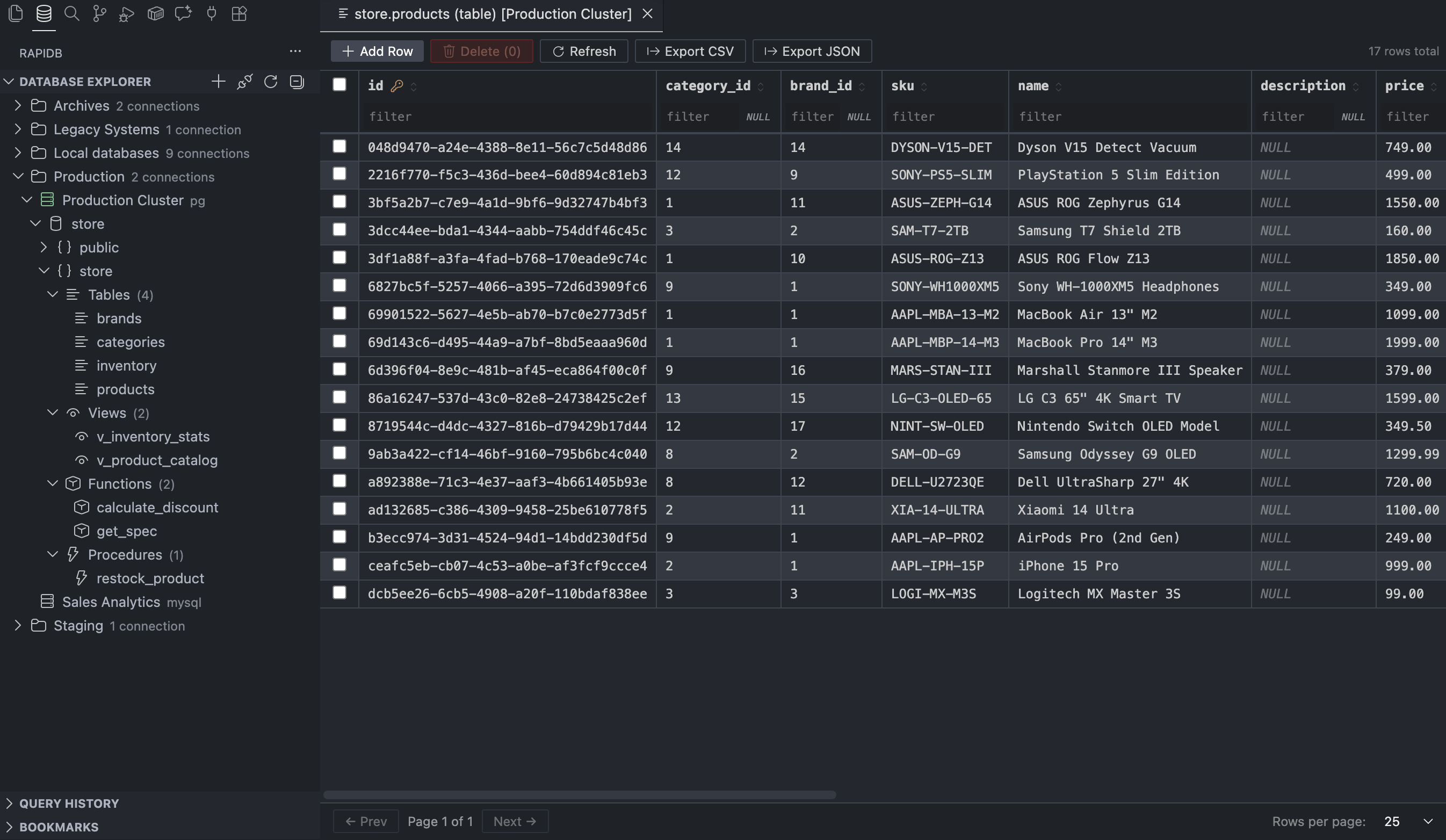



You're deep in the code. Something's off in the data. Now you have to alt-tab to DBeaver, wait for it to wake up, click through five menus...
RapiDB kills that context switch. Your database lives in the sidebar — same window, same shortcuts, same theme.
PostgreSQL, MS SQL Server, MySQL, MariaDB, SQLite, Oracle, Redis, MongoDB, Elasticsearch, DynamoDB — all supported out of the box. SSL, self-signed certs, connection folders to keep things organized.
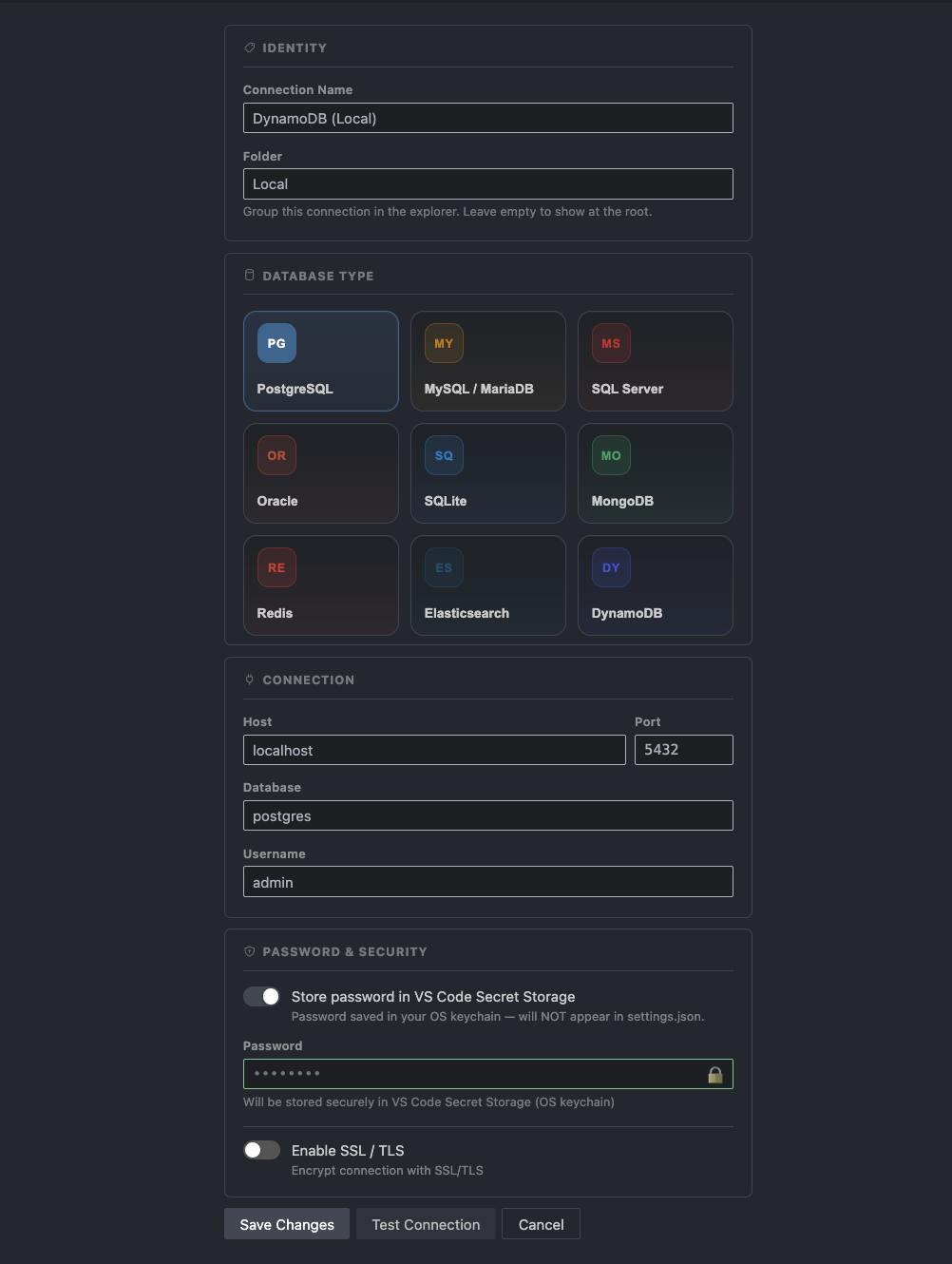
Saved connections can be grouped into folders, and each connection expands into databases → schemas → tables, views, materialized views, functions, procedures, sequences, and types. Right-click any object to copy its name, inspect columns with PK/FK badges, constraints, indexes, and triggers, open the data viewer where it applies, or pull the DDL / definition — no typing required.
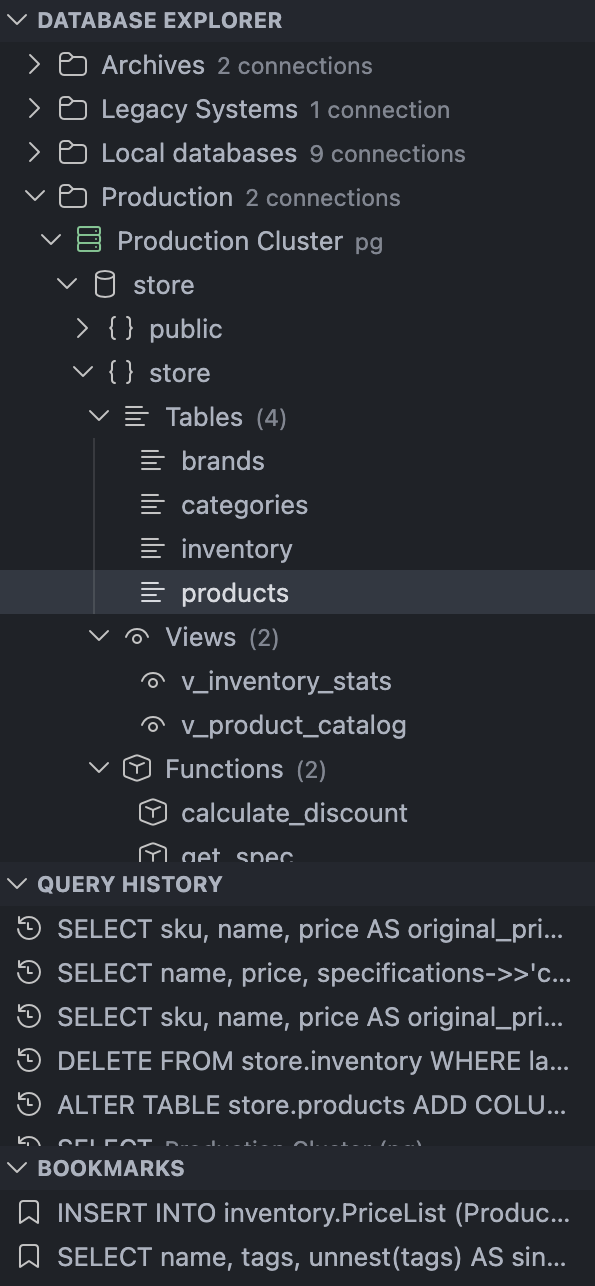
Every query you run lands in Query History — click any entry to reopen it in the editor. Queries you want to keep forever go into Bookmarks with a single press. Query History limit is configurable.
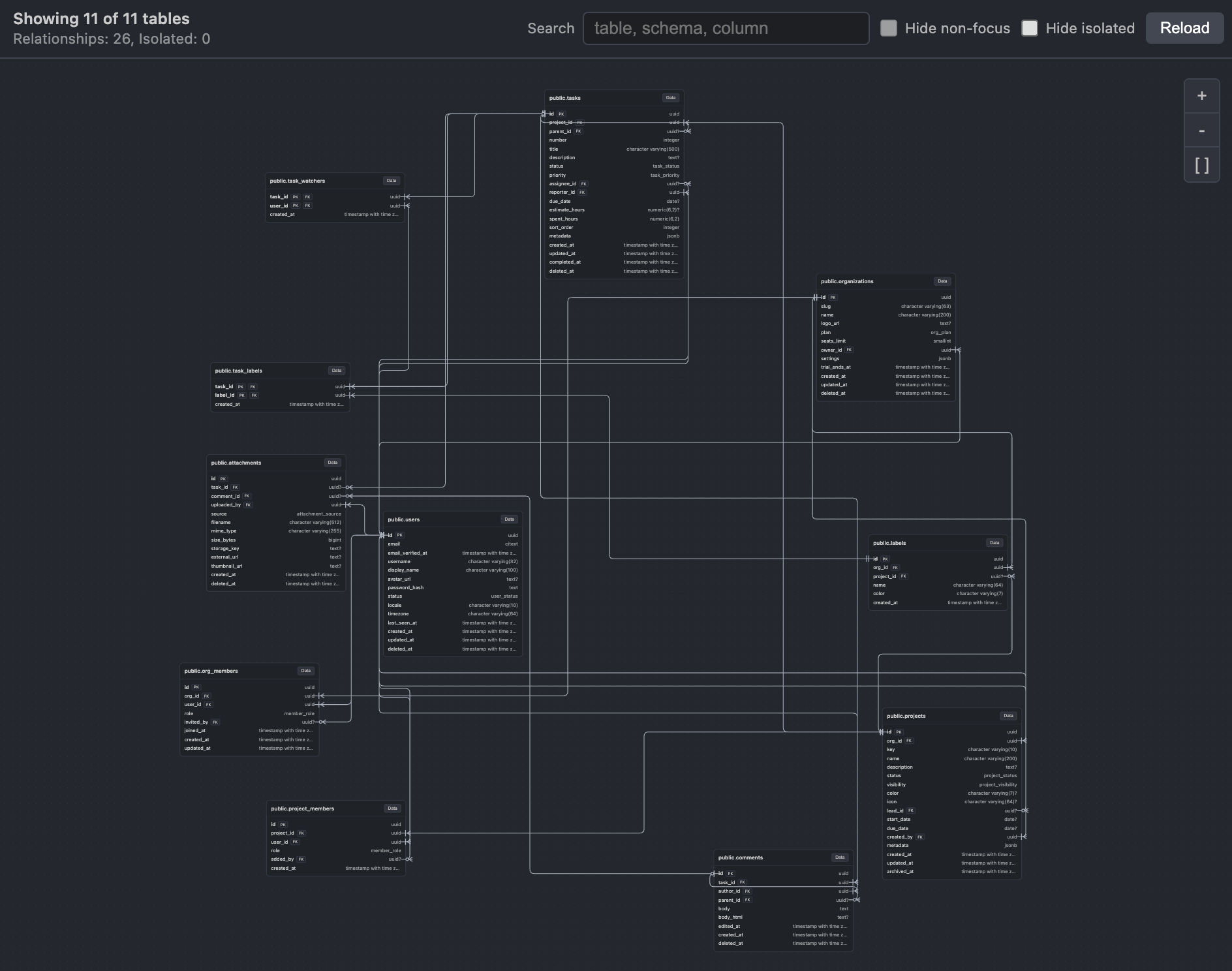
Open ERD from a database or schema node to visualize tables and the foreign key relationships between them. The diagram is built from live schema metadata, so it stays aligned with the current database snapshot.
The query editor runs on Monaco — the same engine as VS Code itself. You get:
- 🎨 Syntax highlighting & SQL formatting (button /
Shift+Alt+F) - 🧠 Schema-aware autocompletion — knows your actual tables and columns
- ⌨️
Ctrl+Enter/F5to run · Select a fragment to run just that part ↕️ Drag the divider to resize editor vs results
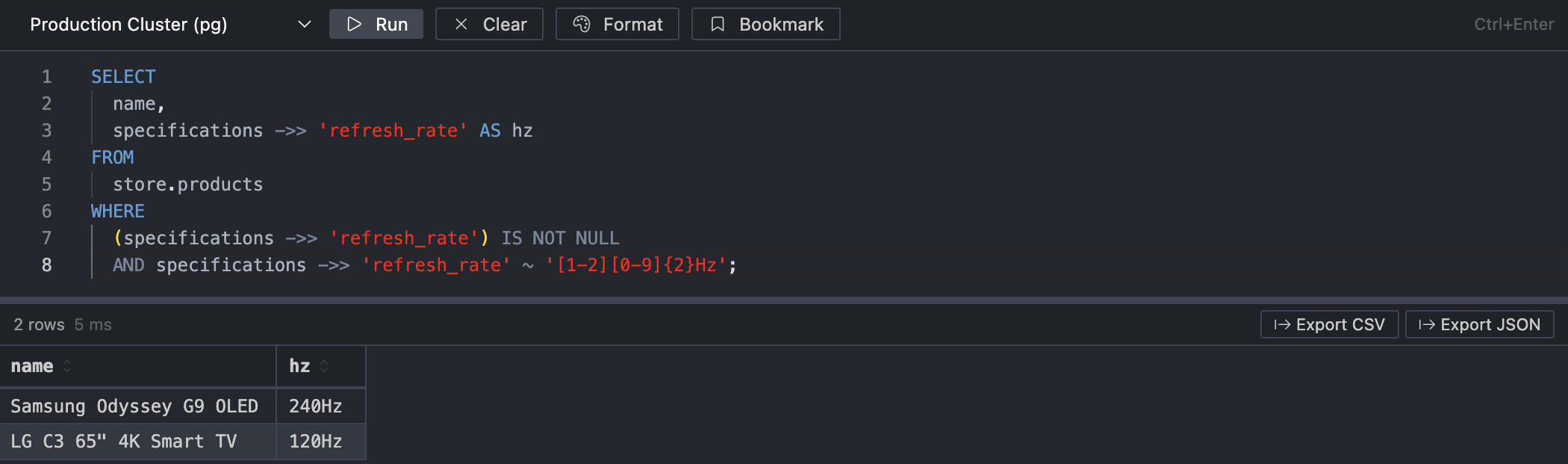
Results land in a virtualized table — no jank, no browser tab hanging:
- Sort by any column · Resize columns · Alternating row stripes
- NULL values are styled differently · Values are colored by types
- Execution time shown right in the toolbar
- Export to CSV or JSON in one click
If results are truncated, a warning tells you exactly how many rows were cut and how to lift the limit.
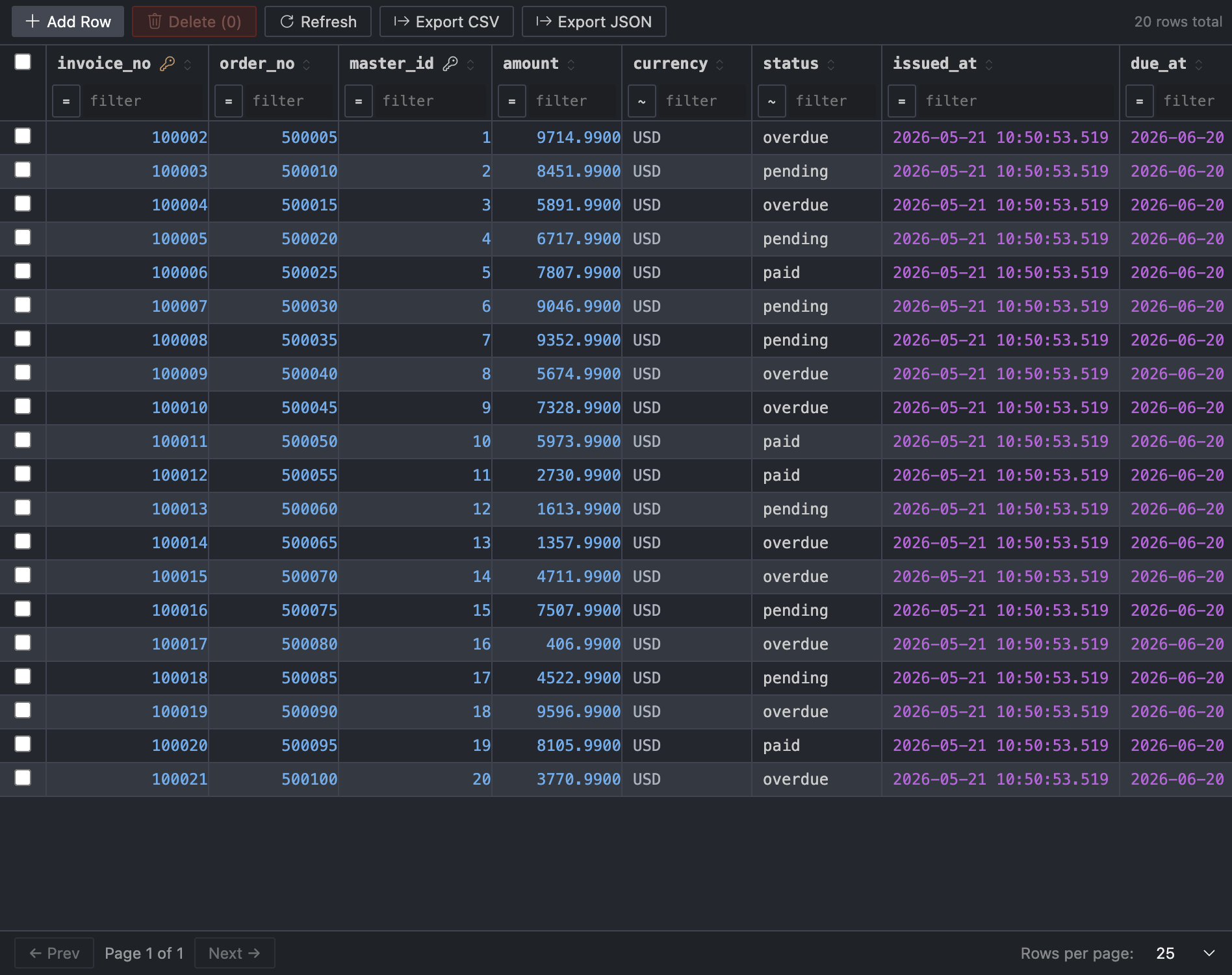
Click any table → the Table Data Viewer opens:
| Feature | Detail |
|---|---|
| Pagination | 25 / 100 / 500 / 1000 rows per page |
| Filtering | Draft-aware per-column filters |
| Inline editing | Click a cell → type → Enter |
| New rows | Insert bar at the top |
| Deletion | Select rows and delete |
| Safety | Preview-first apply flow with verification; transactional where applicable |
| Setting | Default | What it does |
|---|---|---|
rapidb.connections |
[] |
Saved connections, including folders and other data |
rapidb.connectionTimeoutSeconds |
15 |
Timeout for establishing a database connection |
rapidb.dbOperationTimeoutSeconds |
180 |
Timeout for queries, metadata, DDL, and routine loading |
rapidb.queryRowLimit |
10000 |
Cap on rows returned per query (10–100000) |
rapidb.queryHistoryLimit |
100 |
How many past queries to remember (0 = disable history) |
rapidb.defaultPageSize |
25 |
Default rows per page in the Table Data Viewer |
rapidb.skipTableMutationPreview |
false |
Apply table inserts, edits, and deletes without opening the mutation preview dialog |
1. Install the extension
2. Click the RapiDB icon in the Activity Bar
3. Hit Add Connection (+) and fill in your credentials
4. Done — explore, query, edit
⭐ Leave a review in the Marketplace — even a short one helps others decide whether RapiDB fits their workflow, and tells me what's working.
🐛 Open an issue on GitHub — I'm tracking everything there and fixing issues fast. Drop an issue with steps to reproduce and the DB type, and I'll get back to you quickly.
🛠️ For developers
Stack:
| Layer | Technology |
|---|---|
| Extension host | TypeScript, VS Code Extension API |
| Webview UI | React 19, Monaco Editor, TanStack Table, TanStack Virtual, Zustand |
| ERD | @xyflow/react, @dagrejs/dagre |
| SQL formatting | sql-formatter |
| DB drivers | pg, mysql2, mssql, oracledb, better-sqlite3, redis, mongodb, @elastic/elasticsearch, @aws-sdk/client-dynamodb |
| VS Code icons | @vscode/codicons |
| Bundler | esbuild |
PRs and contributions are welcome at github.com/DmitriiKholkin/RapiDB.
For maintainer and support documentation, start at docs/README.md or docs/DEVELOPER_HANDBOOK.md.
MIT License · Made with love and the desire to never alt-tab again