


tensor-network-editor is a local Python package for drawing tensor networks,
saving them as versioned JSON, and generating readable Python code for several
backends.
It is useful when you want a visual editor without losing the things that make scientific Python workflows practical: plain data objects, files you can version, offline use, and generated code you can inspect.
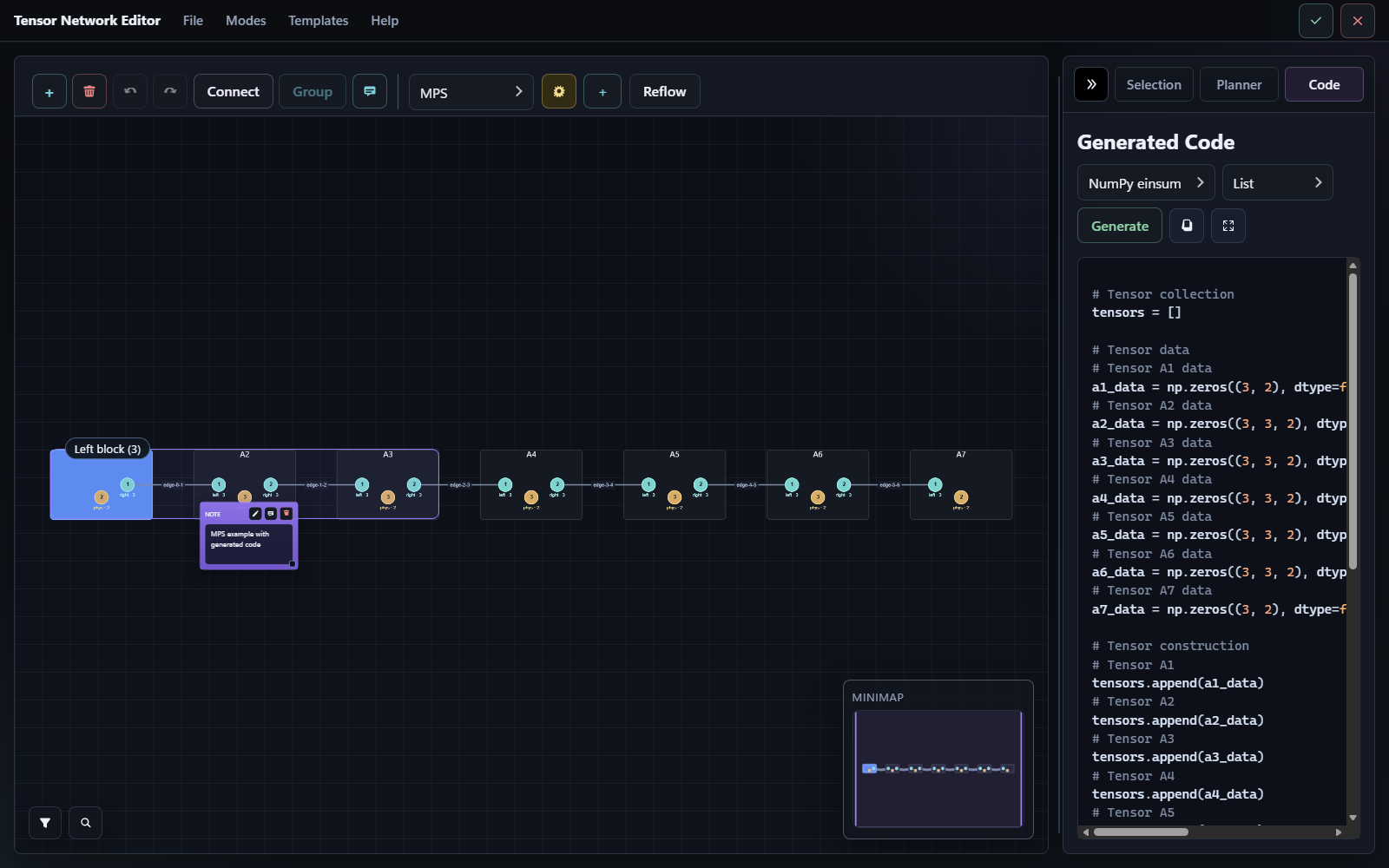
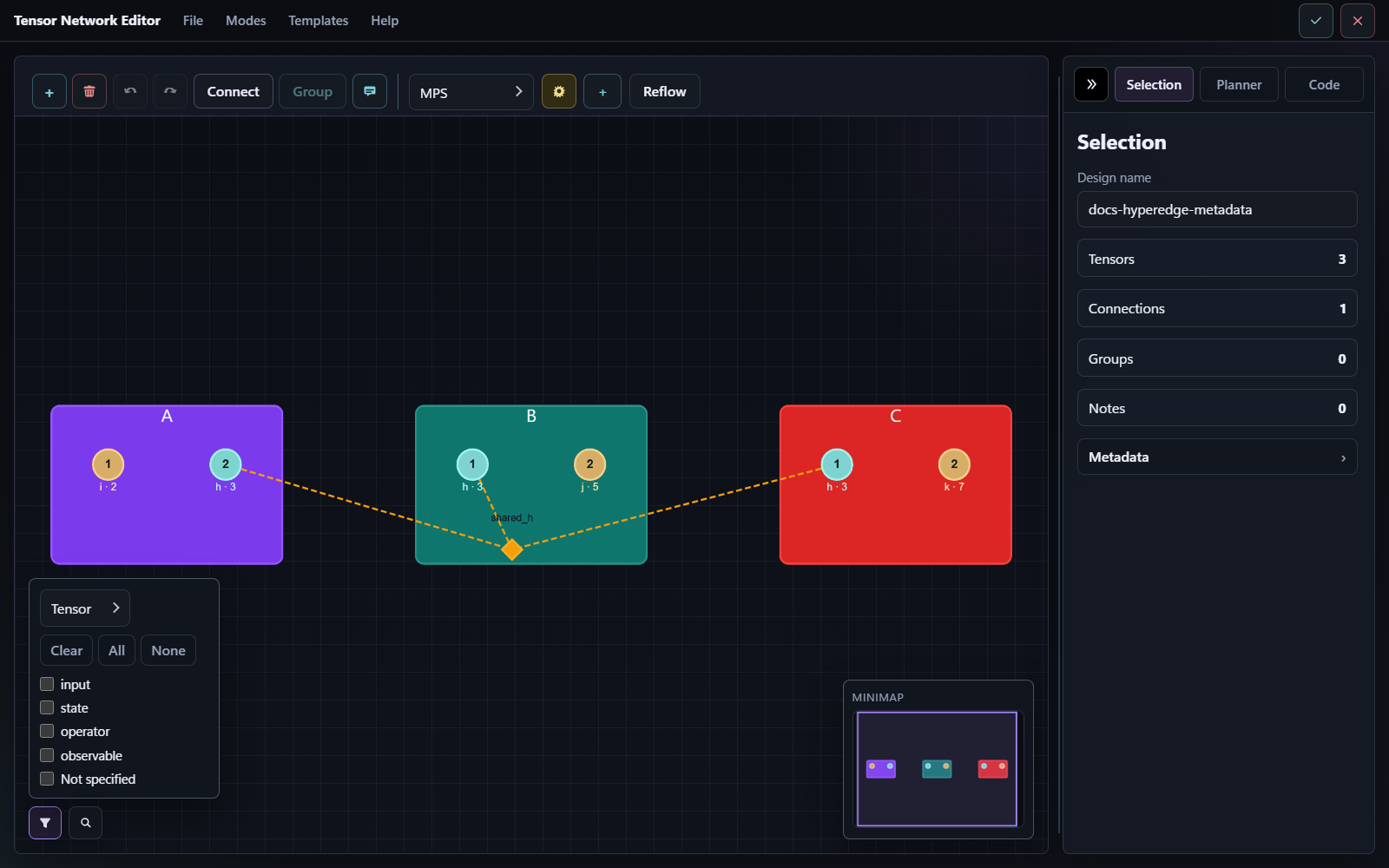
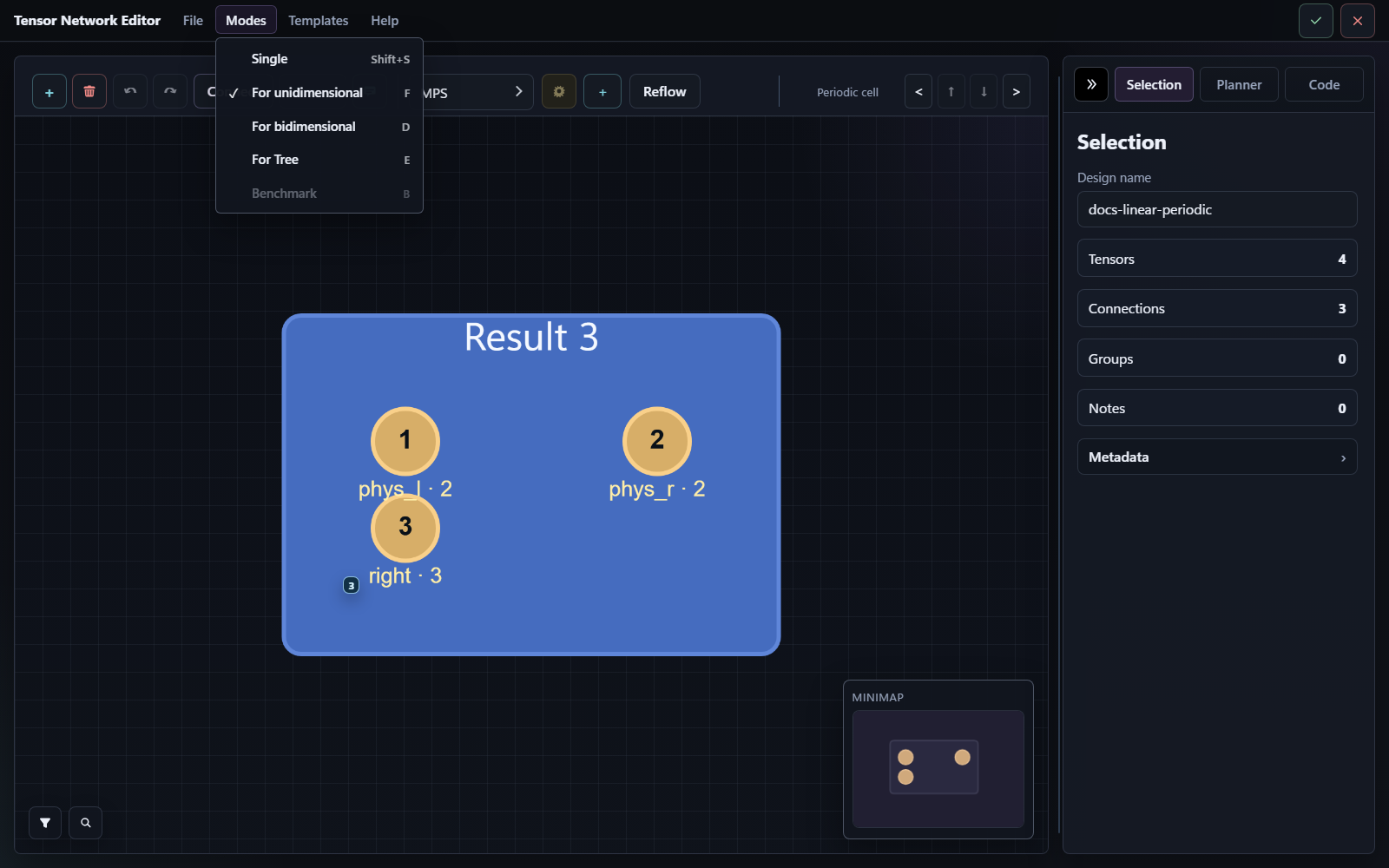
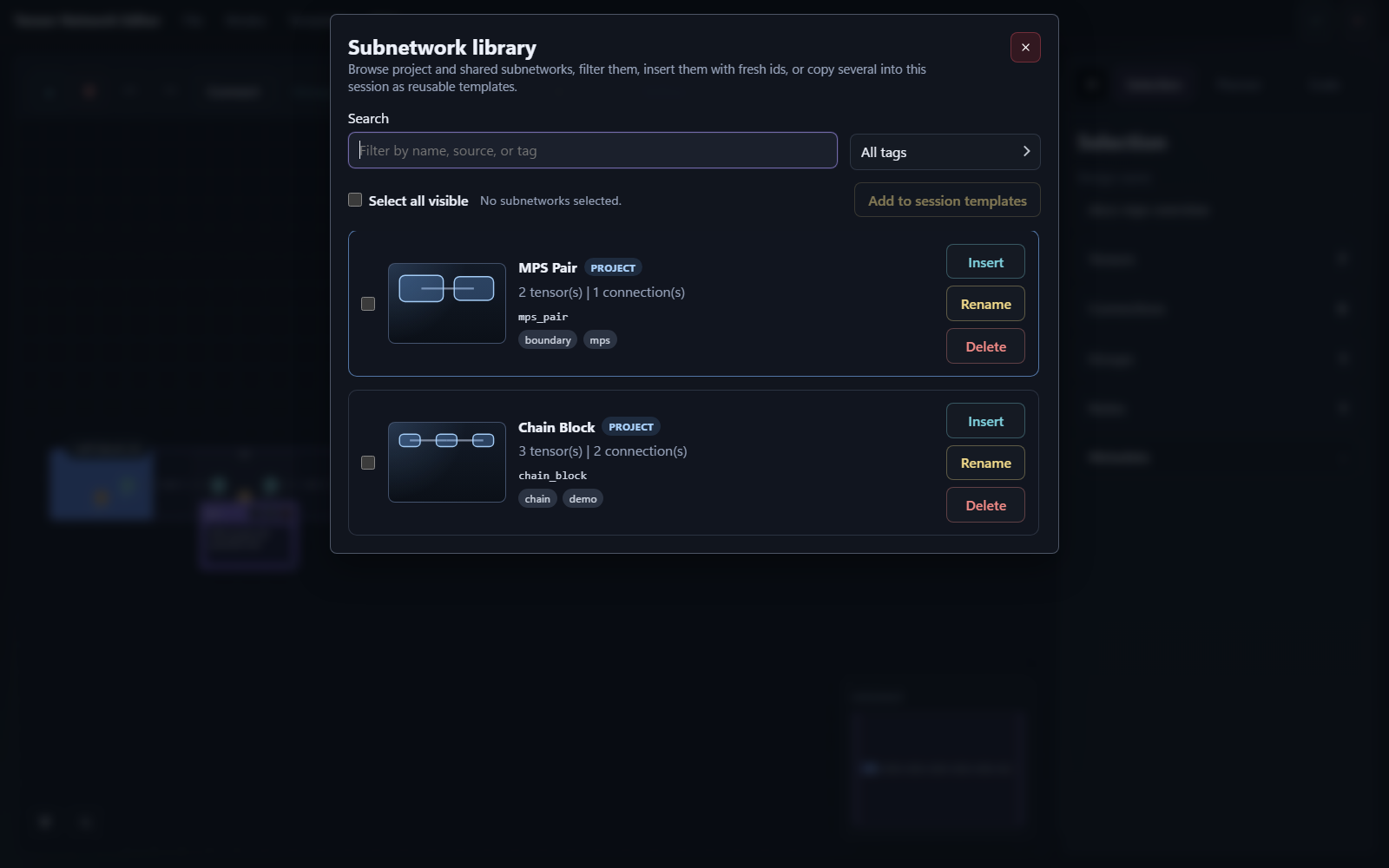
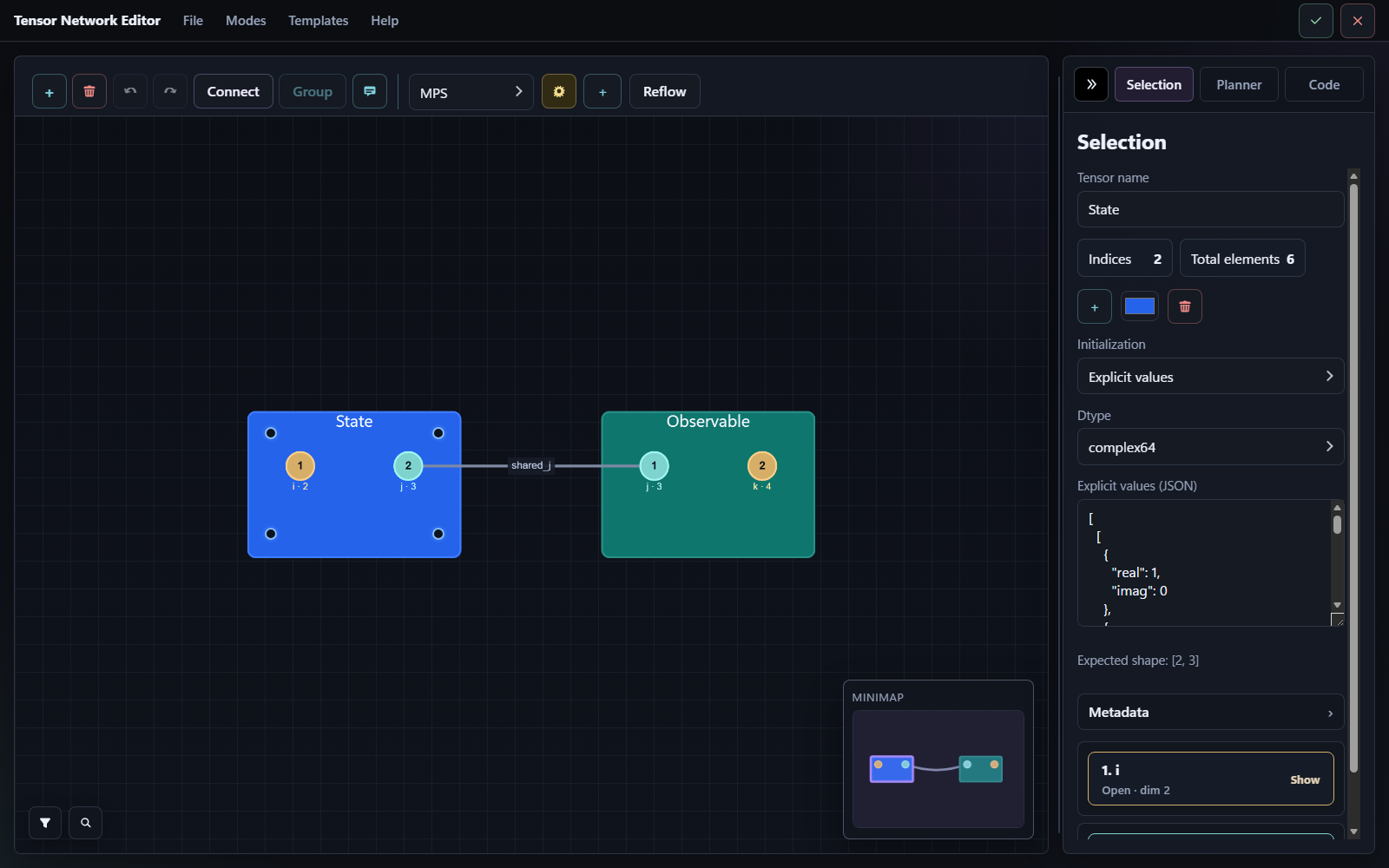
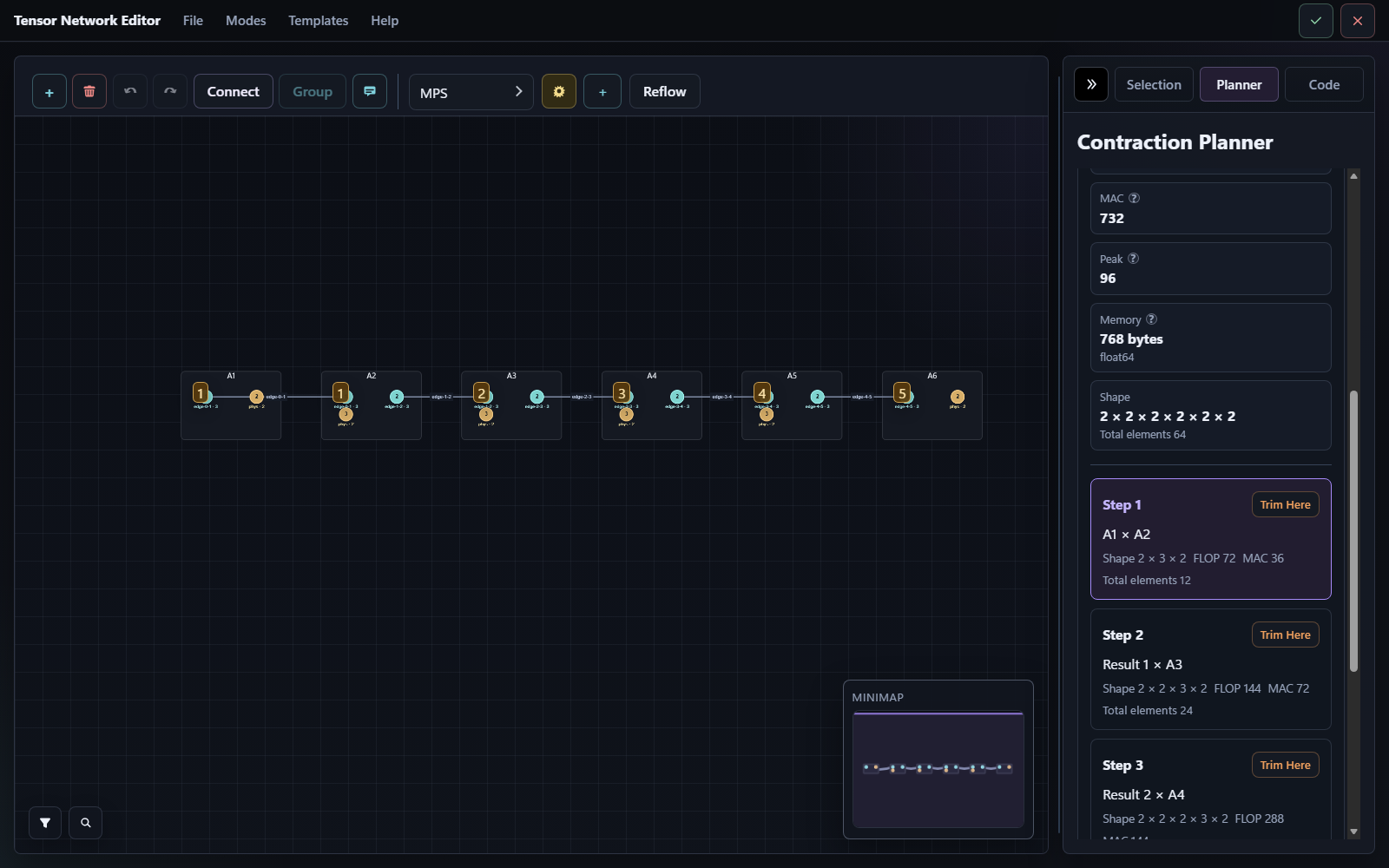
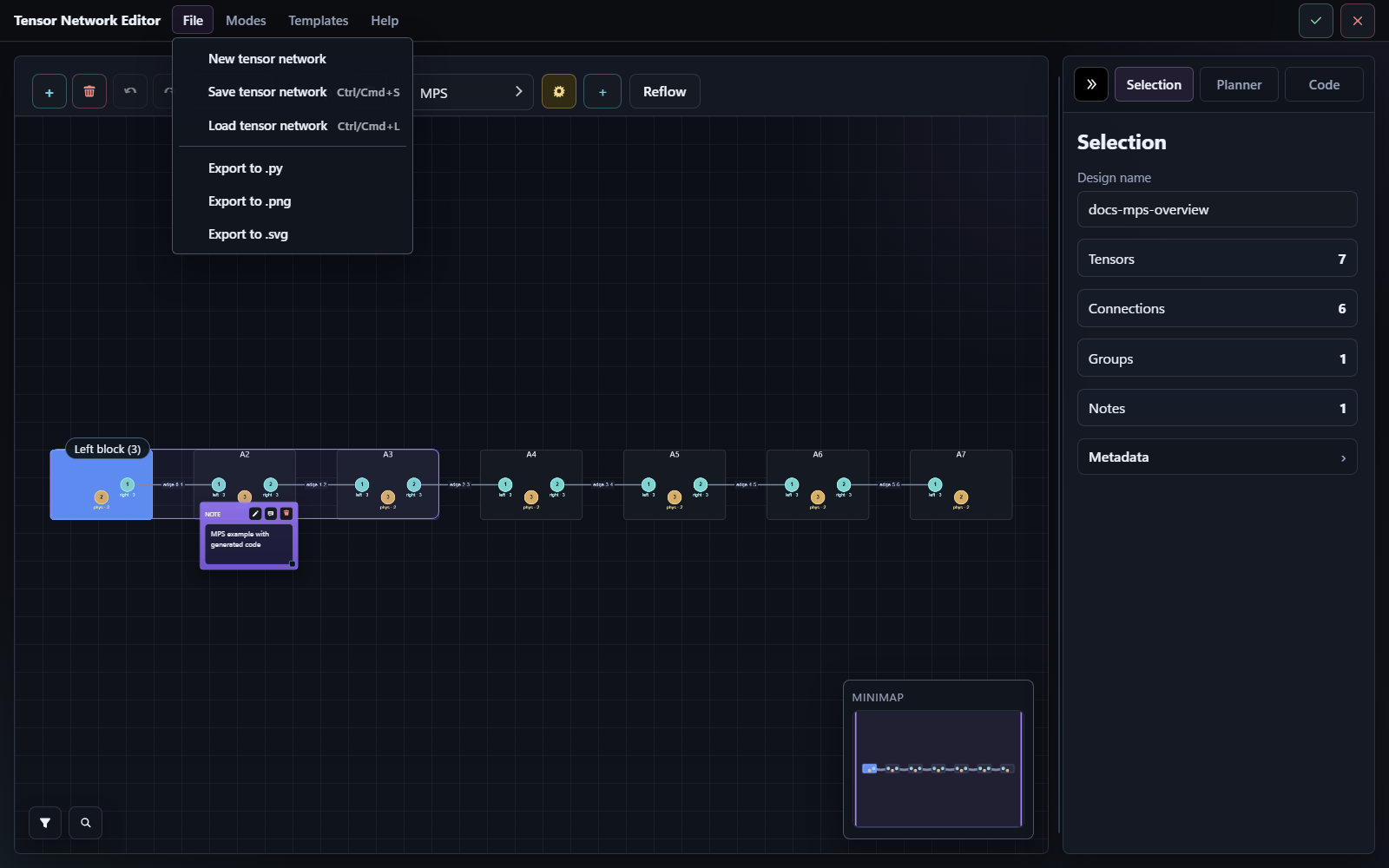
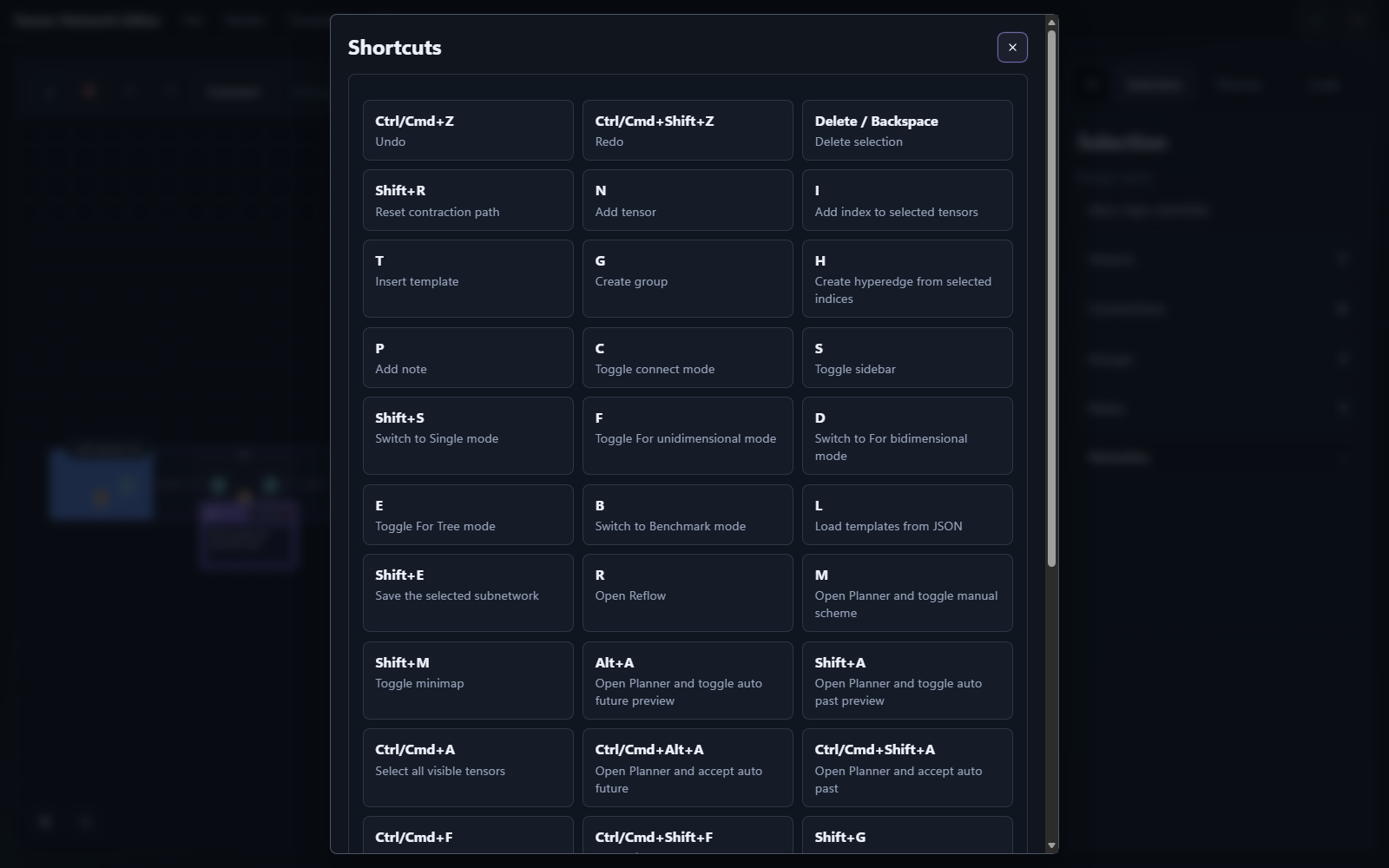
- Draw tensor-network diagrams in a local browser or
pywebviewdesktop session. - Save and reload backend-independent JSON designs.
- Recover the previous local editor session from a project draft if the window or tab is closed before you save.
- Generate code for
tensornetwork,quimb,tensorkrowch,einsum_numpy, andeinsum_torch. - Render designs to static SVG, TikZ/LaTeX, Graphviz/DOT, or Mermaid from Python, the CLI, or the editor File menu without needing LaTeX or Graphviz installed.
- Import supported Python network layouts from generated exports plus simple
quimb,tensornetwork, andeinsum/opt_einsumsource files, or run explicit live imports forquimbandtensornetworkobjects in a subprocess. - Edit tensor initializers in the sidebar with zeros, ones, fill values,
identity/delta, copy tensors, seeded random values, dtype choices, and
explicit real or complex literals, or point a tensor at external
.npy/.npzdata that generated code loads with shape checks. - Create first-class hyperedges in normal mode, reposition their virtual hubs in the editor, and let exports lower them automatically into copy tensors plus binary edges for backend code, analysis, and benchmarks.
- Use built-in templates for MPS, MPO, PEPS, MERA, TTN, PEPO, and TEBD gate-layer layouts, including configurable MPO boundary/coupling fields and TTN depth/leg options.
- Build normal-mode designs from Python with a small fluent builder API when direct scripting is faster than manual canvas editing.
- Save reusable subnetworks into project or shared catalogs and reinsert them later with fresh ids, tags, and quick previews.
- Annotate tensors and indices with tags, guided metadata, and free-form JSON, then use metadata filters to inspect larger designs.
- Edit dimensions for one index or a multi-index selection from the sidebar or compact context menus.
- Work with linear, grid, and tree periodic modes, including clickable virtual boundary operands for partial manual contractions, and export them with any bundled backend.
- Choose the editor color theme at startup with
dark,light,contrast,colorblind, orshiny. - Reflow the current selection or the whole graph with
Auto layoutwhen imported or irregular networks need a cleaner arrangement. - Inspect manual contraction paths and automatic planner suggestions.
- Benchmark manual and automatic contraction variants from the editor or the CLI, with reproducible CSV/TXT/LaTeX-style tables.
- Use shortcut-driven editing for common actions such as adding tensors, adding indices, opening Reflow, moving between periodic cells, saving subnetworks, and confirming the session.
- Get structural analysis with FLOP and MAC cost summaries.
- Use the package from the CLI or directly from Python.
The editor server runs locally on your own machine. By default it opens in your
browser, and you can also ask for a native pywebview window with the optional
desktop extra. No Node runtime or cloud service is needed for normal use. The
browser-served editor remains the core interface and compatibility target.
The PyPI package name is tensor-network-editor. The Python import package is
tensor_network_editor.
PowerShell:
python -m venv .venv
.\.venv\Scripts\Activate.ps1
python -m pip install -U pip
python -m pip install tensor-network-editor
Bash:
python3 -m venv .venv
source .venv/bin/activate
python -m pip install -U pip
python -m pip install tensor-network-editor
For backend extras such as tensor-network-editor[numpy] and
tensor-network-editor[torch], automatic planner support, source installs,
and development setup, read docs/installation.md.
Launch the visual editor:
tensor-network-editor editThis command starts a local server and waits until you press Done or
Cancel in the editor session.
Open the same local editor in a native pywebview window:
python -m pip install "tensor-network-editor[desktop]"
tensor-network-editor edit --ui pywebview
Start only the local server and open the printed URL yourself:
tensor-network-editor edit --ui serverPick a color theme when you launch the editor:
tensor-network-editor edit --theme lightOpen an existing design and save generated code when the session is confirmed:
tensor-network-editor edit --load my_network.json --engine quimb --save-code generated_network.pyGenerate a reproducible benchmark table from one saved design:
tensor-network-editor benchmark my_network.json
tensor-network-editor benchmark my_network.json --dtype float32 --format csv --output benchmark.csv
Run a friendly local diagnostic that combines validation, lint, analysis, benchmark, optional-backend checks, and practical suggestions:
tensor-network-editor doctor my_network.json
tensor-network-editor doctor my_network.json --format json
Render one saved design as SVG, PDF, TikZ/LaTeX, Graphviz/DOT, Mermaid, or PNG:
tensor-network-editor render my_network.json --format svg --output figure.svg
tensor-network-editor render my_network.json --format pdf --output figure.pdf
tensor-network-editor render my_network.json --format tikz --output figure.tex
tensor-network-editor render my_network.json --format dot --output graph.dot
tensor-network-editor render my_network.json --format mermaid --output graph.mmd
tensor-network-editor render my_network.json --format png --output figure.png
The editor File menu also offers direct academic .svg, .png, .pdf, .tex,
and .dot exports for the current canvas.
Use the editor from Python:
from tensor_network_editor import open_editor
from tensor_network_editor.editor import EditorLaunchOptions


def main() -> None:
    result = open_editor(options=EditorLaunchOptions(theme="colorblind"))
    if result is None:
        print("Editor cancelled.")
        return

    print(f"Design name: {result.spec.name}")
    if result.codegen is not None:
        print(result.codegen.code)


if __name__ == "__main__":
    main()
Build a small network directly from Python:
from tensor_network_editor import NetworkBuilder


builder = NetworkBuilder("demo")
a = builder.tensor("A")
a.index("i", 2)
a.index("x", 3)
b = builder.tensor("B")
b.index("x", 3)
b.index("j", 4)
builder.connect(a["x"], b["x"], name="bond_x")
spec = builder.build()
Generate code without opening the editor:
from tensor_network_editor import EngineName, generate_code, load_spec


spec = load_spec("my_network.json")
result = generate_code(spec, engine=EngineName.EINSUM_NUMPY)
print(result.code)
Render static figures from Python:
from tensor_network_editor import (
    load_spec,
    render_spec_dot,
    render_spec_mermaid,
    render_spec_pdf,
    render_spec_png,
    render_spec_svg,
    render_spec_tikz,
)


spec = load_spec("my_network.json")
svg = render_spec_svg(spec, output_path="figure.svg")
tikz = render_spec_tikz(spec, output_path="figure.tex")
dot = render_spec_dot(spec, output_path="graph.dot")
mermaid = render_spec_mermaid(spec, output_path="graph.mmd")
png = render_spec_png(spec, output_path="figure.png")
pdf = render_spec_pdf(spec, output_path="figure.pdf")
Load a live quimb or tensornetwork object from Python source:
from tensor_network_editor import PythonLoadOptions, load_python_spec


spec = load_python_spec(
    python_source,
    python=PythonLoadOptions(
        import_mode="live",
        object_name="network",
    ),
)
This live mode executes the source in a subprocess with the active Python
interpreter from your .venv, auto-detects one supported runtime object when
possible, and falls back to python_object_name when several compatible
globals exist.
Python imports also expose an explicit reconstruction contract through
PythonLoadOptions(reconstruction_level="auto" | "simple" | "best_available"):
autokeeps the richest supported result for the selected profilegeneratedresolvesautotobest_available, which preserves supported manual contraction steps- external static profiles and live imports resolve
autotosimple, which rebuilds only the portable network structure
When import_mode="live" is requested for generated source but the generated
backend package is missing from the active .venv, the loader falls back to the
static parser and reports that fallback as a warning instead of failing the
whole load immediately.
- Documentation index: where to go for each topic.
- Installation: full setup instructions.
- Getting started: first useful workflow.
- User guide: editor workflow, templates, reusable subnetworks, auto layout, planner, tips, benchmark mode, periodic modes, and limits.
- Extended guide: complete user manual with deeper workflows, CLI recipes, Python recipes, modes, exports, and practical guidance.
- Python API: public functions and practical examples.
- Data models:
NetworkSpec, tensors, edges, hyperedges, groups, notes, contraction plans, and periodic-mode payloads. - CLI: terminal commands, subnetwork catalogs, benchmark/export workflows, and JSON output.
- Troubleshooting: common problems and fixes.
- Scope boundaries are intentional, not placeholders for a future rewrite:
TenPy code generation is out of scope, symbolic tensor expressions stay
limited to the current portable initializer/data model, and
tensorkrowchsupport will remain within the current feasible subset. - Hyperedges are supported only in normal mode. They are lowered to generated
copy tensors for export, supported generated Python can reconstruct them as
HyperedgeSpec, and planner/benchmark analysis handles them as internal copy tensors while keeping the visual model unchanged. - Python import is intentionally conservative. It supports the package's own
generated exports plus static AST patterns for simple
quimb,tensornetwork, andeinsum/opt_einsumsources. It also offers an explicit live-import mode forquimbandtensornetworkruntime objects, with static-parser fallback for generated sources when live imports fail because backend modules are unavailable. External and live imports still do not recover editor layout/groups/notes or rebuild manual contraction plans. PythonLoadOptions(reconstruction_level="best_available")is currently only supported for the package's owngeneratedPython profile. External static profiles and live imports use the portablesimplereconstruction contract instead.- Browser-based live import from the editor works best for self-contained
scripts or imports already resolvable from the active
.venv. If a Python file depends on sibling modules or path-sensitive imports, prefer the Python API or CLI with the real file path. - Tensor values in the visual editor support portable built-in initializers,
dtype choices, JSON-friendly complex scalars, and external
.npy,.npz, and.ptdata references. Symbolic expressions are not supported yet. - Linear, grid, and tree periodic code generation work with all bundled backends.
- Manual outer-product steps still cannot be exported safely to
tensorkrowch, and that restriction is considered a stable project boundary. - In
For bidimensionalandFor Tree, virtual boundary operands represent payload/frontier interfaces for partial contractions rather than physical tensors you edit directly. Grid plans fold cells row-by-row from the upper-left corner; tree plans fold leaves into parents until the root is reached.
- Source code: github.com/DOKOS-TAYOS/Tensor-Network-Editor
- Changelog: CHANGELOG.md
- Example script: examples/basic_usage.py
- Issue tracker: github.com/DOKOS-TAYOS/Tensor-Network-Editor/issues
- License: LICENSE
- Third-party notices: THIRD_PARTY_LICENSES