A simple yet powerful Tampermonkey userscript designed to supercharge your prompting workflow on NovelAI. This script adds essential features like hotkey-based weight adjustments and intelligent tag autocompletion.
-
🚀 Hotkey Weight Adjustments: Quickly increase or decrease the emphasis of your tags. Select a word and press a hotkey to wrap it in
1.3::1girl::, saving you time and effort.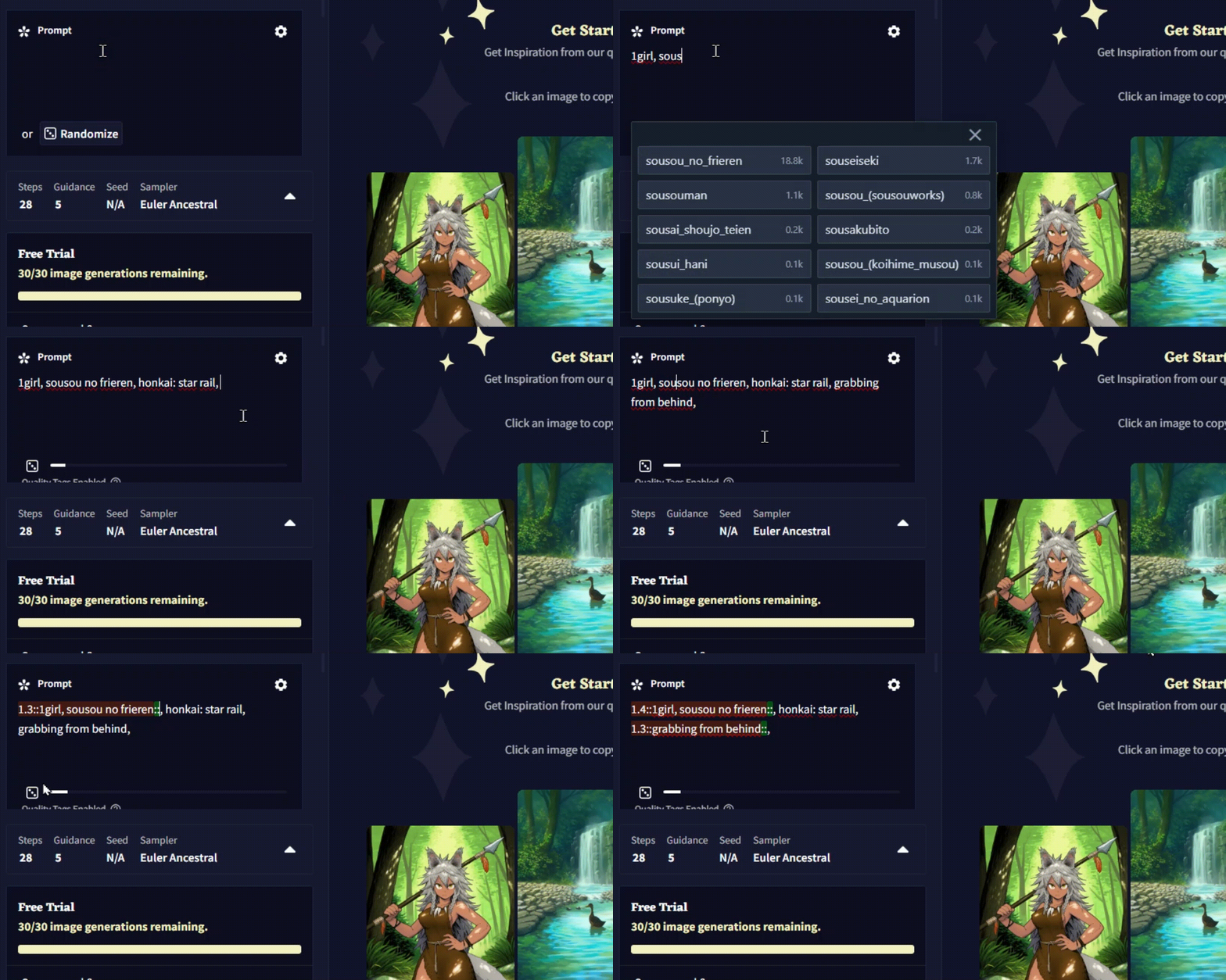
-
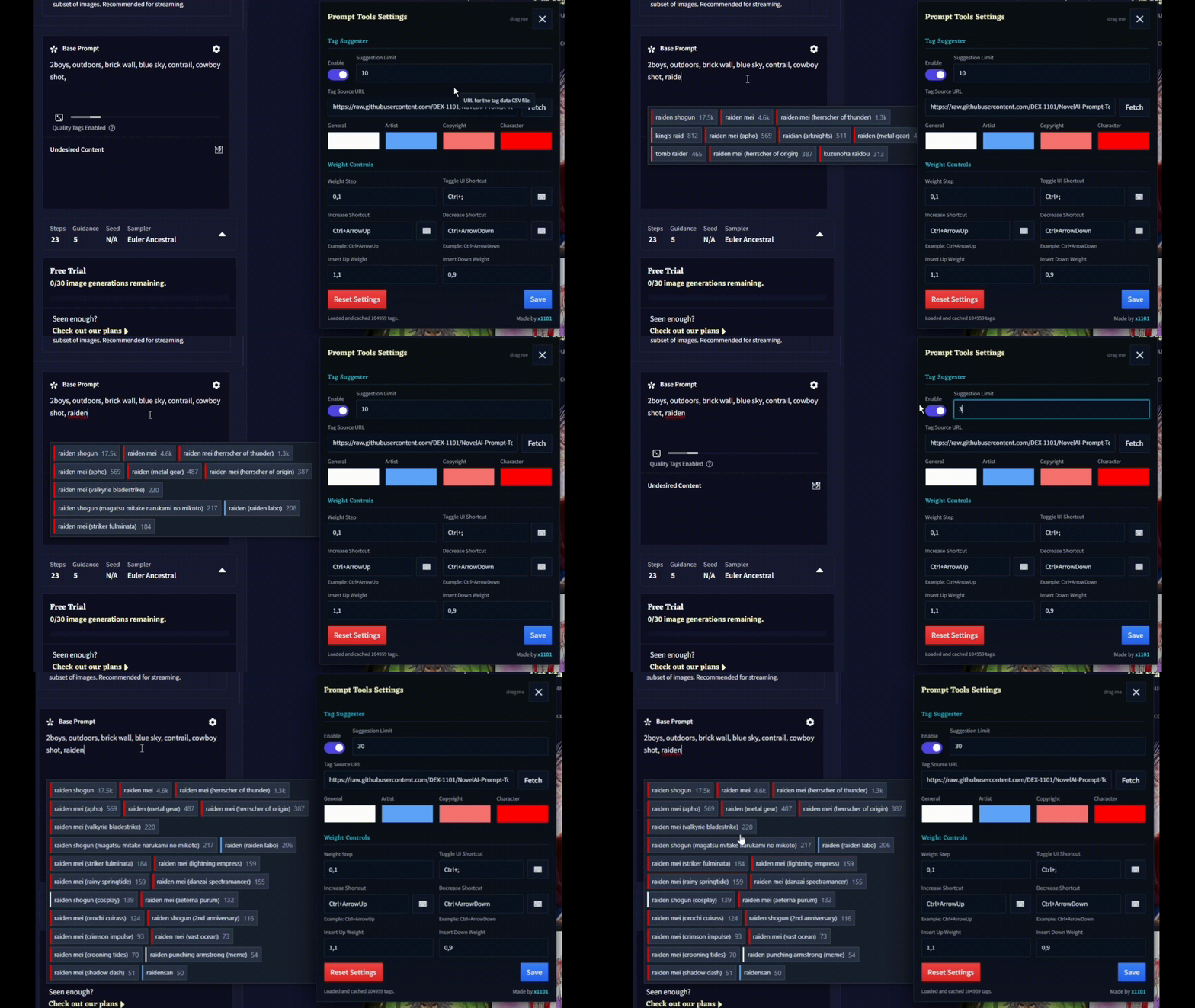
🧠 Smart Tag Autocomplete: Get instant suggestions for danbooru tags as you type (with Latest Artist and Character Tags, both NSFW and SFW).
-
⚙️ Fully Customizable: Easily change the hotkeys and weight adjustment values through a clean and simple settings menu to perfectly match your workflow.
Getting started is easy! Just follow these three steps.
-
Install a Userscript Manager
- You need an extension to run this script. We recommend Tampermonkey.
-
Enable Developer Mode & Allow Script
- Open extension settings by right-clicking the Tampermonkey icon (1) and selecting "Manage Extension" (2).
- Locate and enable the "Allow User Scripts" toggle
- Enable Developer Mode by clicking the toggle at the top right.
- Open extension settings by right-clicking the Tampermonkey icon (1) and selecting "Manage Extension" (2).
-
Install the Script
-
Click the button below to install the NovelAI Prompt Tools script directly.
-
-
All Set!
- Open or refresh the NovelAI Image Generation page. The script will be active automatically!


- Permissions: The first time you use the script, it may request permission to fetch data from an external source. This is required for the tag autocomplete feature to work. Please approve the request.
- Browser Compatibility: This script has been tested and works perfectly with Chrome, Firefox, and Brave.
- How to Update: To ensure you have the latest version, go to your Tampermonkey Dashboard, click on the script name, and use the built-in update checker
(File > Check Update).