A Swift-based iOS app that securely syncs Fitbit data to Apple Health, ensuring reliable tracking and full control over your health data.
SyncMyFit is a personal project developed to bridge the gap between Fitbit data and Apple Health. It syncs data like steps, heart rate, sleep, and calories directly from Fitbit’s API into Apple Health using a custom app identifier to track origin. While it's currently designed for personal use, future plans include advanced features like:
- Auto Sync.
- Scheduled Notifications.
- Historical Data Sync.
- Enhanced Privacy & Pro Access Features.
- Custom-built light and dark mode compatibility.
- Dedicated light/dark app icons.
- Smooth transitions and state management for login/logout.
- Alert-driven confirmations before logout.
- Circular progress visualizations for each health metric.
- Log in via Fitbit OAuth.
- Securely store tokens using Keychain.
- Display last synced date and status.
- Show animated dashboard with visual metrics.
- View user account details with profile and logout option.
- SwiftUI: Declarative UI framework.
- Combine: Reactive framework for sync status and app state.
- HealthKit: To write data into Apple Health.
- Fitbit Web API: For fetching fitness data.
- Keychain: Secure credential storage.
- UserDefaults: Persistent storage for sync timestamps.
If you'd like to run SyncMyFit with your own Fitbit Client ID:
-
Clone the repository:
git clone https://github.com/your-username/SyncMyFit.git
-
Create a file called
Secrets.plistat the project root level (SyncMyFit/Secrets.plist) with the following content:<?xml version="1.0" encoding="UTF-8"?> <!DOCTYPE plist PUBLIC "-//Apple//DTD PLIST 1.0//EN" "http://www.apple.com/DTDs/PropertyList-1.0.dtd"> <plist version="1.0"> <dict> <key>FitbitClientID</key> <string>YOUR_CLIENT_ID_HERE</string> </dict> </plist>
-
Open the project in Xcode and ensure:
Secrets.plistis added to your main target membership.Secrets.swift(already present) is used to load this securely.
-
Make sure you’ve configured your Fitbit Developer App’s redirect URI and whitelisted necessary scopes (
activity,heartrate,sleep, etc.). -
Run the project on your iPhone (HealthKit requires a physical device).
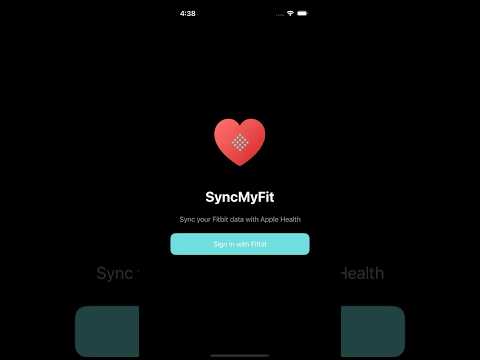
1.0.0 — First complete build, polished for personal use.
This app is developed for personal use and is not affiliated with Fitbit or Apple.
Baranidharan Pasupathi