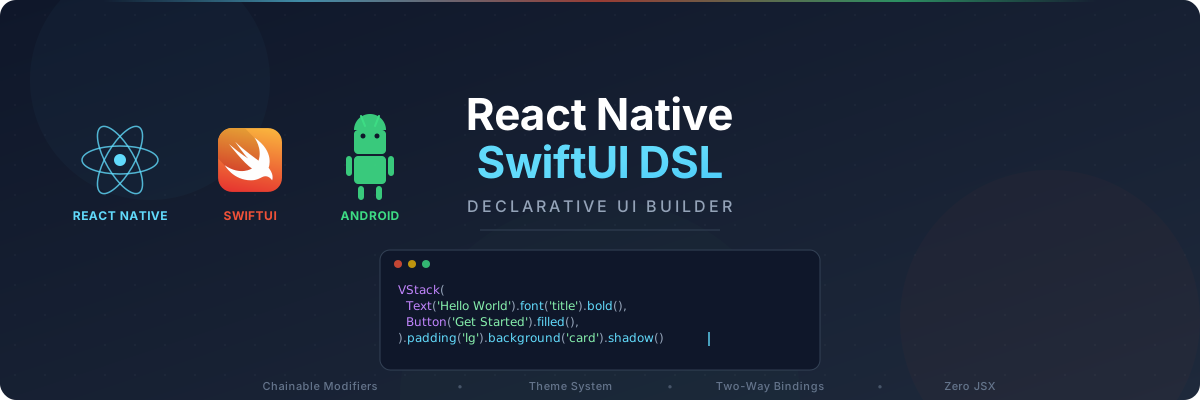
Chainable modifiers • ViewModifier protocol • Responsive layouts • Animations & Gestures • Theme-aware colors • Two-way bindings • Zero JSX • Global imports
What if building React Native screens felt as natural as SwiftUI? This framework replaces verbose JSX and scattered StyleSheet objects with chainable, type-safe function calls that read like a blueprint of your UI.
import { VStack, Text, Button, Spacer, Font, Spacing, Color, Radius, ButtonVariant } from 'react-native-swiftui-dsl';

VStack(
  Text('Welcome Back').font(Font.title).bold(),
  Text('Track your practice sessions').secondary(),
  Button('Get Started', () => navigate('home'), { style: ButtonVariant.filled }),
  Spacer(),
)
.padding(Spacing.lg)
.background(Color.card)
.cornerRadius(Radius.md)
.shadow()
No angle brackets. No style objects. Just clean, readable, composable code.
| Pain Point | Traditional RN | With this DSL |
|---|---|---|
| Verbose markup | Deeply nested <View> / <Text> JSX |
Flat function calls: VStack(Text(...)) |
| Scattered styles | StyleSheet.create at the bottom of every file |
Inline chainable modifiers: .padding(Spacing.lg).bold() |
| Manual theming | useColorScheme() + conditional colors everywhere |
Token-based: .background(Color.card) auto-resolves light/dark |
| Form boilerplate | value + onChangeText on every input |
Two-way bindings: TextInput($form.email) |
| Config overhead | Theme providers required before anything works | Built-in defaults: works out of the box with zero config |
The result? Less code, fewer bugs, and UIs you can actually read.
Here's the same profile card built both ways:
Traditional React Native:
<View style={[styles.card, { backgroundColor: isDark ? '#1E293B' : '#FFF' }]}>
  <Image source={{ uri: user.avatar }} style={styles.avatar} resizeMode="cover" />
  <Text style={[styles.name, { color: isDark ? '#F9FAFB' : '#111827' }]}>{user.name}</Text>
  <Text style={[styles.bio, { color: isDark ? '#94A3B8' : '#6B7280' }]}>{user.bio}</Text>
  <Pressable style={styles.button} onPress={() => navigateToEdit()}>
    <Text style={styles.buttonText}>Edit Profile</Text>
  </Pressable>
</View>
// + 10 lines of StyleSheet.create(...)
With react-native-swiftui-dsl:
VStack(
  Image({ uri: user.avatar }, { resizeMode: ImageResize.cover })
    .frame({ width: 80, height: 80 }).cornerRadius(Radius.lg),
  Text(user.name).font(Font.title).bold(),
  Text(user.bio).font(Font.footnote).secondary().textAlign(TextAlign.center),
  Button('Edit Profile', () => navigateToEdit(), { style: ButtonVariant.filled }),
)
.padding(Spacing.lg).background(Color.card).cornerRadius(Radius.md)
.alignment(Alignment.center).spacing(12)
Same result. 70% less code. Colors auto-resolve for light and dark mode.
- 20 built-in primitives -- VStack, HStack, ZStack, Text, Image, Button, Toggle, TextInput, ScrollStack, LazyList, SectionedList, SafeArea, Spacer, Divider, Icon, Spinner, Link, Raw, Modal, ProgressBar
- 60+ chainable modifiers -- padding, font, background, cornerRadius, shadow, border, opacity, frame, hidden, and many more
- Token-based theme -- Color, Spacing, Font, and Radius tokens auto-resolve for light/dark mode
- Two-way bindings -- SwiftUI-style
createBindingandbindFormfor effortless forms - Responsive layouts -- Breakpoint-based modifiers for phones and tablets
- Animations & Gestures -- SwiftUI-inspired animation presets, transitions, swipe/pan/pinch gestures
- ViewModifier protocol -- Reusable, composable modifier classes
- DSLView -- Class-based reusable view components with
body()pattern - Full TypeScript support -- IntelliSense for every modifier, token, and primitive
- Config-free defaults -- Works out of the box without theme providers
- iOS + Android -- Works with React Native and Expo
npm install react-native-swiftui-dsl# Required peer dependencies
npm install react react-native react-native-safe-area-context
# Optional
npm install @expo/vector-icons # For Icon primitive
npm install expo-router # For ScreenConfigRenderer navigationSee Getting Started for full setup details and quick start guide.
Full documentation lives in the docs/ directory:
| Topic | File |
|---|---|
| Installation, Quick Start, Config-Free Usage | docs/getting-started.md |
| Topic | File |
|---|---|
| API Reference: Primitives | docs/primitives.md |
| API Reference: Modifiers | docs/modifiers.md |
| Theme System & Configuration | docs/theme-system.md |
| Token System (Color, Font, Spacing, Radius) | docs/tokens.md |
| Topic | File |
|---|---|
| ViewModifier Protocol | docs/view-modifier.md |
| DSLView -- Reusable Views | docs/dsl-view.md |
| Responsive System | docs/responsive.md |
| Animation System | docs/animation.md |
| Gesture System | docs/gestures.md |
| Transform Modifiers | docs/transforms.md |
| Topic | File |
|---|---|
| Bindings & Conditionals | docs/bindings.md |
| Environment Values | docs/environment.md |
| Navigation | docs/navigation.md |
| Global Imports | docs/global-imports.md |
| Topic | File |
|---|---|
| Utilities (PlatformInfo, Logger, etc.) | docs/utilities.md |
| Testing | docs/testing.md |
| Architecture & Project Structure | docs/architecture.md |
| Example | File | Topics |
|---|---|---|
| Basic Usage | examples/01-basic-usage.tsx | Primitives, layout, theming |
| View Modifiers | examples/02-view-modifiers.tsx | Modifiers, ViewModifier protocol |
| DSLView | examples/03-dsl-view.tsx | Reusable views, composition |
| Responsive Layout | examples/04-responsive-layout.tsx | Breakpoints, size classes |
| Animations & Gestures | examples/05-animations-gestures.tsx | Animation presets, transitions, gestures |
| Global Imports | examples/06-globals-import.tsx | Zero-import usage |
| Transforms & Environment | examples/07-transforms-environment.tsx | Transforms, environment values |
| Platform | Status |
|---|---|
| iOS | Fully supported |
| Android | Fully supported |
| Web | Partial (via react-native-web) |
Contributions are welcome! Feel free to open issues for bug reports, feature requests, or questions.