Fixes :
- Updated jsch for sFTP negotiation
- Added Discord/Apprise notifications
- Added remote FTP and local browsing features to browse and select folders
davos is an FTP download automation tool that allows you to scan various FTP servers for files you are interested in. This can be used to configure file feeds as part of a wider workflow.
A fair number of services still rely on "file-drops" to transport data from place to place. A common practice is to configure a cron job to periodically trigger FTP/SFTP programs to download those files. davos is relatively similar, only it also adds a web UI to the whole process, making the management of these schedules easier.
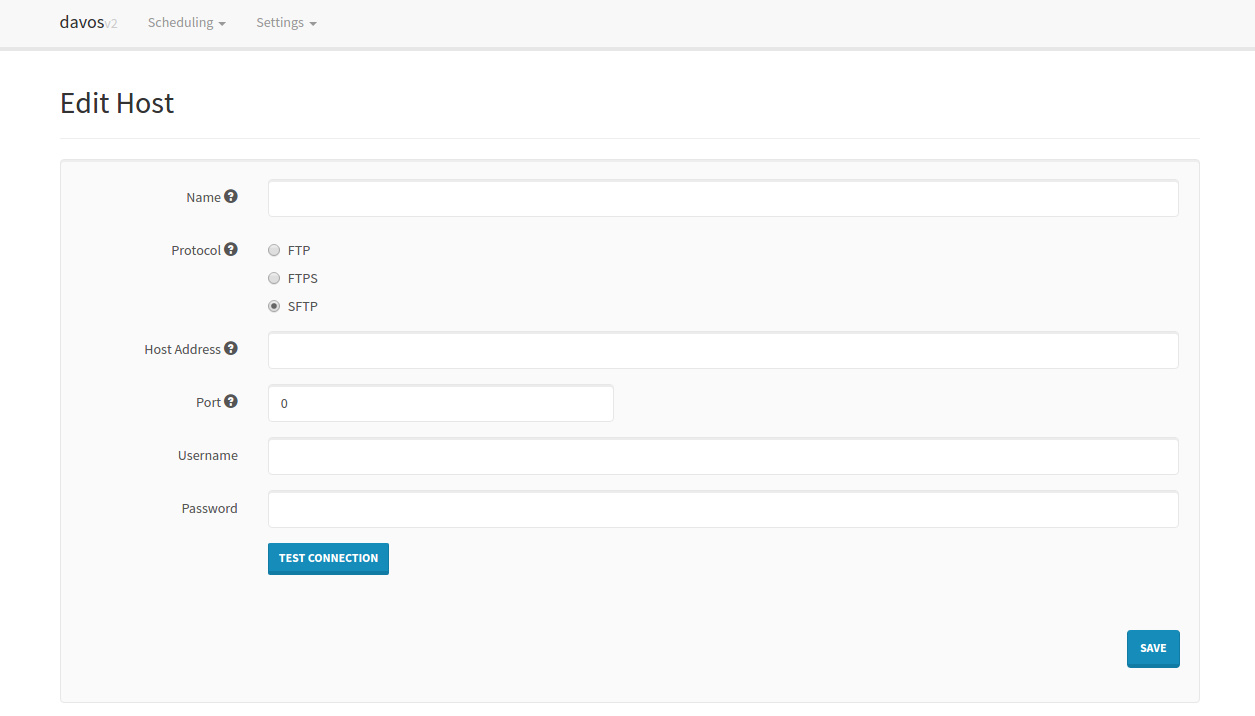
All periodic scans (Schedules) require a host to connect to. These can be added individually:
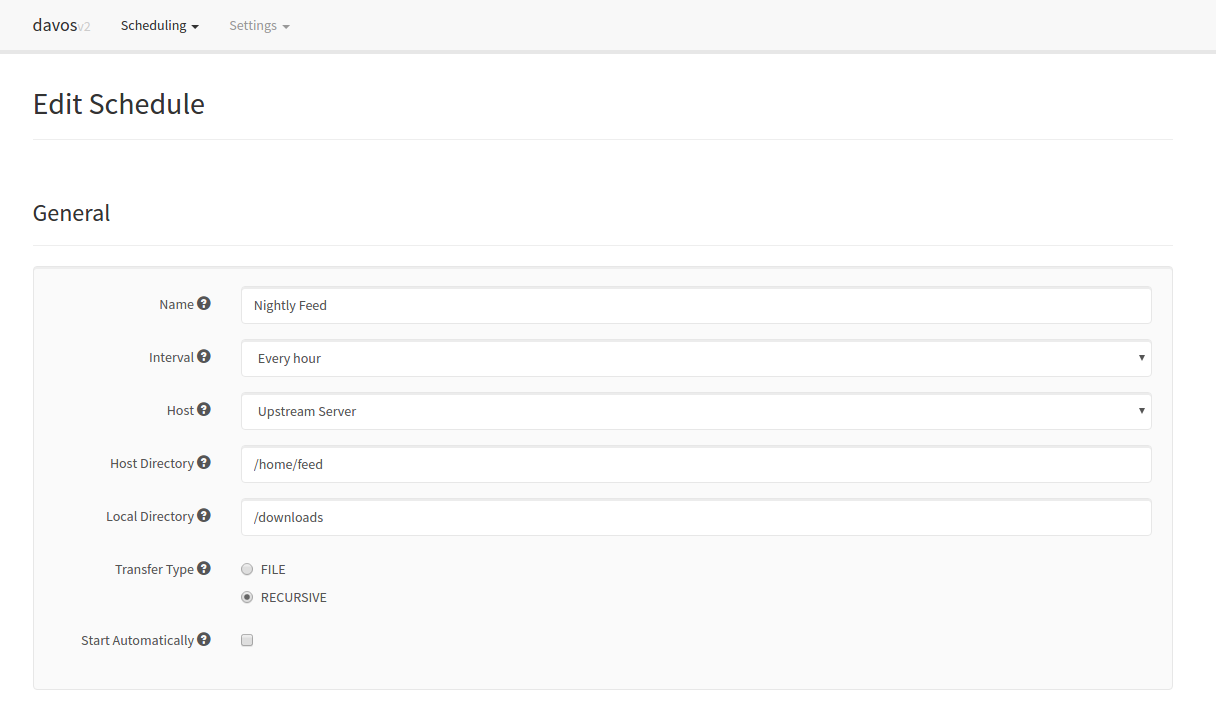
Each schedule contains all of the required information pertaining to the files it is interested in. This includes the host it needs to connect to, where to look for the files, where to download them, and how often:
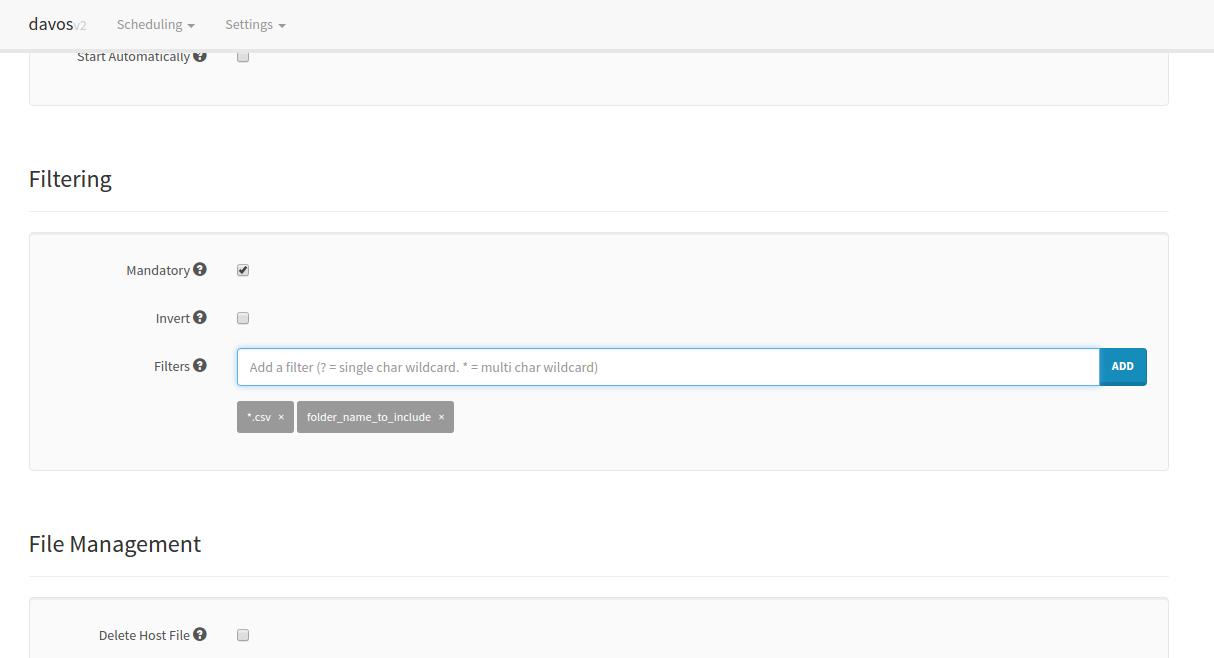
It is also possible to limit what the schedule downloads by applying filters to each scan. davos will only download files that match its list of given filters. If no filters are applied to a schedule, all files will be downloaded. Each schedule also keeps an internal record of what it scanned in the previous run, so it won't download the same file twice.
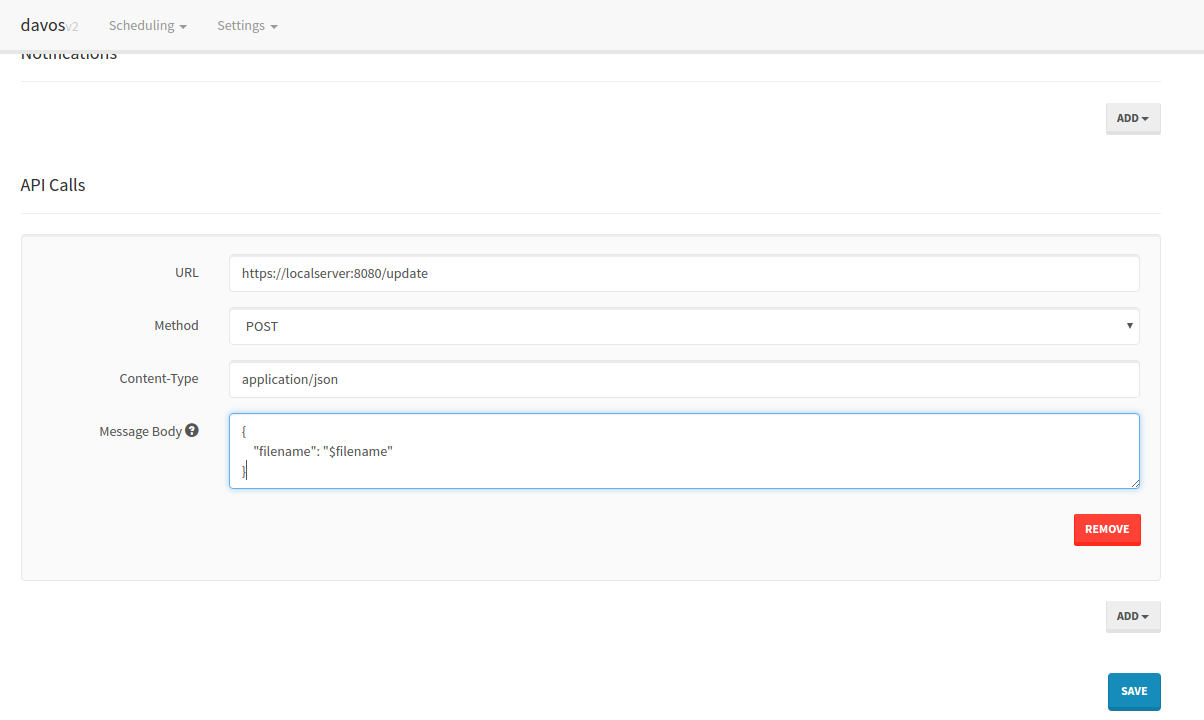
Once each file has been downloaded, davos can also notify you via Pushbullet, as well as sending downstream requests to other services. This is particularly useful if another service makes use of the file davos has just downloaded.
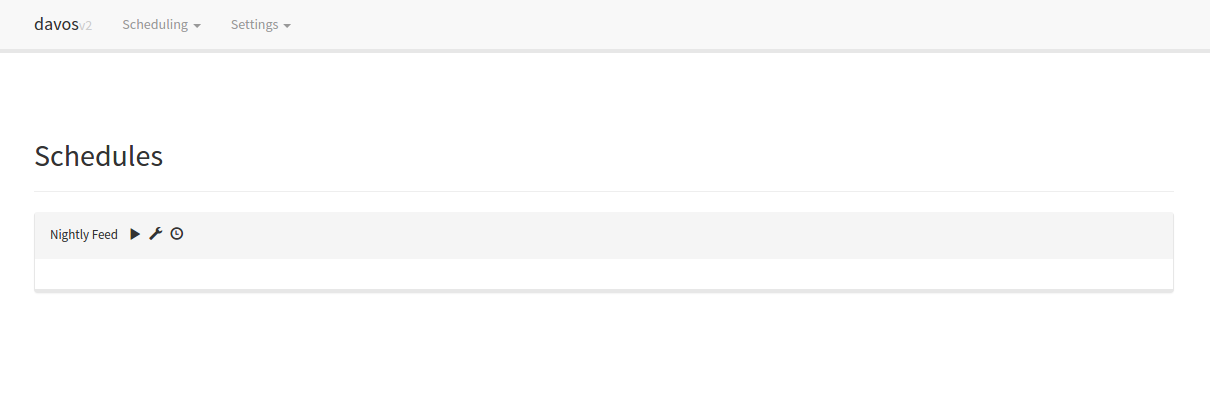
Finally, schedules can be started or stopped at any point, using the schedules listing UI:
A container image is published to the GitHub Container Registry on every push to master:
docker run -d \
  --name davos \
  -p 8080:8080 \
  -v /path/to/config:/config \
  -v /path/to/downloads:/download \
  ghcr.io/aerya/davos:latest
/configholds the H2 database and logs. General logs are in/config/logs/davos.log; each schedule additionally gets its own file under/config/logs/schedules/<schedule name>.log./downloadis the directory davos downloads into, and the root that the schedule Local Directory browser can explore. Point a schedule's local directory anywhere under/download.
The web UI is then available on http://localhost:8080.
-
2.5.0
- Discord and Apprise notifications are now sent as a single digest at the end of each scan, listing the files that were downloaded, instead of one message per file. The list is split into batches (20 lines per message, with a short pause between them) to avoid Discord rate limiting. No message is sent when a scan downloads nothing. (Pushbullet and Amazon SNS are unchanged and still fire per file.)
- Each schedule now writes its own log file under
/config/logs/schedules/<schedule name>.log, so a schedule's activity can be followed from disk without the web UI. General application logs remain in/config/logs/davos.log.
-
2.4.1
- A running schedule with no active transfer now shows a short status line (last scan time and re-scan interval) instead of an empty panel. The live progress table still appears while a scan is actually downloading files; between scans the schedule simply reports that it is idle.
-
2.4.0
- Added Discord and Apprise notifications, alongside the existing Pushbullet and Amazon SNS options, in the schedule editor's Notifications section.
- Discord: paste a channel webhook URL.
- Apprise: point to an Apprise API server and provide one or more Apprise notification URLs.
- Added a Schedules entry in the top navigation bar so the running schedules (with their live progress) are reachable in one click from any page.
- Added Discord and Apprise notifications, alongside the existing Pushbullet and Amazon SNS options, in the schedule editor's Notifications section.
-
2.3.1
- Static assets (
davos.js,davos.css) are now versioned in the page URLs so browsers always reload them after an upgrade, instead of serving a stale cached copy. This fixes the schedule Browse buttons appearing to do nothing when an olddavos.jswas still cached.
- Static assets (
-
2.3.0
- Added a directory browser to the schedule editor. The Host Directory field can now browse the remote FTP/SFTP server, and the Local Directory field can browse the volume mounted at
/downloadin the container, so folders can be picked instead of typed by hand.
- Added a directory browser to the schedule editor. The Host Directory field can now browse the remote FTP/SFTP server, and the Local Directory field can browse the volume mounted at
-
2.2.3
- Replaced the unmaintained
com.jcraft:jsch0.1.50 SSH library with the maintainedcom.github.mwiede:jschfork. This fixes theAlgorithm negotiation failerror when connecting via SFTP to modern SSH servers that no longer offer legacy key-exchange, host-key and cipher algorithms. - Added a Dockerfile and a GitHub Actions workflow that publishes a container image to the GitHub Container Registry.
- Replaced the unmaintained
-
2.2.2
- Updated log4j dependency to 2.16.0, accounting for CVE-2021-44228
-
2.2.1
- Fixed bug where lastRunTime got reset whenever a change was made to a schedule.
- General refactoring of code, plus added unit tests.
- Allow $filename resolution in URLs of API calls.
-
2.2.0
- The filter pattern matcher now resolves '*' to zero or more characters, rather than one or more.
- The scanned items list can now be cleared.
- Added a Last Run field to the scanned items modal.
- Included readthedocs documentation!
- Added SNS capability to notifications area
- Updated FTPS connections to run over Explicit TLS, rather than Implicit SSL
- This may or may not break existing schedules that use FTPS prior to 2.2.0.
- Improved some areas of DEBUG logging
- Schedules page now automatically updates when files are downloading
- Added identity file authentication for SFTP connections
- Included a version checker to help prompt users when a new version is available
- Full disclosure: This makes a GET request to GitHub to ascertain the latest release version.
-
2.1.2
- Fixed NaN bug caused by empty files (Div/0)
- Fixed recursive delete issue for directories in FTP and SFTP connections.
-
2.1.1
- Fixed primitive issue on Schedule model for new fields
-
2.1.0
- Mandatory filtering allows schedules to only download files when at least one filter has been set.
- Form validation on Hosts and Schedule pages
- New theme
- Inverse filtering allows schedules to download files that DO NOT match provided filters.
- "Test Connection" button added to Hosts page
- Schedules can now delete the remote copy of each file once the download has completed. This is separate to the Post-download actions.
- New intervals: "Every minute" and "Every 5 minutes"