Based on XMapTools 4.5 embedded documentation – Help file version 03.12.2021
This page describes the Spider Module which can be used to generate spider plots for LA-ICP-MS data.
Step 1: Select the normalisation data from the Normalisation drop-down menu 
Step 2 (optional): Use the Auto Contrast  button to automatically adjust the colour range.
Step 3: Select pixels to plot using one of the ROI types:
 Circle
 ROI
ROI Path
Path
Step 4 (optional): Activate the Hold on  mode to select multiple regions of interest. Simply repeat Step 3 to add more selections (circle or ROI). It is possible to edit and move any selection and the plot will be updated.
::: tip
Uncertainties are plotted on the graph. It is possible to choose to display '1se' (1sd/√N) or '1sd' 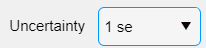 .
:::
.
:::