Problem: There are many circumstances like Windows update, BIOS/UEFI update,etc which can break the link between these two components—
EFI boot loaders on the ESP and pointers to those boot loaders in the computer's NVRAM. Such common occurrences can render a computer unbootable
-> After the fresh install, /efi/EFI/BOOT/(This directory structure can vary) will be having just one file bootx64.efi which is the windows fallback bootloader.
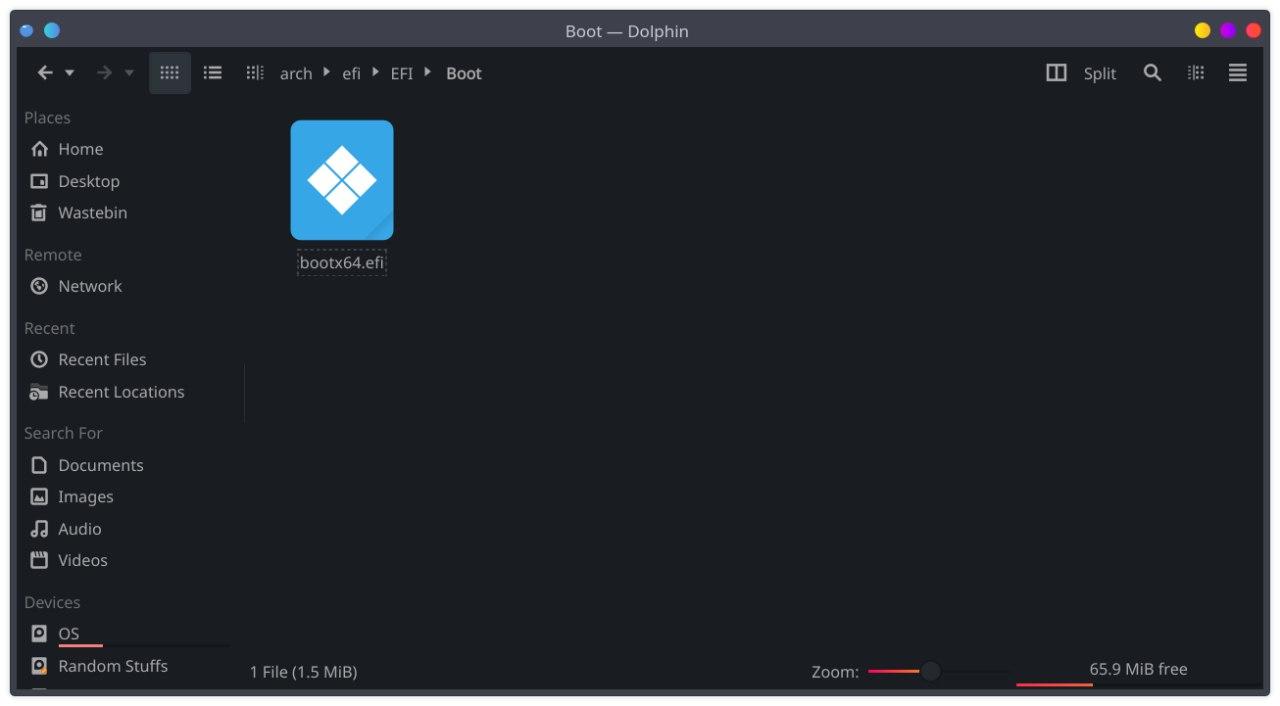
-> We need to put shimx64.efi.signed as BOOTX64.EFI here (ideally change folder to BOOT by deleting this folder first)
and also put mmx64.efi and fbx64.efi here (no renaming).
-> Extract shimx64.efi.signed from here
-> Extract mmx64.efi and fbx64.efi from here
-> Copy paste the extracted files to /efi/EFI/BOOT/
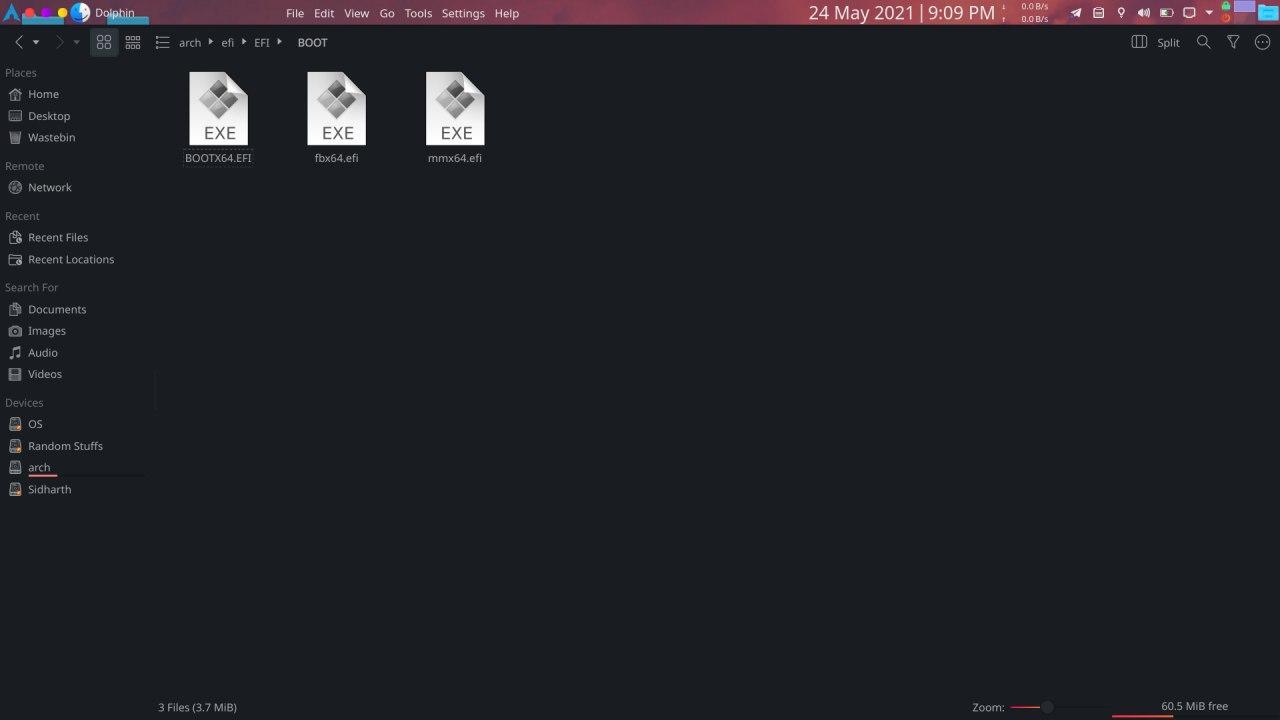
-> Do a ls -lA /efi/EFI/BOOT/ /efi/EFI/refind/ and check it resembles this.

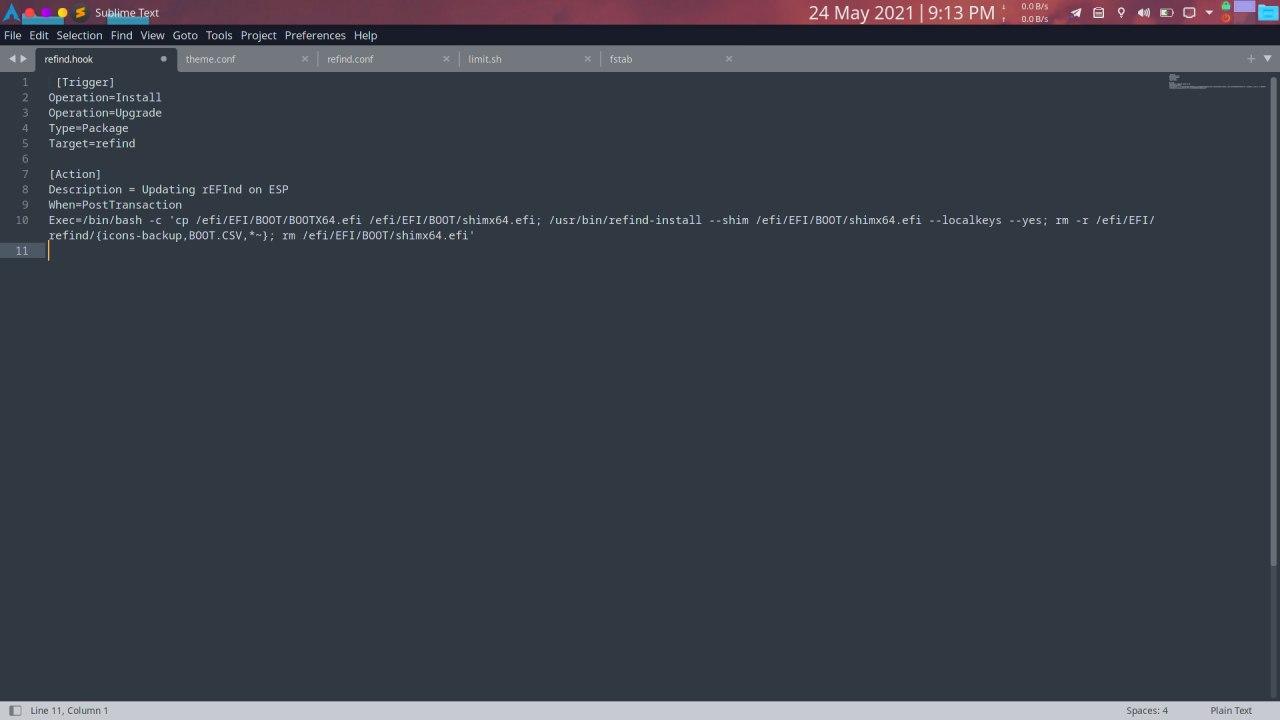
-> Also change the /usr/share/libalpm/hooks/refind.hook to below . Find the hook [here](https://github.com/itzzmesid/Arch-Linux- Installation/blob/main/dotfiles/usr/share/libalpm/hooks/refind.hook)
-> Now do a sudo pacman -S refind
-> Add BOOTX64.CSV to /efi/EFI/refind/
NOTE : Remember that refind.conf file has some changes every time refind gets update. This hook doesn't delete the refind.conf-sample file.Check what new changes it has with some diff app (like Kompare) and merge the changes appropriately
-> Once again do ls -lA /efi/EFI/BOOT/ /efi/EFI/refind/ to verify it produces a similar output as below.
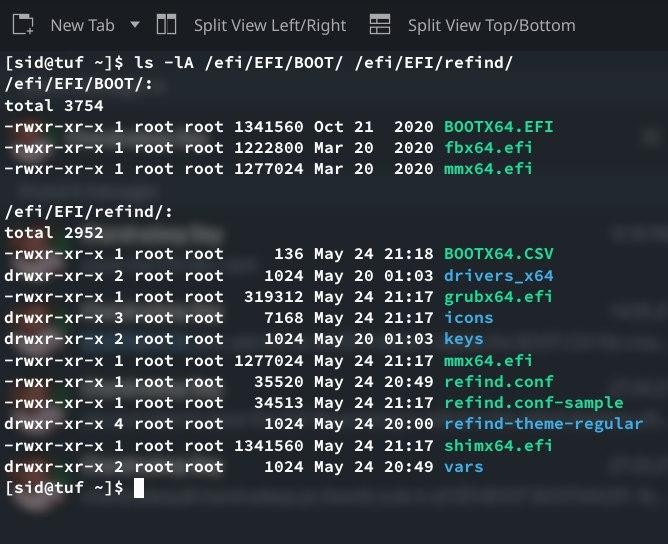
-> If you have copied the CSV files properly, new entries will be created automatically
-> Now enter ur BIOS and select Add new boot entry. Give it a temporary name(say fallback) and make it point to \EFI\BOOT\BOOTX64.EFI
-> Reboot
-> U will be greeted with blue screen of rEFInd. Just select reset from there.
-> Add the secure boot hook, do a pacman -S linux(and linux-lts if u have installed lts kernel too) and turn on secure boot after that.