- Login to Lab Vm and run below command
sudo -s
cd
- Download and Install Elasticsearch using below command
wget https://artifacts.elastic.co/downloads/elasticsearch/elasticsearch-6.8.23.deb

dpkg -i elasticsearch-6.8.23.deb
- Started Es service
systemctl start elasticsearch
systemctl enable elasticsearch
- Test Es using below command
curl localhost:9200
- Download and Install kibana
wget https://artifacts.elastic.co/downloads/kibana/kibana-6.8.23-amd64.deb

dpkg -i kibana-6.8.23-amd64.deb

systemctl restart kibana
systemctl enable kibana
- Open kibana in browser
localhost:5601
- Download and install filebeat
wget https://artifacts.elastic.co/downloads/beats/filebeat/filebeat-6.8.23-amd64.deb
dpkg -i filebeat-6.8.23-amd64.deb
- Modify /etc/filebeat/filebeat.yml as below highlighted
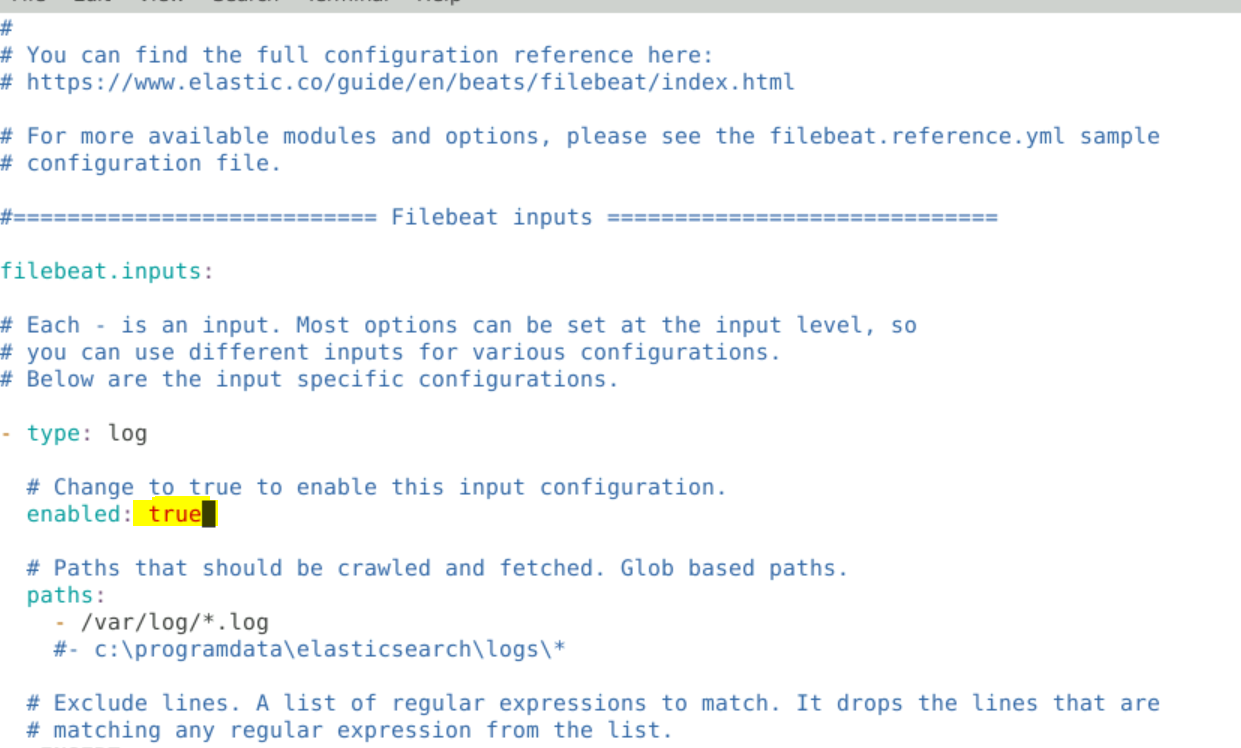
- Add Dashboard block as well if needed

- Restart filebeat svc
systemctl restart filebeat
systemctl status filebeat
systemct enable filebeat
- Test the configuration for filebeat
filebeat test config
filebeat test output
- Check all enable modules, enable and disable
filebeat modules list

filebeat modules enable <module name>
filebeat modules disable <modulename
- Create Dashboard in Kibana
filebeat setup
Now Go and check if filebeat index is created you can alsoc check for Dashboard
- Download and Install Metricbeat
wget https://artifacts.elastic.co/downloads/beats/metricbeat/metricbeat-6.8.23-amd64.deb
dpkg -i metricbeat-6.8.23-amd64.deb
- Start Service of Metricbeat
systemct restart metricbeat
systemctl status metricbeat
systemctl enable metricbeat
- Modify /etc/metricbeat/metricbeat.yaml as earlier
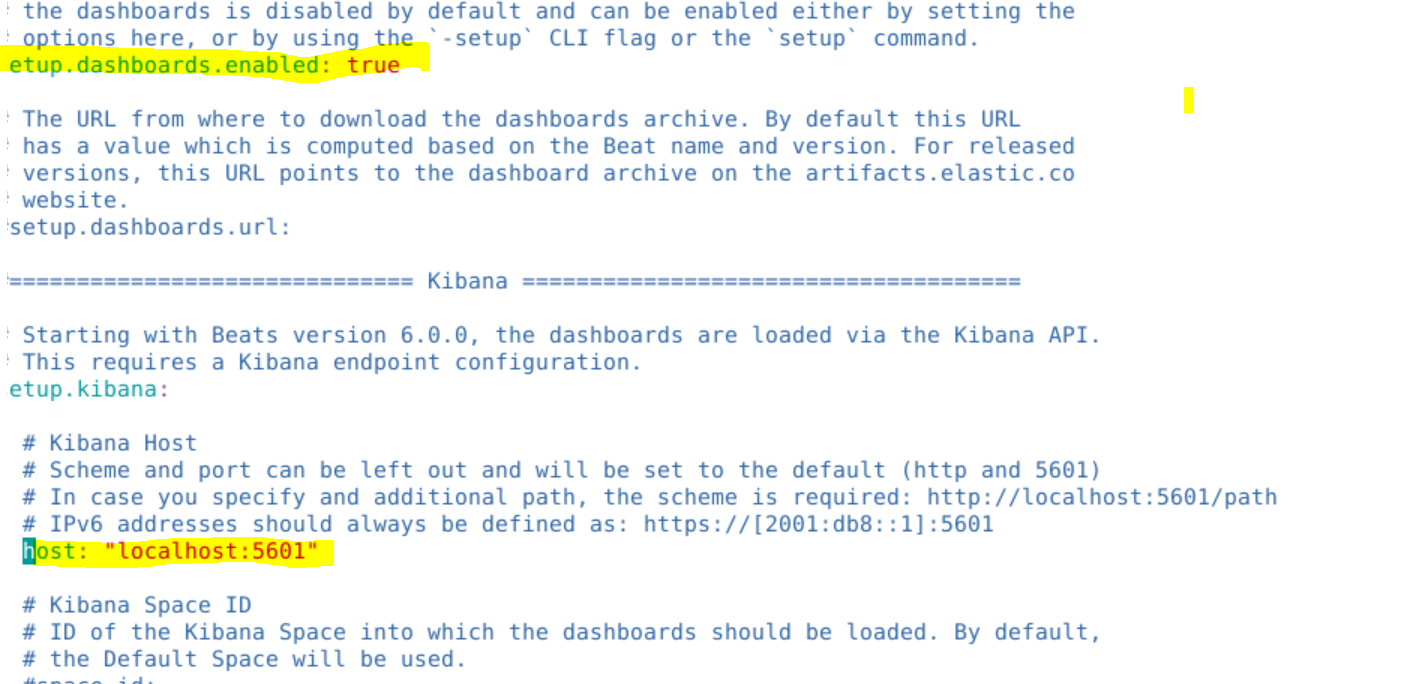
- Check configuration
metricbeat test config
metricbeat test output
- loads dashboard
metricbeat setup
sysctl -w vm.max_map_count=262144
NzQ2MzQ2NzUyMDkxNzg5