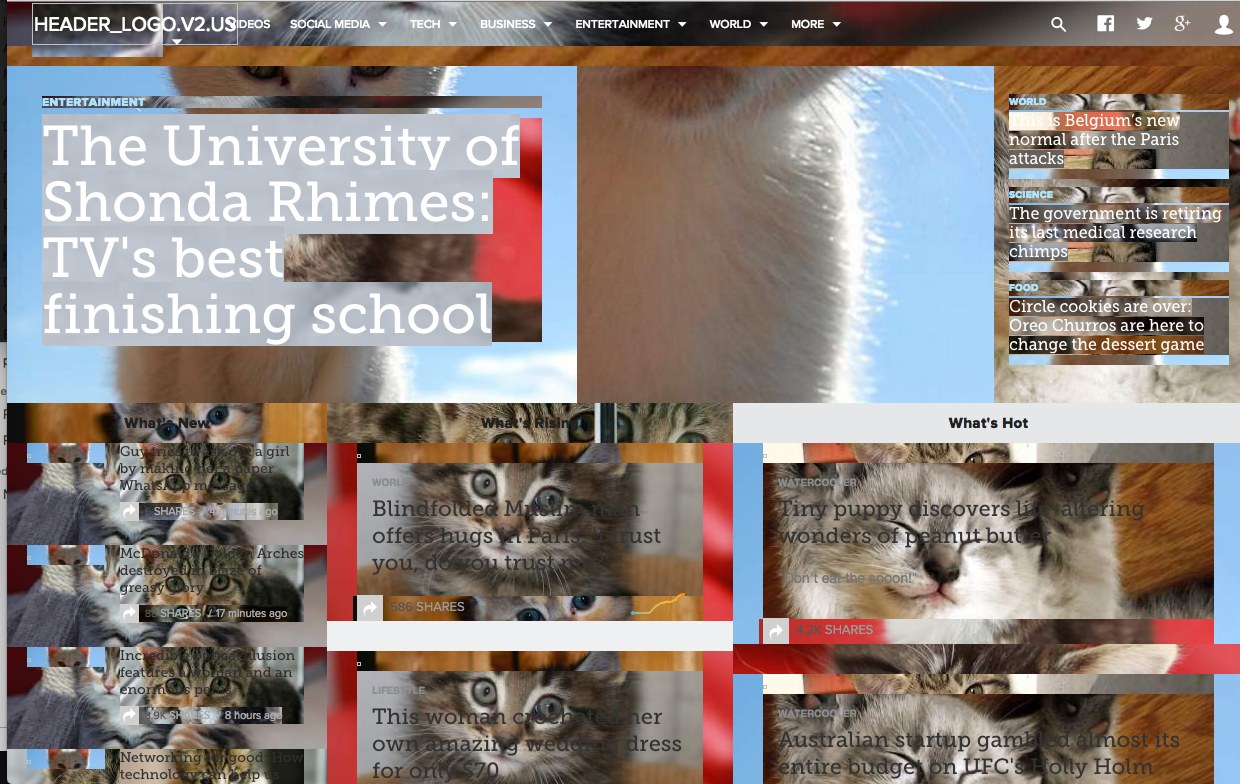
Bookmarklet / Plugin for having some fun with d3.
Fun transforms, filters, images and more.
MIT License
Directions to install here: https://nthitz.github.io/d3fx/
d3fx is a small plugin/bookmarklet for d3 that allows you to more easily manipulate websites beyond your own in fun ways.
d3fx.transform(): applies fun geometric transforms to your selection
d3fx.filter(): applies fun graphical transforms to your selection
d3fx.imageSwap(): adds some fun imagry to you selection
They are stored as enums:
d3fx.TRANSFORM.grow: will scale() selection
d3fx.TRANFORM.jitter: will translate() selection
d3fx.TRANSFORM.tilt: will skewX() selection
d3fx.TRANFROM.rotate: ...
d3fx.TRANSFORM.all: will apply all of the above to the selection
There are quite a few different filter options. See
d3fx.FILTER provides numerous properties ['blur', 'brightness', 'contrast', 'grayscale', 'invert', 'saturate', 'sepia', 'hueRotate', 'all']
You can also merge filters:
d3fx.merge(d3fx.TRANSFORM.grow, d3fx.TRANFORM.tilt) will animate both the scale and skewX of a selection
d3fx.merge(d3fx.FILTER.sepia, d3fx.FILTER.blur) will animate both the sepia and blur filters or a selection
d3fx.IMAGESWAP provides a few different properties for different types of image swaps:
['BILLMURRAY', 'VANILLAICE', 'KITTEN', 'BEAR', 'BACON']
Select all the divs on a page and animate their scale property:
d3.selectAll('div').each(d3fx.transform(d3fx.TRANFORM.grow))
Select all the divs on a page and animate both their scale and translate properties:
d3.selectAll('div').each(d3fx.transform(
  d3fx.merge(d3fx.TRANFORM.grow, d3fx.TRANFORM.jitter)
))
Select all the divs on a page and animate all their transform properties
d3.selectAll('div').each(d3fx.transform(d3.TRANFORM.all))
Select all the images and animate their sepia filter
d3.selectAll('img').each(d3fx.filter(d3fx.FILTER.sepia))
Select all the images and animate their blur filter
d3.selectAll('img').each(d3fx.filter(d3fx.FILTER.blur))
Select alll the images and animate their sepia and blur filters
d3.selectAll('img').each(d3fx.filter(
  d3fx.merge(d3fx.FILTER.sepia, d3fx.FILTER.blur)
))
Select all the images and animate all filters
d3.selectAll('img').each(d3fx.filter(d3fx.FILTER.all))
add kitten images to all divs
d3.selectAll('div').each(d3fx.imageSwap(d3fx.IMAGESWAP.KITTEN))
add Bill Murray images to all elements
d3.selectAll('*').each(d3fx.imageSwap(d3fx.IMAGESWAP.BILLMURRAY))
d3.selectAll('div').each(d3fx.imageSwap(d3fx.IMAGESWAP.KITTEN))
  .each(d3fx.transform(d3fx.TRANSFORM.all))
  .each(d3fx.filter(d3fx.FILTER.all))
These only scratch the surface as they really just select one element ;) You can do much more with more powerful selectors.
Scale

Skew

Transform All

Sepia

Hue Rotate

Image Swap