C# is a general-purpose, modern and object-oriented programming (OOPs) language pronounced as “C sharp”. It was developed by Microsoft led by Anders Hejlsberg and his team within the .Net initiative and was approved by the European Computer Manufacturers Association (ECMA) and International Standards Organization (ISO). It runs in .NET framework.
- Java runs on the Java Runtime Environment (JRE) whereas C# is designed to be run on the Common Language Runtime (CLR).
-
Java is a class-based Object Oriented language whereas C# is Object-Oriented, functional, strong typing, component-oriented.
-
Java doesn’t support for operator overloading whereas C# provides operator overloading for multiple operators.
public static OperatorOverloading operator +(OperatorOverloading a, OperatorOverloading b)
{
	OperatorOverloading c = new OperatorOverloading();
	c.x = a.x + b.x;
	c.y = a.y + b.y;
        c.z = a.z + b.z;
	return c;
}
- Java does not support pointers while C# supports pointer only in an unsafe mode.
- In Java, Arrays are a direct specialization of Object whereas arrays in C# are a specialization of System.
| Parameters | Java | C# |
|---|---|---|
| Creation | Designed by Sun Microsystems. | Designed as part of Microsoft's .NET initiative. |
| Ecosystem | Has a huge opensource ecosystem. | Used to develop software for Microsoft platforms. |
| Support for generics | It is implemented using erasures and casts added upon compilation into bytecode. | Integrated into the CLI and allows type information to be available at runtime |
| Support for delegates | Requires use of an interface to achieve similar functionality. | Has delegates which serve as methods that can be called without knowledge of target object. |
| Checked exceptions | Only has one type of exception | Distinguishes between checked and unchecked exceptions |
| Polymorphism | Invokes the "virtual" keyword in a base class and "override" keyword in a derived class. | Enables polymorphism by default. |
| Designed for | Java programming language is intended to be run on a Java platform, by the help of Java Runtime Environment (JRE). | The C# programming language is designed to be run on the Common Language Runtime (CLR). |
| Safety type | Java type safety is safe. | C# type of safety is unsafe. |
| Built-in Datatype | Built-in data types that are passed by value are called simple types. | Built-in data types that are passed by value are known as primitive types. |
| Arrays | Arrays in Java are a direct specialization of Object. | Arrays in C# are a specialization of System. |
| Support for conditional compilation | Java doesn't provide support for conditional compilation | C# supports conditional compilation feature with the help of preprocessor directives. |
| Support for Goto statement | Java doesn't support the goto statement. | C# supports the goto statement. |
| Structure and unions | Java doesn't support structures and unions. | C# supports structures and unions. |
| Operator Overloading | No support for operator overloading | C# provides support for operator overloading for multiple operators. |
| Number of Public Classes | In Java, there is an only a single public class inside source code, or it will display compilation error. | In C#, there are multiple public classes included in the source code. |
| Pointers | Java does not support pointers. | In C# you can use pointer only in an unsafe mode. |
| Control for API | It is controlled by an open community process. | Microsoft controls C# API. |
| Runtime Environment | Java supports JVM(Java Virtual Machine). | C# supports CLR(Common Language Runtime). |
| Platform Dependency | Java is a robust and platform independent language. | Code written in C# is windows specific. |
| IDE | Eclipse, NetBeans, IntelliJ IDEA | Visual Studio, MonoDevelop |
The C# language relies on types and methods in what the C# specification defines as a standard library for some of the features. The .NET platform delivers those types and methods in a number of packages.
- C# version 1.0
- C# version 1.2
- C# version 2.0
- C# version 3.0
- C# version 4.0
- C# version 5.0
- C# version 6.0
- C# version 7.0
- C# version 7.1
- C# version 7.2
- C# version 7.3
- C# version 8.0
- C# version 9.0
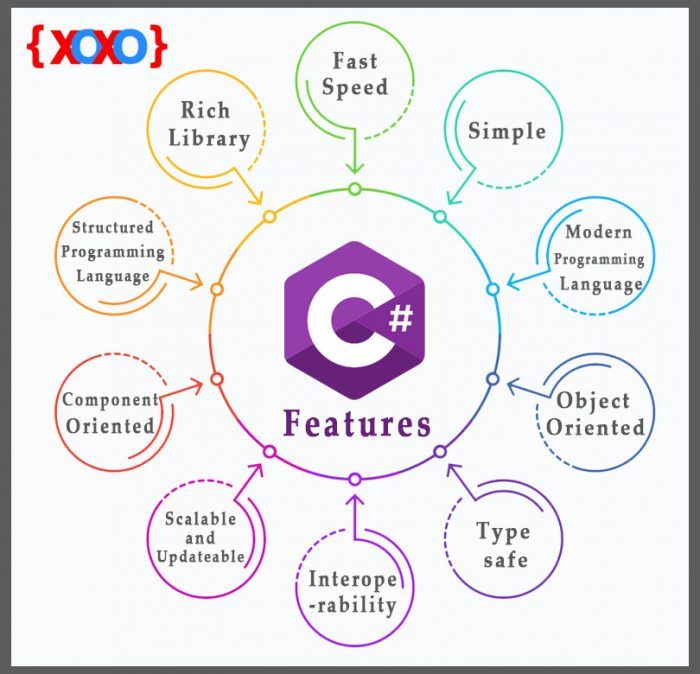
C# is object oriented programming language. It provides a lot of features that are given below.
- Simple
- Modern programming language
- Object oriented
- Type safe
- Interoperability
- Scalable and Updateable
- Component oriented
- Structured programming language
- Rich Library
- Fast speed
Data types specify the type of data that a valid C# variable can hold. C# is a strongly typed programming language because in C#, each type of data (such as integer, character, float, and so forth) is predefined as part of the programming language and all constants or variables defined for a given program must be described with one of the data types.
Data types in C# is mainly divided into three categories
- Value Data Types
- Reference Data Types
- Pointer Data Type
In C#, the Value Data Types will directly store the variable value in memory and it will also accept both signed and unsigned literals. The derived class for these data types are System.ValueType. Following are different Value Data Types in C# programming language :
- Signed & Unsigned Integral Types
| Alias | Type Name | Type | Size(bits) | Range | Default Value |
|---|---|---|---|---|---|
| sbyte | System.Sbyte | signed integer | 8 | -128 to 127 | 0 |
| short | System.Int16 | signed integer | 16 | -32768 to 32767 | 0 |
| Int | System.Int32 | signed integer | 32 | -231 to 231-1 | 0 |
| byte | System.byte | unsigned integer | 8 | 0 to 255 | 0 |
| uint | System.UInt32 | unsigned integer | 32 | 0 to 232 | 0 |
| long | System.Int64 | signed integer | 64 | -263 to 263-1 | 0L |
| ushort | System.UInt16 | unsigned integer | 16 | 0 to 65535 | 0 |
| ulong | System.UInt64 | unsigned integer | 64 | 0 to 263 | 0 |
- Floating Point Types
| Alias | Type name | Size(bits) | Range (aprox) | Default Value |
|---|---|---|---|---|
| float | System.Single | 32 | ±1.5 × 10-45 to ±3.4 × 1038 | 0.0F |
| double | System.Double | 64 | ±5.0 × 10-324 to ±1.7 × 10308 | 0.0D |
- Decimal Types
| Alias | Type name | Size(bits) | Range (aprox) | Default value |
|---|---|---|---|---|
| decimal | System.Decimal | 128 | ±1.0 × 10⁻²⁸ to ±7.9228 × 1028 | 0.0M |
- Character Types
| Alias | Type name | Size In(Bits) | Range | Default value |
|---|---|---|---|---|
| char | System.Char | 16 | U +0000 to U +ffff | ‘\0’ |
- Boolean Types
| Alias | Type name | Values |
|---|---|---|
| bool | System.Boolean | True / False |
The Reference Data Types will contain a memory address of variable value because the reference types won’t store the variable value directly in memory. The built-in reference types are string, object.
- String It represents a sequence of Unicode characters and its type name is System.String. So, string and String are equivalent.
   string s1 = "Hello"; // creating through string keyword
   String s2 = "World!"; // creating through String class
- Object In C#, all types, predefined and user-defined, reference types and value types, inherit directly or indirectly from Object. So basically it is the base class for all the data types in C#. Before assigning values, it needs type conversion. When a variable of a value type is converted to object, it’s called boxing. When a variable of type object is converted to a value type, it’s called unboxing. Its type name is System.Object.
The Pointer Data Types will contain a memory address of the variable value.To get the pointer details we have a two symbols ampersand (&) and asterisk (*).
ampersand (&) : It is Known as Address Operator. It is used to determine the address of a variable.
asterisk (*) : It also known as Indirection Operator. It is used to access the value of an address.
Syntax :
type* identifier;
A Variable is basically a placeholder of the information which can be changed at runtime. And variables allows to Retrieve and Manipulate the stored information.
Syntax:
type variable_name = value;
or
type variable_names;
Rules for Naming Variables
- Variable names can contain the letters ‘a-z’ or ’A-Z’ or digits 0-9 as well as the character ‘_’.
- The name of the variables cannot be started with a digit.
- The name of the variable cannot be any C# keyword say int, float, null, String, etc.
Initializing Variables
In C# each data type has some default value which is used when there is no explicitly set value for a given variable. Initialization can be done separately or may be with declaration.
Example :
int length = 20; // Declaring and initializing the variable at same time
int age; // Declaring variable age
age = 35; // initializing age with value 35
Two Ways for Initialization:
- Compile time initialization : It means to provide the value to the variable during the compilation of the program.
- Run time initialization : In this, the user has to enter the value and that value is copied to the required variable.
Note: Here the Console.ReadLine() method asks the user to enter the value and later on it puts the same value in the “num” variable. Hence the value will be displayed according to the user input.
Implicitly typed variables are those variables which are declared without specifying the .NET type explicitly. In implicitly typed variable, the type of the variable is automatically deduced at compile time by the compiler from the value used to initialize the variable. The implicitly typed variable concept is introduced in C# 3.0. The implicitly typed variable is not designed to replace the normal variable declaration, it is designed to handle some special-case situation like LINQ(Language-Integrated Query).
Why it is termed Local?Answer: It is not allowed to use var as a parameter value or return type in the method or defining it at class level etc. because the scope of the implicitly typed variable is local. Read more
C# 4.0 (.NET 4.5) introduced a new type called dynamic that avoids compile-time type checking. A dynamic type escapes type checking at compile-time; instead, it resolves type at run time.
A dynamic type variables are defined using the dynamic keyword.The compiler compiles dynamic types into object types in most cases. However, the actual type of a dynamic type variable would be resolved at run-time.
Example
static void Main(string[] args)
{
    dynamic MyDynamicVar = 100;
    Console.WriteLine("Value: {0}, Type: {1}", MyDynamicVar, MyDynamicVar.GetType());

    MyDynamicVar = "Hello World!!";
    Console.WriteLine("Value: {0}, Type: {1}", MyDynamicVar, MyDynamicVar.GetType());

    MyDynamicVar = true;
    Console.WriteLine("Value: {0}, Type: {1}", MyDynamicVar, MyDynamicVar.GetType());

    MyDynamicVar = DateTime.Now;
    Console.WriteLine("Value: {0}, Type: {1}", MyDynamicVar, MyDynamicVar.GetType());
}
Output
Value: 100, Type: System.Int32
Value: Hello World!!, Type: System.String
Value: True, Type: System.Boolean
Value: 01-01-2014, Type: System.DateTime
| Var | Dynamic |
|---|---|
| It is introduced in C# 3.0. | It is introduced in C# 4.0 |
| The variables are declared using var keyword are statically typed. | The variables are declared using dynamic keyword are dynamically typed. |
| The type of the variable is decided by the compiler at compile time. | The type of the variable is decided by the compiler at run time. |
| The variable of this type should be initialized at the time of declaration. So that the compiler will decide the type of the variable according to the value it initialized. | The variable of this type need not be initialized at the time of declaration. Because the compiler does not know the type of the variable at compile time. |
| If the variable does not initialized it throw an error. | If the variable does not initialized it will not throw an error. |
| It support intelliSense in visual studio. | It does not support intelliSense in visual studio |
| var myvalue = 10; // statement 1 myvalue = “GeeksforGeeks”; // statement 2 Here the compiler will throw an error because the compiler has already decided the type of the myvalue variable using statement 1 that is an integer type. When you try to assign a string to myvalue variable, then the compiler will give an error because it violating safety rule type. |
dynamic myvalue = 10; // statement 1 myvalue = “GeeksforGeeks”; // statement 2 Here, the compiler will not throw an error though the type of the myvalue is an integer. When you assign a string to myvalue it recreates the type of the myvalue and accepts string without any error. |
| It cannot be used for properties or returning values from the function. It can only used as a local variable in function. | It can be used for properties or returning values from the function. |
Operators are the foundation of any programming language. Thus the functionality of C# language is incomplete without the use of operators. Operators allow us to perform different kinds of operations on operands. In C#, operators Can be categorized based upon their different functionality :
- Arithmetic Operators
- Relational Operators
- Logical Operators
- Bitwise Operators
- Assignment Operators
- Conditional Operator
In C#, Operators can also categorized based upon Number of Operands :
- Unary Operator: Operator that takes one operand to perform the operation.
- Binary Operator: Operator that takes two operands to perform the operation.
- Ternary Operator: Operator that takes three operands to perform the operation.
- Addition (+)
- Subtraction (-)
- Multiplication (*)
- Division (/)
- Modulus (%)
Unary Operators
- Increment Operator
- Pre-increment Operator (++a)
- Post-increment Operator (a++)
- Decrement Operator
- Pre-decrement Operator (--a)
- Post-decrement Operator (a--)
Relational operators are used for comparison of two values.
- == (Equal To)
- != (Not Equal To)
- > (Greater Than)
- < (Less Than)
- >= (Greater Than Equal To)
- <= (Less Than Equal To)
They are used to combine two or more conditions/constraints or to complement the evaluation of the original condition in consideration. They are described below:
- Logical AND (&&)
- Logical OR (||)
- Logical NOT (!)
In C#, there are 6 bitwise operators which work at bit level or used to perform bit by bit operations. Following are the bitwise operators :
- & (bitwise AND)
- | (bitwise OR)
- ^ (bitwise XOR)
- << (left shift)
- >> (right shift)
Assignment operators are used to assigning a value to a variable. The left side operand of the assignment operator is a variable and right side operand of the assignment operator is a value. The value on the right side must be of the same data-type of the variable on the left side otherwise the compiler will raise an error.
-
= (Simple Assignment)
Example:
a = 10; -
+= (Add Assignment)
Example:
a += b; // Equivalent to a = a + b -
-= (Subtract Assignment)
Example:
a -= b; // Equivalent to a = a - b -
*= (Multiply Assignment)
Example:
a *= b; // Equivalent to a = a * b -
/= (Division Assignment)
Example:
a /= b; // Equivalent to a = a / b -
%= (Modulus Assignment)
Example:
a %= b; // Equivalent to a = a % b -
<<= (Left Shift Assignment)
Example:
a <<= 2; // Equivalent to a = a << 2 -
>>= (Right Shift Assignment)
Example:
a >>= 2; // Equivalent to a = a >> 2 -
&= (Bitwise AND Assignment)
Example:
a &= 2; // Equivalent to a = a & 2 -
^= (Bitwise Exclusive OR)
Example:
a ^= 2; // Equivalent to a = a ^ 2 -
|= (Bitwise Inclusive OR)
Example :
a |= 2; // Equivalent to a = a | 2
It is ternary operator which is a shorthand version of if-else statement. It has three operands and hence the name ternary. It will return one of two values depending on the value of a Boolean expression.
Syntax:
condition ? first_expression : second_expression;